Account security has become a priority nowadays. Best YubiKey Alternatives for Secure Two-Factor Authentication when it comes to hardware-based two-factor authentication (2FA).
- 1. Google Titan Security Key
- Google Titan Security Key
- Google Titan Security Key
- 2. Thetis FIDO U2F Security Key
- Thetis FIDO U2F Security Key
- Thetis FIDO U2F Security Key
- 3. Kensington VeriMark Guard USB-C Fingerprint Key
- Kensington VeriMark Guard USB-C Fingerprint Key
- Kensington VeriMark Guard USB-C Fingerprint Key
- 4. OnlyKey Security Key
- OnlyKey Security Key
- OnlyKey Security Key
- 5. Feitian ePass FIDO‑NFC Security Key
- Feitian ePass FIDO-NFC Security Key
- Feitian ePass FIDO-NFC Security Key
- 6. Thetis Pro FIDO2 Security Key
- Thetis Pro FIDO2 Security Key
- Thetis Pro FIDO2 Security Key
- 7. Nitrokey FIDO2
- Nitrokey FIDO2
- Nitrokey FIDO2
- 8. SoloKey FIDO2 Security Key
- SoloKey FIDO2 Security Key
- SoloKey FIDO2 Security Key
- 9. TrustKey G310H FIDO2 Security Key
- TrustKey G310H FIDO2 Security Key
- TrustKey G310H FIDO2 Security Key
- 10. AuthenTrend ATKey.Pro
- AuthenTrend ATKey.Pro
- AuthenTrend ATKey.Pro
- Criteria for Choosing the Best YubiKey Alternatives
- Conclusion
- FAQ
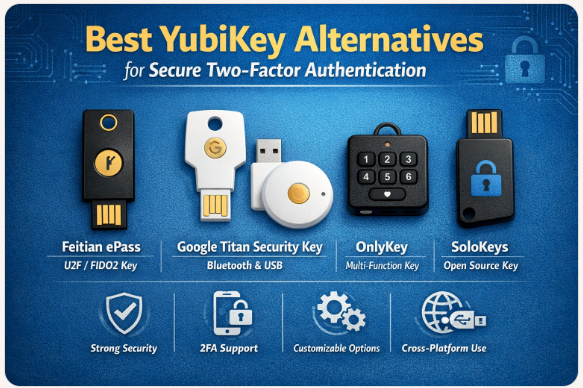
However, not everyone likes YubiKey, since it can come at a high price. Fortunately, there are many YubiKey alternatives that bring the same security, ease of use, and compatibility to users.
Encrypted, easy to use, and phishing-resistant alternatives can be NFC devices, biometric keys, and even open-source security keys.
| Alternative | Key Point |
|---|---|
| Google Titan Security Key | A hardware security key developed by Google that supports FIDO2 and U2F authentication, providing strong phishing-resistant protection for Google accounts and many other compatible services. |
| Thetis FIDO U2F Security Key | A compact USB hardware key offering reliable U2F authentication for services like Google, Facebook, and Dropbox, designed as an affordable alternative to premium security keys. |
| Kensington VeriMark Guard USB-C Fingerprint Key | A biometric security key from Kensington that combines fingerprint authentication with FIDO2 support for passwordless login and strong identity verification. |
| OnlyKey Security Key | A programmable hardware key that also functions as a password manager, allowing users to securely store and auto-type encrypted credentials. |
| Feitian ePass FIDO-NFC Security Key | A versatile security key from Feitian Technologies supporting NFC and USB authentication, compatible with mobile devices and desktops using FIDO standards. |
| Thetis Pro FIDO2 Security Key | A durable FIDO2-certified hardware key with USB-A connectivity that enables passwordless login and strong two-factor authentication for online accounts. |
| Nitrokey FIDO2 | An open-source security key developed by Nitrokey offering privacy-focused authentication and strong FIDO2/U2F support for secure logins. |
| SoloKey FIDO2 Security Key | A developer-friendly open-source hardware key that supports FIDO2 authentication and allows firmware customization for advanced security users. |
| TrustKey G310H FIDO2 Security Key | A compact USB security key from TrustKey Solutions that provides passwordless login through FIDO2 and U2F standards. |
| AuthenTrend ATKey.Pro | A biometric FIDO2 security key from AuthenTrend featuring fingerprint authentication and multi-factor login support for enterprise and personal security. |
1. Google Titan Security Key
https://coinworldstory.com/10-best-hardware-wallets-for-nfts-in-2026-guide/The Google Titan Security Key is a solid alternative to YubiKey and gets the job done when it comes to securely storing online account passwords for two-factor authentication. It also provides FIDO 2 and FIDO U2F standard authentication which allows for passwordless logins.
Your account is also protected from phishing attacks because it also provides phishing protected authentication. The Google Titan Security Key employs a security element chip in their security process which protects and securely stores the secret keys and is resistant to physical attacks.
The keys utilizes ** USB-A, USB-C, and NFC** for phone and laptop authentication. Google Titan Security Keys cover a wide range of Google account and Google Cloud services which is why a lot of businesses and individuals prefer using it when it comes to hardware authentication.
Google Titan Security Key
| Pros | Cons |
|---|---|
| Strong phishing-resistant authentication with FIDO2/U2F support | Slightly expensive compared to other alternatives |
| Secure hardware chip protects cryptographic keys | Limited color/design options |
| Multiple connectivity: USB-A, USB-C, NFC | Requires physical possession for authentication |
| Trusted by Google services and enterprise solutions | Not ideal for offline-only authentication |
Google Titan Security Key
- Phishing-Resistant Authentication – Utilizing strong public key cryptography, phishing attacks are prevented since users can only sign into the verified legitimate website.
- Secure Hardware Chip – Google Cloud has a dedicated security chip and Google-engineered firmware which can detect tampering and secure the stored cryptographic keys.
- FIDO Standard Support – Google Cloud supports FIDO2 and U2F authentication standards which allows users to have passwordless login and strong two-factor authentication.
- Multiple Connectivity Options – Google Cloud has USB-A, USB-C, and NFC to provide authentication to computers, tablets, and smartphones.
2. Thetis FIDO U2F Security Key
Thetis FIDO U2F Security Key is a very cost effective and compact hardware authentication device. It’s purpose is to help keep accounts safe from phishing and credential theft.
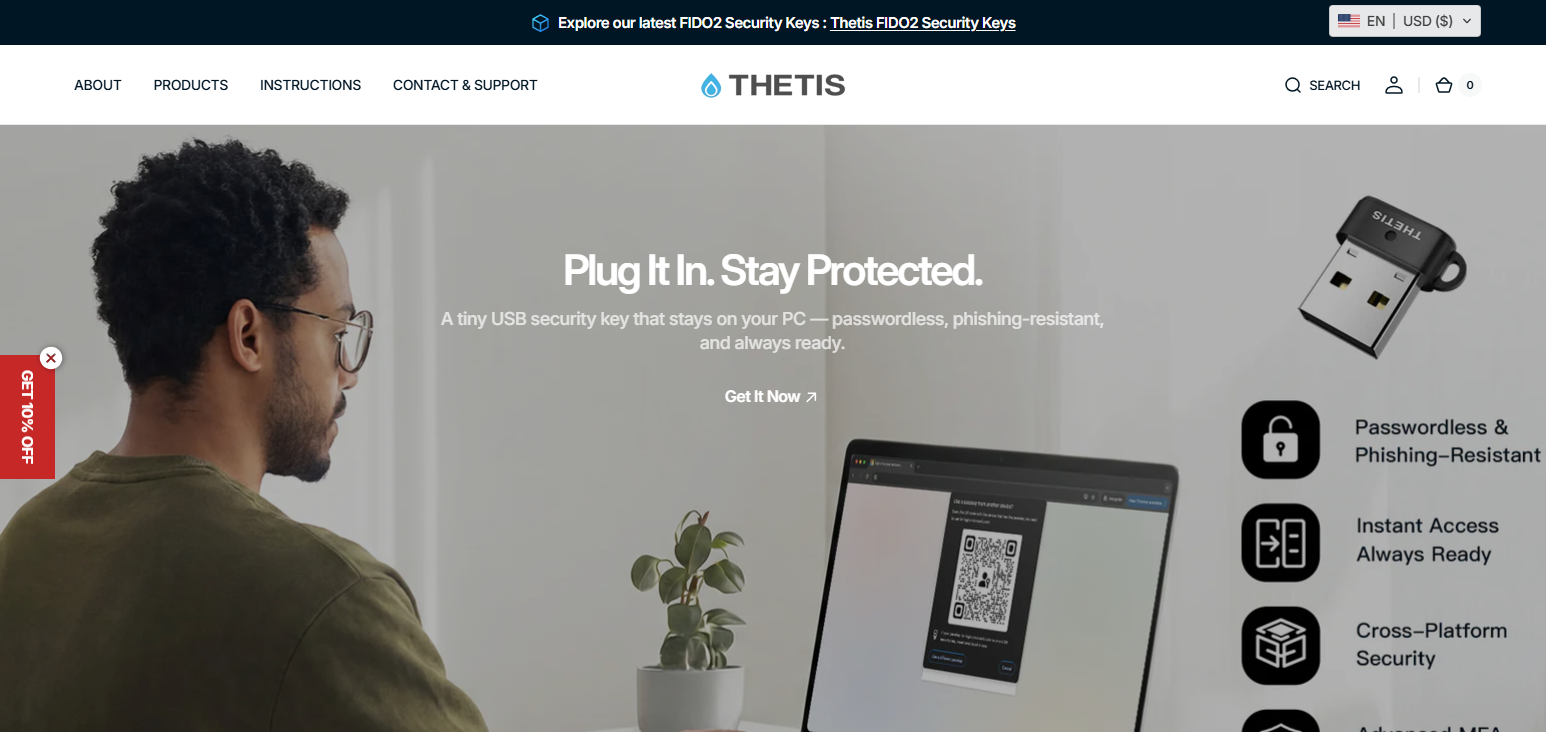
It utilizes FIDO U2F authentication, which means for log in authentication, users insert the key into a USB port and tap the device. Thetis FIDO U2F Security Key works well with strong two factor authentication with Google, Dropbox, GitHub, and Facebook services.
The USB’s durable aluminum rotating cover shields the USB connector and allows the key to be ported on a keychain. Since login requires a physical presence, evem if passwords are leaked, attackers cannot access the accounts.
Thetis FIDO U2F Security Key
| Pros | Cons |
|---|---|
| Affordable and compact design | Only supports FIDO U2F, not FIDO2 passwordless login |
| Easy plug-and-play setup | No biometric support |
| Works with major platforms like Google, GitHub, Dropbox | USB-only; no NFC or Bluetooth option |
| Durable aluminum rotating cover protects the USB port | Fewer enterprise-grade security features |
Thetis FIDO U2F Security Key
- FIDO U2F Authentication – Thetis FIDO U2F Security Key offers secure hardware-based two-factor authentication for U2F supported sites.
- Single Touch Login Verification – Thetis FIDO U2F Security Key only requires the user to insert the key and tap the button to verify login.
- Interface Versatility – Thetis FIDO U2F Security Key is compatible with several major services such Google, GitHub, Dropbox, and Facebook.
- Keychain Compatible Rotating Design – The Thetis FIDO U2F Security Key has an aluminum rotating cover that protects the USB connector and makes it simple to take on your keychain.
3. Kensington VeriMark Guard USB-C Fingerprint Key
The Kensington VeriMark Guard USB-C Fingerprint Key is a biometric hardware security key meant for protecting enterprise identities. This device goes beyond just touch authentication as it features fingerprint recognition combined with the FIDO2 security protocol.
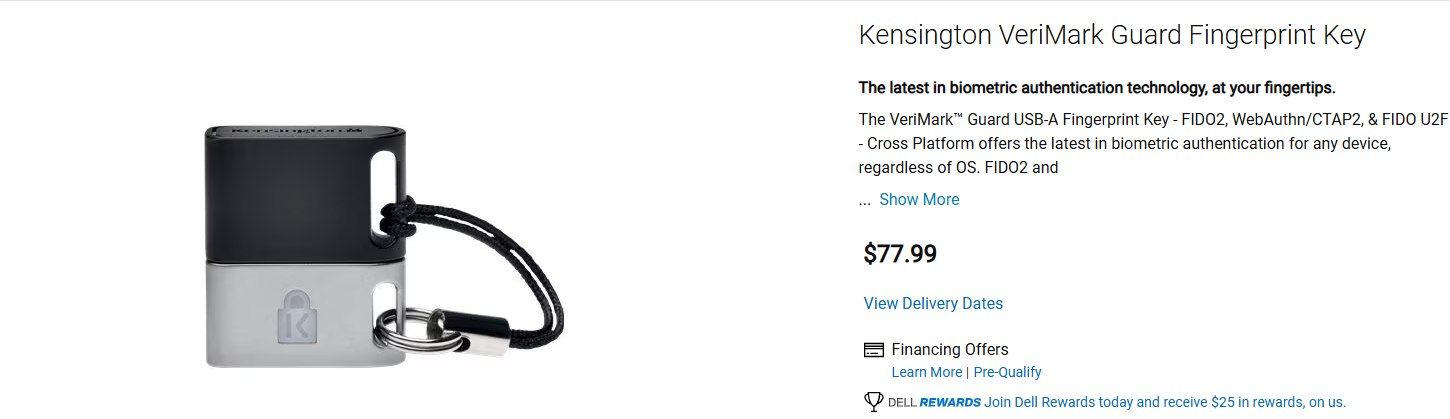
For the log-in authentication process, the device Kensington VeriMark Guard USB-C Fingerprint Key takes a fingerprint scan and performs the authentication process within the device, therefore, not transmitting the biometric information to any third parties.
As a result, the privacy of the user is protected in the strongest manner possible while allowing passwordless authentication to a myriad of platforms.
It is integrated with Windows Hello, Azure Active Directory, and the leading FIDO2 services, therefore, it is ideal to be used in a corporate setting that has high demands in terms of protected access to workstations, user identity verification and authentication that is not susceptible to phishing attacks.
Kensington VeriMark Guard USB-C Fingerprint Key
| Pros | Cons |
|---|---|
| Biometric fingerprint authentication enhances security | Slightly bulkier than standard USB keys |
| Supports FIDO2 and passwordless login | Requires USB-C port (adapter needed for USB-A) |
| Windows Hello and enterprise platform compatibility | Limited platform support outside Windows/macOS |
| Processes biometric data locally for privacy | Higher cost than basic FIDO U2F keys |
Kensington VeriMark Guard USB-C Fingerprint Key
- Fingerprint Biometric Security – The fingerprint recognition technology is used, to log in securely.
- FIDO2 Authentication Support – Strong MFA and passwordless authentication is supported to use on modern technologies.
- Windows Hello Compatibility – Designed in enterprise settings that support Microsoft authentication.
- Local Biometric Processing – Fingerprint information is processed and stored on the device to protect user data.
4. OnlyKey Security Key
The OnlyKey Security Key is a unique hardware authentication product that integrates two-factor authentication with a password manager. It is different from most security keys that merely do authentication. This device can encrypted password.
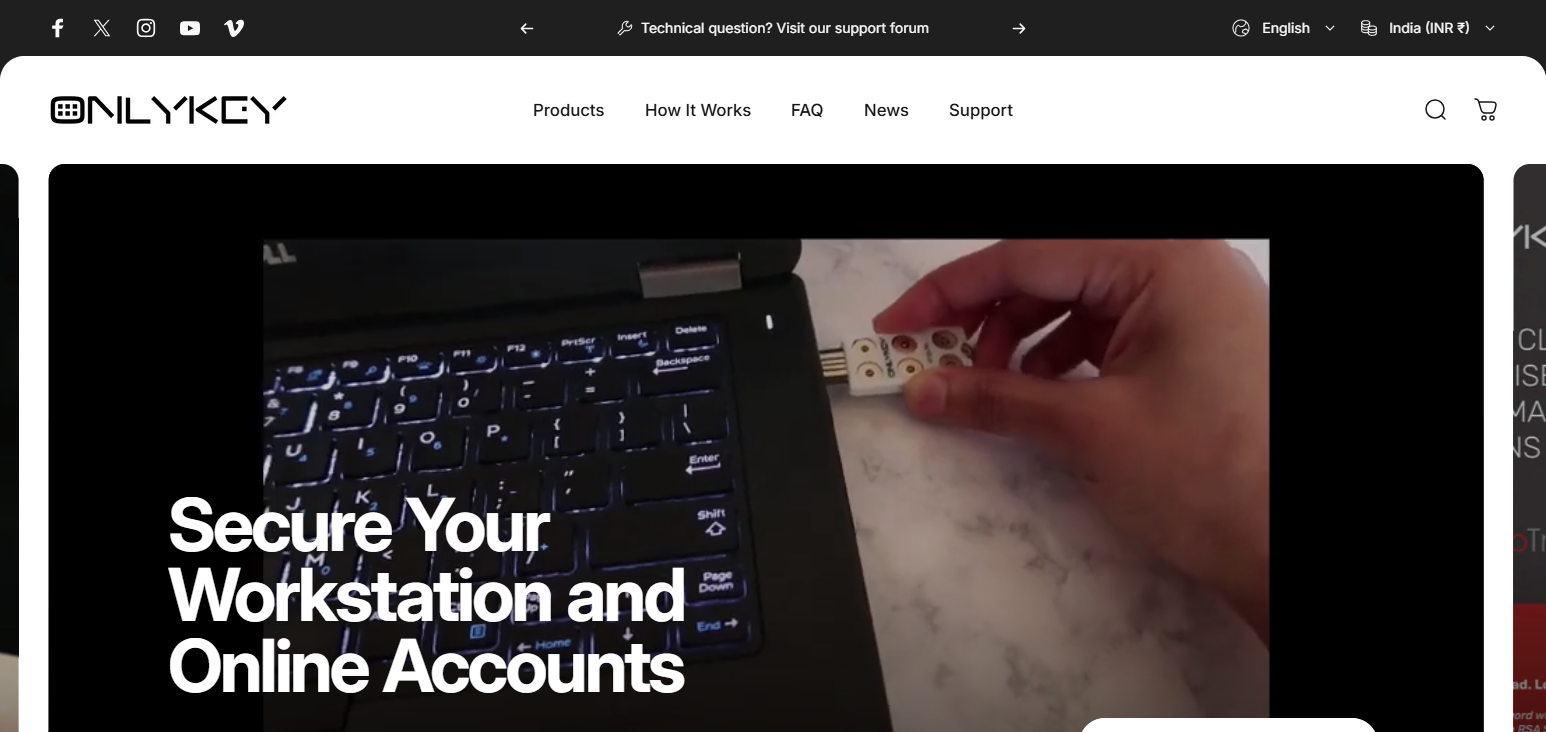
Once unlocked, the device can type the password into the specified fields for easy login. During its authentication process, the OnlyKey Security Key does PIN protection and strong encryption to ensure that no one can access the device, even if it’s stolen.
Additionally, it does FIDO U2F, which means that the device is highly compatible with most services. For users that like to prioritize their privacy and security experts, the device’s built in storage, password manager, and hardware encryption, are a great fit.
OnlyKey Security Key
| Pros | Cons |
|---|---|
| Combines hardware security key + password manager | Slightly larger and heavier than normal keys |
| Supports multiple authentication protocols (FIDO2, OTP, challenge-response) | Learning curve for password management features |
| PIN-protected encrypted storage for credentials | Offline-only features may confuse casual users |
| Works with desktop and mobile devices | Bulkier keychain design may not suit everyone |
OnlyKey Security Key
- Hardware Password Manager – Can manage saved passwords, and fill log-in fields automatically.
- Multi-Protocol Support – Works with FIDO2, U2F, OTP, and challenge-response authentication.
- Strong Encryption Protection – Stored credentials are protected with encryption, and a PIN.
- Offline Password Storage – The device stores log-in information instead of the cloud.
5. Feitian ePass FIDO‑NFC Security Key
One of the most popular security tokens on the market is the Feitian ePass FIDO-NFC Security Key. Designed for seamless, secure logins to web-based and corporate systems, the key meets FIDO U2F and FIDO2 standards, and provides passwordless authentication and strong 2nd factor authentication.
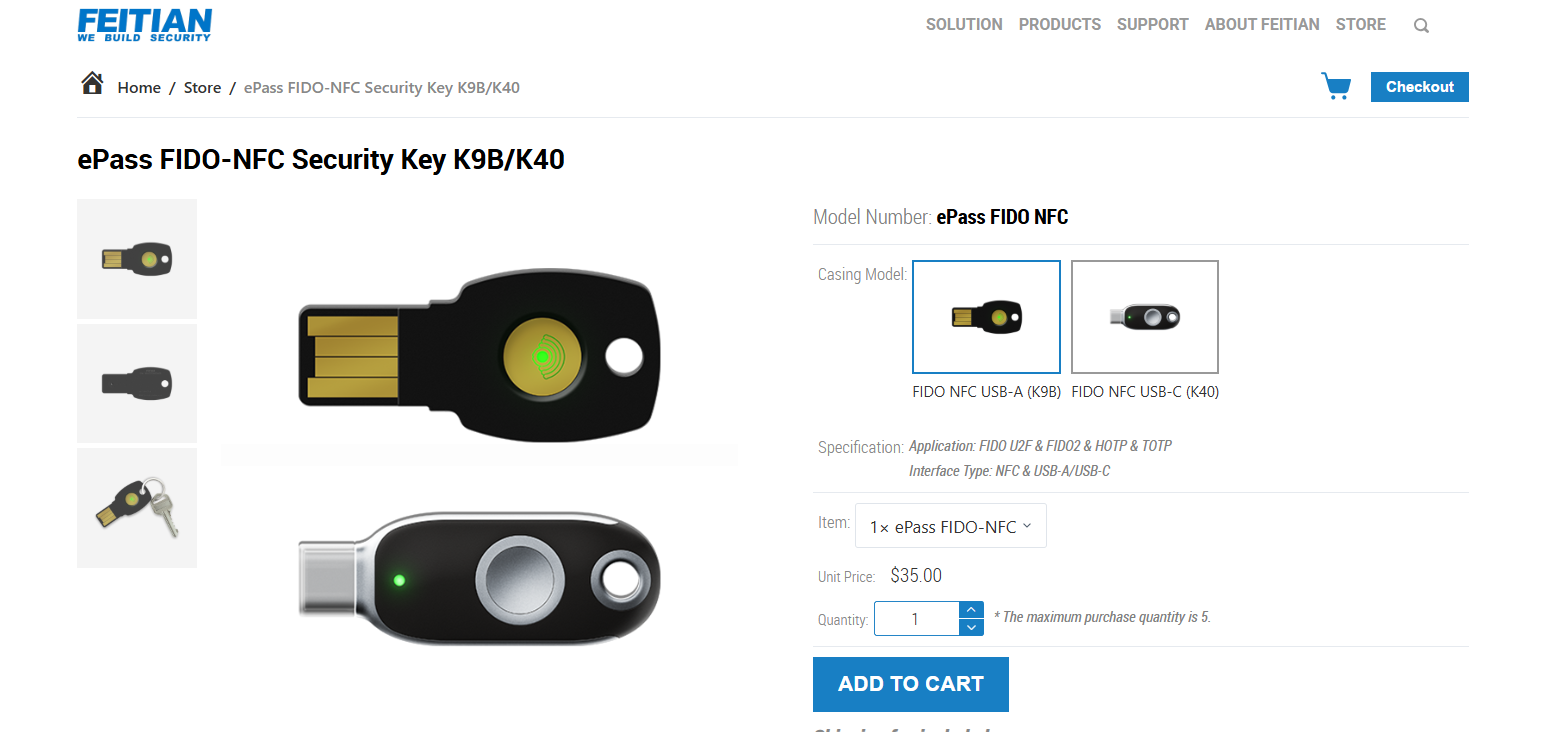
With a Feitian ePass FIDO-NFC, users can authenticate on both smartphone and computer devices because the key enables authentication via USB and NFC. This provides an especially useful solution for users who frequently alternate between mobile and desktop use.
In addition, the device has secure hardware and cryptographic security measures to protect authentication information, which is permanently stored within the key and cannot be accessed by malware or hackers.
Feitian ePass FIDO-NFC Security Key
| Pros | Cons |
|---|---|
| Supports FIDO2 and U2F for passwordless login | Design is basic and not premium-feeling |
| USB and NFC connectivity for versatile use | NFC may be slower on some devices |
| Durable and tamper-resistant hardware | Slightly limited brand recognition compared to YubiKey |
| Enterprise-ready for cloud and web platforms | USB-only use requires adapters for mobile devices |
Feitian ePass FIDO-NFC Security Key
- FIDO2 & U2F Compatibility – Passwordless log in is supported with contemporary authentication standards.
- USB and NFC Connectivity – Verifies on desktops and smartphones.
- Tamper-Resistant Hardware – The hardware chip protects the cryptographic materials.
- Enterprise Security Use – Organizations use it widely for strong multi-factor authentication.
6. Thetis Pro FIDO2 Security Key
The Thetis Pro FIDO2 Security Key is an updated version of an authentication device that offers better security and wider compatibility than standard U2F Keys. It offers FIDO2 WebAuthn authentication, which allows for completely passwordless login for a lot of apps and modern websites.
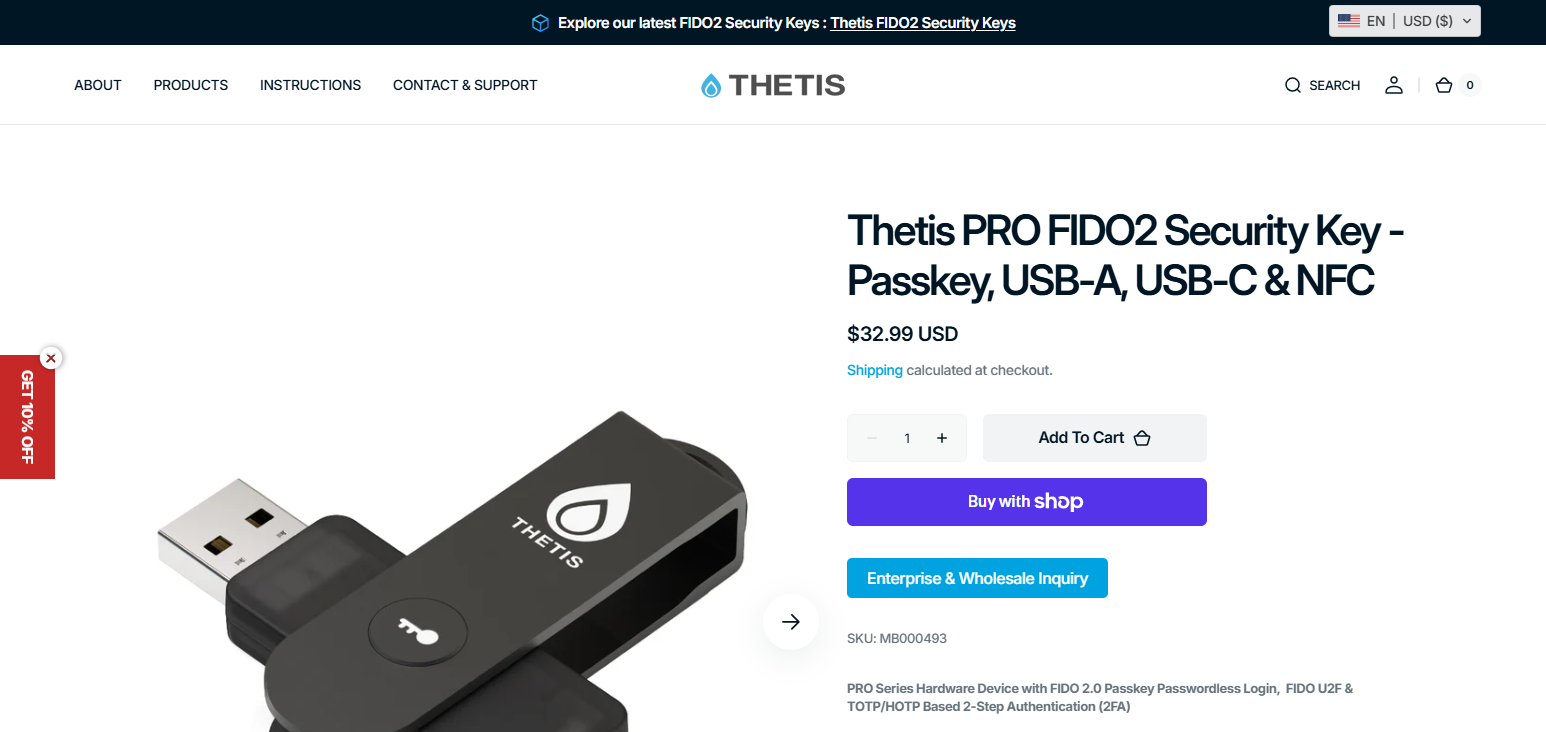
When logging in to an account, Thetis Pro FIDO2 Security Key accesses a secure and internal cryptographic key used to verify your identity, and no personal data is revealed. It also has a metal body and a rotating safety cap, which makes it great for daily use.
Lastly, it is compatible with login services provided by Google, Microsoft, Facebook, and GitHub, meaning it is a YubiKey competitor for those who want to use it in everyday life.
Thetis Pro FIDO2 Security Key
| Pros | Cons |
|---|---|
| Supports FIDO2 WebAuthn for passwordless login | Only USB-A connectivity; no NFC |
| Durable metal body with rotating protective cover | Limited biometric authentication options |
| Secure cryptographic key storage inside device | Not widely recognized by enterprise IT departments |
| Compatible with major online services | Slightly bulkier than small, minimalist keys |
Thetis Pro FIDO2 Security Key
- FIDO2 WebAuthn Authentication – Allows for passwordless logins at supported websites.
- Crypto Key Storage – Your credentials are stored securely within the device.
- Sturdy And Stylish – Comes with a turning metal cover for protection.
- Wide Range Of Services – Compatible with services that support FIDO2.
7. Nitrokey FIDO2
Nitrokey FIDO2 is a hardware security key that prioritizes user privacy. It provides solid authentication, and is open-source. It provides clear and open-source authentication to FIDO2 and U2F standards, and permitting password-less logging and 2FA for a multitude of online services.
For phishing protection, during the authentication procedure, Nitrokey FIDO2 checks that the website’s domain is the service expected. Nitrokey FIDO2 also works with most of the major web browsers and does not require software downloads and drivers to be installed.
Because Nitrokey products put a focus on open-source security and solid cryptographic protection, security researchers, software developers, and privacy advocates interested in security technologies that provided a clear means of protection, liked these products.
Nitrokey FIDO2
| Pros | Cons |
|---|---|
| Open-source hardware and firmware for transparency | Some users may find setup technical |
| Supports FIDO2 and U2F authentication | Bulkier than compact keys |
| Phishing-resistant, secure credential storage | No biometric login options |
| Cross-platform support for Windows, macOS, Linux | Limited retail availability; mostly online |
Nitrokey FIDO2
- Open Source Security – Fiddle with the hardware and software for audit and to verify security.
- FIDO2 and U2F Authentication – Easy passwordless and strong 2-factor authentication.
- Login Shingle – Only authenticate requests from the right domain.
- Everything Availability – Works with all operating systems including windows, Linux, and Mac and all browsers.
8. SoloKey FIDO2 Security Key
The SoloKey FIDO2 Security Key is also an open-source hardware authenticator that allows for passwordless and phishing resistant authentication. It is in tune with FIDO2 WebAuthn and U2F protocols, and thus works with most of the major online services.
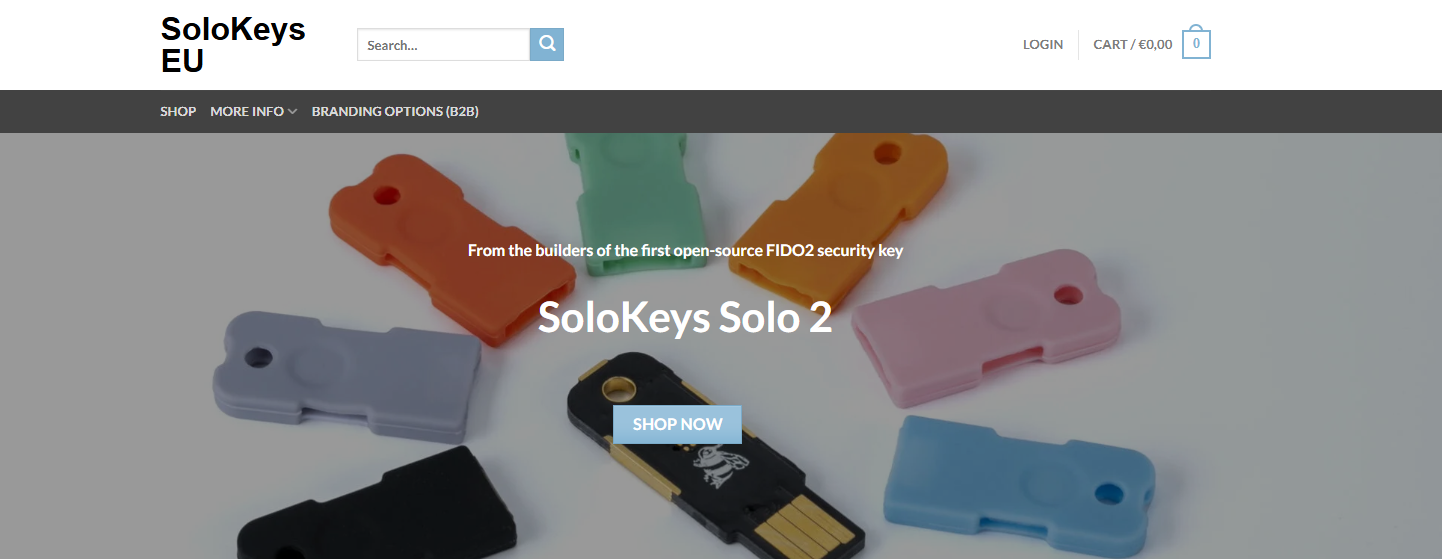
In practice, the SoloKey FIDO2 Security Key keeps highly confidential cryptographic credentials internally, on hardware so the keys never leave the device, and are thus said to be extremely secure.
Furthermore, the firmware on SoloKey is auditable and open-source, meaning developers and security experts can ascertain what the device does and how it functions.
Because of its transparency and security options, customers can utilize it on Windows, macOS, Linux, Android, and ChromeOS.
SoloKey FIDO2 Security Key
| Pros | Cons |
|---|---|
| Open-source firmware and hardware for transparency | No NFC or Bluetooth connectivity |
| Supports FIDO2 and U2F protocols | Not as widely known or supported as YubiKey |
| Secure storage of cryptographic credentials | Slightly larger footprint for keychains |
| Compatible with Windows, macOS, Linux, Android | Fewer enterprise features compared to competitors |
SoloKey FIDO2 Security Key
- Open Source Firmware – Others can verify and audit the firmware, making it transparent.
- FIDO2 and U2F Support – Allows both passwordless login and 2-factor authentication.
- Crypto Key Storage – Your authentication keys are device hardware stored.
- Wide OS Compatibility – Compatible with all 10 Windows, Mac, up to Linux 2.0, Chrome OS, and Android devices.
9. TrustKey G310H FIDO2 Security Key
The TrustKey G310H FIDO2 Security Key is designed for efficient and quick two-factor authentication. It is compatible with FIDO2 and U2F protocols which means that it can be used to protect profiles on various websites, cloud services, and corporate services.
The TrustKey G310H FIDO2 Security Key does what is called a cryptographic proof on the device, which is what means that the user cannot be credentialed on a hacked computer at the moment. This token is used by several organizations for the protection of user accounts and to avoid phishing attacks.
TrustKey G310H FIDO2 Security Key
| Pros | Cons |
|---|---|
| Fast cryptographic verification for quick login | No NFC or mobile connectivity |
| Supports FIDO2 and U2F for passwordless login | Less brand recognition compared to YubiKey/Google Titan |
| Plug-and-play USB device with no drivers required | Limited biometric authentication |
| Enterprise-friendly deployment | Basic aesthetic design, not premium-feeling |
TrustKey G310H FIDO2 Security Key
- FIDO2 Authentication Support – Combines passwordless login with secure multi-factor authentication.
- Fast Cryptographic Verification – Conducts secure identity verification on the device.
- Plug-and-Play USB Device – Driver installation isn’t necessary for most operating systems.
- Enterprise Security Deployment – Tailored for enterprises with stringent requirements for account security.
10. AuthenTrend ATKey.Pro
The ATKey.Pro by AuthenTrend is the industry’s first biometric hardware security key that supports passwordless authentication. It includes FIDO2-compliant fingerprint verification, meaning the user logs in by simply touching the fingerprint sensor.
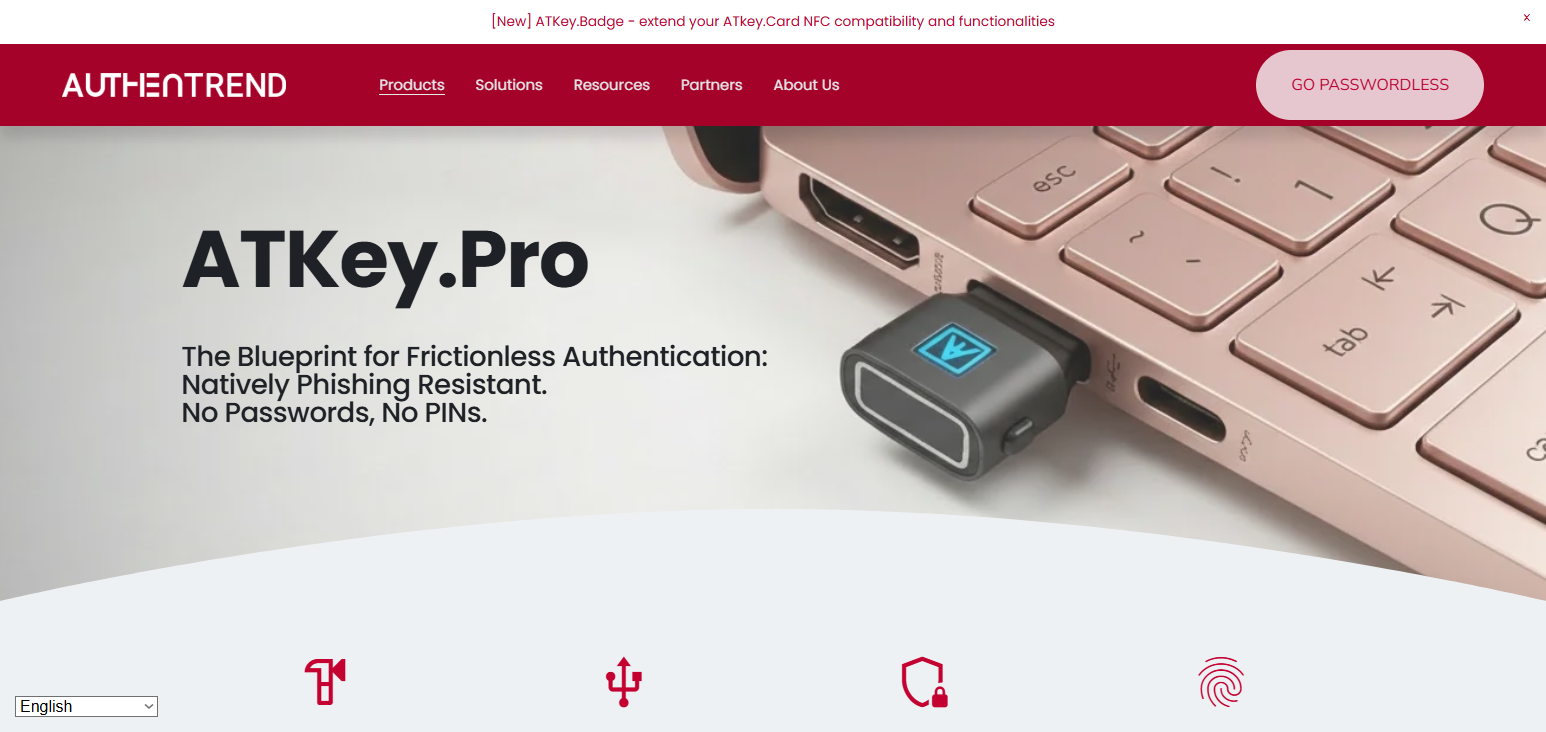
In terms of the privacy features, the AuthenTrend ATKey.Pro biometric data is not sent to the cloud, which is a privacy concern, rather, the sensitive biometric data is stored locally.
The device is compatible with Microsoft Windows, Microsoft Entra ID, and any FIDO2-related services which is why it caters to enterprise security standards. The device offers sub-second fingerprint verification, and with its fingerprint sensor housed in a zinc alloy casing, it offers excellent durability and reliability.
AuthenTrend ATKey.Pro
| Pros | Cons |
|---|---|
| Fingerprint biometric authentication enhances security | Higher cost than standard USB security keys |
| Supports FIDO2 passwordless login | USB-only (no NFC/Bluetooth) |
| Local fingerprint storage ensures privacy | Slightly larger design for keychains |
| Durable metal casing and fast authentication | Limited platform support outside enterprise solutions |
AuthenTrend ATKey.Pro
- Biometric Fingerprint Authentication – Merges hardware security with fingerprint verification.
- FIDO2 Passwordless Login – Complies with the latest standards for passwordless authentication.
- Local Biometric Data Storage – Device fingerprint information is stored on the device.
- Durable Hardware Construction – Designed with reinforced metal for security of long-term use.
Criteria for Choosing the Best YubiKey Alternatives
Security Standards YubiKey alternatives should also support FIDO2, U2F, and OTP. This ensures protection from phishing, account takeovers and unauthorized access while being compliant with current security standards.
Device Compatibility The key should also work and be compatible with multiple operating systems such as, Windows, Mac, Linux, Android, and iOS. This way you can use the same authentication device for all personal and work accounts.
Form Factor & Durability The features such as form factor, size and quality of build should be taken into account. A durable, compact and travel friendly design will be more convenient for use more than once.
Ease of Use Daily use should be easy as well as the initial setup. Smart pairing and authentication should require minimal effort. A good interface will minimize authentication errors and encourage use of two-factor authentication.
Backup & Recovery Options A key that supports access from multiple devices is ideal. This is useful for maintaining account security in case losing the primary key is a problem for the user.
Conclusion
As of 2026, one of the best ways to keep online accounts safe is still through hardware-based two-factor authentication. A majority of account breaches (80%+) occur through phishing attacks, emphasizing the importance of physical security keys.
YubiKey competitors, such as Google Titan, Nitrokey, and OnlyKey, are now offering the same level of security but with additional features such as NFC, biometry, and Open Source.
Users are now able to have the same level of security for less money when it comes to account security. Users can also realize the same security through varying device compatibilities, backup options, and protocol support.
FAQ
A YubiKey alternative is any hardware security key that supports two-factor authentication protocols like FIDO2, U2F, or OTP, providing strong account protection without relying on passwords alone.
Yes. Data shows many alternatives, such as Google Titan, Nitrokey, and OnlyKey, meet FIDO2 and U2F standards, offering comparable protection against phishing, account takeover, and other cyber threats.
Most YubiKey alternatives work across Windows, macOS, Linux, Android, and iOS, ensuring seamless use for personal and professional accounts without needing multiple keys for different devices.
Absolutely. Data-driven security best practices recommend registering at least two keys or backup codes to prevent account lockouts in case a key is lost, stolen, or damaged.
Yes. Some alternatives like Thetis FIDO U2F and HyperFIDO Mini provide strong 2FA security at a fraction of YubiKey’s price, making hardware-based protection accessible to more users.