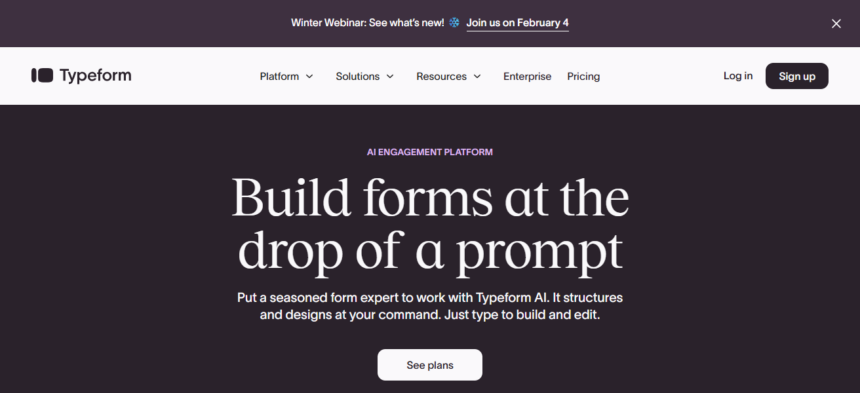
In this article, I will describe some Typeform Alternatives With Unlimited Responses that offer excellent surveys, quizzes, and data collection capabilities.
Users want affordable tools that come without limits; these alternatives offer flexibility, customization, and easy integrations.
Whether you’re a business, an educator, or an individual, these options will help you build forms efficiently without response caps.
Key Points & Typeform Alternatives With Unlimited Responses
Google Forms Free, simple, unlimited responses, integrates with Google Sheets, perfect for surveys, quizzes, and feedback collection.
Microsoft Forms Unlimited responses, seamless Office 365 integration, supports quizzes, polls, and collaborative data analysis easily.
Jotform Drag-and-drop builder, unlimited submissions on paid plans, advanced integrations, templates, and strong customization options available.
Zoho Forms Unlimited responses, workflow automation, CRM integration, mobile-friendly, ideal for businesses needing structured data collection.
Paperform Beautiful forms, unlimited responses, supports payments, conditional logic, and branding customization for professional-looking surveys.
Formstack Unlimited responses, advanced analytics, HIPAA compliance, workflow automation, perfect for enterprises needing secure data management.
Cognito Forms Unlimited entries, strong conditional logic, calculations, payment collection, and integrations with Microsoft Power Automate workflows.
SurveyMonkey (Paid Plans) Unlimited responses, advanced analytics, branching logic, reporting tools, widely trusted for professional surveys and research.
forms.app Unlimited responses, free plan available, mobile-friendly, supports e-commerce payments, and advanced customization features included.
Wufoo Unlimited responses on premium plans, easy-to-use builder, supports payments, reporting, and third-party integrations effectively.
10 Typeform Alternatives With Unlimited Responses
1. Google Forms
One of the most well-known free alternatives to Typeform is Google Forms, which provides users with responses without any restrictions.
Data collection and analysis is easy, as Google Forms works well with Google Sheets. Google Forms is easy to use and allows users to build surveys, quizzes, and feedback forms, while customizing the appearance.

Multiple users can edit the form and and see the responses simultaneously. Google Forms is the most reliable and most accessible
form builder, and the best choice for educators, small businesses, and organizations that need to collect unlimited data, despite lacking advanced design features.
Google Forms Features
- Free service with unlimited responses and integrates with Google Sheets.
- Offers a user friendly service to design surveys, quizzes, and feedback forms in minutes.
- Offers team collaboration and real-time response tracking.
- Themes can be customized and more advanced design options are available for purchase.
| Pros | Cons |
|---|---|
| Free to use with unlimited responses | Limited design customization compared to premium tools |
| Seamless integration with Google Sheets | Basic analytics and reporting features |
| Easy to use and quick setup | No advanced conditional logic |
| Real-time collaboration and response tracking | Lacks professional |
2. Microsoft Forms
Microsoft Forms is a powerful tool included with Office 365 subscriptions, offering unlimited responses and easy integration with Excel and Teams.
It allows users to create surveys, polls, and quizzes with branching logic and automatic grading. The platform is user-friendly, mobile-friendly, and supports collaborative editing, making it ideal for businesses and educational institutions.
Responses are stored securely within Microsoft’s ecosystem, ensuring compliance with enterprise standards.
While its customization options are limited compared to Typeform, its seamless integration with Microsoft tools makes it a practical solution for organizations already invested in Office 365.
Microsoft Forms Features
- Tier-Grade: Unlimited responses included with Office 365 subscription.
- Microsoft Forms can be integrated with Excel, Teams, and other Microsoft products for a optimized workflow.
- Features like branching logic and quizzes with auto grading are available.
- Microsoft enterprise ecosystem keeps data storage secure.
| Pros | Cons |
|---|---|
| Unlimited responses with Office 365 subscription | Limited customization compared to competitors |
| Integrates with Excel, Teams, and other Microsoft apps | Advanced features require enterprise plans |
| Supports branching logic and quizzes | Less visually appealing than Typeform |
| Secure data storage within Microsoft ecosystem | Limited third-party integrations |
3. Jotform
Jotform is innovative form builder for those looking for a more sophisticated flexible solution. Paid plans support unlimited form submission, advanced customization, integrations, and submission.
The drag and drop interface allows for the easy designing of forms. This is useful for a variety of users as it comes equipped with features like conditional logic, payment collection, and HIPAA compliance. Jotform integrates with hundreds of apps, including Google Drive, Slack, and PayPal.

Jotform has over 10,000 integrations, more than the majority of other form builders. Jotform has a generous free tier, but once you upgrade the plan, unlimited form submissions a potential unlocked.
This makes Jotform a flexible automated, and scalable solution for businesses, nonprofits, and professionals of all types.
Jotform Features
- More customizable paid plans offer unlimited advanced submissions.
- Conditional logic, payment collection, and a drag-and-drop builder.
- Over 7000 form templates are available.
- Jotform integrates PayPal, Google Drive, and Slack.
| Pros | Cons |
|---|---|
| Unlimited submissions on paid plans | Free plan has submission limits |
| Drag-and-drop builder with conditional logic | Can become costly for advanced features |
| Thousands of templates available | Interface may feel overwhelming for beginners |
| Integrates with hundreds of apps | Advanced analytics require higher-tier plans |
4. Zoho Forms
Zoho Forms has extensive workflow automation and unlimited responses. It integrates with Zoho CRM, ZOho Desk, and other business tools, which is great for companies with customer data management.

It has eta collection features like conditional logic, approval workflows, and mobile friendly design. It also has data collection for offline, which is great for field work.
Its design options aren’t as great as Typeform, but its enterprise-level features and afforrdability makes it a great choiuce for businesses that need automated, structured, and flexible form options.
Zoho Forms Features
- More customizable paid plans offer unlimited advanced submissions.
- Again, more customizable paid plans offer unlimited advanced submissions.
- Offers full offline collection, logic branching, and approval workflows.
- Offers full offline collection, logic branching, and approval workflows.
| Pros | Cons |
|---|---|
| Unlimited responses with workflow automation | Design options less modern than competitors |
| Integrates with Zoho CRM and other apps | Learning curve for advanced features |
| Supports conditional logic and approval workflows | Limited third-party integrations outside Zoho ecosystem |
| Mobile-friendly and offline data collection | Less appealing for non-business users |
5. Paperform
Paperform’s customizable interface allows you to create stunning forms that look like landing pages. They are not your run of the mill forms.
Paperform supports an unlimited number of responses to include payments, conditional logic, and even branding customization.
Therefore, it is perfect for pro looking forms for businesses. You can make the forms more interactive and engaging by embedding videos, images, and rich text.
Paperform also integrates with Zapier, Google Sheets, and Slack for surveily based automated task’s. It’s premium service for creative businesses and professionals types.
Paperform Features
- Offers unlimited responses and collection of data. Form design can be customized to the customers wants.
- Allows payments, conditional logic, and branding personalization.
- Adds images, videos, and rich text for more interactive experiences.
- Works with Zapier, Slack, and Google Sheets for automations.
| Pros | Cons |
|---|---|
| Unlimited responses with professional-looking forms | Paid-only service, no free unlimited option |
| Supports payments and conditional logic | Higher cost compared to basic alternatives |
| Embeds images, videos, and rich text | May be overkill for simple surveys |
| Strong branding customization | Requires design effort for best results |
6. Formstack
Formstack is an enterprise-level form builder that includes features such as unlimited responses, advanced analytics, and robust security features, including HIPAA compliance.
Formstack covers workflow automation, electronic signatures, and payment collection, so it’s ideal for the healthcare and finance industries, as well as for large companies.
Formstack integrates with Salesforce, HubSpot, and other business tools for efficient data management.

The drag-and-drop builder is user-friendly, and the advanced features like conditional logic and A/B testing help improve the overall user experience.
Formstack is significantly more expensive than other options, but for large companies needing more secure, scalable, and automated solutions, Formstack is an ideal choice.
Formstack Features
- Unlimited entries with enterprise-level security and HIPAA compliance.
- Automation, workflows, electronic signatures, and payment collection.
- Advanced analytics, A/B testing.
- Salesforce, HubSpot, and other enterprise integrations.
| Pros | Cons |
|---|---|
| Unlimited responses with enterprise-grade security | Expensive compared to other alternatives |
| HIPAA compliance and strong data protection | Complex setup for beginners |
| Workflow automation and electronic signatures | Best suited for enterprises, less for individuals |
| Integrates with Salesforce, HubSpot, and more | Limited design flexibility |
7. Cognito Forms
Cognito Forms comes with numerous entries, solid conditional logic, and advanced calculations, hospitable to sophisticated data collection.
It has payment collection, repeated sections, and an integration with Microsoft Power Automate. It has automated work flows. It user friendly, yet very powerful.

It allows for intricate forms. Organizations can design registrations, order forms, surveys, and so on. Data security is ensured, encryption and compliance features secure it.
Design options are simpler than Typeform. Typeform has advanced logic, but at a high price. Typeform is a strong alternative to organizations that require functional, customizable, and secure forms.
Cognito Forms Features
- Unlimited entries with strong conditional logic and advanced calculations.
- Payment collection and complex forms with repeating sections.
- Works with Microsoft Power Automate for automation.
- Data encryption and compliance.
| Pros | Cons |
|---|---|
| Unlimited entries with advanced conditional logic | Interface less polished than competitors |
| Supports calculations and payment collection | Free plan has limited features |
| Integrates with Microsoft Power Automate | Advanced workflows require technical knowledge |
| Affordable pricing for advanced features | Limited design customization |
8. SurveyMonkey (Paid Plans)
SurveyMonkey provides a highly trusted survey tool with advanced analytics, detailed reporting, unlimited responses, and branching logic on all of their paid plans.
Customers can also customize their branding and integrate with third-party software like Salesforce and Slack.
Avoiding the free plan’s strict limitations, paid plan customers can access unlimited responses, extensive research, and advanced analytics.

SurveyMonkey is known for providing research-based benchmarks and analytics, helping organizations with their data-based decision-making processes.
Their reputation, reliability, and analytical depth makes SurveyMonkey a premium choice over Typeform, helping businesses, institutions, and researchers who are conducting extensive surveys obtain valuable insights.
SurveyMonkey (Paid Plans) Features
- Advanced analytics and unlimited responses on paid versions.
- Branching logic, custom branding, and premium templates.
- Salesforce, Slack, and other business integrations.
- Benchmarks and insights for decision-making and research.
| Pros | Cons |
|---|---|
| Unlimited responses on paid plans | Free plan has strict limits |
| Advanced analytics and reporting tools | Can be expensive for small businesses |
| Supports branching logic and custom branding | Interface less intuitive for beginners |
| Trusted platform for professional surveys | Focused more on research than casual use |
9. forms.app
forms.app has created a user friendly interface giving the ability to receive an unlimited amount of responses even if users are on a free plan.
It also includes features such as mobile friendly designs, payment integration, and advanced customizations. Users are given a template to choose from, whether it be a survey, registration, or order form.

It is also possible to set up automatic workflows with Google Sheets and Zapier, which some users may find to be very useful.
The service is also very affordable, which is a large selling point for small businesses, freelancers, and startups.
Advanced analytics are also lacking, but the unlimited responses often make it a great alternative to Typeform.
forms.app Features
- Unlimited responses on the free plan.
- User-friendly interface, mobile-optimized design, and e-commerce payments.
- Survey, registration, and order form templates.
- Google Sheets and Zapier integrations for automation.
| Pros | Cons |
|---|---|
| Unlimited responses even on free plan | Limited advanced analytics |
| Mobile-friendly and supports e-commerce payments | Fewer integrations compared to premium tools |
| Easy-to-use templates for quick setup | Less suitable for enterprise-level needs |
| Affordable and accessible for small businesses | Design options less sophisticated |
10. Wufoo
Wufoo is one of the oldest form builders that still allow you to collect unlimited responses on the premium plan, and has a simple drag and drop interface since the beta version.
Integrations include Mailchimp, Salesforce, and Zapier. You can customize the theme and choose a template to help create a form. the design is also a bit dated, but is still very reliable, and is good for businesses.

It is especially good for organizations that just need simple forms with unlimited responses. Wufoo is also very good for those who just need the functionality, and is a good alternative to Typeform.
Wufoo Features
- Drag-and-drop form builder and unlimited responses on premium plans.
- Allows collection of payments and customization of themes.
- Allows reporting and analytics.
- Works with Mailchimp, Salesforce and Zapier for integrations.
| Pros | Cons |
|---|---|
| Unlimited responses on premium plans | Free plan has restrictions |
| Simple drag-and-drop builder | Interface feels outdated compared to modern tools |
| Supports payments and customizable themes | Limited advanced features |
| Integrates with Mailchimp, Salesforce, and Zapier | Less visually engaging than Typeform |
Conclusion
To sum up, considering Typeform alternatives with unlimited responses presents flexible, budget-friendly, and versatile robust functionality.
These tools range from free, such as Google Forms, to enterprise-level options, such as Formstack, and allow hassle-free, unrestricted data collection.
Right selection of the platform focuses on parameters such as customization, integrations, and level of operations, empowering businesses, educators, and individuals to efficiently collect limitless data.
FAQ
They are form-building tools that allow collecting unlimited survey or form submissions without restrictions.
Alternatives often provide unlimited responses, better pricing, advanced features, or stronger integrations.
Yes, Google Forms is completely free and supports unlimited responses.
Yes, included in Office 365 subscriptions, it allows unlimited responses with enterprise security.