Kraken Crypto Exchange Banner Ad
Bitcoin icon
BTC $65,000.00 +0.00%
Ethereum icon
ETH $3,500.00 +0.00%
XRP icon
XRP $0.6000 +0.00%
BNB icon
BNB $600.00 +0.00%
Solana icon
SOL $150.00 +0.00%
Dogecoin icon
DOGE $0.1500 +0.00%
Cardano icon
ADA $0.4000 +0.00%
TRON icon
TRX $0.1200 +0.00%
Chainlink icon
LINK $15.00 +0.00%
Avalanche icon
AVAX $35.00 +0.00%
By using this site, you agree to the Privacy Policy and Terms of Use.
Accept
  • ADVERTISEMENT
  • MEDIA KIT
  • CONTACT
  • SUBMIT PR
  • GUEST POST
  • ABOUT US
  • TEAM
  • DMCA
  • DISCLAIMER
  • PRIVACY POLICY
  • MORE
    • llms.txt
    • Newsletter
    • Official Verify
    • Editorial Policy
    • Term Of Use
    • SITEMAP
Reading: How To Onrealm login: Step By Step Guide 2026 Updated
coinworldstory logo coinworldstory logo
  • HOME
  • CRYPTO
    • AI
    • BOTS
    • ICO
    • AIRDROP
      • Featured Airdrops
    • Price Prediction
    • EXCHANGE
      • Best Centralized Exchange List 2026
      • Best Decentralized Exchange List 2025
    • ALTCOIN
    • Alt Coin Signal
    • Crypto Analysis
    • Bitcoin Loan
    • Bitcoin Mining
    • WALLETPRO
  • PR
    PR
    If You Looking For Submit Cryptocurrency Press Releases Than Coinworldstory Is Best Choice For Crypto Press Release Submission
    Show More
    Top News
    ceτi AI Secures $80M of NVIDIA GPUs and Hardware to Expand Global AI Infrastructure Network by 25x
    ceτi AI Secures $80M of NVIDIA GPUs and Hardware to Expand Global AI Infrastructure Network by 25x
    28/08/2025
    Nubila Kickstarts Fundraising Round Led by IoTeX, VeChain and Other Leading Investors
    Nubila Kickstarts Fundraising Round Led by IoTeX, VeChain and Other Leading Investors
    28/08/2025
    XION's Chain Abstraction Drives Success for Prominent Brands Through EarnOS Platform
    XION’s Chain Abstraction Drives Success for Prominent Brands Through EarnOS Platform
    28/08/2025
    Latest News
    CT3 Begins Preparing Its Ecosystem for the Launch of the CT3GB Economy
    10/08/2026
    Syntetika Launches Tokenization Hub Bringing Regulated Investment Strategies Onchain
    10/08/2026
    Carbon Launches TradFi-Native On-Chain Derivatives Venue With 950+ Markets in One Account
    07/08/2026
    Blockchain Life Returns to Dubai — Featuring the Debut of AI Future!
    06/08/2026
  • NEWS
    • Mining
    • Altcoins
    • Ban
    • BANKING/FINANCE NEWS
    • Bitcoin
    • Blockchain
    • CRYPTO CRIME
    • Ethereum
    • Exchange News
    • Government News
    NEWSShow More
    10 Best High Rewards Crypto Platforms for Maximum Earnings
    10 Best Institutional Trading Technology Platforms in 2026
    31/07/2026
    10 Hidden Liquidity Features Modern Brokers Secretly Use
    10 Hidden Liquidity Features Modern Brokers Secretly Use
    29/05/2026
    10 Apps That Show What You Should Have Done Instead
    10 Apps That Show What You Should Have Done Instead
    29/05/2026
    10 Best Crypto Conferences to Attend in 2026
    10 Best Crypto Conferences to Attend in 2026
    29/05/2026
    Emerging Markets Favor Stablecoins Over Bitcoin
    Emerging Markets Favor Stablecoins Over Bitcoin
    29/05/2026
  • MORE
    • Guide
    • Only Best
    • Off Topic
    • Best Affiliate Marketing
    • Best Affiliate Programs
    • BOTS
    • Trusted Currency Exchanger Platform
    • Blockchain Games
    • Metaverse Review : Best Metaverse Program Review
    • Online Survey
    • Payment Platform
  • VPN
  • List
    • Best Crypto Casinos In 2026
    • Best Crypto Wallets List 2026
    • Best Crypto Exchanges List 2026
    • Best Crypto Lawyers & Farm
    • Best Crypto Tools List 2026
    • Crypto Regulations Worldwide 2026
    • Best Crypto Prediction Markets
  • Contact Us
  • FAQ
Reading: How To Onrealm login: Step By Step Guide 2026 Updated
Font ResizerAa
CoinworldstoryCoinworldstory
  • ADVERTISEMENT
  • MEDIA KIT
  • CONTACT
  • SUBMIT PR
  • GUEST POST
  • ABOUT US
  • TEAM
  • DMCA
  • DISCLAIMER
  • PRIVACY POLICY
  • MORE
Search
  • HOME
  • CRYPTO
    • AI
    • BOTS
    • ICO
    • AIRDROP
    • Price Prediction
    • EXCHANGE
    • ALTCOIN
    • Alt Coin Signal
    • Crypto Analysis
    • Bitcoin Loan
    • Bitcoin Mining
    • WALLETPRO
  • PR
  • NEWS
    • Mining
    • Altcoins
    • Ban
    • BANKING/FINANCE NEWS
    • Bitcoin
    • Blockchain
    • CRYPTO CRIME
    • Ethereum
    • Exchange News
    • Government News
  • MORE
    • Guide
    • Only Best
    • Off Topic
    • Best Affiliate Marketing
    • Best Affiliate Programs
    • BOTS
    • Trusted Currency Exchanger Platform
    • Blockchain Games
    • Metaverse Review : Best Metaverse Program Review
    • Online Survey
    • Payment Platform
  • VPN
  • List
    • Best Crypto Casinos In 2026
    • Best Crypto Wallets List 2026
    • Best Crypto Exchanges List 2026
    • Best Crypto Lawyers & Farm
    • Best Crypto Tools List 2026
    • Crypto Regulations Worldwide 2026
    • Best Crypto Prediction Markets
  • Contact Us
  • FAQ

Trending →

10 Best Identity Verification Platforms for Secure Onboarding

By Gixona
08/08/2026

10 Best eKYC Providers In 2026 for Secure Identity Verification

By Gixona
08/08/2026

10 Best AI Observability Platforms for Smarter AI Monitoring

By Gixona
08/08/2026

10 Best Enterprise AI Gateway Platforms for AI Security

By Gixona
08/08/2026

10 Best AI Guardrail Platforms for Safer AI Systems

By Gixona
07/08/2026
Follow US
Email - [email protected]

Home » How To Onrealm login: Step By Step Guide 2026 Updated

How to Login

How To Onrealm login: Step By Step Guide 2026 Updated

Cws Team
Last updated: 14/01/2026 3:28 PM
By Cws Team
Share
16 Min Read
How To Onrealm login: Step By Step Guide 2026 Updated
SHARE

Onrealm Login–  In this article, we will explore the significance of an Onrealm login and the best practices to make it inclusive for all users.

Contents
  • Onrealm Login : Step-By-Step Guide
  • How To Onrealm Login On Mobile Device
  • How To Change Your password With Onrealm Login
  • Advantage Of Onrealm Login
    • Centralized Access
    • Streamlined User Experience
    • Enhanced Security
    • Personalised Profiles
    • Collaboration and Community Engagement
    • Effective Administration
    • Integration Capabilities
    • Mobile Accessibility
    • Importance of Security Measures for Onrealm Login
  • Onrealm Login Conclusion
  • Onrealm Login FAQ
    • How do I create an account for Onrealm Login?
    • Can I use my Onrealm login credentials on multiple devices?
    • What should I do if I forget my Onrealm password?
    • Is Onrealm Login secure?
    • Can I change my Onrealm username?

Welcome to the world of Onrealm Login, a seamless digital tapestry where fantasy and reality converge. Prepare to transcend the mundane as you set out on this incredible voyage and enter a world where the lines between the real and the virtual are hazy. Your login to Onrealm acts as a key to reveal the secret treasures that lie within,

where fantasies are weaved into concrete realities. Immerse yourself in a world where the only restriction is your own imagination with each keyboard and click. So buckle up and prepare to go across the realms of Onrealm, where the extraordinary becomes the new standard of living.

Onrealm Login : Step-By-Step Guide

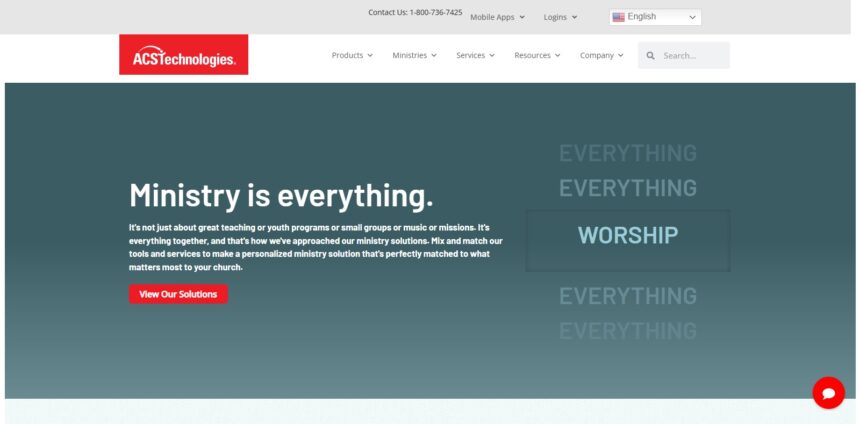
Step 1: In the address bar of your favourite web browser, type “onrealm.org” to begin.

- Advertisement -

Step 2: After the Onrealm homepage has loaded, find and click on the “Login” icon in the top right corner of the screen.

Step 3: A redirect will take you to the Onrealm login page. You can enter your username in the first field, and your password in the second.

Step 4: Fill in the appropriate field with your registered username. To prevent any login troubles, be careful to input it correctly.

Step 5: Then, enter your password in the section labelled “Password.” Because passwords are case-sensitive, be sure you type the right characters.

Step 6: Verify your username and password after entering them to ensure they are accurate. Making sure there are no typos or errors is crucial.

- Advertisement -

Step 7: You can use the “Remember Me” checkbox to save your login information for later usage. However, it’s best to limit yourself to doing this on private devices or protected networks.

Step 8: Click the “Login” button after you have made sure the data is accurate and the options you want are selected.

Step 9: The system will check your login information now. You will be given access to your Onrealm account if everything checks up.

- Advertisement -

Congratulations at step 10! You’ve logged in to Onrealm successfully. You can investigate the different features and capabilities that Onrealm offers from here has to offer, such as managing your profile, accessing community resources, participating in groups, and much more.

How To Onrealm Login On Mobile Device

To login to Onrealm on a mobile device, follow the step-by-step guide below:

Step 1: Go to the app store (such as the Google Play Store for Android or the App Store for iOS) after unlocking your mobile device in step 1.

Step 2: Use the app store’s search box to look up the “Onrealm” app.

Step 3: When you have located the official Onrealm app, tap it to access the download page.

Step 4: Tap the “Install” or “Get” button to get the Onrealm app. Await the app’s installation and download on your mobile device.

Step 5: Locate the Onrealm app icon on your device’s home screen or app drawer after the installation is complete. Tap it to launch the app.

Step 6: There are two fields on the Onrealm login screen: one for inputting your username and another for your password.

Step 7: Type in the relevant field your registered username. To prevent any login troubles, make sure you input it accurately.

Step 8: Next, type your password into the space for passwords. Passwords are case-sensitive, so be careful to type the right characters.

Step 9: Verify the information you entered a second time to ensure it is accurate and free of errors.

Step 10: You may see a “Remember Me” option if you want the app to save your login information for later usage. Although you can choose to enable this option, it is only advised for use with private or secure networks.

Step 11: After making any necessary selections and confirming that the provided information is accurate, touch the “Login” button.

Step 12: The application will now verify your login information. You will be given access to your Onrealm account if everything checks up.

Congratulations at step 13! Your mobile device’s Onrealm login has been successful. You may now explore the app’s various features and capabilities, including editing your profile, using community resources, joining groups, and much more.

How To Change Your password With Onrealm Login

To change your password with Onrealm Login, follow these step-by-step instructions:

Step 1: Open your preferred web browser on your computer or mobile device.

Step 2: Go to the Onrealm website by entering “onrealm.org” in the address bar and press Enter.

Step 3: On the Onrealm homepage, click on the “Login” button at the top right corner of the screen.

Step 4: Enter your current username and password to log in to your Onrealm account.

Step 5: After successfully logging in, locate and click on your profile or account settings. This may be represented by your name or an icon.

Step 6: In your account settings, look for the “Security” or “Password” section. The exact location and wording may vary based on the Onrealm interface.

Step 7: Within the “Security” or “Password” section, you should find an option to change your password. Click on this option.

Step 8: A password change form will appear. Enter your current password in the designated field to verify your identity.

Step 9: Next, enter your desired new password in the corresponding field. Make sure to choose a strong and unique password for better security.

Step 10: Retype your new password in the confirmation field to ensure accuracy and prevent any typos.

Step 11: Once you have entered the required information, click on the “Save” or “Update” button to proceed.

Step 12: You should receive a confirmation message indicating that your password has been successfully changed.

Step 13: It is recommended to log out of your Onrealm account and log back in using your new password to ensure that the changes take effect.

Advantage Of Onrealm Login

Centralized Access

Onrealm Login serves as a centralized authentication system, allowing users to access multiple applications, services, and resources within the Onrealm ecosystem with a single set of login credentials. This eliminates the need for remembering and managing multiple usernames and passwords.

Streamlined User Experience

With Onrealm Login, users can log in to numerous platforms and devices with ease and consistency. The login process is the same whether using a mobile app or a web browser, which lessens confusion and boosts customer happiness.

Enhanced Security

Onrealm Login places a high priority on security by putting strong authentication procedures and encryption techniques into place. This lowers the danger of unauthorised access and possible security breaches and helps protect user credentials and critical data.

Personalised Profiles

The Onrealm ecosystem’s Onrealm Login feature enables users to build and manage personalised profiles. Individuals are able to modify their profile information, preferences, and settings to suit their own requirements and interests.

Collaboration and Community Engagement

By granting access to interactive services like group participation, event registration, online conversations, and resource sharing, Onrealm Login promotes collaboration and community engagement. Users can interact with people who share their interests, join communities, and take part in collaborative projects.

Effective Administration

Onrealm Login provides effective management and administration of user accounts for organisations and administrators. In order to streamline user onboarding and maintain a safe and well-organized user environment, it offers tools and controls to manage user access, permissions, and roles.

Integration Capabilities

The Onrealm ecosystem’s many apps and services are easily integrated with Onrealm Login, allowing for easy data interchange and interoperability. By removing the need for redundant data entry and manual synchronisation, this integration improves productivity and efficiency.

Mobile Accessibility

Through specialised mobile apps, Onrealm Login expands its capabilities to mobile devices. This gives users the freedom and convenience to manage their accounts and engage with the community while on the go and makes it easier for them to access and connect with Onrealm.

Importance of Security Measures for Onrealm Login

The security measures implemented for Onrealm Login are of utmost importance to ensure the protection of user accounts and sensitive data. Here are the key reasons why security measures are crucial for Onrealm Login:

  1. Onrealm Login is in charge of protecting user data, which includes sensitive information and maybe personal data. Strong security measures, like encryption and secure authentication procedures, aid in preventing unauthorised access to this data and guarantee the privacy and confidentiality of user data.
  2. Preventing Unauthorised Access: Onrealm Login security features act as a barrier against unauthorised access attempts. The system verifies user identities by utilising strong authentication techniques including multi-factor authentication, which lowers the possibility of unauthorised users accessing user accounts.
  3. Data breaches can have serious repercussions, including unauthorised access to user accounts and the potential disclosure of sensitive data. Onrealm Login strives to reduce security risks by using security tools including firewalls, intrusion detection systems, and routine security audits.
  4. Trust and User Confidence: Onrealm Login’s robust security procedures inspire users’ trust and confidence. Users are more inclined to interact with the platform, exchange data, and engage in community activities when they believe their accounts and information are appropriately safeguarded. This is because they won’t be worried that their privacy or security would be violated.
  5. Regulation Compliance: Organisations are required to abide by regionally specific data protection and privacy laws, such as the General Data Protection Regulation (GDPR) in the European Union. Onrealm Login assures compliance with these laws, avoiding legal repercussions and upholding user confidence by applying strong security measures.
  6. Protection against Account Takeovers: When criminal actors acquire unauthorised access to user accounts, account takeovers may happen. security measures, including password encryption and strong passwords, and proactive account monitoring, help prevent account takeovers and protect user accounts from being compromised.
  7. Safeguarding Intellectual Property: For organizations and communities using Onrealm Login, security measures are crucial in protecting their intellectual property and proprietary information. By employing measures like access controls and data encryption, Onrealm Login helps prevent unauthorized disclosure or theft of sensitive information.
  8. Reputation and Brand Protection: A security breach in Onrealm Login can have far-reaching consequences, damaging the reputation and brand image of both Onrealm and the organizations using the platform. Implementing stringent security measures demonstrates a commitment to user privacy and security, enhancing the reputation and trustworthiness of the platform.

Onrealm Login Conclusion

To sum up, Onrealm Login acts as a doorway to a world where fantasy and reality effortlessly merge. Onrealm Login has many benefits because to its simple interface, centralised access, and expedited process. By enabling users to log into numerous Onrealm ecosystem applications and services with a single set of login credentials, it offers convenience.

Furthermore, emphasising security procedures is crucial to safeguarding user accounts and sensitive data. Onrealm Login guarantees the privacy, confidentiality, and integrity of user information by putting strong authentication procedures, encryption, and other security measures in place.

It is impossible to exaggerate the value of security precautions because they reduce the dangers of unauthorised access, data breaches, and account takeovers. Additionally, these actions support preserving consumer confidence, legal compliance, and the protection of intellectual property. By prioritizing security, Onrealm Login fosters a safe and secure environment for users to engage, collaborate, and explore the various features and functionalities within the platform.

Onrealm Login FAQ

How do I create an account for Onrealm Login?

To create an account for Onrealm Login, you will typically need to contact the organization or community that utilizes Onrealm. They will provide you with the necessary steps or instructions to register and create your account.

Can I use my Onrealm login credentials on multiple devices?

Yes, you can use your Onrealm login credentials on multiple devices. Onrealm supports access from various platforms, including web browsers and mobile apps. Simply enter your username and password to log in from any device with an internet connection.

What should I do if I forget my Onrealm password?

If you forget your Onrealm password, you can usually initiate a password reset process. Look for the “Forgot Password” or similar option on the login page. Follow the prompts to verify your identity and set a new password.

Is Onrealm Login secure?

Yes, Onrealm Login is designed with security in mind. It implements various security measures, such as encryption, secure authentication protocols, and access controls, to protect user accounts and data. However, it’s essential to practice good password management and ensure the security of your login credentials to further enhance your account’s security.

Can I change my Onrealm username?

Generally, the ability to change your Onrealm username depends on the specific policies and settings established by the organization or community using Onrealm. You may need to contact the administrators or support team to inquire about changing your username.

⚠

Editorial Standards & Risk Disclosure

✅ Reviewed by the CoinWorldStory Editorial Team

This article is published for informational and educational purposes only and is not financial, investment, legal, or tax advice. Cryptocurrency, forex, and related markets are highly volatile — never invest more than you can afford to lose, and always do your own research before acting on anything you read here. Some links on this page may be affiliate or sponsored placements; where that's the case, it's disclosed, and it never changes the accuracy of our reporting. All content is researched and reviewed under our Editorial Policy.

Email [email protected] Report an Issue / Contact Us →
Share This Article
Facebook Flipboard Pinterest Whatsapp Whatsapp LinkedIn Tumblr Reddit VKontakte Telegram Threads Bluesky Email Copy Link Print
ByCws Team
Follow:
One of Coinworldstory's longest-tenured contributors, and now one of our editors, Verna has authored over 2600+ stories for the site. When not writing or editing, He likes to play basketball, play guitar or visit remote places. Verna, to his regret, holds a very small amount of digital currencies. Verna Is team Members of 9 People
nexo banner

Latest Press Release

CT3GB 1786381468DWY1kbfAtf
CT3 Begins Preparing Its Ecosystem for the Launch of the CT3GB Economy
Press Releases
zzz 1786343573zTIyMAsr1g
Syntetika Launches Tokenization Hub Bringing Regulated Investment Strategies Onchain
Press Releases
PR 1785939515dNMTOKYCqN
Carbon Launches TradFi-Native On-Chain Derivatives Venue With 950+ Markets in One Account
Press Releases
Blockchain Life Returns to Dubai — Featuring the Debut of AI Future!
Press Releases
TOP CRYPTO EXCHANGES
Best Crypto Exchanges
  • Kraken Exchange Logo
    Kraken
    Secure Trading
    Visit
  • Bybit Exchange Logo
    Bybit
    Low Fees
    Visit
  • HTX Exchange Logo
    HTX
    Global Exchange
    Visit
  • CoinSwitch Exchange Logo
    CoinSwitch
    Easy INR Access
    Visit
  • Poloniex Exchange Logo
    Poloniex
    Altcoin Markets
    Visit
TOP CRYPTO TOOLS
Best Crypto Tools
  • TradingView Logo
    TradingView
    Charts & Analysis
    Visit
  • CoinGlass Logo
    CoinGlass
    Liquidation Data
    Visit
  • CoinMarketCap Logo
    CoinMarketCap
    Market Tracking
    Visit
  • DexScreener Logo
    DexScreener
    DEX Analytics
    Visit
  • Arkham Intelligence Logo
    Arkham
    Wallet Tracking
    Visit
TOP CRYPTO CASINOS
Best Crypto Casinos
  • Roobet Casino Logo
    Roobet
    Popular Casino
    Visit
  • Stake Casino Logo
    Stake
    Top Sportsbook
    Visit
  • BC.Game Casino Logo
    BC.Game
    Crypto Friendly
    Visit
  • Rollbit Casino Logo
    Rollbit
    Casino + Trading
    Visit
  • Duelbits Casino Logo
    Duelbits
    Instant Withdrawals
    Visit

Coinworldstory Ads

You Might Also Like ↷

How To Login BitMart: A Step-by-Step Guide

How To Login BitMart: A Step-by-Step Guide

10/11/2025
How To Bitget Exchange APK Download: A Comprehensive Step-by-Step Guide

How To Bitget Exchange APK Download: A Comprehensive Step-by-Step Guide

12/11/2025
How To Use Bing Ai Image Generator: Step-By-Step Guide

How To Use Bing Ai Image Generator: Step-By-Step Guide

14/11/2025
How To Login To Linux Server From Windows: Step By Step Guide 2024 Updated  

How To Login To Linux Server From Windows: Step By Step Guide 2024 Updated  

10/04/2024
- Advertisement -
bybit banner for cws
  • Bug Bounty
  • System Status
  • Crypto Regulations Worldwide
  • Best Crypto Prediction Markets
  • 300+ Best Crypto Tools
  • Best Crypto Lawyers & Law Firm Directory
  • Best Crypto Exchanges List in 2026
  • Frequently Asked Questions (FAQ)
  • Best Crypto Wallets List In 2026
  • Best Crypto Casino List
  • CoinWorldStory Media Kit

CoinWorldStory is a leading digital media platform covering cryptocurrency, AI, technology, software, and Web3. We deliver the latest news, unbiased reviews, expert guides, product comparisons, and industry insights to help readers make informed decisions. Whether you’re exploring blockchain, discovering AI tools, comparing software, or staying updated on emerging technologies, CoinWorldStory provides trusted content for enthusiasts, professionals, and businesses worldwide.

coinworldstory logo coinworldstory logo
Hi, welcome to coinworldstory.com
CoinWorldStory mascot dog running
Based in 🇨🇭 Switzerland Office in 🇨🇦 Canada Office in 🇦🇪 UAE

In pursuit of global prosperity. We stand for humanity — Stop War. Support All The World for Peace.

190+ Countries Served
25,000+ Topics Covered
14,523 Live Readers Now

Global Readership

🇺🇸 USA 🇬🇧 UK 🇨🇭 Switzerland 🇦🇪 UAE 🇯🇵 Japan 🇨🇦 Canada 🇩🇪 Germany 🇸🇬 Singapore
Editorial & Support [email protected]
Advertising & Partnerships [email protected]
Contact Us On Telegram @coinworldstoryweb
Google E-E-A-T ISO Certified Est. 2016 SSL Secured GDPR Compliant

Disclaimer

CoinWorldStory is an independent review and comparison platform for crypto exchanges, prop firms, brokers, and gaming sites. We are not financial advisors. All trading and investing involve significant risk, and past performance does not guarantee future results. Some links on our site are affiliate links, and we may receive a commission at no extra cost to you. Please conduct your own research (DYOR) and consult a licensed financial professional before making any investment decisions.

© 2016 — 2026 CoinWorldStory. All Rights Reserved.

  • ADVERTISEMENT
  • MEDIA KIT
  • CONTACT
  • SUBMIT PR
  • GUEST POST
  • ABOUT US
  • TEAM
  • DMCA
  • DISCLAIMER
  • PRIVACY POLICY
  • MORE
CoinworldstoryCoinworldstory