
This article will review Best Forex Back-Office Management Systems that assist brokers in the operational handling client management, trading accounts, compliance, and other financial processes.
- Key Points & Best Forex Back-Office Management Systems
- 10 Best Forex Back-Office Management Systems
- 1. CurrentDesk
- 2. Syntellicore CRM
- 3. Finalto CRM
- 4. FXCRM by Takeprofit Tech
- 5. PheasanTech CRM
- 6. Brokeree CRM
- 7. Soft-FX Trader’s Room
- 8. Leverate LXCRM
- 9. Tools4Brokers CRM
- 10. Fynxt CRM
- How To Choose Best Forex Back-Office Management Systems
- Cocnlsuion
- FAQ
Such systems optimize processes, automate KYC/AML, offer detailed reports, and integrate with plenty of trading systems such as MT4 and MT5. Selecting a back-office system helps with scalability, security, and operational efficiency.
Key Points & Best Forex Back-Office Management Systems
| System | Key Point |
|---|---|
| CurrentDesk | Streamlined treasury and rebate management |
| Syntellicore CRM | Built-in compliance and regulatory reporting |
| Finalto CRM | Robust partner and affiliate tracking |
| FXCRM by Takeprofit Tech | Automated KYC and AML workflows |
| PheasanTech CRM | Customizable branding and workflow automation |
| Brokeree CRM | Multi-language support with IB hierarchy tools |
| Soft-FX Trader’s Room | Integrated payment gateways and client portal |
| Leverate LXCRM | Advanced analytics with segmentation features |
| Tools4Brokers CRM | Seamless MT4/MT5 integration for brokers |
| Fynxt CRM | Cloud-native scalability with modular |
10 Best Forex Back-Office Management Systems
1. CurrentDesk
CurrentDesk forex brokerage back office and CRM solution unifies all key functions on one dashboard, including lead tracking, partner management, compliance automation, and revenue reporting.
It integrates effortlessly with payment processors and MetaTrader 4/5, streamlining operations and eliminating the use of spreadsheets and multiple tools.
Brokers receive a branded client portal, ISO 27001 certified data protection, automation of KYC through partners like SumSub, and flexible multi-tier structures for affiliate commissions.
Advanced reporting, robust APIs, and treasury features promote the compliance, oversight, and financial management of the brokerage’s expanding global client base.
CurrentDesk Features
- Integrated Back Office & CRM: Unifying client management, compliance, reporting, and partner tracking features reduces the need for multiple systems.
- Seamless Operative Integrations: Automated reporting systems and integrations with MetaTrader 4/5 and payment providers improve data consistency and operational workflows.
- Streamlined Compliance Workflows: Automated onboarding, KYC/AML processes, and commission structures reduce the need for compliance personnel.
- Custom Reporting: Brokers can customize and automate operational, compliance, and revenue reporting to optimize treasury functions.
| Pros | Cons |
|---|---|
| Centralizes all back-office operations in one dashboard. | Can be expensive for small startups. |
| Seamless integration with MT4/MT5 and payment providers. | Customization may require technical support. |
| Automated KYC/AML and multi-tier affiliate management. | May have a learning curve for new users. |
| ISO 27001 certified for data security. | Advanced reporting may be overwhelming for small teams. |
| Flexible API for integration with third-party tools. | Less suited for brokers not using standard trading platforms. |
2. Syntellicore CRM
Syntellicore CRM simplifies managing clients, compliance, and analytics in Forex brokerage and back-office systems.
It deeply integrates with main trading systems such as MT4, MT5, cTrader, and MatchTrader, and offers unified account and single wallet systems.

Automated onboarding with KYC/AML verification, lead and customer management, reporting, and marketing, and automation are included in the system. The business intelligence tools help broker with insights and real-time analytics for decision-making.
The mobile apps and client portals increase engagement among traders. The multi-brand capability and affiliate network of Syntellicore’s modular systems fit growing brokerages.
Syntellicore CRM Features
- Cross-Platform Compatibility: Consolidated account management and “single wallet” management across multiple systems, including MT4, MT5, cTrader, and MatchTrader.
- AI-Enhanced Automated KYC/AML: Improving the client onboarding experience while remaining regulatory compliant.
- Sales Tracking: Enhanced segmentation, tracking, and customer lifecycle management gives insight into lead and customer management.
- Custom Business Intelligence Dashboards: Operational data, analytics, and dashboards provide real-time support for responsive, data-informed decisions.
| Pros | Cons |
|---|---|
| Full-featured CRM with unified account management. | Interface may feel complex for beginners. |
| Supports MT4, MT5, cTrader, and MatchTrader. | Higher subscription cost for smaller brokerages. |
| AI-powered automated onboarding and KYC/AML. | Some advanced analytics require training. |
| Modular architecture for multi-brand operations. | Integration with third-party tools may need custom setup. |
| Mobile apps and client portals for better engagement. | Can be heavy for very small broker operations. |
3. Finalto CRM
Finalto Control and Finalto 360 are branded products which include Finalto’s back office and CRM. Finalto’s back office and CRM are integral to the brokerage turnkey solution.
Finalto is primarily known for liquidity and prime brokerage, but his CRM/Back-Office products assist brokers with integrating and managing client onboarding, account servicing, risk management, and partner communication into one system.
The technology is designed for multi-brand and multi-county jurisdictions, allowing brokers to do compliance and communication across multiple brands and jurisdictions with one login to the system.
Finalto’s back office and CRM are modular, allowing brokers to select the services they want, or to take the entire solution, offering a good balance of functionality and flexibility within the scalable enterprise ecosystem.
Finalto CRM Features
- Turnkey Brokerage Support: Designed as part of a larger suite with account servicing, risk control, and client management tools.
- Multi‑Brand & Multi‑Jurisdiction: Enables brokers to manage multiple entities and regions from a single login.
- Modular Architecture: Lets brokers adopt only what they need or scale to a full enterprise back‑office solution.
- Streamlined Workflows: Centralizes compliance, communication, and partner interactions for smoother operations.
| Pros | Cons |
|---|---|
| Supports multi-brand and multi-jurisdiction operations. | Primarily suited for larger enterprise brokers. |
| Unified login across platforms simplifies management. | Less flexible for highly customized workflows. |
| Modular design allows partial or full adoption. | Integration with non-Finalto platforms may need development. |
| Streamlines onboarding, compliance, and partner communications. | Premium pricing can be a barrier for small firms. |
| Scalable solution for growing brokerages. | Limited in marketing automation features compared to others. |
4. FXCRM by Takeprofit Tech
Takeprofit Tech’s FXCRM is a cloud-based CRM and back-office suite designed for forex brokers that want flexibility and customization.
While Takeprofit Tech builds mostly plugins, bridges, and execution tools, FXCRM typically contains most essential brokerage features like a trader’s room, IB/affiliate portal, and admin dashboard.
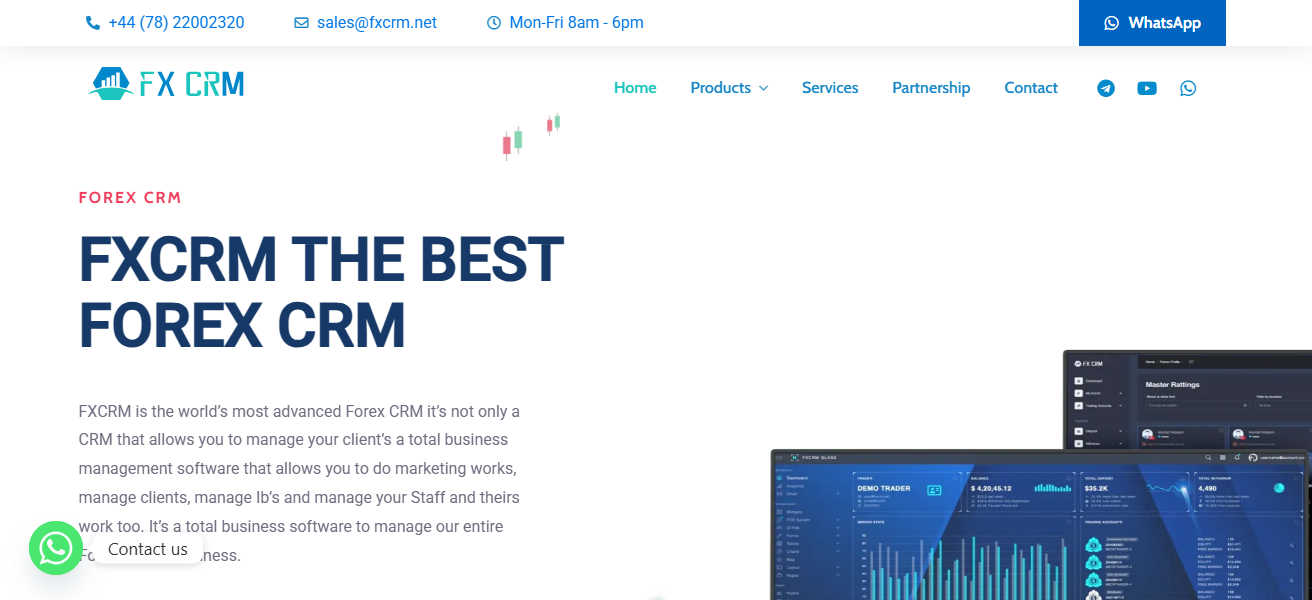
The system also manages leads, tracks customers, verifies documents, and prepares reports and integrates with major trading platforms using pre-built modules.
Brokers value the modular approach and the freedom to combine different features of the CRM to streamline operations and integrate with other Takeprofit solutions to enhance the efficiency of sales and operations.
FXCRM by Takeprofit Tech Features
- Customizable CRM Framework: Modular configuration allows brokers to focus on specific operational areas.
- Trader’s Room & Admin Dashboard: Offers separate interfaces for users and administrators to oversee accounts and information.
- Lead & Document Management: Consolidates the tracking of leads, client communication, and document verification.
- Trading Platform Integration: Pre-fabricated modules for major trading platforms enable seamless client data synchronization.
| Pros | Cons |
|---|---|
| Cloud-ready with flexible and customizable modules. | Some features require additional Takeprofit plugins. |
| Includes Trader’s Room, IB/affiliate portals, and dashboards. | May need technical knowledge to fully configure. |
| Supports major trading platform integrations. | Smaller brokers may find pricing high for full features. |
| Efficient for sales and operations teams. | Reporting capabilities less extensive than enterprise CRMs. |
| Modular development allows tailored solutions. | Learning curve for administrators. |
5. PheasanTech CRM
PheasanTech CRM is a Forex cloud CRM and back-office solution focused on simplicity and operational productivity for brokers of all scales.
It combines core CRM features such as client and trader management, reporting, and sales automation with back-office functions like compliance and performance insights.
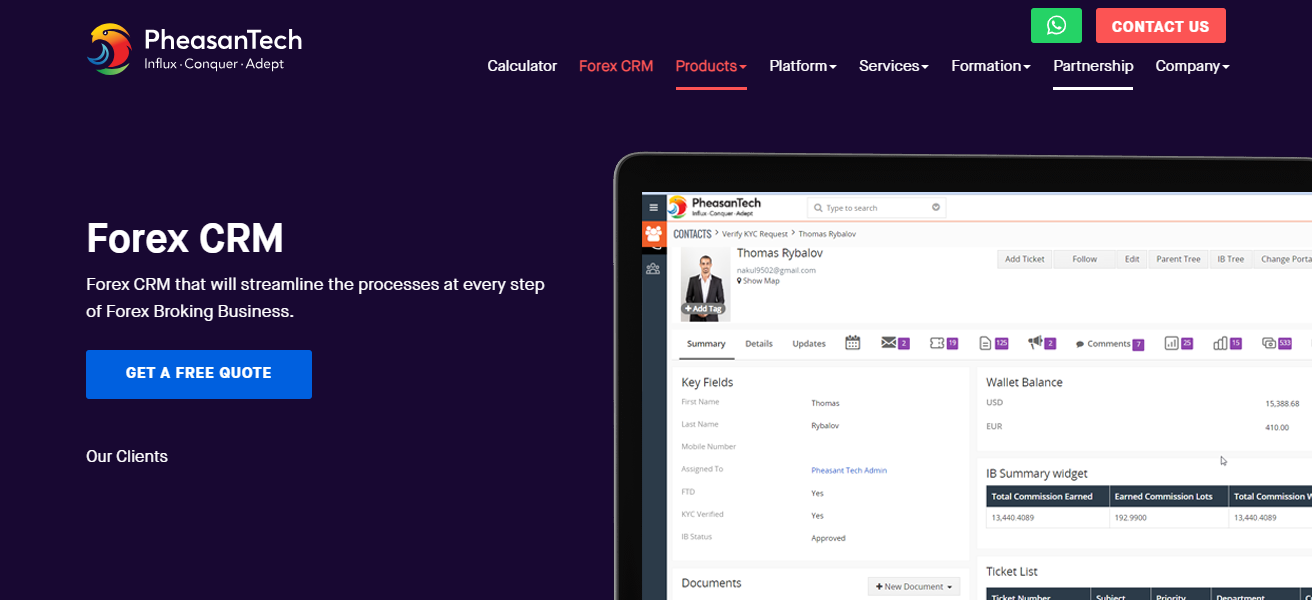
PheasanTech’s system is designed to minimize costs and administrative workload, providing MT4/MT5 bridge plugins and third-party payment and analytics integrations.
Its user-friendly interface and customizable widgets allow sales teams to complete tasks digitally, enhancing responsiveness, and customer satisfaction while helping brokers adjust the system to their specific business needs.
PheasanTech CRM Features
- Cloud-Based & Simple UI: Quick to set up and with a user-friendly design perfect for all team sizes.
- CRM + Back-Office Tools: Integrates client management, reporting, compliance oversight, and sales conversion automation.
- Platform Compatibility: Integrates with MT4/MT5 and allows third-party payment processors and data analytics.
- Customizable Workflows: Brokers can use flexible widgets and settings to customize user processes.
| Pros | Cons |
|---|---|
| Simple, intuitive, and customizable interface. | Not as feature-rich as enterprise-level CRMs. |
| Supports MT4/MT5 connections and third-party integrations. | Limited advanced analytics or AI features. |
| Cloud-based for easy deployment. | Smaller community/support compared to bigger vendors. |
| Reduces administrative burden and cost. | Some automation features require manual configuration. |
| Adaptable for brokers of all sizes. | Less ideal for brokers needing multi-jurisdiction compliance tools. |
6. Brokeree CRM
Brokeree Solutions offers various technological tools for brokers, including the FX Back Office CRM, which can be integrated with their broader platform ecosystem.
Although the company is primarily known for liquidity bridges, PAMM, and social trading infrastructure, it is the CRM integrations that allow brokers to provide a trader’s room and client portal with these additional services.
The FX Back Office CRM is designed to assist brokers with customer relationship management, shared investment accounts, and basic back-office functions through integrations and not with a standalone CRM.
Thus, it is particularly appealing to brokers with a preference for a tech partner that combines CRM and sophisticated trading infrastructure along with account management.
Brokeree CRM (FX Back Office CRM) Features
- Integrated with Trading Infrastructure: Flexible compatibility with Brokeree’s Liquidity Bridge and PAMM Tools.
- Trader’s Room and Client Portal: Clients can securely access their account details and activities.
- Account Management Sharing: Manages complex account configurations, such as investment pools.
- Connection-Driven Features: Uses integrations to enhance CRM capabilities, avoiding the need for standalone modules.
| Pros | Cons |
|---|---|
| Integrates seamlessly with liquidity bridges and PAMM. | Not a fully standalone CRM; relies on integrations. |
| Supports Trader’s Room and client portals. | Limited marketing and reporting features. |
| Good for brokers with complex account structures. | Less suitable for small-scale brokers. |
| Blends CRM with trading infrastructure efficiently. | Customization may require developer involvement. |
| Supports shared investment accounts. | Can be complex to configure for new brokers. |
7. Soft-FX Trader’s Room
Soft-FX Trader’s Room provides a back office and client portal solution to automate and streamline client onboarding and opening, payment, and compliance tasks.
It integrates easily with MT4, MT5, and other trading systems, supports more than 60 fiat payment options and blockchain wallet connections, and makes fund management seamless.
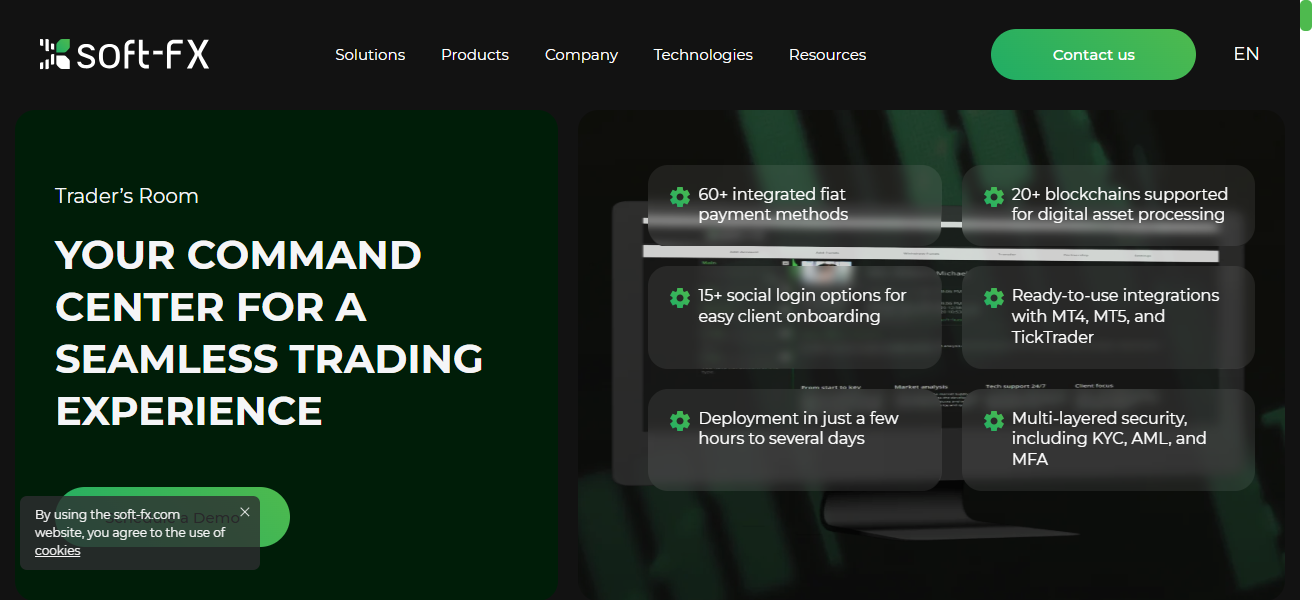
Its modular admin area automates KYC/AML, real-time reporting, and full client activity control to brokers. The system’s meticulous security and adaptable design help brokers provide an exceptional trading experience
While maintaining operational transparency and meeting regulatory guidelines across all jurisdictions.
Soft-FX Trader’s Room Features
- All-in-One Client Portal: Onboarding and account management, as well as fund transfer and compliance in one place.
- Extensive Payment Methods: Ensure management of client funds with more than 60 fiat payment options, plus blockchain wallets.
- Platform Compatibility: Seamless integration with major trading platforms, including MT4/MT5.
- Admin Tools Automation: Reduces the manual burden with real-time reporting and automated KYC/AML.
| Pros | Cons |
|---|---|
| Streamlines onboarding, account opening, and payments. | High-end solution; pricing may be prohibitive for small brokers. |
| Integrates with MT4, MT5, and other platforms. | Some advanced features may be underutilized by small teams. |
| Supports 60+ payment methods and blockchain wallets. | Limited customization for unique workflow needs. |
| Automates KYC/AML and compliance reporting. | Requires training for full utilization. |
| Secure, multi-layered protection for client data. | Not ideal for brokers not needing multi-currency support. |
8. Leverate LXCRM
LXCRM provides brokers back-office systems and CRM solutions that onboard clients faster and automate processes. Brokers can manage leads, trades, and partners.
They have reduced technical friction thanks to integrations with trading platforms, and they can use smart dashboards and reports to manage key operational and performance metrics.
Brokers can manage partners’ commission reports and track performance using the embedded multi-tier IB and affiliate systems.
Built to scale, LXCRM enhances brokers’ operational efficiency and client engagement by improving the communication of sales, service, and marketing teams using integrated VOIP, and campaign automation.
Leverate LXCRM Features
- All-in-One Client and Partner Management: Veers tracking of leads, trades, I-Bs, and affiliates within a singular environment.
- Direct Platform Connections: Integrates with trading platforms to diminish friction and manual processes.
- Process Manual Automation: Eases the onboarding, tracking, and commission workflow.
- Marketing and Communication Features: Campaign automation and VOIP for better engagement.
| Pros | Cons |
|---|---|
| Centralized oversight for leads, trades, and partners. | Premium pricing; better for medium-to-large brokers. |
| Integrates with trading platforms natively. | Setup can be complex for small teams. |
| Multi-tier IB/affiliate management included. | Some advanced reporting may be overwhelming. |
| Automates manual processes and workflows. | Customization may require technical support. |
| Campaign automation and communication tools included. | Less flexible for brokers with niche needs. |
9. Tools4Brokers CRM
Tools4Brokers (TFB) offers a tech ecosystem where one can find backing office CRM-related solutions for retail brokers, hedge funds, and prop trading firms.
Though TFB is CRM-like, it is not a typical CRM. TFB assists broker operations with additional liquidity processors, PAMM modules, and business intelligence tools that complement CRM workflows.
With TFB, brokers are able to manage client portfolios, risk analytics, and report, all while integrating with whichever CRM they prefer, or building a consolidated report view across systems.
Because of its modular design, it is highly sought after by brokers for flexible infrastructure as opposed to a traditional monolithic CRM.
Tools4Brokers CRM (TFB Ecosystem) Features
- Modular Ecosystem: TFB has integrated all CRM-related modules with liquidity gateways, PAMM modules, and analytics CRM supplementary tools.
- Portfolio & Risk Analytics: Analytics TFB has integrated tools to help brokers manage risk and analytics for all clients in one place.
- Flexible Architecture: TFB accommodates unique and atypical workflows with custom adjustments and integrations.
- Unified Reporting Views: TFB allows brokers to analyze and merge data across different modules for improved analytics.
| Pros | Cons |
|---|---|
| Modular ecosystem for broker operations. | Not a traditional CRM; requires external CRM for full features. |
| Supports liquidity, PAMM, and analytics modules. | Integration complexity may be high. |
| Flexible architecture for custom workflows. | Can be too complex for very small brokers. |
| Good for prop firms, hedge funds, and retail brokers. | Less out-of-the-box reporting; requires configuration. |
| Helps manage client portfolios and risk analytics. | Some features need third-party modules. |
10. Fynxt CRM
Fynxt CRM is an innovative platform for Forex and multi-asset brokerage that specializes in full lifecycle management, with an emphasis on onboarding, compliance, financials, and partner management.
With Client Manager, upserts, and other processes are automated, client profiles are consolidated, KYC/AML processes are simplified, and cross-asset multi-account management is enabled.
Payment gateway, commission and billing automation, and financial operation reporting are some of the financials features.
Fynxt provides partner portals with multi-tiered IB management, marketing automation, and analytics.
The platform is designed for growth, offering brokers increased revenue and reduced manual work with accuracy improvements through integrated compliance and business insights.
Fynxt CRM Features
- Full Lifecycle Management: Fynxt automates and manages client account onboarding, client KYC, the billing cycle, and the subsequent compliance.
- Multi‑Asset & Multi‑Account Support: Fynxt manages asset classes, including forex, and allows for multiple accounts at one instance.
- Payment & Billing Automation: Fynxt has integrated gateways to manage billing and automate commissions.
- Partner & IB Portals:** Fynxt manages and analyzes multiple tiers of partners and provides support to networks with promo-campaigns.
| Pros | Cons |
|---|---|
| Full lifecycle management for brokers and multi-asset trading. | Enterprise-focused; may be costly for small brokers. |
| Automated onboarding, KYC/AML, and compliance tools. | Learning curve for smaller teams. |
| Payment gateway integration, commission automation, reporting. | Advanced features may require technical support. |
| Multi-level IB and partner portals with analytics. | Some brokers may not need all features. |
| Scalable, accurate, and reduces manual workload. | Customization may need developer resources. |
How To Choose Best Forex Back-Office Management Systems
Integration with Trading Platforms – Ensure connection with trading platform (MT4, MT5, cTrader) for data integration.
Compliance & KYC/AML Automation – Streamline client verification and automatic reports to decrease manual error burdens.
Scalability & Modular Design – Select systems that fit your brokerage growing and modular feature remaps.
Reporting & Analytics – Custom dashboards reporting insights and analytics in real-time are key for critical decisions.
Client & Partner Management – Manage traders, introducing brokers (IBs), affiliates, and complex commission structures seamlessly.
Payment Gateway Support – Diverse payment methods (fiat, crypto, blockchain) help clients worldwide.
Security & Data Protection – Use data protection and encryption that complies with ISO standards.
Ease of Use & UI – Simple UI and dashboards are best to reduce training for staff and brokers
Automation & Workflow Efficiency – Optimize reporting, communication, and onboarding workflows to save time and eliminate mistakes.
Vendor Support & Updates – Select vendors with the best integration support, reliable updates, and support.
Cocnlsuion
In cocnsluion Selecting an appropriate back office management system is an important task for brokers wanting to automate operational processes, manage clients, and control compliance.
The system automates KYC/AML and reporting, integrates with trading systems, and manages affiliates.
Choosing a solution that is scalable, secures, and is also user friendly allows brokers to enhance their operational efficiency, minimize their operational mistakes, and grow their business effectively.
FAQ
It is software that manages clients, accounts, compliance, reporting, and operational workflows for brokers.
To automate processes, reduce errors, ensure compliance, and efficiently manage client relationships.
Most support MT4, MT5, cTrader, and sometimes proprietary platforms.
Yes, many automate KYC/AML verification and compliance reporting.