In this article, I will focus on the alternatives to Ghost CMS for non-coders, especially those that make the website publishing and creation process easier without any technical knowledge.
They provide easy to use, drag and drop editors, in addition to built in hosting and monetization tools. These platforms are great for beginners, bloggers, and even some entrepreneurs that want a professional website or blog without the complexities of code.
Key Points & Ghost CMS alternatives for non-coders
WordPress Offers thousands of plugins, themes, and intuitive dashboard, making website creation simple without coding knowledge.
Wix Drag-and-drop builder with customizable templates, SEO tools, and integrated hosting for effortless website management.
Squarespace Beautifully designed templates, built-in e-commerce, and blogging features ideal for creatives seeking professional websites.
Medium Focuses on writing and publishing, offering built-in audience reach without technical setup or customization hassles.
Weebly Beginner-friendly platform with drag-and-drop tools, integrated e-commerce, and affordable plans for small businesses.
Hyvor Blogs Privacy-focused blogging platform with built-in comments, analytics, and monetization tools requiring no technical expertise.
Substack Newsletter-first platform enabling writers to publish, grow subscribers, and monetize content without coding skills.
Postion No-code Ghost alternative offering speed, ownership, and design flexibility without complex hosting requirements.
Blogger Google’s free blogging tool with simple interface, easy integration, and reliable hosting for beginners.
Webflow Visual design platform combining CMS power with drag-and-drop tools, perfect for designers avoiding coding.
10 Ghost CMS alternatives for non-coders
1. WordPress
WordPress offers the best Ghost CMS alternative for non-coders due to its user-friendliness, versatility, and potential for limitless growth.
Ghost CMS is primarily designed for simple content publishing, while WordPress enables users to do so much more, such as building e-commerce stores, portfolios, or even an entire business site—all without writing a single line of code.
WordPress’s true power is in its massive community of developers that build customizable plugins and themes for sites of every imaginable purpose.
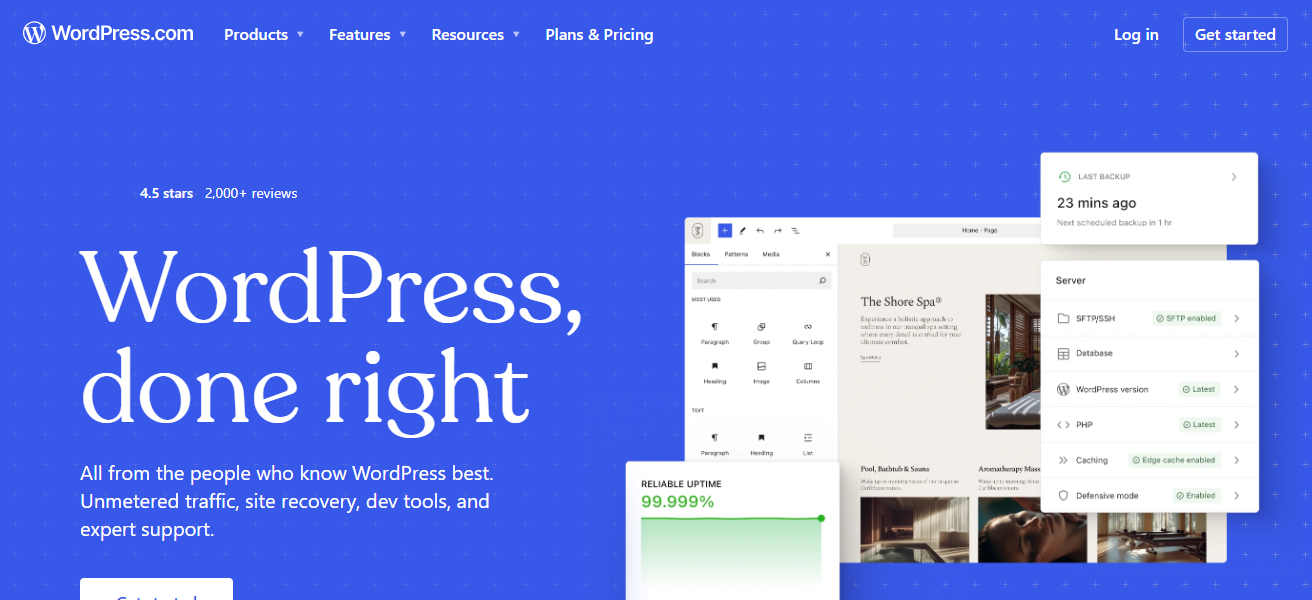
Their unique hosting partners even offer one-click WordPress installs so that users can bypass all the technical hoops.
Non-coders can easily start small and expand their site as their business objectives evolve, making WordPress a fantastic alternative to Ghost CMS.
WordPress Features
- Customize sites with thousands of plugins and themes that don’t require coding.
- Most hosting providers offer one-click installation options for setup simplicity.
- Users gain enhanced site visibility and usability with the built-in SEO features and media management.
- Community support is plentiful and provides tutorials, forums and troubleshooting.
| Pros | Cons |
|---|---|
| Highly flexible with thousands of plugins and themes | Can feel overwhelming for beginners due to vast options |
| Large supportive community and resources | Requires regular updates and maintenance |
| SEO-friendly with built-in tools | Performance may slow with too many plugins |
| Scales easily from blogs to full websites | Security risks if not properly managed |
2. Wix
Wix also represents a good Ghost CMS alternative. Unlike Ghost, which focuses on publishing, Wix makes website building a more visual experience.
Wix offers users a drag and drop editor, which does not require any coding knowledge. Its greatest feature is creative control.
Users have the freedom to configure and edit any part of their website as they choose allowing for complete experimental control.
Wix also integrates hosting, SEO, and e-commerce, making it a strong candidate for individuals or businesses wanting full creative control without any technical barriers.
Wix Features
- Users can have complete design freedom with the drag-and-drop editor.
- Choose templates from hundreds of industry-specific and customizable options.
- Wix provides integrated hosting, SEO, and analytics tools.
- Users get unique site features with the AI website builder that creates designs according to their preferences.
| Pros | Cons |
|---|---|
| Drag-and-drop editor makes design simple | Limited flexibility compared to advanced CMS platforms |
| Hundreds of customizable templates | Migration to other platforms is difficult |
| Hosting and security included | Free plan shows Wix branding |
| AI-powered design assistance | Less control over site performance |
3. Squarespace
For non-coding users, Squarespace stands out as a Ghost CMS alternative due to its design-centric and feature-rich user experience.
Ghost is primarily focused on publishing, and Squarespace is a publishing and hosting service. Fill all Squarespace service gaps, and they offer free security and updates.
Squarespace provides users with professionally made templates, which lets users design amazing websites with no programming or web design experience.
They combine website design with blogging and shopping cart services for a full package providing versatile web services for artists and business professionals.
Without programming experience, users can create great websites with their mobile responsive website designs and marketing plugins.
Squarespace Features
- Choose from the templates that are specifically optimized and designed for creative and entrepreneurial professionals.
- Every site includes built-in features for blogging, e-commerce, and portfolios.
- Sites will look great everywhere with responsive design layouts for all devices.
- Sites will come with hosting, security, and automatic updates.
| Pros | Cons |
|---|---|
| Sleek, professional templates ideal for creatives | Limited third-party integrations compared to WordPress |
| All-in-one solution with hosting and security | Less flexible customization options |
| Built-in e-commerce and blogging tools | Slightly higher pricing than competitors |
| Mobile-responsive designs | Learning curve for advanced features |
4. Medium
Medium acts as a viable alternative to Ghost CMS for non-technical users as it removes the technical hurdles and concentrates on the writing and reading experience.
Ghost offers more customizability but requires additional setup with hosting and design/layout. Medium has an audience and community experience that no other publication can offer
It simplifies the writing and publishing experience so that you can reach an audience with no additional design or marketing work.
With a clean editor, there are no additional distractions beyond writing. Medium balances the trade-offs of simplicity and visibility with an audience to read your work.
Medium Features
- There are no distractions. Just the editor and great tools for clean, focused writing.
- With Medium’s community, creators get built-in audience reach.
- Monetize by joining the Medium Partner Program.
- There’s no need to customize or host anything – publishing is instant.
| Pros | Cons |
|---|---|
| Instant publishing with no setup required | Very limited customization options |
| Built-in audience reach | Content ownership tied to Medium’s platform |
| Clean, distraction-free editor | No control over design or branding |
| Monetization via Partner Program | Dependent on Medium’s ecosystem for visibility |
5. Weebly
Weebly is a good Ghost CMS alternate for non coders because it focuses on accessibility and simplicity. Unlike Ghost, Weebly gives you an all-in-one platform with built in hosting, security, and updates.
You can focus on your drag and drop website with ease and worry less about the technical aspects. One of Weebly’s great features is integrated e-commerce.
This means you can create your own online store, and a blog, all without plugins or having to code. Weebly is a great choice for small businesses and a good platform for beginners. You can make a professional looking website with it built in marketing tools.
Weebly Features
- Beginner-friendly drag-and-drop tools allow for easy website building.
- Sites come with integrated e-commerce features for online stores.
- Weebly includes tools for intelligent marketing and SEO.
- Plans are affordable and include hosting.
| Pros | Cons |
|---|---|
| Beginner-friendly drag-and-drop builder | Limited design flexibility compared to competitors |
| Affordable pricing plans | Templates can feel outdated |
| Integrated e-commerce features | Less scalable for large businesses |
| Hosting and SEO tools included | Fewer advanced customization options |
6. Hyvor Blogs
Hyvor Blogs is one of the more valuable alternatives to Ghost CMS for non coders, as it focuses on privacy and simplicity while still offering a blog experience.
Ghost offers more advanced features than Hyvor, but it is more complicated to setup. While Hyvor offers a more basic setup, it still offers hosting, updates, and security, and in addition to these features

Hyvor Blogs offers a more advanced feature in the form of a privacy-focused approach that allows users to blog without ads and without tracker technology
Which is beneficial for users who want to focus on content without distractions. It is a streamlined editor that is easy to use. It is also one of the only services that offers data ownership.
Hyvor Blogs Features
- No ads or trackers. Focused on Privacy.
- Writing is distraction-free with a clean editor.
- Built-in monetization tools, analytics, and comments.
- Automatic updates and managed hosting.
| Pros | Cons |
|---|---|
| Privacy-first platform with no intrusive ads | Smaller ecosystem compared to WordPress or Wix |
| Clean, distraction-free editor | Limited design customization |
| Built-in analytics and monetization tools | Less known, smaller community support |
| Hosting and updates managed automatically | Fewer integrations with external tools |
7. Substack
Substack has been described as the most straightforward Ghost CMS alternative for non-developers because it combines blogging with audience building via email newsletters.
In contrast to Ghost, which takes time to configure, Substack publishes posts to subscribers’ inboxes automatically. Its greatest strengths are the monetization options available to writers.
Substack streamlines the subscription process and makes it easy for writers to create a reliable source of income.
Substack takes care of the website hosting, email distribution, and subscription payments so writers can concentrate on generating posts.
Audience engagement, effective blogging, and income monetization are all easily accomplished via Substack, making it a viable alternative to Ghost CMS for those without coding experience.
Substack Features
- Email newsletter and blogging are combined.
- Publisher and subscribers are managed easily with a simple layout.
- No technical set up for monetization with paid subscriptions.
- Payments, hosting, and distribution are handled by Substack.
| Pros | Cons |
|---|---|
| Combines blogging with newsletters seamlessly | Limited design and customization options |
| Easy monetization through subscriptions | Focused mainly on newsletters, less versatile |
| Hosting and payments handled automatically | Dependence on Substack’s ecosystem |
| Simple interface for non-coders | Less suitable for complex websites |
8. Postion
Postion is fast becoming a preferred alternative to Ghost CMS for those wanting to avoid coding as the system comes with simple, fast, and ownership focused principles.
Unlike Ghost, which requires hosting and other technical setups, Postion focuses on these limitations with the intent of creating a publishing environment that requires no code.
The publishing system is tailored to creators, providing control over content and design without the hassle of sophisticated instruments.
The system is capable of creating websites that load content quickly, improving both the user experience, and the system’s search positioning.
Postion offers extensive publishing solutions, including central efficiency and design flexibility to those seeking a powerful system without coding and publishing heaviness.
Postion Features
- Quick set up no-code publishing tools.
- Lightweight performance and speed are priorities.
- No design complexity with flexible options.
- Complete data and content ownership.
| Pros | Cons |
|---|---|
| No-code publishing tools for simplicity | Smaller platform with limited recognition |
| Fast-loading websites improve SEO | Fewer templates compared to larger CMS |
| Full ownership of content and data | Limited third-party integrations |
| Lightweight and efficient | Less community support |
9. Blogger
Blogger functions as an alternative to Ghost CMS, providing ease of use because of Google’s dependable services.
Blogger, unlike Ghost, which has extra burdens of hosting and some technical setups, allows anyone to start publishing right away.
Advertisements and performance tracking are also integrated through Google’s services, and therefore, it is easy to manage growth without needing technical skills.
For beginners, the hosting is done automatically and there is an easy to use editor. After a short period of set up, users can express their ideas through the platform using the simple templates. Ultimately, it is a solid choice for non-coders looking to publish without a technical burden.
Blogger Features
- Simple layout and free platform with Google’s backing.
- Basic templates and easy ads integration with AdSense.
- Monetization is simple and hosting is reliable for newbies.
- Easy set up and beginner friendly hosting.
| Pros | Cons |
|---|---|
| Free platform backed by Google | Outdated design templates |
| Easy setup and reliable hosting | Limited customization compared to modern builders |
| Integration with AdSense for monetization | Less innovation and updates over time |
| Simple interface for beginners | Not ideal for professional-grade websites |
10. Webflow
Webflow is an efficient Ghost CMS alternative for non-coders as it combines design freedom and CMS features with no technical skills required. Contrary to Ghost,
Which is mostly publishing focused, Webflow offers users the ability to create and customize websites with pixel precision using the drag-and-drop editor.
Its greatest ability is the balance between creativity and structure, the users can create complex layouts while the platform writes clean code in the back.
Hosting, SEO features, and adaptive templates are included in the package making the technical barriers less. For non-coders needing a websites with high quality and unlimited creativity, Webflow is the best choice.
Webflow Features
- Control design down to the pixel with drag-and-drop.
- Manage dynamic content with the included CMS.
- SEO tools, hosting, and templates are included.
- Automatically generates clean code
| Pros | Cons |
|---|---|
| Visual editor with pixel-level design control | Steeper learning curve than Wix or Weebly |
| CMS features for dynamic content | Higher pricing for advanced features |
| Hosting, SEO, and responsive templates included | Can feel complex for absolute beginners |
| Generates clean code automatically | Requires time to master advanced design tools |
Cocnlsuion
To wrap up non-code Ghost CMS alternatives have flexible and user friendly systems breaking down technical barriers.
WordPress, Wix, Squarespace, Medium and others enable creators to effortlessly publish, design and monetize content.
From design to built-in audiences, unique strengths from each platform allow non-coders to build profe4ssional websites and blogs with ease and confidence.
FAQ
A platform that offers similar publishing features but is easier for non-coders to use.
WordPress provides plugins, themes, and scalability without requiring coding knowledge.
Yes, Wix’s drag-and-drop editor makes website building simple and visual.
Its professionally designed templates and all-in-one hosting solution appeal to creatives.