
In this article, I would like to identify the Best Software for Corporate Policy Management that assists companies in developing, managing, disseminating, and tracking policies.
- Key Points & Best Software For Corporate Policy Management
- 10 Best Software For Corporate Policy Management
- 1. Deel
- 2. Mitratech PolicyHub
- 3. SixFifty
- 4. Workiva
- 5. NAVEX Global
- 6. ConvergePoint
- 7. PowerDMS
- 8. LogicGate
- 9. Hyperproof
- 10. DocRead for SharePoint
- How To Choose Best Software For Corporate Policy Management
- Cocnsluion
- FAQ
These applications facilitate the movement of policies through various stages, enforcing regulation adherence, obtaining employee acknowledgment, and minimizing operational threats by consolidating the secure editing and approving of policies to a digital system.
Key Points & Best Software For Corporate Policy Management
| Software | Key Point |
|---|---|
| Deel | real-time compliance monitoring |
| Mitratech PolicyHub | automating policy lifecycle |
| SixFifty | employment law compliance |
| Workiva | cloud collaboration |
| NAVEX Global | risk and compliance integration |
| ConvergePoint | SharePoint-based policy management |
| PowerDMS | policy distribution and attestation |
| LogicGate | workflow-driven compliance |
| Hyperproof | audit readiness and tracking |
| DocRead for SharePoint | employee acknowledgment tracking |
10 Best Software For Corporate Policy Management
1. Deel
Deel is internationally recognized as an HR, payroll, and compliance solution. However, it also assists corporate policy and compliance by streamlining the workflows of integrating HR-centered policies, updates on regulations, risk assessments, and compliance documents.
With regard to compliance, it helps companies understand and track the global employment policy shifts, provide timely compliance alerts, and manage policies and documents through a single repository.
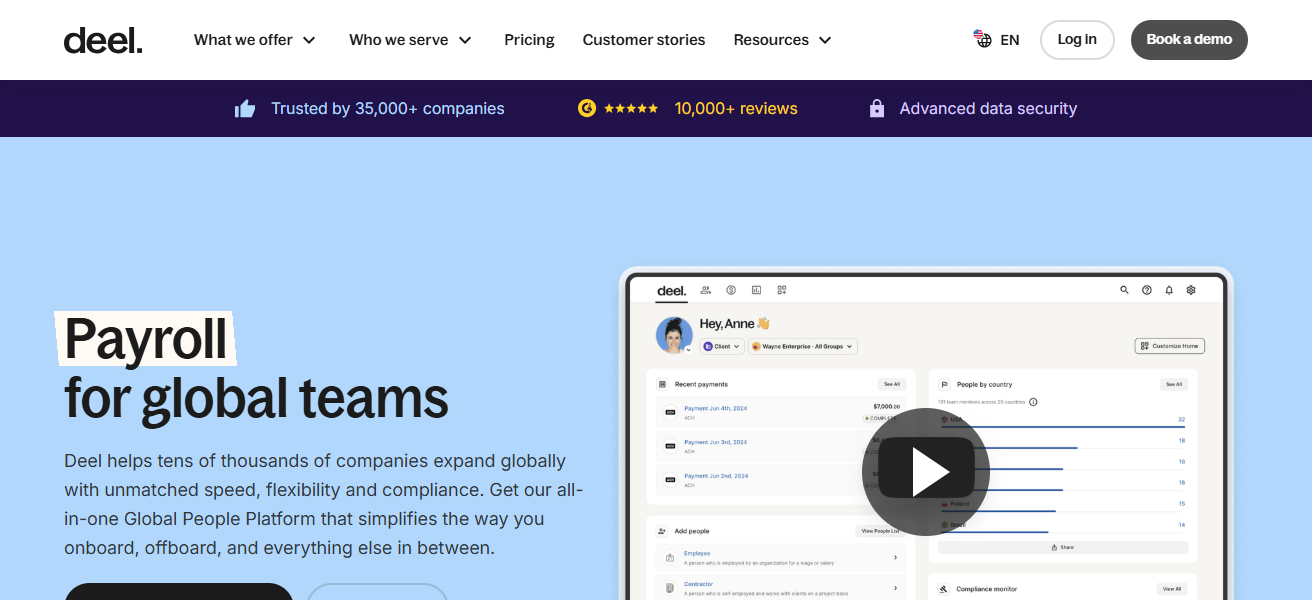
For organizations that require regulatory policy and compliance stream services alongside global HR functions, Deel is a suitable option.
Deel – Features
- Centralized Compliance Documentation – Keeps all HR and compliance documentation in one safe place.
- Global Compliance Monitoring – Monitors and tracks changes in employment regulations in different countries.
- Automated Alerts – Alerts employees and teams when there are changes in regulations and policies.
- Secure Access Control – Organizes policy documents and other sensitive information according to roles.
- HR Integration – Links policies with payroll and and other aspects of workforce management.
| Pros | Cons |
|---|---|
| Global compliance support for hiring and payroll | Higher cost compared to smaller solutions |
| Automated policy updates across jurisdictions | Best suited for HR/legal teams, less flexible for general corporate policies |
| Easy employee onboarding with compliance built-in | Limited customization for non-employment policies |
2. Mitratech PolicyHub
PolicyHub is an innovative solution for the construction, approval, circulation, and organizational tracking of corporate policies, tailored for the management of policies and procedures.
It automakes policy cycle processes, removing manual, step-by-step workflows and ensures employees are seeing the most updated version.
With smart distribution, tracking of attestations, and automated reports, PolicyHub lowers risks associated with compliance, increases operational efficiency, and demonstrates proof of performance to auditors or regulators.
Mitratech PolicyHub – Features
- Policy Lifecycle Management – Manages the entire lifecycle of policies including the creation, review, approval, and archiving.
- Automated Workflows – Provides automation when there are approvals based on certain criteria to lessen the workload.
- Employee Attestation Tracking – Validates that employees have acknowledged the policy.
- Version Control – Ensures that employees have access to the most recent version of a policy.
- Audit-Ready Reporting – Provides immediate reports on compliance and audits.
| Pros | Cons |
|---|---|
| End-to-end policy lifecycle automation | Complex setup for new users |
| Strong reporting and analytics | Enterprise-focused pricing may be high for SMEs |
| Centralized repository for all policies | Requires training to maximize features |
3. SixFifty
SixFifty is a policy platform with a focus on employment law created for HR teams to help them generate compliant policy documents, employee handbooks, and employment documents, this time customized for various jurisdictions.
Their AI-powered research tool eliminates the need for manual legal reviews by doing most, if not all, of the work when it comes to updating legal documents at the state and federal level.
SixFifty covers all documents for updates, explains laws, and keeps companies compliant to the laws governing workplaces, all without the need to have a legal expert in-house.
SixFifty – Features
- Legally Compliant Policy Creation – Creates policies that comply with all employment laws.
- Automated Legal Updates – Keeps documents updated in real-time with applicable laws and regulations.
- AI-Powered Guidance – Provides legal guidance on policies through embedded AI.
- Custom Policy Templates – Provides policy templates and policies to address the specific needs of the business.
- HR-Focused Compliance Tools – Compliance tools meant exclusively for HR and legal personnel.
| Pros | Cons |
|---|---|
| Expert-driven legal templates | Narrow focus mainly on employment law |
| Quick compliance drafting | Limited scalability for broader corporate policies |
| Keeps pace with evolving regulations | Dependent on US-centric laws |
4. Workiva
Workiva’s policy management software is integrated with GRC and reporting solutions for lifecycle management of policies.
It is used by organizations to centralize the creation of policies, automate the updating of policies, and to manage the linkage of policies to relevant risks and controls.
The collaborative environment allows for teams to track policy changes, and stay audit ready via reporting and dashboards. This enables enterprises to meet the needs of compliance and integrated risk oversight.
Workiva – Features
- Policy and GRC Integration – Integrates policies with risk and compliance related information.
- Collaborative Editing: Facilitates cross-departmental team edits.
- Workflow Automation: Simplifies updates and approvals to policies.
- Version History Tracking: Provides clear audit tracking.
- Advanced Dashboards: Maps out policies and compliance status.
| Pros | Cons |
|---|---|
| Cloud-based collaboration across teams | Expensive licensing for smaller firms |
| Strong audit and reporting tools | Steep learning curve |
| Integration with compliance frameworks | Overkill for simple policy management needs |
5. NAVEX Global
NAVEX Global’s PolicyTech provides enterprise-grade tools for the management of policies and procedures. PolicyTech helps streamline and automate the management of workflows, version control, and distribution to employees.
It provides a wide range of lifecycle management services with structured reporting for each of the policy lifecycle stages.
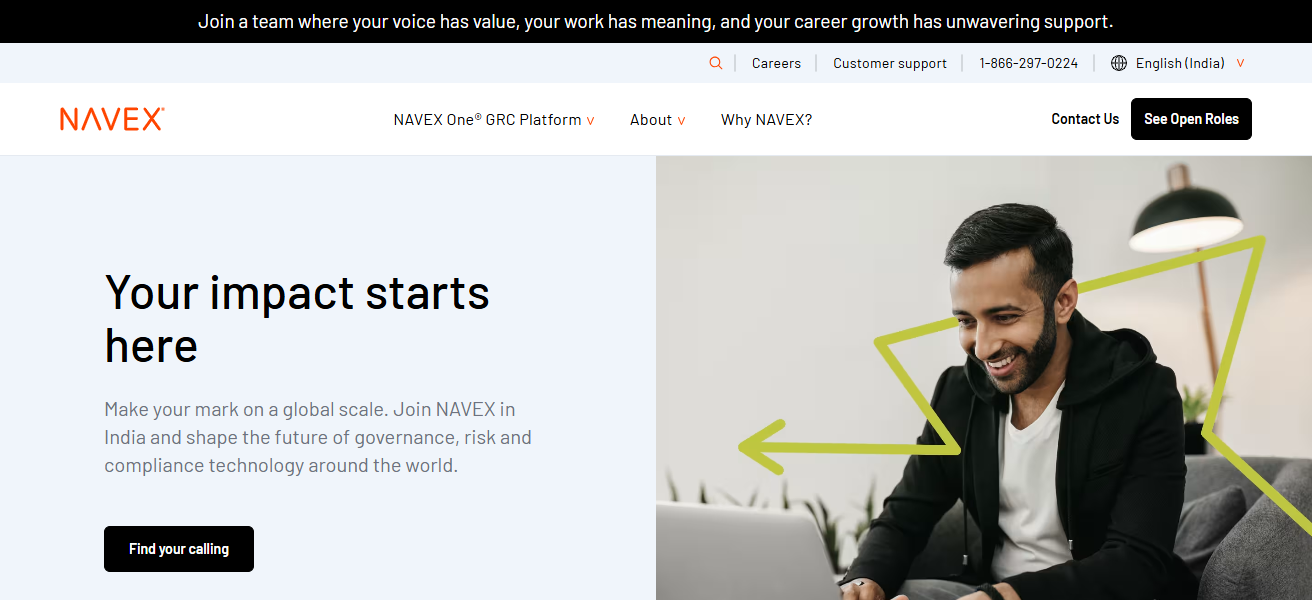
PolicyTech facilitates the drafting, reviewing, attesting, and archiving of policies, and ensures compliance oversight along with audit-ready reporting.
With integration capabilities and support for multiple languages, NAVEX helps large companies manage the enforcement of uniform policies across different jurisdictions and helps reduce legal and regulatory exposure.
NAVEX Global – Features
- End-to-End Policy Management: Drafting, approval, distribution, and archiving.
- Employee Acknowledgment Tracking: Captures policy agreement.
- Multilingual Support: Global policy distribution.
- Compliance Reporting: Assists with regulatory investigations and audits.
- Enterprise-Grade Security: Secures sensitive corporate policies.
| Pros | Cons |
|---|---|
| Comprehensive GRC suite | Can be overwhelming for small teams |
| Risk and compliance integration | Premium pricing |
| Trusted by large enterprises | Customization complexity |
6. ConvergePoint
ConvergePoint’s policy management software integrates with Microsoft 365 SharePoint to provide a complete policy lifecycle solution. With SharePoint, organizations can create, edit, review, approve, and distribute policies.
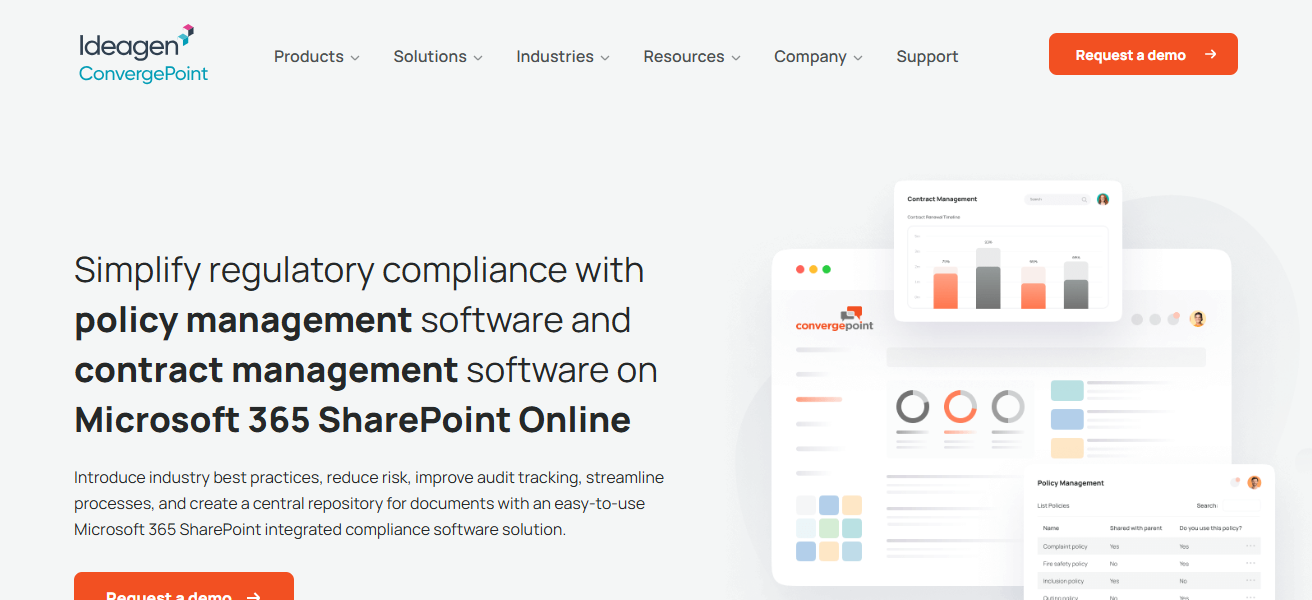
Employees can edit policies using automated workflows, and compliance officers can monitor policy adherence with version control, dashboards, and attestation tracking. This integration is particularly beneficial for enterprises heavily utilizing Microsoft products.
ConvergePoint – Features
- SharePoint Integration: Functions in Microsoft 365.
- Automated Approval Workflows: Ensures orderly reviews of policies.
- Version Management: Records changes and versions.
- Policy Distribution Tools: Distributes policies to the entire organization.
- Compliance Dashboards: Tracks policy status and acknowledgments.
| Pros | Cons |
|---|---|
| Built on SharePoint for easy integration | Requires Microsoft ecosystem |
| Strong workflow automation | Limited flexibility outside SharePoint |
| Good for regulated industries | Not ideal for startups |
7. PowerDMS
PowerDMS is a policy and compliance management system located in the cloud that streamlines the processes of policy development and tracking.
The platform allows for the sharing of secure content, efficient workflow approvals, management of policy versions, and the capturing of electronic signatures.
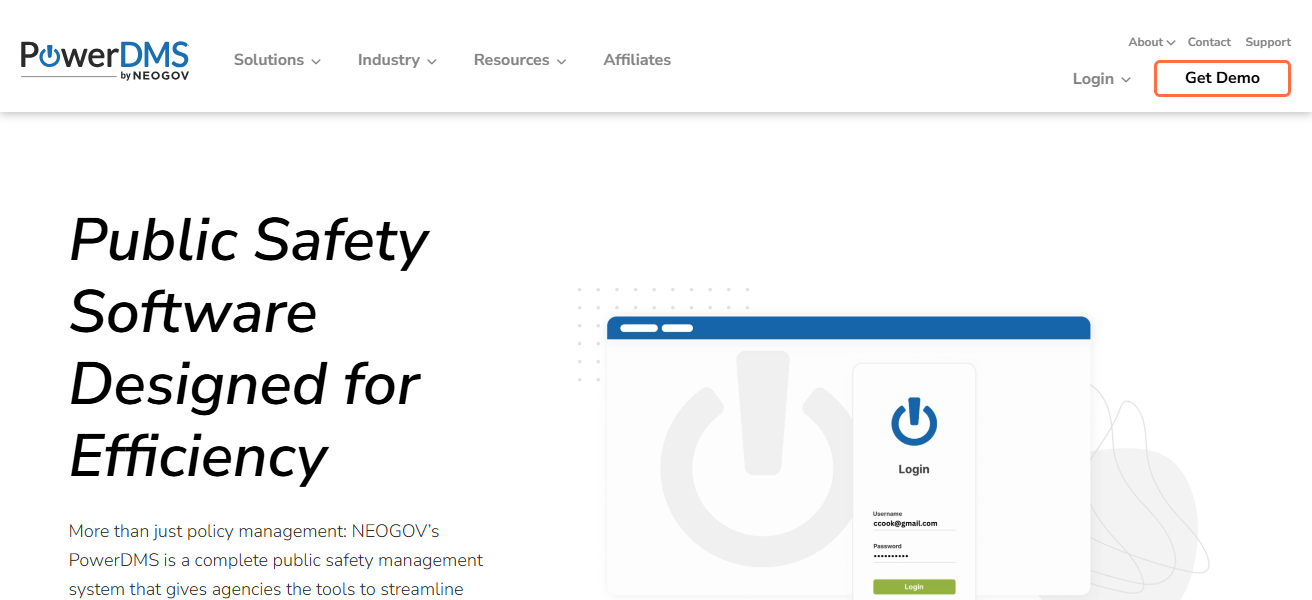
This means that users have access only to the most up-to-date policies, and that tracking of employee acknowledgements is logged.
In addition, PowerDMS offers reporting and a management-training system which is ideal for businesses in highly regulated industries like public safety, corporate compliance, and healthcare.
PowerDMS – Features
- Secure Policy Repository: Policy and procedures centralized storage.
- Electronic Acknowledgments: Records employee sign-off.
- Approval and Review Workflows: Policy updates made easier.
- Audit Trails: Aids compliance confirmation.
- Training Integration: Assists policies with training content.
| Pros | Cons |
|---|---|
| Policy distribution and attestation | Interface feels dated |
| Strong compliance tracking | Limited integrations |
| Widely used in public sector | Less suited for global enterprises |
8. LogicGate
LogicGate incorporates Policy Management into the Risk Cloud GRC platform, offering corporate policy automation features, including the ability to create, review, update, and track policies.
These features help facilitate team collaboration on policies, implement approval workflows, and manage acknowledgment tracking.
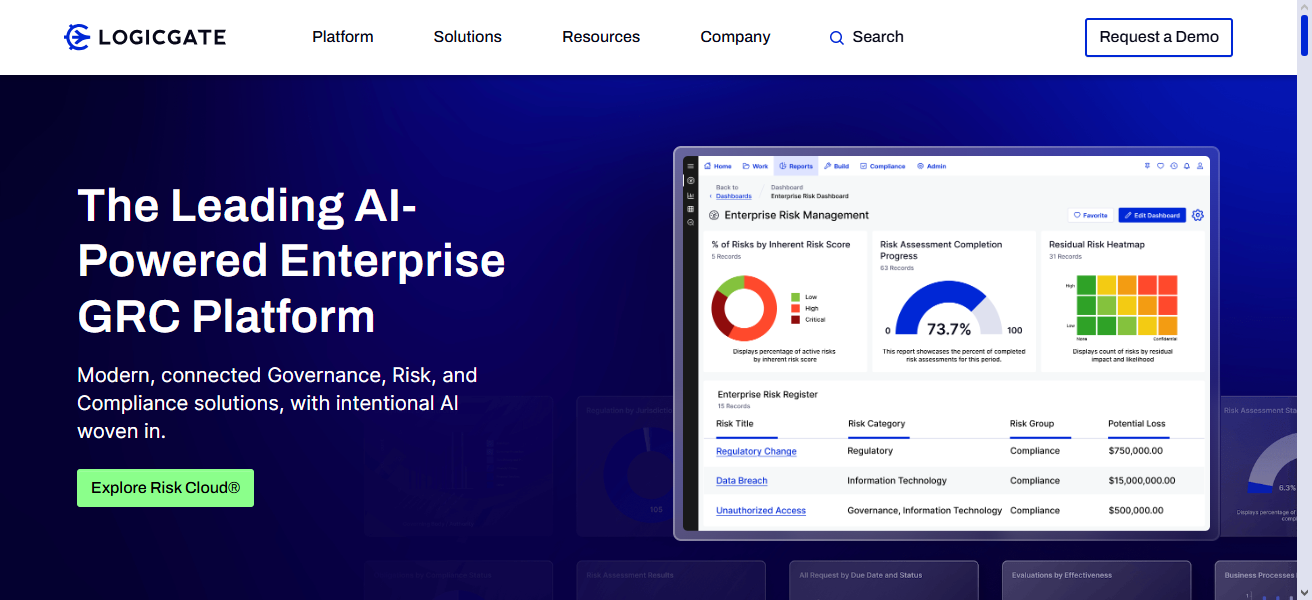
With the help of generative AI, users can automate the creation of policy drafts and reduce the time spent on policy-related tasks.
LogicGate is particularly beneficial for companies looking for strong GRC coverage in areas beyond simple document management.
LogicGate – Features
- Centralized Policy Library: Keeps and systemizes corporate policies.
- Custom Workflow Automation: Tailors approval workflows to business requirements.
- AI-Assisted Policy Drafting: Accelerates the drafting of policies.
- Risk Integration: Links policies with risk management scaffolds.
- Real-Time Compliance Insights: Monitors and records the gaps and progress in compliance.
| Pros | Cons |
|---|---|
| Workflow-driven compliance | Requires customization |
| Flexible risk management | Can be complex for non-technical users |
| Scalable for enterprises | Pricing may be high |
9. Hyperproof
Hyperproof streamlines the integration of policy management and the auditing, risk, and control processes within the GRC and compliance frameworks, automating most workflows.
It allows companies to manage policy files, policy updates, and policy retrieval from a singular location. It automates the collection of compliance evidence and facilitates real-time compliance monitoring through its dashboards.
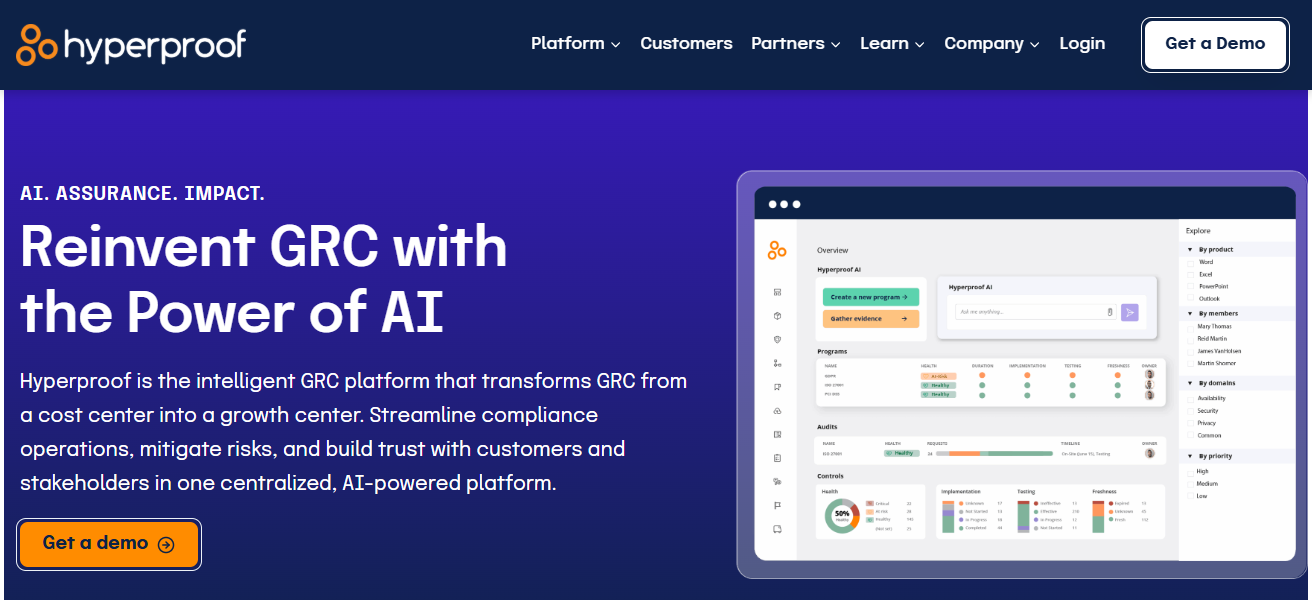
Hyperproof’s automated workflows and risk mapping features streamline the upkeep of continuous compliance, the reduction of manual tasks, and the audit preparation processes.
Hyperproof – Features
- Policy and Compliance Hub: Policies, controls, and evidence are stored in one place.
- Automated Evidence Collection: Simplifies the audit process.
- Risk Mapping: Associates policies with controls and laws.
- Real-Time Dashboards: Provides instant access to compliance status.
- Audit Preparedness Tools: Minimizes the manual work required for compliance.
| Pros | Cons |
|---|---|
| Audit readiness tools | Newer player in the market |
| Strong compliance tracking | Limited brand recognition compared to NAVEX |
| User-friendly dashboards | Integration gaps with niche tools |
10. DocRead for SharePoint
DocRead is a SharePoint-compliant policy distribution and acknowledgment solution that focuses policy documents to particular user groups.
It allows companies to assign policies kept in SharePoint and monitor who has read and acknowledged them via dashboards and reports that update in real-time.
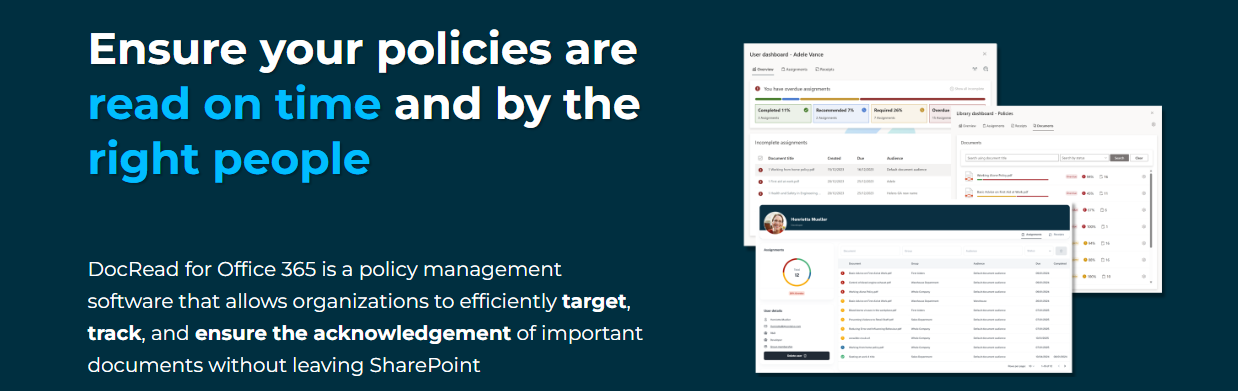
DocRead is excellent for organizations using Office 365 or SharePoint and requires easy focused policy dissemination and compliance verification, thus avoiding a complete GRC suite.
DocRead for SharePoint – Features
- Targeted Policy Distribution: Distributes policies to designated groups of users.
- Read and Acknowledge Tracking: Tracks and verifies the readership of documents.
- SharePoint Integration: Functions with Microsoft SharePoint.
- Real-Time Reporting: Monitors status of documents.
- Simple Deployment: Instant configuration for organizations using SharePoint.
| Pros | Cons |
|---|---|
| Employee acknowledgment tracking | SharePoint dependency |
| Simple distribution of policies | Limited advanced features |
| Cost-effective for SharePoint users | Not scalable for large enterprises |
How To Choose Best Software For Corporate Policy Management
User Friendly: Software should have a simple interface which allows admins and employees to easily access, modify, and acknowledge policies.
Policy and Regulation Updating: Software should have the ability to track policies and regulations that are constantly changing including GDPR, HIPAA, and employment law.
Automation: Software should have the ability to fully automate the process of drafting, approving, distributing, and obtaining employee acknowledgement.
Integration: Software should seamlessly integrate with other existing systems such as SharePoint, HR, or GRC.
Audit Readiness: Software should come with built-in tracking and reporting features to help with compliance audits.
Data Security: Software should protect sensitive policies with role-based access and other security measures.
Customization: Policy Management Software should have customizable templates, dashboards, and workflows to meet the unique needs of your industry.
Cocnsluion
In cocnsluion Choosing the Best Software for Corporate Policy Management assists organizations in simplifying the creation of policies, managing compliance with regulations, and maintaining clear communication across teams.
The best tool fpr your needs will help you consolidate your documents, automate the approval process, provide audit support, and track acknowledgments. Risk improves governance and ensures employees comply with the most current corporate policies.
FAQ
It helps organizations create, manage, distribute, and track internal policies in a centralized system.
It ensures compliance, reduces legal risk, and keeps employees informed of updated policies.
HR teams, compliance officers, legal departments, and enterprise administrators.
Yes, most tools track read receipts, e-signatures, and acknowledgments.
Yes, it provides audit trails, version control, and compliance reports.