
This article will cover the top software solutions for the automation of financial closing and the ways in which these software tools assist finance teams in the simplification of month-end closing, the reduction of manual error, and the enhancement of accuracy.
- Key Points & Best Software for Financial Close Automation
- 10 Best Software For Financial Close Automation
- 1. Redwood Record to Report
- 2. Joiin
- 3. DOKKA
- 4. Planful
- 5. BlackLine
- 6. Vena
- 7. Aico
- 8. SolveXia
- 9. FloQast
- 10. Adra by Trintech
- How We Choose Best Software For Financial Close Automation
- Conclusion
- Cocnlsuion
- FAQ
Financial close automation software provides fast reconciliations, improved compliance, real-time visibility, and collaboration, which helps throughout the modern business ecosystem and optimizes accounting and financial reporting.
Key Points & Best Software for Financial Close Automation
| Software | Key Point |
|---|---|
| Redwood Record to Report | End-to-end automation of reconciliation, journal entries, and reporting |
| Joiin | Multi-entity consolidation with easy reporting for groups of companies |
| DOKKA | AI-powered automation for document capture and financial close |
| Planful | Cloud-based FP&A integration with strong budgeting and forecasting |
| BlackLine | Industry leader in account reconciliation and compliance |
| Vena | Excel-native interface with enterprise-grade variance analysis |
| Aico | Automated journal entries and reconciliation workflows |
| SolveXia | Process automation for finance teams with strong audit trails |
| FloQast | Collaboration-focused close with task management and checklists |
| Adra by Trintech | Mid-market solution for reconciliation, compliance, and reporting |
10 Best Software For Financial Close Automation
1. Redwood Record to Report
Redwood automates key tasks such as processing general ledgers, intercompany consolidations, account reconciliations, and management of checklists, thereby streamlining and automating Record to Report.
It reduces the need for manual work and decreases the chance of human error in the Record to Report process.
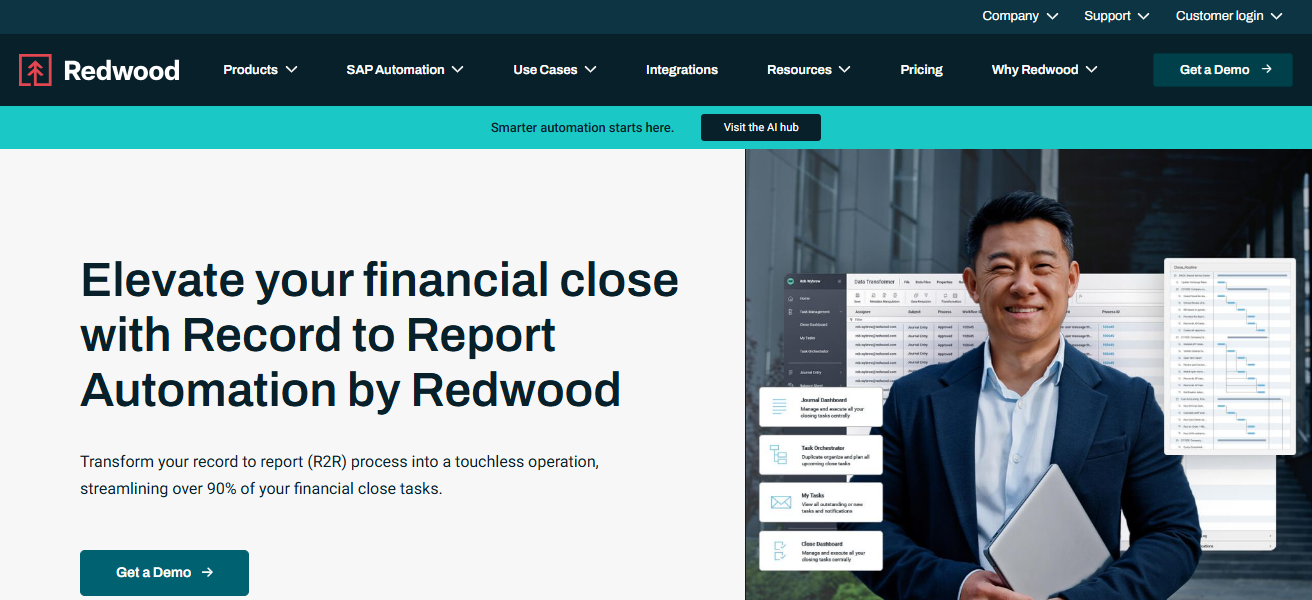
It works within ERP systems and spreadsheets to manage comprehensive finance operations, enhance the readiness of audits, and provide teams with an immediate overview of the recording progress. This assists finance departments in completing their tasks sooner and with increased assurance.
Redwood Record to Report – Key Features
- Automated Close Workflows – Streamlines the closing process by automation month-end closing activities as in reconciliations, GL adjustments, and checklist management.
- ERP & System Integration – Integrates with ERPs and spreadsheets to keep data in one place and to remove the need for manual data exports.
- Intercompany Consolidation – Simplifies multi-entity consolidations with automated processing and eliminations.
- Audit-Ready Documentation – Provides detailed records of every step taken to support compliance and audits.
| Pros | Cons |
|---|---|
| Automates end-to-end record-to-report workflows with strong process orchestration. | Implementation can be complex and requires technical resources. |
| Integrates deeply with ERP systems and spreadsheets for real-time data flow. | Best suited for large enterprises; may be overkill for smaller teams. |
| Improves audit readiness with transparent logs and checkpoints. | Steep learning curve for non-technical finance users. |
| Reduces manual effort across reconciliation, ledger processing, and consolidation. | Higher cost than basic close tools. |
2. Joiin
Joiin specializes in automating financial consolidation and reporting for multi-entity businesses. It integrates with Xero, QuickBooks, Sage, and spreadsheet applications to generate real-time dashboards and automatically consolidated financial reports.
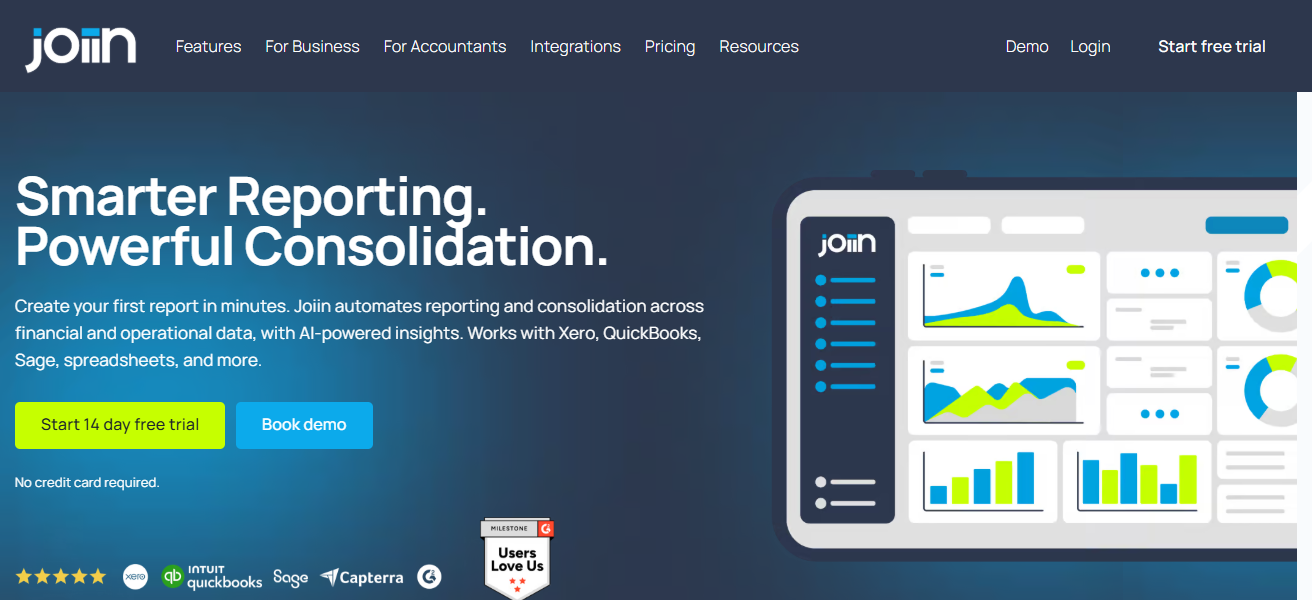
In conjunction with its AI-powered insights, Joiin streamlines reporting workflows and helps teams and accountants scale by eliminating the tedious manual consolidation process and spreadsheet errors.
Joiin – Key Features
- Multi-Entity Consolidation – Consolidates multiple entities in real-time across various accounting systems.
- Automated Data Sync – Automatically retrieves data from cloud services including Xero and QuickBooks, as well as spreadsheets.
- Financial Dashboards – Provides reporting and performance dashboards, and visualization of key performance indicators.
- Collaboration Tools – Offers shared workspaces for teams to work together to produce financial reports and analyze insights.
| Pros | Cons |
|---|---|
| Automates multi-entity consolidation and reporting efficiently. | Limited advanced close task automation features. |
| Works well with cloud accounting platforms like Xero and QuickBooks. | Smaller ecosystem of integrations than major platforms. |
| Reduces reliance on manual spreadsheets and errors. | Not ideal for highly complex multi-entity compliance requirements. |
| Offers real-time dashboards and KPI visualization. | Limited governance and compliance reporting tools. |
3. DOKKA
Dokka is an AI-based financial closing platform that automates various processes, including reconciliation, journaling, reporting, and management of closing tasks.
It streamlines closing checklists, automatically pairs recurring transactions, marks exceptions, and supplements with all major ERPs for real-time data synchronization, traceability, and audit preparedness.
By reducing manual work and providing visibility through dashboards, DOKKA enables finance teams to shift from tactical operations to strategic analysis, and minimizes month-end closing in terms of time and risk.
DOKKA – Key Features
- AI-Driven Reconciliations – Automatically matches records for large volumes of transactions and identifies exceptions.
- Close Checklist Automation – Consolidates tasks and workflows to enhance progress tracking and accountability.* Automated Journal Entries – Creates journal entries automatically depending on the reconciliation outcome and the ERP system.
- Real-Time Dashboards – Shows what stage the closing process is at and what the risky areas are.
| Pros | Cons |
|---|---|
| AI-powered reconciliations and exception handling reduce manual work. | May require ERP setup expertise for advanced integration. |
| Centralizes close checklists and journal automation for visibility. | Fewer deep forecasting or planning features than some competitors. |
| Highlights anomalies automatically with smart matching. | Reporting customizations can be limited for complex needs. |
| Improves traceability with audit logs and dashboards. | Newer platform — ecosystem and third-party support still growing. |
4. Planful
Planful integrates the automation of financial closes with financial planning and analysis (FP&A). It automates account reconciliations, task workflows, approvals, and closing calendars, in addition to other features like budgeting, forecasting, and reporting.

By reducing manual steps and integrating data from different sources, Planful streamlines month-end processes and enhances accuracy and transparency.
It also equips finance leaders with the ability to connect closing results to planning and performance insights.
Planful – Key Features
- Financial Close Automation – Automates reconciliation, approvals, and calendar tasks.
- FP&A Integration – Merges close processes with planning, budgeting, and forecasting.
- Data Consolidation – Integrates data from various sources into a single finance platform.
- Performance Insights – Closures analytics linked with overall performance analytics.
| Pros | Cons |
|---|---|
| Combines financial close automation with FP&A planning and budgeting. | Broader feature set increases complexity for teams focused only on close. |
| Helps link close results to performance insights. | Initial setup and configuration may be time-intensive. |
| Automates reconciliations and workflow approvals. | Costly for small and medium businesses. |
| Consolidates data from multiple sources in one platform. | Learning curve for non-technical finance teams. |
5. BlackLine
BlackLine is a top provider of financial close and consolidation solutions. It integrates reconciliations with task management, journal entries, and reporting.
It automates reconciliation rules, transaction matching, close task tracking, and provides real-time dashboards, audit trails, and compliance controls.
BlackLine’s platform enables large organizations to minimize manual tasks and improve visibility on close status while delivering audit-ready financials with better control on complicated multi-entity operations.
BlackLine – Key Features
- Reconciliation Management – Use of sophisticated proprietary rule-based reconciliation to lower the level of manual labor.
- Task & Workflow Tracking – Real-time tracking of the close tasks, with alerts and dashboard.
- Compliance & Audit Trails – Sturdy audit logs and controls enforcement for transparency.
- Journal Entry Automation – Automation of the entry creation with workflows for approval.
| Pros | Cons |
|---|---|
| Excellent for large, multi-entity reconciliation and compliance. | Pricing is high, making it less accessible for smaller businesses. |
| Tracks close tasks with real-time dashboards and audit trails. | Implementation and onboarding can take longer. |
| Strong automation rules for journal entries and matching. | Customization may require specialist consulting. |
| Designed for regulatory compliance and enterprise governance. | Not ideal for teams seeking lightweight or agile tools. |
6. Vena
Vena’s software for managing financial close integrates data from spreadsheets, ERPs, and other systems into one centralised solution to construct workflows, automate the consolidation of data, and manage approvals.
The software assists teams in automating the close cycle’s repetitive activities, such as distributing reports and performing reconciliations, while sustaining version control and audit trails.
Vena’s partnership with Excel helps users integrate the system more easily and reduces the need for users to perform manual spreadsheet operations.
Vena – Key Features
- Excel-Native Interface – A software that operates in a familiar environment, a spreadsheet, with a bit of added automation.
- Centralized Close Workflows – Manages a close process with checklists, approval, and assignments of various tasks.
- Version Control & Collaboration – Work tracking collaboration without the disorder associated with spreadsheets.
- Audit & Compliance Support – Audit logs and controls to facilitate audits and governance.
| Pros | Cons |
|---|---|
| Excel-native interface increases user adoption quickly. | Still reliant on Excel, which limits full cloud transformation. |
| Centralizes close workflows and approvals. | Can be less flexible for complex automated workflows. |
| Provides version control and audit trails for finance processes. | Some advanced features require custom modeling expertise. |
| Reduces manual spreadsheet tasks while keeping familiar UI. | Not as strong in AI-driven reconciliation. |
7. Aico
Aico’s financial close software uses cutting-edge automation and AI to assist users with real-time closure task management, account reconciliations, transaction matching, and journal entry automation.
Aico goes a step further to enhance close accuracy and cycle time with live data validation, smart entry validation, and automation of workflow processes through seamless integrations with ERPs like SAP, Oracle, and Dynamics 365.

Aico’s AI support for validation, anomaly detection, and proactive control enforcement empowers teams to reduce manual efforts and close books faster and more confidently.
Aico – Key Features
- Real-Time ERP Integration – Ongoing connections with SAP, Oracle, Dynamics, etc.
- AI Validation & Controls – Smart validation and automatic anomaly detection during closing.
- Automated Task Execution – Reconciliation and journal entries completed automatically.
- Continuous Close Visibility – Dashboards with real-time updates for progress and bottleneck tracking.
| Pros | Cons |
|---|---|
| Real-time ERP integration enables continuous close activity. | Heavy dependence on ERP maturity and data quality. |
| AI validation and anomaly detection enhance accuracy. | Best suited for large ERP-centric organizations. |
| Speeds up reconciliations and journal entry creation automatically. | Limited appeal for non-ERP or cloud-first companies. |
| Helps enforce controls and reduce manual risk. | Newer player compared to legacy providers — fewer third-party add-ons. |
8. SolveXia
SolveXia provides a no-code option for financial automation to assist teams with the reduction of manual labor involved in reconciling, reporting, and various financial activities by automating the processes of data collection, transformation, and analysis.
It has embedded governance and audit controls to ensure accuracy and compliance in financial closing tasks.

The flexible automation and data source connections at SolveXia reduce spreadsheet reliance and empower finance teams to manage more sophisticated workflows without the need for extensive technical resources.
SolveXia – Key Features
- No-Code Automation Builder – Tools for constructing workflows independently of IT are available to financial teams.
- Data Collection & Transformation – Aggregates and refines data from various streams.
- Governance & Audit Controls – Built-in controls for oversight, compliance, and correctness.
- Flexible Workflow Automation – The ability to automate processes to suit varying business needs.
| Pros | Cons |
|---|---|
| No-code automation — empowers finance teams to automate without IT. | Not designed specifically as a dedicated close tool; workflow building required. |
| Flexible automation for complex and unique tasks. | May require initial setup time for custom workflows. |
| Strong governance and audit controls. | Limited built-in reporting templates compared to others. |
| Reduces dependency on spreadsheets entirely. | Some advanced scenarios may need scripting logic. |
9. FloQast
FloQast is an accounting close management solution designed by accountants that automates workflows for close management, reconciliations, journal entries, and variance analysis.
With AI and real-time dashboards, FloQast centralizes all closing activities, manages and tracks dependencies, identifies and flags bottlenecks, and automatically generates audit-ready documentation.

FloQast’s ERP collaboration and integration improve task visibility and help teams streamline and standardize their month-end processes, which reduces manual processes, work, and errors.
FloQast – Key Features
- Close Workflow Management – Centralized closing workflows with integrated checklists, task assignments, and deadline tracking.
- AI-Powered Matching – Use of artificial intelligence to reconcile and match items to lessen manual effort.
- Real-Time Status Dashboards – Views of progress, potential pitfalls, and obstacles.
- ERP Integration – Merges with primary ERPs to improve close cycles and data quality.
| Pros | Cons |
|---|---|
| Built by accountants, for accountants — intuitive close workflows. | Not ideal for organizations with very complex global consolidation needs. |
| Real-time dashboards highlight bottlenecks and dependencies. | Some advanced accounting automation features are limited. |
| Centralizes close tasks, checklists, and documentation. | Reporting customization can be basic for power users. |
| Integrates with major ERPs for data sync. | Less focused on balance sheet reconciliation depth. |
10. Adra by Trintech
Adra by Trintech automates the financial close process and reconciliations, providing tools for the management of balance sheet reconciliations, transaction matching, and workflows for closing tasks.
It automates redundant processes, aids personnel in monitoring close tasks with transparency, and guarantees scaled accurate balance sheet reconciliations.

Adra integrates with multiple data sources and ERPs and streamlines the close cycle, mitigates risks, and allows finance professionals to prioritize valued-added analysis over manual reconciliations.
Adra by Trintech – Key Features
- Balance Sheet Reconciliation – Reconciliation with a complete automation and variance detailed tracking.
- Close Task Coordination – Cross-team task, approval, and checklist management.
- ERP & Data Integration – Integrates with various systems to streamline data for the financial close.
- Progress Transparency – Insights into close cycle health with alerts and dashboards.
| Pros | Cons |
|---|---|
| Strong reconciliation engine with detailed balance-sheet focus. | Platform UI feels less modern versus newer cloud tools. |
| Automates close tasks and workflows with transparency. | Some users report steeper learning curve. |
| Helps improve accuracy by eliminating repetitive manual steps. | Custom configuration may require dedicated support. |
| Integrates with multiple ERPs and data sources. | Reporting visuals feel more technical than business-friendly. |
How We Choose Best Software For Financial Close Automation
- Integration – The software has to integrate with the other relevant and required tools such as the ERP, GL systems, and data sources and should not require any manual importing or exporting of data.
- Automation – The software should be capable of reconciling, automating journal entries, checklists, reporting, and any other tasks and workflows. The reduction of errors and time should be significant.
- Real-time Updates – The capability of the software to provide real-time dashboards, progress tracking, etc. to the view of the team is critical to identifying bottlenecks and making relevant decisions.
- Scalability & Flexibility – The software should be able to accommodate growth, and the needs of the accounting department without a lot of customization.
- Audit & Compliance Support – The software should provide strong trails, and controls to audit and close the financial cycles in a compliant manner.
- User Experience – The design of the software is important to increase adoption and decrease the need for spreadsheets.
- Security and Controls – Financial data should have strong protection, and there should be strong control on access to the data and audit logging.
- Vendor Support and Community – Good community support, and guidance provided by the users of the software helps in troubleshooting and fully utilizing the software.
Conclusion
To conclude, the best software for automating financial closing processes equips finance staff to reduce manual mistakes, comply with regulations, and close the books more rapidly.
These solutions streamline workflows, journal entries, and reconciliations to automation, enhancing real-time visibility and efficiency while driving strategic decision-making.
By providing the right platform, you improve precision, scalability, and the overall control of the financial closing process.
Cocnlsuion
In closing, selecting the right software for financial close automation simplifies month-end activities, minimizes human mistakes, and facilitates adherence to regulation.
Such tools improve workflow by automating processes such as reconciliation, journal entry creation, and report generation, all while maintaining real-time visibility and audit preparedness.
Utilizing such tools allows finance teams to perform close the books in a shorter duration, improve the precision of their work, and focus their efforts on strategic financial activities.
FAQ
It is a tool that automates month-end closing tasks like reconciliations, journal entries, and reporting to reduce errors and save time.
It improves accuracy, ensures compliance, speeds up closing, and provides real-time visibility into finance processes.
Finance teams, accountants, and CFOs in organizations of all sizes, especially those managing multiple entities.
Key features include automated reconciliations, ERP integration, workflow management, dashboards, and audit trails.
Yes, most top solutions integrate with ERP platforms like SAP, Oracle, and Dynamics 365.