
In this article, I review some of the top-rated IT Asset Discovery and Visibility Software tools and discuss how they help organizations gain control of their IT ecosystems.
- Key Points & Best Software For IT Asset Discovery & Visibility
- 10 Best Software For IT Asset Discovery & Visibility
- 1. Freshservice
- 2. ServiceNow Discovery
- 3. SolarWinds Service Desk
- 4. ManageEngine AssetExplorer
- 5. Lansweeper
- 6. Qualys Asset Inventory
- 7. Ivanti Neurons
- 8. CloudAware
- 9. Snow Software
- 10. Cloudeagle.ai
- How To Choose Best Software for IT Asset Discovery & Visibility
- Cocnlsuion
- FAQ
These tools help organizations automate the discovery, tracking, and monitoring of their IT assets, including infrastructure, software, the cloud, and SaaS. This helps organizations optimize their visibility, security, compliance, and costs.
Key Points & Best Software For IT Asset Discovery & Visibility
| Software | Key Point |
|---|---|
| Freshservice | Cloud-native ITSM platform with automated asset discovery |
| ServiceNow Discovery | Comprehensive visibility across hybrid IT environments |
| SolarWinds Service Desk | Agentless scanning for hardware, software, and SaaS assets |
| ManageEngine AssetExplorer | Detailed inventory management with license compliance tracking |
| Lansweeper | Agentless discovery with deep network scanning |
| Qualys Asset Inventory | Security-focused visibility with continuous monitoring |
| Ivanti Neurons | AI-powered automation for proactive asset management |
| CloudAware | Multi-cloud asset discovery with strong compliance features |
| Snow Software | Optimizes SaaS and on-premise usage with cost insights |
| Cloudeagle.ai | Real-time visibility into SaaS, cloud, and physical assets |
10 Best Software For IT Asset Discovery & Visibility
1. Freshservice
Freshservice offers IT asset management (ITAM) suites that include strong IT asset discovery and visibility features. In addition to this, they offer a fully featured cloud-based IT service management (ITSM) platform.
The platform automatically catalogues and scans networks with probes and agents to identify software and hardware assets. These assets may include laptops, servers, printers, and anything else that is networked.
Integrated discovery with the Freshservice CMDB (Configuration Management Database) processes updates asset records and links uncovered resources to service management.
Freshservice also provides multi-cloud discovery and combined cloud catalogs with AWS, Azure, and VMware, which reduces blind spots and offers visibility into both cloud and on-prem resources.
Freshservice Features
- Automated Asset Discovery: Without needing a manual entry, Freshservice can automatically discover and identify IT hardware and software assets through scans of networks and clouds.
- Integrated CMDB: Uncovering new devices and their relationships, Freshservice real-time updates and fills the Configuration Management Database.
- Cloud Resource Visibility: Freshservice has the capability to identify and fuse cloud resources, consolidating assets from clouds like AWS, Azure, and VMware.
- ITSM Integration: Freshservice provides a seamless integration of service workflows with asset data in real-time, streamlining processes like incidents, changes, and problems.
| Pros | Cons |
|---|---|
| Integrated with a full ITSM suite, making asset discovery part of broader service workflows. | Discovery depth is limited compared to purpose-built discovery tools. |
| Automated scanning of networks and cloud environments saves manual effort. | Can be more expensive for smaller teams due to bundled ITSM modules. |
| Updates the CMDB in real time, reducing blind spots and improving accuracy. | Advanced customization of discovery rules may require expertise. |
| Easy to use with a clean interface and automation recipes. | Some users report slower scanning performance in large networks. |
| Provides cloud asset visibility across major cloud platforms. | Reporting features may feel basic for advanced analytics needs. |
2. ServiceNow Discovery
ServiceNow Discovery facilitates the identification of assets in complex hybrid IT environments. It enriches the ServiceNow CMDB with data about the devices, applications, and services located in the physical, virtual, and cloud infrastructures.
Discovery offers both agent-based and agentless scanning as well as scheduled and event-based discovery. It further enriches its data by keeping track of the relationships between assets, applications, and services.
This gives IT teams greater visibility into their systems and helps Richardson improve its incident resolution. Additionally, it supports IT operations and security workflows.
ServiceNow Discovery is often selected by enterprises for its dynamic infrastructures, ITSM, ITOM and Security Operations workflows, and most importantly, because it is scalable.
ServiceNow Discovery Features
- Comprehensive Scanning: ServiceNow Discovery can discover and scan servers, applications, networks, and clouds, using both agent-based and agent-less methods.
- Dependency Mapping: ServuceNow Discovery has the ability to automatcially discover and identify boundaries in between apps, and their infrastructure for accurate service mapping.
- Real-Time Data Updates: Asset data continuous is refreshed, showing updates in hybrid environments, and revealing of any changes.
- Platform Integration: ServiceNow Discovery integrates well with ITSM, ITOM, and SecOps for unified workflows.
| Pros | Cons |
|---|---|
| Highly scalable and ideal for large, complex IT estates. | Costly, especially for small to mid-sized organizations. |
| Excellent CI relationship mapping and dependency views. | Requires dedicated admins to configure and optimize. |
| Strong integration across ITSM, ITOM, and SecOps. | Initial setup and tuning can be time-intensive. |
| Supports both agentless and agent-based discovery modes. | Resource-heavy infrastructure requirements. |
| Accurate real-time inventory updates. | Overkill for simple environments. |
3. SolarWinds Service Desk
The SolarWinds Service Desk is an example of IT service management that combines IT operation streamlining with asset discovery.
Its integrated discovery engine automatically performs network scans to inventory and identify software and hardware assets in both on-premise and cloud based environments.
These include computers, routers, switches, and other devices. The tool also automatically updates asset documentation as devices join the network and provides enhanced visibility by mapping relationships between configuration items.
SolarWinds also combines cloud asset discovery with its Configuation Management Database (CMDB) to enhance context regarding change, incident, and problem management.
Its cloud based platform coupled with AI driven automation provides users with a simplified means of tracking IT assets and maintaining a correct view of their infrastructure.
SolarWinds Service Desk Features
- Network Discovery Engine: Automated inventory and detection of IT hardware and software assets.
- Unified CMDB: Keeps a centralized database with discovered asset info for reference by IT teams.
- Service Desk Linkage: Links asset info with incident, change, problem records for contextual help.
- Cloud & On-Prem Support: Visibility across cloud and on-prem environments.
| Pros | Cons |
|---|---|
| Centralizes asset discovery with service desk workflows. | Discovery may miss deep system details compared to specialized tools. |
| Cloud-based and easy to deploy. | Some advanced inventory analytics are limited. |
| Good for hybrid environments with mixed assets. | Reporting capabilities are not as powerful as dedicated analytics platforms. |
| Automated scanning and CMDB updates. | May require add-ons for complete lifecycle management. |
| Intuitive UI with strong ticketing integration. | License costs can rise with scale. |
4. ManageEngine AssetExplorer
ManageEngine AssetExplorer simple the process of IT Asset Management by discovering and managing various IT assets throughout the network.
The software employs agent-based and agent-less scanning to recognize hardware and software resources, eliminating the need for manual inventory updates.
AssetExplorer equips IT professionals with the tools to manage and report on software license compliance, contracts, and ownership, as well as the “who, what, and where” of the resources at their disposal.
With integrated help desk workflows, reporting, and lifecycle management, AssetExplorer assists organizations in getting a consolidated view of their assets. It is designed to support complex IT environments, whether on-premise or in the cloud.
ManageEngine AssetExplorer Features
- Agent & Agentless Discovery: Scanning flexibility to align different infrastructure and security needs.
- Inventory Management: Monitors hardware, software, contracts, and lifecycle phases from acquisition to disposal.
- License Compliance: Identifies software accepts, and manages compliance and renewals.
- Reports & Dashboards: Offers default and configurable reports for asset utilization, costs, and compliance
| Pros | Cons |
|---|---|
| Comprehensive visibility into IT hardware, software, and contracts. | UI feels dated compared to newer platforms. |
| Offers both agent-based and agent-less scanning. | Performance can slow with very large inventories. |
| Built-in lifecycle and compliance management. | Customization options can be complex. |
| Strong reporting for software license compliance. | Limited cloud-native discovery compared to cloud-first vendors. |
| Affordable for mid-sized environments. | Automated dependency mapping is basic. |
5. Lansweeper
Lansweeper is an IT inventory and discovery tool with the ability to monitor connected IT assets. Lansweeper comprehensively scans and logs devices throughout IT environments
Operational Technology (OT), the Internet of Things (IoT), and cloud ecosystems, requiring no manual scut work and filling in the gaps of asset records.
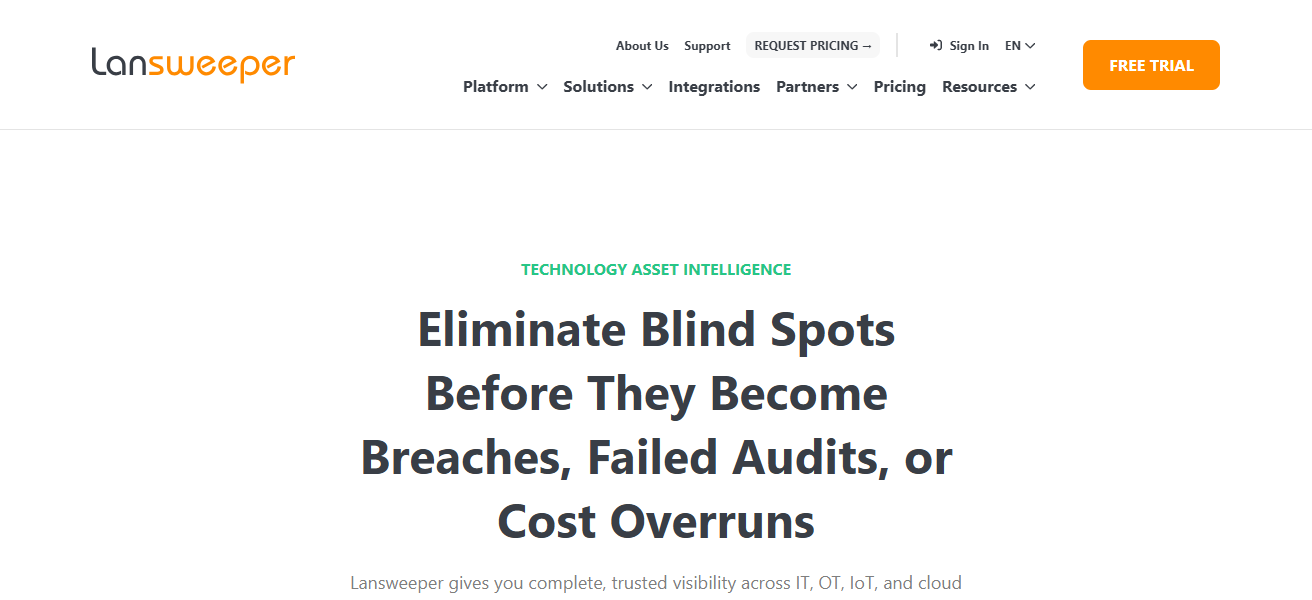
Lansweeper customers can take advantage of active and passive scanning, agent-based and agentless discovery, and cloud APIs for real-time inventories and detailed assets, including hardware, software, and rich configuration details.
Its Consolidated Dashboard and Asset Records provide IT teams with the tools necessary to maintain accurate inventories, improve their security posture, and provide records to CMDBs and other management systems.
Lansweeper Features
- Zero-Agent Discovery: Employs agentless scanning to identify assets across or within workstations, servers, and IoT devices.
- Detailed Asset Profiling: Gathers information including hardware, installed software, and other related info.
- Multi-Environment Support: Supports IT, OT, IoT, and cloud inventories without extensive deployment.
- Custom Reports: Enables various reporting options to segment asset data by department, location, or usage type
| Pros | Cons |
|---|---|
| Discovers all connected assets with deep scanning. | Can generate overwhelming data if not filtered well. |
| Agentless discovery reduces deployment complexity. | Learning curve for advanced use cases. |
| Supports IT, OT and IoT asset inventories. | Some cloud integrations require separate configuration. |
| Detailed and customizable reporting. | Asset normalization may need tuning. |
| Real-time inventory updates and dashboards. | High volume environments may need performance tuning. |
6. Qualys Asset Inventory
Qualis Asset Inventory is fully integrated with the the Qualys Cloud Platform, delivering real time visibility of IT assets throughout the organization on a single, centralized dashboard.
Using lightweight agents, IT can modify its inventory, continuously collecting and updating expansive data on hardware, software, and vulnerabilities.
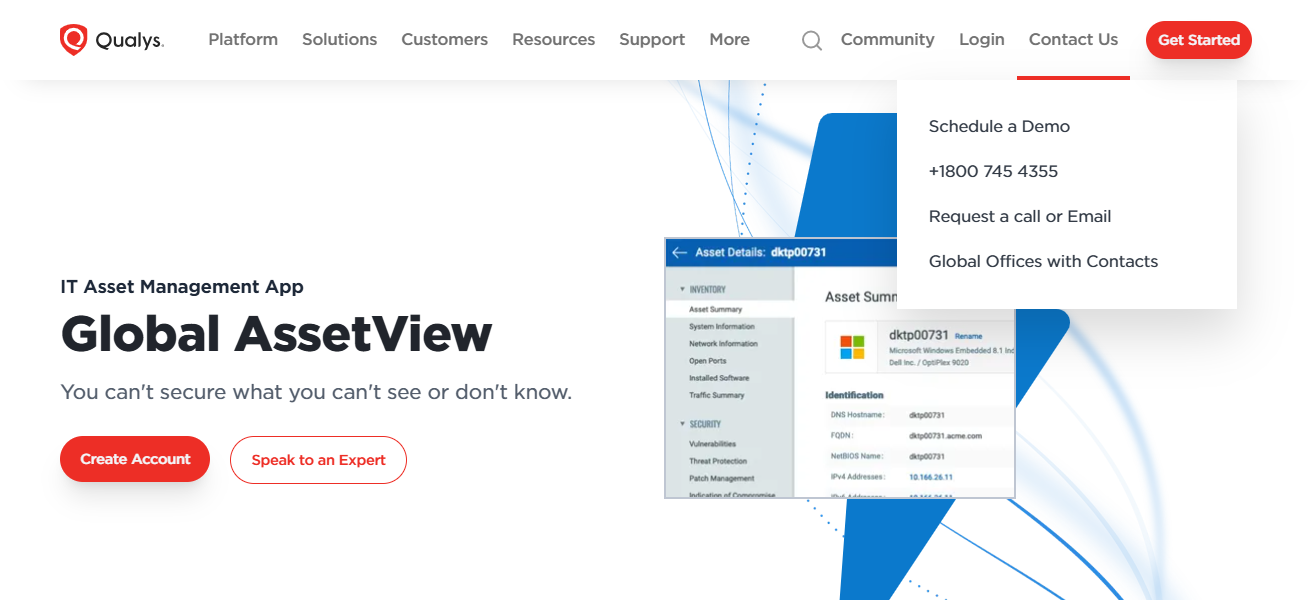
The platform provides configurations for expansive distributed environments, offering powerful ad-hoc search and filtering refinement on attributes such as location, OS version, and vulnerabilities.
Qualys integrated analysis for vulnerabilities and compliance provides insight on the presence of unauthorized software, outdated hardware, and poor configurations, ensuring a more secure environment and improving governance alongside the asset inventory.
Qualys Asset Inventory Features
- Continuous Asset Visibility: Offers inventories that capture and reflect every change within the environment.
- Cloud and Hybrid Coverage: Identifies assets on-premises, in the cloud, and on virtual infrastructures.
- Security and Compliance Context: Enriches asset data with risk, vulnerability, and compliance information.
- Advanced Search and Filter: Provides users with the ability to filter and search for assets by attributes such as operating system, location, and risk.
| Pros | Cons |
|---|---|
| Provides continuous, real-time asset insights. | Focuses heavily on security, so ITAM functions are less rich. |
| Works at enterprise scale with distributed infrastructures. | Pricing can be high for smaller environments. |
| Includes vulnerability and compliance context for assets. | Dashboards may feel technical for non-security teams. |
| Cloud and hybrid coverage with automatic updates. | Requires security knowledge to make full use of features. |
| Excellent granular search and filtering capabilities. | Some users find the UI less intuitive. |
7. Ivanti Neurons
Ivanti Neurons for Discovery employs a unique approach to IT asset discovery and visibility. It combines active and passive scanning with network data to identify new devices as they connect.
The system updates its inventory in real-time and provides actionable insights by standardizing the data concerning hardware and software. Ivanti’s solution uses aggregated endpoint data to populate configuration management and asset databases.
From these, it provides dashboards and reports that help organizations understand asset and software utilization, as well as the proprietary and adaptive gaps in security.
Ivanti Neurons offers endpoint management data connectors and IT ecosystem tool integrations, making the discovery process easier and providing IT teams with an up-to-date, comprehensive view of their digital assets.
Ivanti Neurons for Discovery Features
- Hybrid Discovery: Utilizes both active and passive scanning to identify endpoints, servers, and cloud resources.
- Real-Time Inventory: Provides IT teams with up-to-the-minute updates regarding the status and changes of assets.
- Endpoint Integration: Integrates with Ivanti endpoint management and security tools to enhance visibility across IT.
- Automated Normalization: Streamlines raw inventory data by creating standardized records for simplified actions and reporting.
| Pros | Cons |
|---|---|
| Delivers fast, accurate discovery across networks. | Pricing and licensing can be confusing. |
| Combines passive and active scanning for complete visibility. | High-end features require additional Ivanti modules. |
| Integrates well with endpoint and IT operations tools. | Setup and integration take time. |
| Real-time inventory feeds to management systems. | Advanced analytics are less powerful than competitors. |
| Simplifies large and complex environment tracking. | Smaller teams may find it complex. |
8. CloudAware
CloudAware is an IT asset management and discovery platform centered around SaaS which focuses on tracking cloud and hybrid environments.
It integrates and unifies dashboards to help organizations manage cloud resources, on-prem assets, and complex cross-platform infrastructures by providing comprehensive views of asset data and metadata, license data, and usage data.
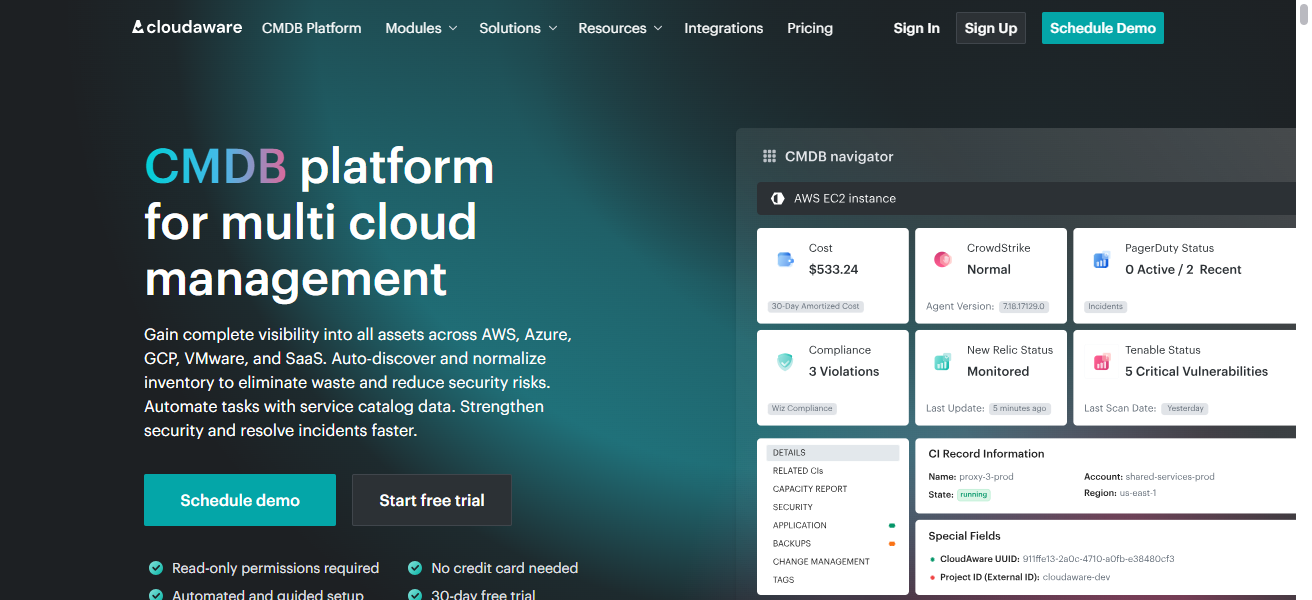
Through API and automated scanning integrations, CloudAware provides IT teams with the ability to understand ownership, performance, and compliance status at scale for individual cloud instances, services, and workloads.
Heavily investing organizations who want to optimize usage, manage costs, and track cloud asset inventories across providers, will benefit the most from CloudAware’s attention to cloud governance and risk management.
CloudAware Features
- Cloud-First Discovery: Prioritizes visibility for cloud providers such as AWS, Azure, and GCP.
- Resource and Usage Analytics: Alongside asset inventories, monitors cloud resource consumption and expenditure.
- Multi-Cloud Dashboard: Offers consolidated views of assets across various cloud ecosystems.
- Governance and Policy Controls: Assists in the enforcement of cloud asset tagging, along with security and compliance controls.
| Pros | Cons |
|---|---|
| Strong focus on cloud and hybrid asset visibility. | Less emphasis on deep on-prem discovery. |
| Consolidates cloud spend and usage with discovery. | Analytics may not match dedicated cost-management tools. |
| Good for cloud governance and SaaS inventory tracking. | Requires cloud API access and permissions. |
| Unified dashboard for multi-cloud estates. | Asset dependency mapping is basic. |
| Easier to optimize cloud cost and usage. | Users outside cloud teams may see limited value. |
9. Snow Software
Snow Software has started to hone its craft in the management of IT assets while having a clear view of all resources from the cloud to on premises.
With a prominent position in the software asset management (SAM), and hybrid cloud discovery spectrum, helps in the outlining of installed software, its usage, compliance to license, and cloud services consumption.

Rich cost reporting is part and parcel of the software, cloud resources, and SaaS usage optimization. The discovery features span and traverse the varied operating systems and virtual/cloud realms and environments
Which is a support to procurement, compliance audits, and asset contextualized data. Over the years, numerous large enterprises have relied on Snow due to the detailed visibility and control over its extensive IT portfolio.
Snow Software Features
- Comprehensive Asset Discovery: Provides discovery capabilities for software, hardware, virtual, and cloud assets.
- License Optimization: Monitors and analyzes user data to maximize the efficiency of software licenses and minimize financial waste.
- Support for Hybrid Environments: Functions seamlessly with on-premises, SaaS, and multi-cloud solutions.
- Strong Reporting: Offers comprehensive reporting to analyze the details of asset utilization, risk of non-compliance, and parts of the budget that are being spent.
| Pros | Cons |
|---|---|
| Comprehensive software and cloud asset visibility. | One of the more expensive tools on the market. |
| Strong license management and optimization insights. | Complex deployment for first-time users. |
| Hybrid cloud and on-prem discovery. | Reporting dashboards can be overwhelming. |
| Good for large enterprises with diverse assets. | Smaller organizations may under-utilize features. |
| Helps reduce software and cloud spend with detailed analytics. | Requires training to unlock full potential. |
10. Cloudeagle.ai
Cloudeagle.ai (also seen as CloudEagle.ai) is a SaaS-based IT asset discovery and management platform with a focus on governance and visibility.
It automated discovery and catalogs IT assets such as hardware, software, and cloud services. Users see all assets and usage analytics in one view.
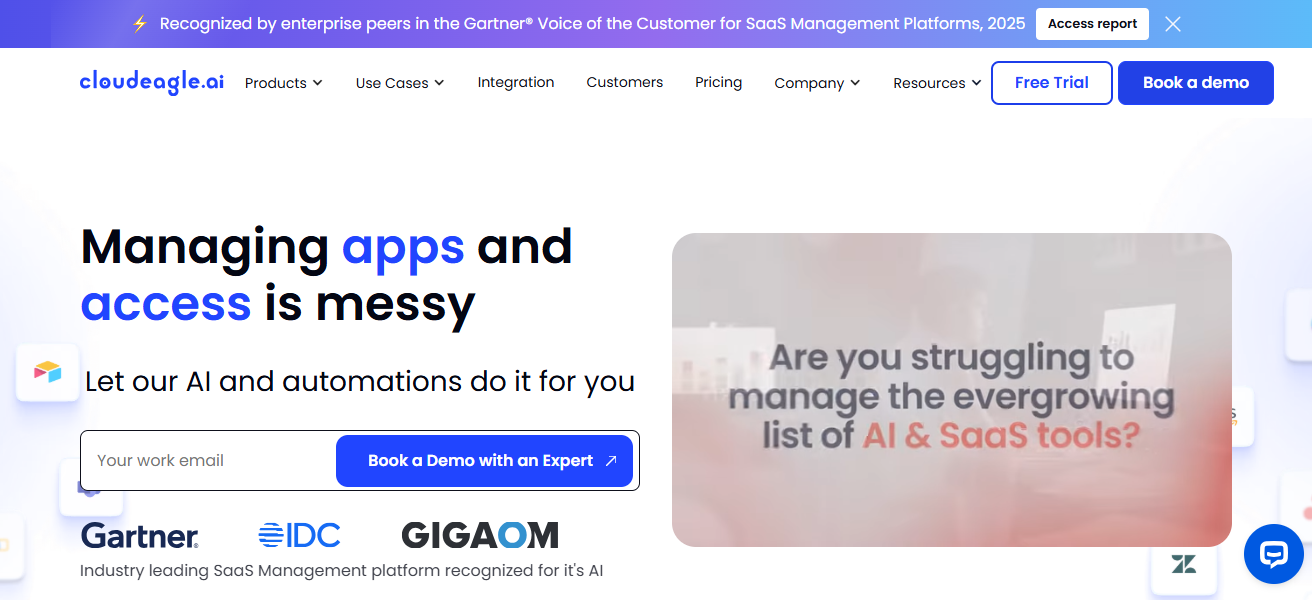
With automation, Cloudeagle.ai provides actionable insights to organizations to eliminate waste, policy enforcement, manage renewals, and even complete provisioning.
Cloudeagle.ai is a great choice for enterprises with complex hybrid environments that traditional discovery tools seem to lack in SaaS and cloud asset visibility.
Cloudeagle.ai Features
- AI-Driven Discovery: Employs machine learning to identify unreported assets and improve its precision over time.
- SaaS & Cloud Visibility: Focuses on identifying SaaS and cloud services that are frequently overlooked by traditional solutions.
- Usage & Cost Insights: Evaluates the utilization of cloud and SaaS services to provide strategies for cost savings.
- Policy & Governance:** Automated policy enforcement for compliance, security, and cost control.
| Pros | Cons |
|---|---|
| AI-driven discovery enhances accuracy over time. | AI features may be perceived as opaque by some teams. |
| Great for SaaS, cloud, and hybrid inventories. | Less traditional ITAM focus than other platforms. |
| Helps uncover hidden SaaS and shadow IT assets. | Not as mature in hardware discovery. |
| Governance and policy automation reduce manual effort. | Smaller ecosystem of integrations. |
| Offers actionable insights with cost optimization. | May require cloud expertise to setup effectively. |
How To Choose Best Software for IT Asset Discovery & Visibility
Define Your Discovery Asset Scope
- Identify the types of assets you are performing discovery for on-premises, cloud, virtual, or hybrid.
- Make sure you have hardware, software, SaaS, and network devices in your assets.
Identify the Deployment Model
- You have to select cloud-based (simplified setup, auto updates) versus on-premises (more control, tailored security) options.
- Make sure it works with your environment (AWS, Azure, VMware).
Discovery Approaches
- You can select tools that facilitate agentless and agent-based scanning for adaptability.
- Check if there is continuous or scheduled scanning for live visibility.
Check Integration Functionality
- Your tool should work with your CMDB, ITSM, security, and endpoint management tools.
- This makes sure incident and change management workflows are supported with asset data.
Cocnlsuion
In cocnsluon Choosing the Best Software for IT Asset Discovery & Visibility helps organizations gain complete control over their IT infrastructure.
The right solution delivers accurate asset tracking, improved security, better compliance, and optimized costs across on-premises, cloud, and hybrid environments. Investing in the right tool ensures smarter decision-making, operational efficiency, and long-term IT governance.
FAQ
It is software that automatically identifies, tracks, and monitors IT assets such as hardware, software, cloud resources, and SaaS applications across an organization.
It helps organizations reduce security risks, avoid asset sprawl, ensure compliance, and make better IT and cost management decisions.
They can discover physical devices, virtual machines, cloud resources, network equipment, software, and SaaS applications.
Agentless discovery is easier to deploy, while agent-based discovery provides deeper and more accurate asset data.