By using this site, you agree to the Privacy Policy and Terms of Use.
Accept
CoinworldstoryCoinworldstoryCoinworldstory
  • HOME
  • CRYPTO
    • AI
    • BOTS
    • ICO
    • AIRDROP
      • Featured Airdrops
    • Price Prediction
    • EXCHANGE
      • Best Centralized Exchange List 2026
      • Best Decentralized Exchange List 2025
    • ALTCOIN
    • Alt Coin Signal
    • Crypto Analysis
    • Bitcoin Loan
    • Bitcoin Mining
    • WALLETPRO
  • PR
    PR
    If You Looking For Submit Cryptocurrency Press Releases Than Coinworldstory Is Best Choice For Crypto Press Release Submission
    Show More
    Top News
    The Aerum Ecosystem, A Market-Oriented Hub
    The Aerum Ecosystem, A Market-Oriented Hub
    4 years ago
    Worldwide Blockchain and AI communities team up to produce over 100 potential solutions to aide coronavirus pandemic
    Worldwide Blockchain And Ai Communities Team Up To Produce Over 100 Potential Solutions To Aide Coronavirus Pandemic
    5 years ago
    Gravity Sport, a leading-edge NFT marketplace, becomes a second partner of Parma Calcio 1913
    3 years ago
    Latest News
    $100/Month in Bitcoin Since 2015 Would Have Turned $13,700 Into $632,000, Coinbird Analysis Shows
    17 hours ago
    Lock.com Enters Early Access With Isolated Signing and Post-Quantum Architecture
    2 days ago
    E-Estate Announces 1 Year Live: Washington DC Summit as Real Estate Tokenization Enters Its Next Phase
    5 days ago
    MapleStory Universe Marks One Year of Live Ops, Surpasses 150M On-chain Transactions, Entering MSU 2.0 Phase
    6 days ago
  • NEWS
    • Mining
    • Altcoins
    • Ban
    • BANKING/FINANCE NEWS
    • Bitcoin
    • Blockchain
    • CRYPTO CRIME
    • Ethereum
    • Exchange News
    • Government News
    NEWSShow More
    10 Hidden Liquidity Features Modern Brokers Secretly Use
    10 Hidden Liquidity Features Modern Brokers Secretly Use
    7 days ago
    10 Apps That Show What You Should Have Done Instead
    10 Apps That Show What You Should Have Done Instead
    2 months ago
    10 Best Crypto Conferences to Attend in 2026
    10 Best Crypto Conferences to Attend in 2026
    2 months ago
    Emerging Markets Favor Stablecoins Over Bitcoin
    Emerging Markets Favor Stablecoins Over Bitcoin
    3 months ago
    10 Solana DEXs With Lowest Slippage for Memecoin Trading
    10 Solana DEXs With Lowest Slippage for Memecoin Trading
    3 months ago
  • MORE
    • Guide
    • Only Best
    • Off Topic
    • Best Affiliate Marketing
    • Best Affiliate Programs
    • BOTS
    • Trusted Currency Exchanger Platform
    • Blockchain Games
    • Metaverse Review : Best Metaverse Program Review
    • Online Survey
    • Payment Platform
  • VPN
  • Contact Us
Reading: How To Use Canva For Beginners– Easy Step-by-Step Guide
Share
Notification Show More
Font ResizerAa
CoinworldstoryCoinworldstory
Font ResizerAa
  • ADVERTISEMENT
  • SUBMIT PR
  • CONTACT
  • GUEST POST
  • ABOUT US
  • DMCA
  • SITEMAP
  • DISCLAIMER
  • PRIVACY POLICY
Search
  • HOME
  • CRYPTO
    • AI
    • BOTS
    • ICO
    • AIRDROP
    • Price Prediction
    • EXCHANGE
    • ALTCOIN
    • Alt Coin Signal
    • Crypto Analysis
    • Bitcoin Loan
    • Bitcoin Mining
    • WALLETPRO
  • PR
  • NEWS
    • Mining
    • Altcoins
    • Ban
    • BANKING/FINANCE NEWS
    • Bitcoin
    • Blockchain
    • CRYPTO CRIME
    • Ethereum
    • Exchange News
    • Government News
  • MORE
    • Guide
    • Only Best
    • Off Topic
    • Best Affiliate Marketing
    • Best Affiliate Programs
    • BOTS
    • Trusted Currency Exchanger Platform
    • Blockchain Games
    • Metaverse Review : Best Metaverse Program Review
    • Online Survey
    • Payment Platform
  • VPN
  • Contact Us
Have an existing account? Sign In
Follow US
© 2022 Foxiz News Network. Ruby Design Company. All Rights Reserved.
Home » Blog » How To Use Canva For Beginners– Easy Step-by-Step Guide
Off Topic

How To Use Canva For Beginners– Easy Step-by-Step Guide

Gixona
Last updated: 22/09/2025 4:55 PM
Gixona
10 months ago
Share
Disclosure: We are not a registered broker-dealer or an investment advisor. The services and information we offer are for sophisticated investors, and do not constitute personal investment advice, which of necessity must be tailored to your particular means and needs. !
How To Use Canva For Beginners– Easy Step-by-Step Guide
SHARE

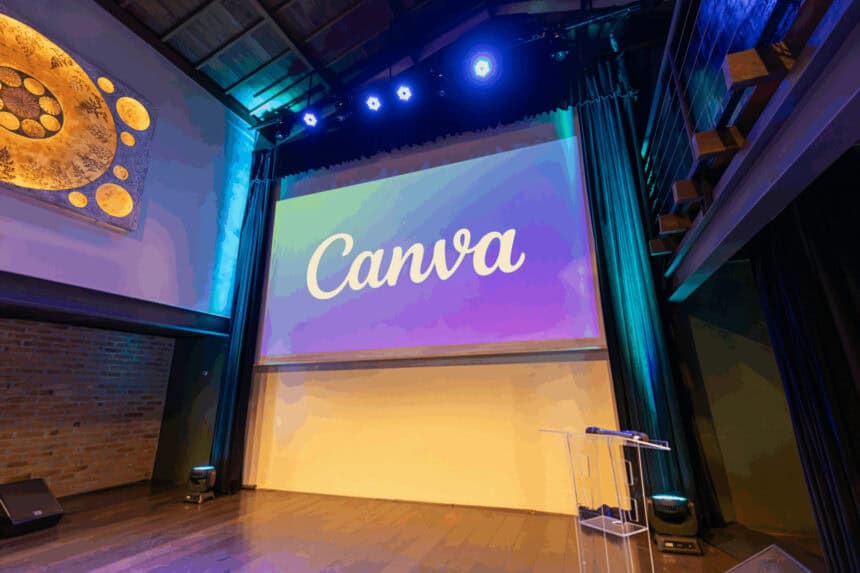
In this post, I want to explain Canva for beginners in a simple, step-by-step manner. Designing has been made easy with a drag-and-drop interface and templates on Canva.

Contents
  • What is Canva?
  • How To Use Canva For Beginners
    • Step 1: Sign Up or Log In
    • Step 2: Select the Correct Design Type
    • Step 5: Edit Layout and Position
    • Step 6: Save and Download
    • Step 7: Instagram Posting
  • Why Beginners Should Consider Using Canva
  • Using Canva Tools and Features
    • Text Tool
    • Elements
    • Templates
    • Photos and Videos
    • Background Tool
    • Position and Align
  • Tips for Better Designs
    • Keep It Simple
    • Use Consistent Fonts
    • Stick to a Color Scheme
    • Align Elements Properly
    • Use High Quality Images
  • Is Canva free to use?
  • Common Mistakes To Avoid
  • Conclusion
  • FAQ
    • Do I need design experience to use Canva?
    • Can I use Canva on mobile?
    • What can I design with Canva?

Be it a social media post, presentation, or a flyer, everything is easy and user-friendly, especially to those who have never worked on a design. If you’re new to graphic design, this guide will help you get started and create stunning visuals with ease.

What is Canva?

Canva is one of the most popular graphic design services which allows anyone, with or without an advanced skill set, to create powerful designs.

Established in 2013, Canva contains templates for almost every social media account, presentations, flyers, posters and even resumes. As it operates online, it is available in both free and paid versions (Pro) which makes it easy access to students, marketers, start up companies or businesses.

- Advertisement -

Its simple UI allows dragging and dropping texts, images, icons and even videos streamlines the custom design process. The vast collection of templates and design assets saves time and enables users to create high-level graphics quickly and professionally.

How To Use Canva For Beginners

Take One of Canva’s Blog Pages: Instagram Post Design for Beginners

Instagram post creation is perhaps the simplest project to begin with on Canva. Just follow the steps below:

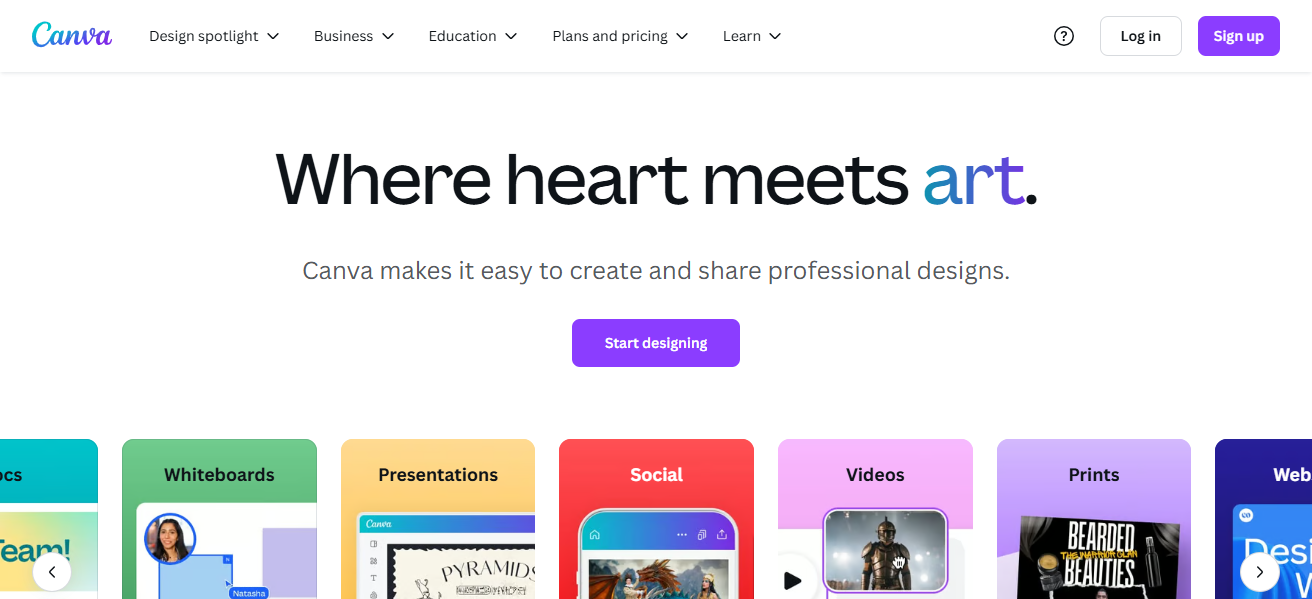
Step 1: Sign Up or Log In
How To Use Canva For Beginners
  • Go to www.canva.com.
  • Use your email, Google, or Facebook to create an account or login if you already have one.

Step 2: Select the Correct Design Type

  • On the main page, search for “Instagram Post” through the search bar.
  • Click on the “Instagram Post (Square)” option to open a new design canvas.
  • Images: Go to the “Uploads” tab to upload your images, or select “Elements” then “Photos” to browse through Canva’s image collection.
  • Colors: For any background or element, click on the color box and select a new color to change it.
  • Graphics: Use “Elements” to add icons, shapes or illustrations.

Step 5: Edit Layout and Position

  • Use drag and drop for adding or removing elements.
  • To center or evenly distribute your content, use Canva’s alignment tools for guides.

Step 6: Save and Download

  • The upper right corner has a button titled “Share” or “Download.” Click it.
  • For Instagram, PNG or JPG will be the best options.
  • Clicking “Download” after will ensure the file is saved on your device.

Step 7: Instagram Posting

Using the mobile app or the website, upload the image to your Insta account.

Why Beginners Should Consider Using Canva

Canva is a perfect design tool for beginners because it is simple to navigate and does not require any prior graphic design skills. Users can create visuals in minutes.

- Advertisement -

Moreover, the platform offers thousands of free images, fonts, icons, and templates which helps with everything from social media posts to presentations.

On top of that, because the platform is cloud-based, users can access their designs on any device. Whether you are a student, an entrepreneur, or a content creator, the platform has cut down the complex steps needed to bring your ideas to life without requiring expensive tools.

Using Canva Tools and Features
Using Canva Tools and Features

Text Tool

Add headings, subheadings, or body text, style, size, color and alignment are customizable to fit your design.

- Advertisement -

Elements

Shapes, icons, lines, stickers and even charts can be found and easily dragged, resized, rotated or layered onto your canvas.

Templates

Thousands of templates are available to choose from! Change the content, colors and images to look more professional.

Photos and Videos

You can upload images or videos in a drag and drop manner greatly improving the visual appeal of your project.

Background Tool

The background color can be changed using gradients, patterns or even images to set the tone of the design.

Position and Align

Positioning tools can be used to align or layer objects ensuring the design doesn’t look cluttered and is clean.

Tips for Better Designs

Keep It Simple

Eliminate clutter. With strong visuals and minimal elements, convey messages effectively and deliver them efficiently.

Use Consistent Fonts

One or two fonts. With a better balance in hierachical structure, the design looks more professional.

Stick to a Color Scheme

A fixed color palette maintains consistence across designs. Balanced colors make the design look polished and aligned to brands.

Align Elements Properly

Leverage Canva’s alignment tools to center or evenly distribute items. Properly aligned designs are easier and more intuitive to read.

Use High Quality Images

Ensure all photos chosen are clear. Stretching or pixelating photos impacts the overall design and makes it unprofessional.

Is Canva free to use?

Sure, Canva offers a free version that provides great value to beginner and casual users. Under the free plan, users can receive access to thousands of templates, design tools, basic fonts, and even complimentary photographs or graphics which can aid in making professional designs.

It is especially beneficial for crafting social media content, creating posts and presentations, designing posters, and more.

Nonetheless, Canva also provides a Pro version which unlocks additional premium design templates, branded kits, advanced design tools, a background remover, and a large library of stock photos, videos and even music.

The Pro version is best suited for professionals or teams that require added customization, enhanced branding or productivity features.

Common Mistakes To Avoid

Common Mistakes To Avoid

Using Too Many Fonts Using an excessive number of fonts results in chaos and disorder – one or two maintains professionalism and is clearly readable.

Overcrowding the Design Putting text and extra elements in a design leads to confusion. A simple spacious design is easier to grasp at a glance.

Ignoring Alignment and Spacing Disregarding spacing makes for unsightly elements and gives a bad professional image. Canva’s alignment tools can help achieve even spacing.

Using Low-Quality Images Images that lack quality such as being blurry will take away from the design’s potential and give a cheaper appearance. Always select high-resolution images.

Clashing Colors Colors that clash will make the content harder to read and understand. Picking colors that complement each other gives balance and contrast.

Not Following Visual Hierarchy Every aspect of your design matters but highlighting key topics like the title brings it the focus it needs to shine.

Conclusion

In closing, Canva is an easy to use yet powerful design tool that is great for beginners. Anyone can design without prior experience because of the “drag and drop” interface, pre-made templates, and necessary features.

Make sure to begin with the basics, explore all the tools, and practice consistently. For work, school, or even personal social media accounts, Canva makes it easy to bring creative ideas to fruition.

FAQ

Do I need design experience to use Canva?

No, Canva is beginner-friendly and easy to use with drag-and-drop tools and ready-made templates.

Can I use Canva on mobile?

Yes, Canva has apps for both Android and iOS, along with a fully functional web version.

What can I design with Canva?

You can design social media posts, presentations, posters, flyers, resumes, videos, and more.

10 Travel Insurance Plans Compared: India vs Global Guide
7 Top Platforms To Book Luxury Villas at Best Discounts
9 Best Websites For Long-Term Rentals While Traveling
Why Businesses Are Switching From Salesforce To HubSpot
9 Top Websites for Last-Minute Travel Deals Online Guide
Share This Article
Facebook Email Print
Previous Article 9 Top Blockchain Visualization Tools For Investigators 9 Top Blockchain Visualization Tools For Investigators
Next Article 10 Ways To Earn Money Using AI: Top Methods To Boost Your Income 10 Ways To Earn Money Using AI: Top Methods To Boost Your Income
TOP CRYPTO EXCHANGES

Best Crypto Exchanges

Kraken
Secure Trading
Visit
Bybit
Low Fees
Visit
HTX
Global Exchange
Visit
CoinSwitch
Easy INR Access
Visit
Poloniex
Altcoin Markets
Visit
TOP CRYPTO CASINOS
Best Crypto Casinos
Roobet
Roobet
Popular Casino
Visit
Stake
Stake
Top Sportsbook
Visit
BC.Game
BC.Game
Crypto Friendly
Visit
Rollbit
Rollbit
Casino + Trading
Visit
Duelbits
Duelbits
Instant Withdrawals
Visit

Find Us on Socials

TOP CRYPTO TOOLS
Best Crypto Tools
TradingView
Charts & Analysis
Visit
CoinGlass
Liquidation Data
Visit
CoinMarketCap
Market Tracking
Visit
DexScreener
DEX Analytics
Visit
Arkham
Wallet Tracking
Visit

Coinworldstory Ads

11 Best VPNs Optimized for Smart TVs and IoT Devices 2026
15 Ways VPNs Shield You from AI Tracking In 2026 Guide
VPN
10 Top VPNs Ready For Quantum Computing Threats 2026
VPN
10 Best Netflix VPNs That Still Work Globally In 2026
VPN
$100/Month in Bitcoin Since 2015 Would Have Turned $13,700 Into $632,000, Coinbird Analysis Shows
Press Releases

Latest Published

10 Best Offline Travel Apps for Easy Stress-Free Trips

10 Best Offline Travel Apps for Easy Stress-Free Trips

3 weeks ago
10 Best Online MBA Programs For Executive Leadership 2026

10 Best Online MBA Programs For Executive Leadership 2026

3 weeks ago
10 Best WhatsApp Marketing SaaS Tools In India (2026 Guide)

10 Best WhatsApp Marketing SaaS Tools In India (2026 Guide)

4 weeks ago
10 Best Truck Accident Attorneys: Choose Top Legal Help

10 Best Truck Accident Attorneys: Choose Top Legal Help

4 weeks ago
nexo banner
  • ADVERTISEMENT
  • SUBMIT PR
  • CONTACT
  • GUEST POST
  • ABOUT US
  • DMCA
  • SITEMAP
  • DISCLAIMER
  • PRIVACY POLICY
10 Best Games To Play With Girlfriend Online – Top Picks
Trending
10 Best Mobile Games Supporting 120 FPS for Smooth Gameplay
Trending
10 Best High Graphics Android Games for Phones with 4GB RAM
Trending
CoinworldstoryCoinworldstory
Follow US
© Coinworldstory News Network. Cws Design Company. All Rights Reserved.
  • ADVERTISEMENT
  • SUBMIT PR
  • CONTACT
  • GUEST POST
  • ABOUT US
  • DMCA
  • SITEMAP
  • DISCLAIMER
  • PRIVACY POLICY
coinworldstory logo coinworldstory logo
Welcome Back!

Sign in to your account

Username or Email Address
Password

Lost your password?