By using this site, you agree to the Privacy Policy and Terms of Use.
Accept
CoinworldstoryCoinworldstoryCoinworldstory
  • HOME
  • CRYPTO
    • AI
    • BOTS
    • ICO
    • AIRDROP
      • Featured Airdrops
    • Price Prediction
    • EXCHANGE
      • Best Centralized Exchange List 2026
      • Best Decentralized Exchange List 2025
    • ALTCOIN
    • Alt Coin Signal
    • Crypto Analysis
    • Bitcoin Loan
    • Bitcoin Mining
    • WALLETPRO
  • PR
    PR
    If You Looking For Submit Cryptocurrency Press Releases Than Coinworldstory Is Best Choice For Crypto Press Release Submission
    Show More
    Top News
    Mevolaxy Launches Mobile App and Announces Record Payouts
    6 months ago
    Numerai Raises $30 Million Series C Led by Top University Endowments, at $500 Million Valuation
    5 months ago
    Taisu Ventures and Keio FinTEK Center Launch Keio ChainHack 2026 Focused on Web3 Innovation
    4 months ago
    Latest News
    BitMart x $EAT Trade-to-Feed Competition to Pay Out $4.4M USDT to Traders in May 2026
    22 hours ago
    AxeCasino to Attend iGB L!VE 2026 Following Front-End Update Focused on Usability and Cross-Device Performance
    1 day ago
    PoW to PoS to PoB: Nexus AiCOS Defines “Proofs of Behavior” as the On-Chain Credit Standard on Base
    2 days ago
    PalWallet to Showcase Stablecoin Settlement Infrastructure at Money20/20 Europe 2026
    2 days ago
  • NEWS
    • Mining
    • Altcoins
    • Ban
    • BANKING/FINANCE NEWS
    • Bitcoin
    • Blockchain
    • CRYPTO CRIME
    • Ethereum
    • Exchange News
    • Government News
    NEWSShow More
    10 Apps That Show What You Should Have Done Instead
    10 Apps That Show What You Should Have Done Instead
    1 month ago
    10 Best Crypto Conferences to Attend in 2026
    10 Best Crypto Conferences to Attend in 2026
    1 month ago
    Emerging Markets Favor Stablecoins Over Bitcoin
    Emerging Markets Favor Stablecoins Over Bitcoin
    2 months ago
    10 Solana DEXs With Lowest Slippage for Memecoin Trading
    10 Solana DEXs With Lowest Slippage for Memecoin Trading
    2 months ago
    10 Best Low-Interest Debt Consolidation Loans for Prime Borrowers
    10 Best Low-Interest Debt Consolidation Loans for Prime Borrowers
    3 months ago
  • MORE
    • Guide
    • Only Best
    • Off Topic
    • Best Affiliate Marketing
    • Best Affiliate Programs
    • BOTS
    • Trusted Currency Exchanger Platform
    • Blockchain Games
    • Metaverse Review : Best Metaverse Program Review
    • Online Survey
    • Payment Platform
  • VPN
  • Contact Us
Reading: How To Use Copilot In Word – Easy Step-by-Step Guide
Share
Notification Show More
Font ResizerAa
CoinworldstoryCoinworldstory
Font ResizerAa
  • ADVERTISEMENT
  • SUBMIT PR
  • CONTACT
  • GUEST POST
  • ABOUT US
  • DMCA
  • SITEMAP
  • DISCLAIMER
  • PRIVACY POLICY
Search
  • HOME
  • CRYPTO
    • AI
    • BOTS
    • ICO
    • AIRDROP
    • Price Prediction
    • EXCHANGE
    • ALTCOIN
    • Alt Coin Signal
    • Crypto Analysis
    • Bitcoin Loan
    • Bitcoin Mining
    • WALLETPRO
  • PR
  • NEWS
    • Mining
    • Altcoins
    • Ban
    • BANKING/FINANCE NEWS
    • Bitcoin
    • Blockchain
    • CRYPTO CRIME
    • Ethereum
    • Exchange News
    • Government News
  • MORE
    • Guide
    • Only Best
    • Off Topic
    • Best Affiliate Marketing
    • Best Affiliate Programs
    • BOTS
    • Trusted Currency Exchanger Platform
    • Blockchain Games
    • Metaverse Review : Best Metaverse Program Review
    • Online Survey
    • Payment Platform
  • VPN
  • Contact Us
Have an existing account? Sign In
Follow US
© 2022 Foxiz News Network. Ruby Design Company. All Rights Reserved.
Home » Blog » How To Use Copilot In Word – Easy Step-by-Step Guide
Off Topic

How To Use Copilot In Word – Easy Step-by-Step Guide

Indu Sonali
Last updated: 22/09/2025 4:52 PM
Indu Sonali
10 months ago
Share
Disclosure: We are not a registered broker-dealer or an investment advisor. The services and information we offer are for sophisticated investors, and do not constitute personal investment advice, which of necessity must be tailored to your particular means and needs. !
How To Use Copilot In Word – Easy Step-by-Step Guide
SHARE

In this article, I will review How To Utilize Copilot in Word to help enhance productivity. Microsoft Copilot is a document writing, editing, and formatting assistant powered by AI technology which makes the whole process easy and seamless.

Contents
  • What Is Microsoft Copilot
  • How To Use Copilot In Word
  • Why Use Copilot in Word?
  • Key Features of Copilot in Word
  • Is Copilot free in Word?
  • Is Copilot available in Word for Mac?
  • Tips for Maximizing Copilot’s Potential
  • Conclusion
  • FAQ
    • How do I access Copilot in Word?
    • Can I use Copilot offline?
    • What can Copilot do?

Whether you are a novice or seasoned user, this guide will demonstrate how to use the Copilot feature effectively for the production of Microsoft Word documents and for the accelerated and streamlined editing and polishing of documents.

What Is Microsoft Copilot

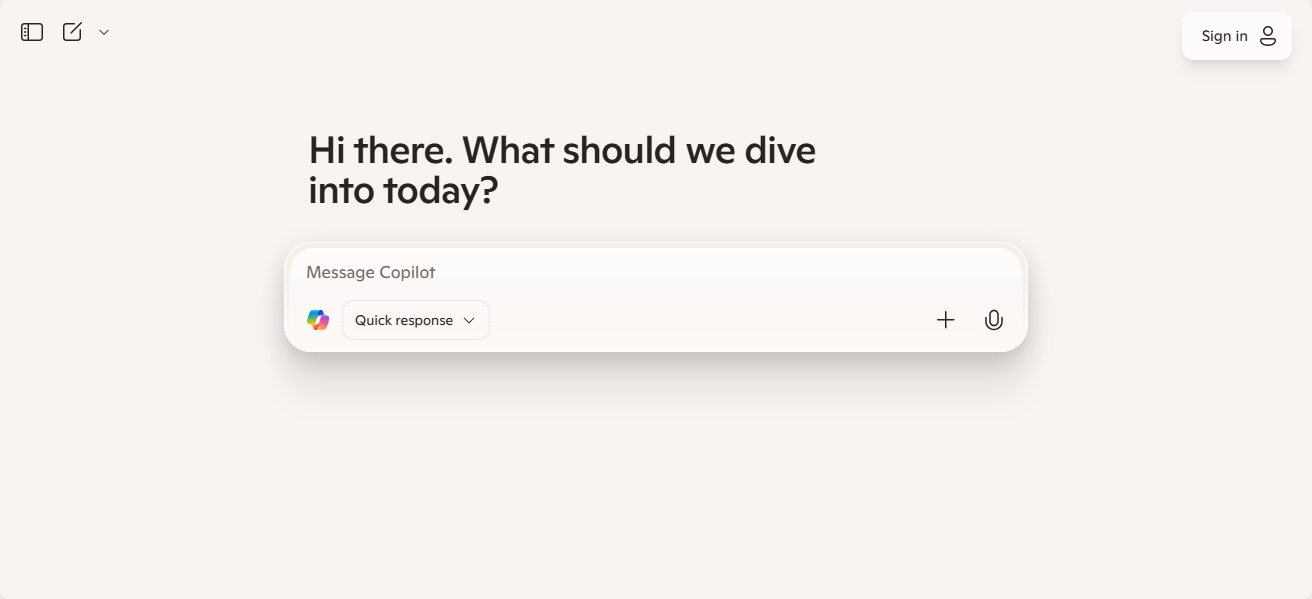
Microsoft Copilot is an AI assistant embedded in the Microsoft 365 ecosystem which includes Word, Excel, PowerPoint, and Outlook. It helps users with writing, editing, summarizing, and content creation using sophisticated language models.

In Word, Copilot can author paragraphs, suggest edits, draft summaries, and format documents eloquently based on user inputs. It improves workflow by encouraging users to focus on value added tasks while taking care of rote work through intelligent automations.
- Advertisement -
What Is Microsoft Copilot

Unlike traditional software, Copilot is available for Microsoft 365 subscribers only, but its integration within the user interface allows ease of access and convenience. It requires internet connectivity and supports collaboration in the cloud, enabling effortless smarter document creation through a few clicks or typed commands.

How To Use Copilot In Word

Launch Microsoft Word: Open the most recent Microsoft Word application on your computer running Windows and logged in to Microsoft 365.

How To Use Copilot In Word

Create or Open Document: Select new document creation or document retrieval to enable copilot features to work within the document.

Find the Copilot Button: Look for and click the Copilot icon located in the top tool bar of your document.

Open Copilot Panel: Copilot sidebar is set to the right of your screen and now awaiting your commands or prompts.

- Advertisement -

Type Your Prompt: Give instructions with natural phrases like “summarize” or “paragraph improve” to receive desired outcome from Copilot.

Review Generated Text: Based on your instructions, check generated content or suggestions for accuracy and relevance.

Insert or Edit: Incorporate suggested text by accepting it, or change it to better match your preferences and blend with document.

- Advertisement -

Why Use Copilot in Word?

Copilot in Word helps streamline writing and boosts productivity. Creation of documents through summarizing, improving clarity, and content generation is done with simple prompts. Redundancy in editing and formatting tasks is eliminated through automation, saving precious time.

Creative suggestions designed to overcome writer’s block and polishing style and tone are provided by Copilot. Microsoft 365 users benefit greatly as there is improvement in team cooperation while guaranteeing high quality work without faults.

In conclusion, both novices and seasoned users are better equipped to use Word due to the additional features thanks to Copilot.

Key Features of Copilot in Word

Content Generation: Forms paragraphs, e-mails, reports, or other texts creatively styled in response to your prompts.

Summarization: Shortens lengthy documents for quick comprehension.

Editing & Rewriting: Enhances grammar, clarity, tone and style using AI-based recommendations.

Formatting Assistance: Aids in the systematic arrangement of content with headings or bullet points and uniform styles.

Contextual Understanding: Comprehends the document to provide relevant answers and reads through your document.

Is Copilot free in Word?

No, Copilot isn’t free in Word. It is part of AI-enabled features offered to paid Microsoft 365 subscribers using Office 365. Subscribers will need to have a current Office subscription and also purchase or be included in a separate payment tier that enables Copilot.

The latest version of Word is needed, along with Internet access because of the cloud-based AI which powers Copilot. So, users of Word without an Office subscription will be casual or offline users and won’t tap into Copilot’s advanced abilities.

Is Copilot available in Word for Mac?

Indeed, Copilot is accessible on Word for Mac with some prerequisites. You must have a qualifying Microsoft 365 subscription that grants you access to Copilot.

Furthermore, access to desktop applications such as Word, Excel, PowerPoint, and Outlook on Windows and Mac requires a Copilot Pro subscription.

To utilize Copilot functions, make certain your Office applications are updated to the “Current Channel.” Provided these prerequisites are satisfied, Copilot should show up on the Home tab of Word for Mac.

Tips for Maximizing Copilot’s Potential

Be Clear And Specific With Prompts:Ensure instructions given to Copilot are deep and as detailed as possible, so that the output you receive is relevant and accurate.

Mix Your Suggestions With AI Input:Use your own proposals as a base, then allow Copilot to refine or add to them for even better results.

Accomplish Repetitive Tasks With Copilot:Use Copilot to automate repetitive work such as formatting, summarization, and rewriting to ease manual efforts.

Proof AI Submission With Rewrite Tool:Ensure you proofread Co-Pilot’s suggestions so that there are no errors and the tone matches your intent.

Play With Various Input Options:Summarizing, drafting, and restructuring are just some commands you can experiment with to learn all features.

Conclusion

As we have seen, Copilot in Word revolutionizes document creation and editing by providing intelligent, AI-based help. It aids in content generation, summarization, and enhancement with effortless prompts.

Copilot functions within the entire Microsoft 365 ecosystem, thereby enhancing user productivity and creativity across the board. Users can now explore Copilot to write with greater smartness, speed, and efficiency in Word.

FAQ

How do I access Copilot in Word?

Click the “Copilot” button on the Word ribbon (top toolbar).

Can I use Copilot offline?

No, it needs an internet connection.

What can Copilot do?

It helps generate, summarize, edit, and format text.

10 Best Online MBA Programs For Executive Leadership 2026
10 Best WhatsApp Marketing SaaS Tools In India (2026 Guide)
10 Best Truck Accident Attorneys: Choose Top Legal Help
17 Critical Steps To Find a Mesothelioma Lawyer Easily
10 Best Forex Trading Infrastructure for Ultra-Low Latency VPS
Share This Article
Facebook Email Print
Previous Article 10 Ways To Earn Money Using AI: Top Methods To Boost Your Income 10 Ways To Earn Money Using AI: Top Methods To Boost Your Income
Next Article 9 Best Stablecoin Yield Platforms With Autopilot 9 Best Stablecoin Yield Platforms With Autopilot

Find Us on Socials

Coinworldstory Ads

10 Top SaaS Tools for AI Video Generation & Editing Guide
10 Best SaaS Tools for Freelancer Invoice & Billing Automation
Software
10 Top SaaS Tools for AI Video Generation & Editing Guide
10 Top SaaS Tools for AI Video Creation & Editing Guide
Software
10 Best SaaS Tools for White Label Marketing Services 2026
Banking & Finance
10 Best SaaS Tools For Multi-Client Dashboard Management
Uncategorized Folder & File At Coinworldstory

Latest Published

10 Best Travel Agencies for Adventure Travel Worldwide

10 Best Travel Agencies for Adventure Travel Worldwide

3 months ago
10 Best Luxury Travel Agency for Private Tours Worldwide

10 Best Luxury Travel Agency for Private Tours Worldwide

3 months ago
10 Best Ghost CMS Alternatives for Non-Coders

10 Best Ghost CMS Alternatives for Non-Coders

3 months ago
10 Best Travel Agency for Thailand Tour Packages 2026

10 Best Travel Agency for Thailand Tour Packages 2026

3 months ago
nexo banner
  • ADVERTISEMENT
  • SUBMIT PR
  • CONTACT
  • GUEST POST
  • ABOUT US
  • DMCA
  • SITEMAP
  • DISCLAIMER
  • PRIVACY POLICY
10 Best High Graphics Android Games for Phones with 4GB RAM
Trending
10 Best Travel Agency For Religious Tours Worldwide
Trending
10 Best AI Travel Agencies for Smart Trip Planning
Trending
CoinworldstoryCoinworldstory
Follow US
© Coinworldstory News Network. Cws Design Company. All Rights Reserved.
  • ADVERTISEMENT
  • SUBMIT PR
  • CONTACT
  • GUEST POST
  • ABOUT US
  • DMCA
  • SITEMAP
  • DISCLAIMER
  • PRIVACY POLICY
coinworldstory logo coinworldstory logo
Welcome Back!

Sign in to your account

Username or Email Address
Password

Lost your password?