In this article, I will discuss the Sui Wallet Extension, which is a web-based wallet that offers security and ease of use for managing assets on the Sui blockchain.
- What is Sui Wallet Extension?
- How to Use Sui Wallet Extension
- Example: Set Up and Access the Sui Wallet
- Download the Sui Wallet Extension
- Create or Import a Wallet
- Accessing the Wallet
- Send and Receive Tokens
- Explore DApps
- Navigating the Sui Wallet Extension Interface
- Dashboard Overview
- Wallet Menu
- Asset Management
- Send & Receive Buttons
- Staking Section
- Transaction History
- Managing Assets in Sui Wallet
- Viewing Your Assets
- Sending and Receiving Tokens
- Staking Assets
- Interacting with dApps
- Tracking Transactions
- Handling Multiple Wallets
- Security Tips for Sui Wallet Extension
- Use a Strong Password
- Enable Two-Factor Authentication (2FA)
- Backup Your Seed Phrase
- Avoid Public Wi-Fi
- Regularly Update the Extension
- Be Wary of Phishing Scams
- Disconnect from Unused Sites or dApps
- Pros & Cons Of Sui Wallet Extension
- Conclusion
Users can seamlessly store, send, and receive digital tokens, engage with decentralized applications, and even stake tokens—all within their browser.
What is Sui Wallet Extension?
The Sui Wallet Extension is an extension of the Sui wallet. It is a cryptocurrency wallet that works on browsers and is tailored for the Sui blockchain.

Users can effortlessly and safely store, send, receive, and interact with digital assets and decentralized applications (dApps) by using a single interface.
The extension is simple to use, having token and transaction history, as well as support for other blockchain services. It guarantees secure interactions with the Sui network while making the experience beginner friendly and suitable for expert crypto users as well.
How to Use Sui Wallet Extension

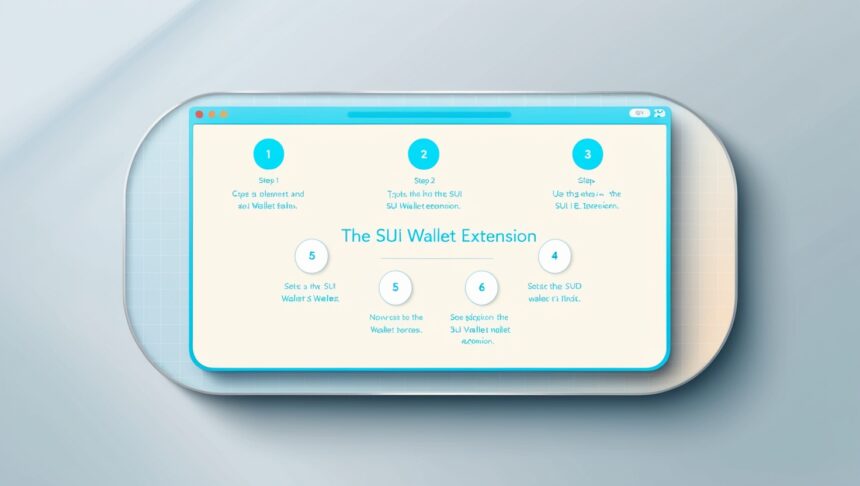
Setting Up and Using the Sui Wallet Extension example is given below.
Example: Set Up and Access the Sui Wallet
Download the Sui Wallet Extension
Download Google Chrome or any other Chromium-based browsers.
Click on this link to access the Sui Wallet page on Chrome Webstore.

Click on the Add to Chrome button and confirm the installation.
Create or Import a Wallet
Click on the Sui Wallet extension icon on the tool bar of your browser after the installation is done.
Either choose to import your wallet by a seed phrase, or create a new wallet.
Always remember to establish a strong passcode for your new wallet.
Accessing the Wallet
After signing in, you will be able to see the dashboard of the wallet. The dashboard displays the token balance of SUI, helps you to manage your NFTs, and access DApps on the Sui network.
Send and Receive Tokens
Clicking the Send button will allow you to type in the address of the person you wish to send tokens to and the amount of tokens you wish to send.
If you want to receive tokens, give your wallet address to the person that is supposed to send you tokens.
Explore DApps
Access different DApps for trading, staking or NFT exploring using the Sui Wallet.
Navigating the Sui Wallet Extension Interface
Dashboard Overview
After logging in, the main dashboard lets you see your wallet balance, some of the latest transactions, and a summary of your assets. It is the primary screen for managing your tokens and utilizing other functionalities.
Wallet Menu
The wallet menu is found at the top or side of the extension and allows you to Send, and Receive, perform Staking, check the Transaction History, or change Settings to increase usability.
Asset Management
All your tokens are located in the “Assets” tab. You are able to check balances, send or receive other assets, and stake from this section.
Send & Receive Buttons
You can transfer tokens by simply clicking on the Send button and if you want to receive the tokens, your wallet address will be provided if you click on the Receive button. Each button can be found on the main user interface.
Staking Section
You can select a validator who will hold your tokens in the staking area. It will also show you the balance you have staked along with the coins you have earned so far.
Transaction History
You can find all the past transactions that you were part of in the History tab which also contains transaction ID, amounts, and timestamps as extra details.
Managing Assets in Sui Wallet
Viewing Your Assets
Login into your Sui Wallet and start exploring your tokens and assets on the dashboard paged displayed. Balances and transaction history of all the supported assets within your account will be displayed by the walllet.
Sending and Receiving Tokens
Proceed with sending tokens by clicking the ‘Send’ button, entering the recipient’s address, selecting the token, and the amount. Ensure you review the transaction to increase your confirmation chances.
Click on the “Receive” button to generate a special wallet address for receiving tokens.
Staking Assets
With Sui Wallet, you can stake your assets to participate in network governance earning rewards in the process. Confirm the transaction after entering the desired amount of tokens and selecting a validator whom you are staking the tokens to.
Interacting with dApps
You can connect to decentralized applications (dApps) from the wallet directly, thanks to Sui Wallet. It is advisable to connect the wallet to the desired dApp before proceeding to do any actions within it.
Tracking Transactions
Tracking received or sent assets is easy with the wallet’s transaction history feauture along with the conversion date, amounts, and confimation.
Handling Multiple Wallets
In case you wish to manage diverse assets or maintain distinct portfolios, you can quickly switch between multiple wallets or accounts using the Sui Wallet extension.
Security Tips for Sui Wallet Extension
Use a Strong Password
Protect your wallet with an password that is complex and difficult to guess.
Enable Two-Factor Authentication (2FA)
If possible, turn on 2FA to add another layer of protection when accessing your wallet.
Backup Your Seed Phrase
Store your recovery seed phrase safely away from potential hackers and loss.
Avoid Public Wi-Fi
Do not access your wallet over public or unsecured networks.
Regularly Update the Extension
Updating your Sui Wallet extensions ensures that your version has the latest security fixes.
Be Wary of Phishing Scams
Access wallets through only official websites, and trusted links. Never give away your private keys or seed phrase.
Disconnect from Unused Sites or dApps
Remember to disconnect your wallet from any dApps you’re no longer using. This will prevent unwanted access to your wallet.
Pros & Cons Of Sui Wallet Extension
| Pros | Cons |
|---|---|
| User-friendly interface – Easy to navigate and use for both beginners and advanced users. | Limited to Sui blockchain – Primarily supports the Sui network, so users can’t manage assets from other blockchains without additional tools. |
| Secure – Features like strong password protection, backup recovery phrases, and two-factor authentication enhance security. | Browser dependency – Only available as a browser extension, which may not be suitable for mobile or non-browser users. |
| dApp Integration – Seamlessly interact with decentralized applications built on the Sui blockchain. | Potential phishing risks – Users need to be cautious of malicious websites and phishing attempts. |
| Token management – Easily manage, send, and receive multiple types of tokens. | Not fully decentralized – As a browser extension, the wallet still relies on the browser’s security and performance. |
| Staking features – Earn rewards by staking tokens and delegating to validators directly from the wallet. | Limited customization – Some advanced users may find customization options, such as transaction fee settings, somewhat basic. |
| Multi-wallet support – Manage multiple wallets from a single extension, which is convenient for users with several crypto portfolios. | Updates and maintenance – Users need to keep the extension updated to ensure security, which requires periodic attention. |
Conclusion
To sum it all up, the Sui Wallet Extension stands out as an all-in-one tool designed particularly for Sui blockchain users. It is suitable for both starter and seasoned investors due to its convenience and integration, support for multi-token staking, dApp interaction, and enhanced token security.
The Sui Wallet Extension allows users to safely work on tokens, decentralized applications, and staking and smart contracts, creating an easy and secure environment for crypto assets management.
While utilizing the Sui blockchain, remember to maintain the proper security standards to make the most from your assets without worrying about losing them.