In this article, I will review the Best Cloud FinOps and Cost Optimization Tools to help businesses control cloud spend, minimize waste, and increase financial efficiency.
These tools offer key features such as budget forecasting, cost allocation, resource optimization, and spending analysis. They can evaluate their features, cloud compatibility, pricing, and limitations to select the best solutions for their infrastructure needs.
How to Select the Right Cloud FinOps Tool
- Identify Cloud Providers and Infrastructure Needs Select a tool that integrates with your cloud providers, workloads, and infrastructure architecture.
- Assess Cost Allocation and Reporting Capabilities: Check for in-depth spending reports, precise cost allocation, and clear financial dashboards.
- Compare Automation and Optimization Capabilities: Look for features such as automated recommendations, resource optimization, budget alerts, and commitment management.
- Validate Integration with Finance and DevOps Workflows: The tool should be compatible with existing accounting systems, development pipelines, and monitoring platforms.
- Evaluate Scalability, Security and Governance Requirements: Choose a platform that can grow with your business, safeguard financial data, and enforce cost governance policies.
- Evaluate Pricing Models and Anticipated ROI: Examine subscription costs, usage fees, and projected savings to determine the overall business value.
Key Points & Best Cloud FinOps and Cost Optimization Tools
| Tool | Explanation |
|---|---|
| CloudHealth | Helps organizations analyze cloud spending, manage budgets, and optimize infrastructure costs efficiently. |
| IBM Cloudability | Provides cloud cost visibility, financial accountability, budgeting, forecasting, and resource optimization insights. |
| CloudZero | Connects cloud costs to products, teams, features, and business performance metrics clearly. |
| Vantage | Simplifies cloud cost monitoring, spending analysis, and optimization across multiple cloud providers. |
| Kubecost | Monitors Kubernetes spending, allocates costs, and identifies opportunities to reduce cluster expenses. |
| ProsperOps | Automates cloud commitment management to maximize savings through intelligent purchasing and optimization strategies. |
| DoiT Cloud Intelligence | Combines cloud cost analytics, recommendations, and automation to improve financial efficiency across infrastructures. |
| Finout | Unifies cloud expenses across providers, helping teams track costs and control budgets effectively. |
| nOps | Automates cloud cost optimization through intelligent resource management, savings plans, and spending controls. |
| Infracost | Estimates infrastructure costs from code changes, helping teams understand expenses before deployment. |
10 Best Cloud FinOps and Cost Optimization Tools
1. CloudHealth
CloudHealth is a cloud financial management platform that helps organizations track spending, allocate costs, and improve infrastructure efficiency. Its cost optimization capabilities include finding underutilized resources, analyzing spending patterns, and aiding in budget management.
Cloud Compatibility: The platform is compatible with the top cloud environments like AWS, Microsoft Azure, and Google Cloud. The features available may vary based on the provider. Best For: Medium size businesses and enterprises with complex cloud environments that require centralized reporting & financial responsibility.

Pricing and Limitations: Pricing is based on organizational needs, capabilities selected and commercial arrangements. Always verify current pricing, supported integrations and feature availability with the vendor directly prior to purchase.
CloudHealth — Key Features
| Feature | Explanation |
|---|---|
| Cloud Cost Visibility | Tracks cloud spending across supported environments and accounts. |
| Budget Management | Helps teams monitor budgets and identify spending deviations. |
| Resource Optimization | Highlights underutilized resources and potential cost-saving opportunities. |
| Reporting and Analytics | Provides reports for financial accountability and cloud usage analysis. |
2. IBM Cloudability
IBM Cloudability is a FinOps platform that helps organizations understand their cloud spend, allocate costs, and connect technology spend to business outcomes. Cost optimization features include budget forecasting, spending analysis, resource efficiency insights and unit economics reporting.

Cloud Compatibility: It is compatible with major cloud environments like AWS, Microsoft Azure and Google Cloud with capabilities varying with the integration and configuration. Best For: Large enterprises and finance teams looking for detailed cloud cost reporting, accountability across departments and organized FinOps processes.
Pricing & Limitations Pricing is usually determined by the chosen offering, cloud consumption and business requirements. Check with IBM on current commercial terms, integration coverage and availability of advanced features.
IBM Cloudability — Key Features
| Feature | Explanation |
|---|---|
| Cost Allocation | Assigns cloud expenses to teams, departments, and business units. |
| Budget Forecasting | Helps finance teams estimate future cloud spending. |
| Unit Economics | Connects infrastructure costs with products, customers, and business metrics. |
| Financial Reporting | Supports detailed cloud expenditure reporting and FinOps accountability. |
3. CloudZero
CloudZero’s goal is to connect cloud spend to products, engineering teams, features and business metrics. It offers cost optimization capabilities that enable organizations to determine expensive workloads, analyze spending trends and understand unit costs such as infrastructure cost per customer or product.

Cloud Compatibility: CloudZero is compatible with major cloud environments such as AWS, Azure and Google Cloud as well as supported infrastructure and data sources. Exact coverage depends on integration. Best For: Software companies, tech companies, engineering teams looking to tie cloud spend to product performance and business value.
Limitations and pricing: Pricing is generally customized based on organization needs and usage. Businesses should check current rates, supported integrations and data granularity before choosing the platform.
CloudZero — Key Features
| Feature | Explanation |
|---|---|
| Cost Per Product | Connects infrastructure spending with individual products and services. |
| Engineering Cost Insights | Helps developers identify expensive workloads and inefficient infrastructure. |
| Unit Cost Analysis | Measures costs against customers, transactions, and business activities. |
| Cost Anomaly Detection | Helps teams investigate unexpected changes in cloud expenditure. |
4. Vantage
Vantage is a cloud cost management platform that offers visibility, reporting, and optimization of spend across the infrastructure and software services it supports. It also provides cost optimization features such as cost breakdowns, budget monitoring, usage analysis, and tools to identify spending trends.
Cloud Compatibility: Vantage supports leading cloud providers such as AWS, Azure and Google Cloud, and select infrastructure, data and SaaS services.

The exact integrations that are available depend on the configuration of the product. Best For: Startups, growing technology companies and enterprises seeking simple cost dashboards and centralized expense tracking.
Pricing & Limitations: Vantage offers different plans and levels of features so you might want to check out their official pricing page for up to date pricing information. The advanced features and the integration coverage might be different depending on the plan.
Vantage — Key Features
| Feature | Explanation |
|---|---|
| Centralized Cost Monitoring | Consolidates spending information from supported cloud and SaaS services. |
| Cost Dashboards | Displays expenditure trends through accessible reports and visualizations. |
| Budget Alerts | Helps teams monitor spending against configured budget thresholds. |
| Usage Analysis | Identifies spending patterns and potential infrastructure optimization opportunities. |
5. Kubecost
Kubecost focuses on monitoring Kubernetes spend, giving organizations visibility into spend across clusters, namespaces, workloads and teams. It provides cost optimization features like resource efficiency recommendations, cost allocation, capacity analysis, and visibility into infrastructure consumption.
These insights enable engineering teams to identify waste and improve utilization of their cluster. Cloud Compatibility: Kubecost works with Kubernetes environments on the major cloud providers like AWS, Azure, and Google Cloud, as well as supported self-managed deployments.
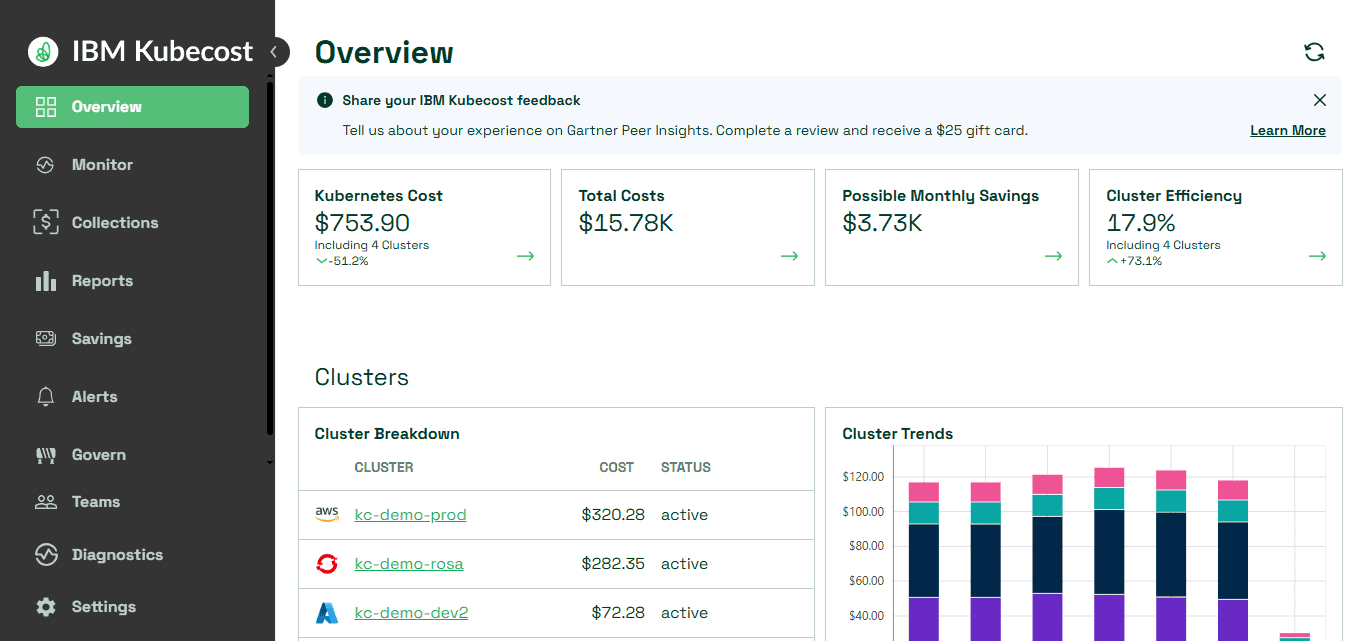
Best For: DevOps teams, platform engineers, and organizations running containerized applications at scale. Pricing & Limitations: Open source & commercial Pricing and features vary by edition. Paid plans may be required for advanced enterprise controls, integrations, and support.
Kubecost — Key Features
| Feature | Explanation |
|---|---|
| Kubernetes Cost Allocation | Breaks down cluster expenses by namespace, workload, and team. |
| Resource Efficiency | Identifies overprovisioned workloads and inefficient resource utilization. |
| Cluster Monitoring | Tracks Kubernetes spending across supported clusters and environments. |
| Cost Recommendations | Provides insights to improve resource allocation and reduce waste. |
6. ProsperOps
ProsperOps automates cloud commitment management to help organizations maximize savings on eligible cloud usage. The strategy for cost optimization is to manage purchasing commitments such as applicable Reserved Instances and Savings Plans based on supported cloud services and account configurations.
Automation enables teams to minimize manual purchasing work, and to monitor commitment performance. Cloud Compatibility: ProsperOps is known for AWS cost optimization. Support for other cloud providers and services should be verified with its current offering.
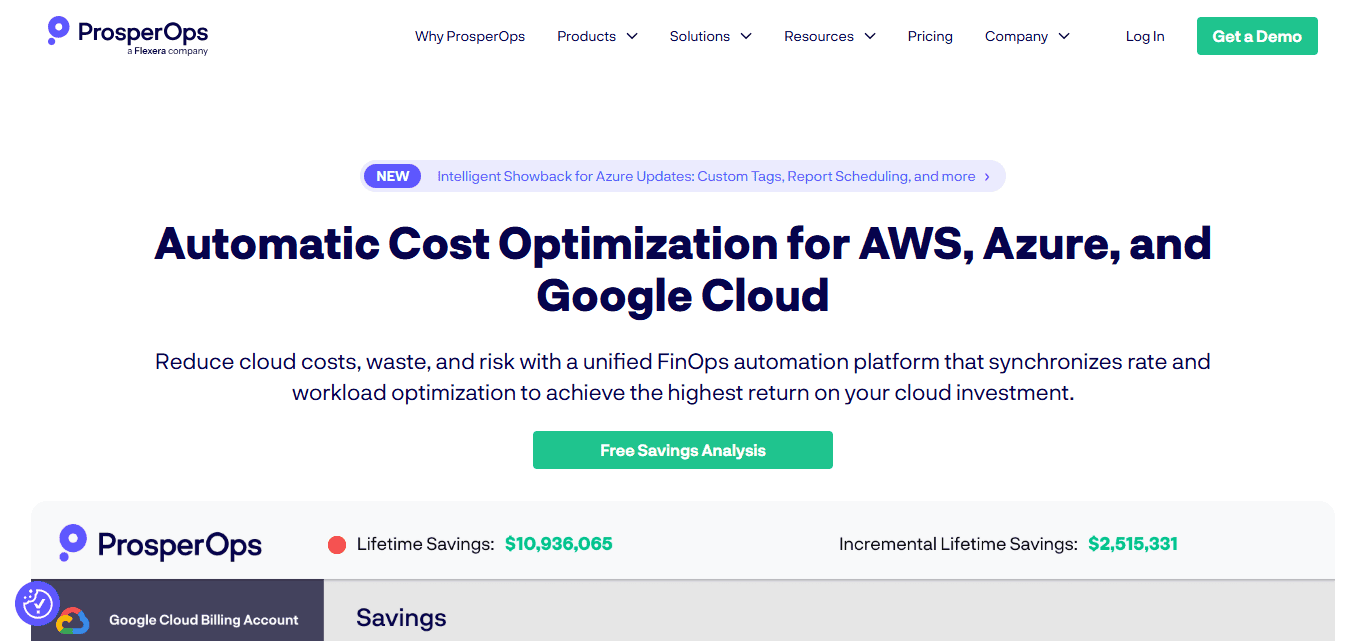
Best for: Companies with predictable cloud usage that want to automate savings on commitments without having to manually manage each purchase decision. Pricing and limitations: Commercial terms may be affected by your chosen service and savings solution. Results not guaranteed. Savings based on eligible usage, existing commitments, and changing workloads.
ProsperOps — Key Features
| Feature | Explanation |
|---|---|
| Commitment Automation | Automates eligible cloud commitment purchasing and management. |
| Discount Optimization | Helps maximize savings from supported commitment-based discounts. |
| Usage Analysis | Evaluates eligible cloud usage to guide commitment decisions. |
| Savings Management | Monitors commitment performance and helps reduce manual optimization work. |
7. DoiT Cloud Intelligence
DoiT Cloud Intelligence enables organizations to manage their infrastructure spending with cloud cost visibility, analytics and optimization capabilities. Cost optimization features can include spending analysis, budget monitoring, recommendations, forecasting and commitment management, depending on the chosen services.
Cloud Compatibility: The platform supports leading cloud environments, such as AWS, Microsoft Azure, and Google Cloud, with additional features based on integrations and service configuration. Best for: Growing technology companies and large enterprises seeking centralized cloud financial management with help and automation.

Pricing and Limitations Pricing depends upon services purchased, cloud environment and commercial agreement. Before making a decision, organizations should check with DoiT for minimum commitments, service eligibility, what support is included and integration requirements.
DoiT Cloud Intelligence — Key Features
| Feature | Explanation |
|---|---|
| Cloud Cost Analytics | Analyzes cloud expenditure across supported environments and services. |
| Intelligent Recommendations | Helps identify potential savings and inefficient resource usage. |
| Budget Forecasting | Supports spending forecasts and budget monitoring for cloud operations. |
| Commitment Management | Helps organizations evaluate eligible discounts and cloud purchasing commitments. |
8. Finout
Finout aggregates cloud spend, providing insights into costs across teams, products, and infrastructure services. Cost optimization capabilities include cost allocation, spending analysis, budget visibility and unusual changes in expenditure. Virtual tagging can help businesses structure costs, even where underlying tagging practice is inconsistent.
Cloud Compatibility: Finout integrates with supported cloud providers and select services, including applicable container, data and SaaS environments. Check accuracy of integration coverage against existing documentation.

Best For: FinOps teams and technology companies with complex infrastructure that require a single view of spending. Price and Restrictions: The price will depend on the needs of the organization and the commercial agreement. Accurate allocation depends on the billing data you have, integrations that are working and configuration that is working.
Finout — Key Features
| Feature | Explanation |
|---|---|
| Unified Cost Visibility | Consolidates supported cloud and technology spending into one view. |
| Virtual Tagging | Organizes expenses using logical cost-allocation rules without relying exclusively on native tags. |
| Cost Anomaly Detection | Helps identify unusual spending patterns that require investigation. |
| Business Cost Allocation | Connects infrastructure expenses with teams, products, and business units. |
9. nOps
nOps offers cloud cost optimization features, with a particular emphasis on helping organizations manage AWS infrastructure costs. As part of its cost optimization approach, the company offers automation, analysis of resource use, and management of eligible cloud commitments to help identify potential savings and reduce manual operations.
Available capabilities vary by selected service. Cloud Compatibility – As nOps is highly integrated with AWS environments, organizations must ensure support for other providers, Kubernetes environments and specific integrations before proceeding with implementation.

Best for: AWS-centric startups, growing businesses, and enterprises looking for automated cost controls and better infrastructure efficiency. Pricing and Limits: Pricing and commercial terms are aligned to the offering and customer requirements.
Savings depend on workload patterns, configuration and eligibility of resources. Organizations should check service coverage, contractual requirements and any management requirements before adopting
nOps — Key Features
| Feature | Explanation |
|---|---|
| Automated Optimization | Automates supported cloud cost-saving activities and resource adjustments. |
| AWS Cost Management | Helps organizations analyze and optimize AWS infrastructure expenses. |
| Commitment Optimization | Manages eligible purchasing commitments to improve potential cloud savings. |
| Resource Efficiency | Identifies opportunities to improve utilization and reduce unnecessary expenditure. |
10. Infracost
Infracost allows development teams to estimate cloud infrastructure costs before deploying changes. Its cost optimization approach focuses on infrastructure-as-code analysis, giving developers the ability to see projected cost differences in pull requests and catch expensive design decisions sooner.
This allows for better financial decisions while software is in development, not only after cloud resources are in place. Cloud Compatibility: Infracost supports Terraform and selected infrastructure-as-code workflows and cloud resources. Provider and feature coverage varies with the current product version.

Who It’s Best For: Platform engineers, DevOps teams, and organizations that use infrastructure as code in CI/CD pipelines. Pricing and Limitations: Free and paid features may vary. Actual bills may differ from estimates due to usage patterns, discounts, pricing changes and resources that cannot be fully modeled.
Infracost — Key Features
| Feature | Explanation |
|---|---|
| Infrastructure Cost Estimation | Estimates cloud infrastructure costs from supported infrastructure-as-code configurations. |
| Pull Request Analysis | Shows estimated cost changes when developers modify infrastructure code. |
| CI/CD Integration | Integrates cost checks into supported development and deployment workflows. |
| Cost Impact Comparison | Helps teams compare infrastructure changes before applying them. |
Why Do Businesses Need Cloud FinOps Tools?
- Reduce Cloud Waste: Identify wasteful spending, cut down on unused resources, and reduce the total cost of your cloud infrastructure.
- Identify Idle Resources and Inefficient Workloads: Discover underutilized infrastructure and optimize workloads to reduce costs and improve utilization of resources.
- Distribute Cloud Costs Across Teams and Departments: Accurately allocate cloud costs across teams, departments, products, and individual business units.
- Track Spending Across Multi-Cloud Environments: Use centralized dashboards and reporting tools to track spending across multiple cloud providers.
- Increase Accountability and ROI of Cloud Investment: Assign responsibility for spending, track financial performance, and get the most value out of your cloud investments.
Conclusion
To summarize, the Best Cloud FinOps and Cost Optimization Tools are intended to help organizations manage cloud costs, enhance financial transparency, and curtail unnecessary expenditure on resources.
There are platforms like CloudHealth, CloudZero, Kubecost, and Infracost that provide different functionalities to track costs and optimize infrastructure. Assess features, cloud compatibility, pricing and limitations before choosing any solution to find the right tool that fits your business goals and long-term financial efficiency.
FAQ
What are Cloud FinOps and cost optimization tools?
They help businesses monitor cloud spending, optimize resources, and improve financial efficiency.
Which are the best Cloud FinOps tools?
Popular options include CloudHealth, CloudZero, Vantage, Kubecost, and IBM Cloudability.
How do Cloud FinOps tools reduce expenses?
They identify wasted resources, optimize workloads, and improve cloud budget management.
Are Cloud FinOps tools suitable for small businesses?
Yes, many platforms offer scalable features suitable for smaller businesses.
Do Cloud FinOps tools support multiple cloud providers?
Many tools support multiple providers, including AWS, Azure, and Google Cloud.