In this post, Ill walk you through free PDF converters, handy apps that everyone who deals with digital paperwork will value.
Whether you want to turn a Word doc into a PDF, join several PDFs into one file, or shrink a bulky document, these cost-free tools get the job done without making your wallet cry.
Well look at the best options on the web, point out what each one does well, and show you who should pick each tool.
Key Points & Free Pdf Converters List
| Tool Name | Key Features / Points |
|---|---|
| DoPDF | Lightweight, free PDF printer; converts documents to PDF via print command. |
| PDFCreator | Open-source PDF converter; offers profiles, encryption, merge, and digital signatures. |
| PDF24 Creator | Free desktop tool with PDF editing, merging, compressing, OCR, and virtual printer. |
| UniPDF | Converts PDF to Word, images, HTML; supports batch conversion; simple interface. |
| Smallpdf | Cloud-based; offers compression, conversion, editing, eSign, and integration with Drive. |
| Adobe Acrobat Online | Trusted brand; offers editing, signing, conversion, sharing; some features need login. |
| iLovePDF | All-in-one online toolkit; supports merge, split, compress, watermark, OCR, etc. |
| HiPDF / PDF Candy | HiPDF: Cloud-based PDF editor & converter; PDF Candy: both online & desktop tools. |
| PDF24 Tools | Online suite by PDF24; similar to desktop version; free, no registration. |
| Online2PDF.com | Web-based tool; supports merge, split, convert to/from Office formats; customizable. |
10 Free Pdf Converters
1.DoPDF
DoPDF is a free PDF printer you install on Windows. Once it’s set up, any file you can print Word, Excel, web pages, even photos can be turned into a PDF. You just pick DoPDF from the printer list and click Print.
The program is small, runs quickly, and doesn t need heavy software like Adobe Acrobat. You can also tweak page size, pick a resolution, and embed fonts.

That makes it perfect for people who want clean, watermark-free PDFs without diving into complicated options. For daily document work, DoPDF delivers quick, dependable results every time.
| Feature | Description |
|---|---|
| PDF Creation | Converts any printable file to PDF via virtual printer. |
| Lightweight Tool | Minimal system impact, fast installation. |
| Custom Page Settings | Set resolution, page size, orientation. |
| Embedded Fonts | Ensures fonts display consistently in PDFs. |
| No Watermarks | Creates clean PDFs without branding. |
| Offline Use | Fully functional without internet access. |
2.PDFCreator
PDFCreator is a no-cost PDF maker that works like a virtual printer, letting you turn almost any document into a PDF. Made by the team at PDFForge, it easily pours Word files, Excel spreadsheets, photos, and more into the standard PDF format.
Besides basic converting, it packs handy tools to merge multiple documents, add encryption, set up passwords, and place digital signatures.
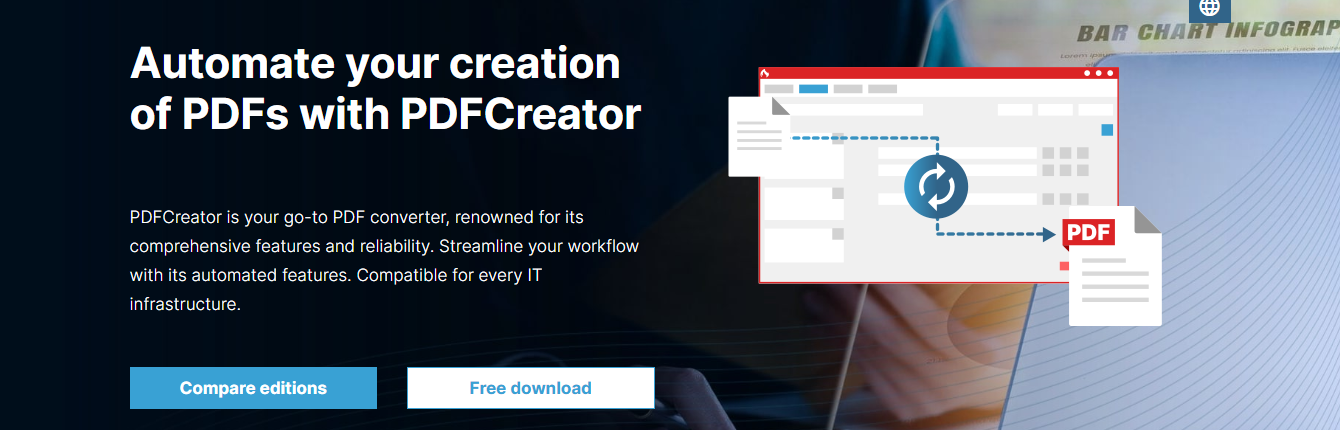
You can even automate steps by choosing pre-set profiles or writing your own script. The free edition suits casual users, while paid plans unlock extra business-grade features.
Thanks to its clear design and solid performance, PDFCreator remains a trusted option for flexible PDF creation and day-to-day document control.
| Feature | Description |
|---|---|
| PDF Printing | Acts as a virtual printer to convert documents to PDF. |
| File Encryption | Password-protect and restrict access to PDFs. |
| Merge and Rearrange | Combine multiple documents into one PDF. |
| Digital Signatures | Add legally binding e-signatures. |
| Auto Save & Scripting | Automate workflows using profiles and scripts. |
| Open Source | Free and open-source for personal use. |
3.PDF24 Creator
PDF24 Creator is a totally free PDF program for Windows that packs a lot of handy tools people need every day. After a quick install it appears as a virtual printer and lets you create, edit, merge, split, shrink, and convert PDFs from almost any app.
The clear drag-and-drop window also handles page extractions, adds watermarks, runs OCR to turn images into text, and locks files with strong passwords.

Because everything happens on your machine and not in a web browser, privacy stays intact. With steady updates and no sneaky fees, PDF24 Creator stands out as a trustworthy one-stop PDF helper for anyone who works with these files regularly.
| Feature | Description |
|---|---|
| PDF Editor | Modify, annotate, and rearrange PDFs. |
| PDF Merge & Split | Combine or divide PDF files. |
| OCR Function | Convert scanned images into searchable text. |
| Compression | Reduce file size while maintaining quality. |
| Offline Use | Fully offline; no internet required. |
| Screenshot to PDF | Capture screens and convert directly to PDF. |
4.UniPDF
UniPDF is a free PDF converter that quickly turns your PDF documents into Word, plain Text, HTML, or popular image files like JPG, PNG, and BMP. Its clean, point-and-click layout lets beginners and pros alike get the job done in minutes.
You can drag in whole folders of PDFs at once, and UniPDF does its best to keep every page, picture, and word looking just like the original. It doesnt offer heavy-duty editing or file-merging, but where simple conversion is the goal, it shines.

Because the program is small and installs in seconds, its perfect when you want an offlinetool that works fast, costs nothing, ands wont clutter your computer.
| Feature | Description |
|---|---|
| Format Conversion | Convert PDF to Word, Image, Text, HTML. |
| Batch Processing | Convert multiple files at once. |
| Retains Layout | Maintains original formatting and layout. |
| Lightweight | Simple, fast, and user-friendly. |
| Offline Tool | Fully functional without internet. |
5.Smallpdf
Smallpdf is a well-known online PDF hub that converts and edits documents without needing to download software. Users can quickly flip PDFs into Word, Excel, PowerPoint, or image files-and the reverse-or shrink, combine, split, and sign papers.
The clean, drag-and-drop interface runs right in any web browser, so anyone can jump in without tech hassles. Smallpdf also hooks straight to Google Drive and Dropbox, letting people grab files stored in the cloud with a single click.

Although the free plan limits tasks per day, it suits light users who need fast fixes now and then. Overall, Smallpdf bundles everything into one pocket-sized PDF toolkit for busy students and professionals alike.
| Feature | Description |
|---|---|
| PDF Conversion | Convert to/from Word, Excel, PPT, JPG. |
| Merge & Split | Combine or divide PDFs easily. |
| Compression | Reduce file size for easier sharing. |
| eSign | Add digital signatures to documents. |
| Cloud Integration | Works with Google Drive and Dropbox. |
| Browser-Based | No software installation needed. |
6.Adobe Acrobat Online
Adobe Acrobat Online is the cloud version of Adams PDF software, letting people handle many basic tasks for free. From any web browser, you can turn Word or image files into PDFs and then shrink, merge, split, or rotate those documents.
The site also handles e-signatures and light edits, like adding sticky notes or small blocks of text. Its clean, drag-and-drop layout works on phones and tablets, and stored files sync automatically across computers.
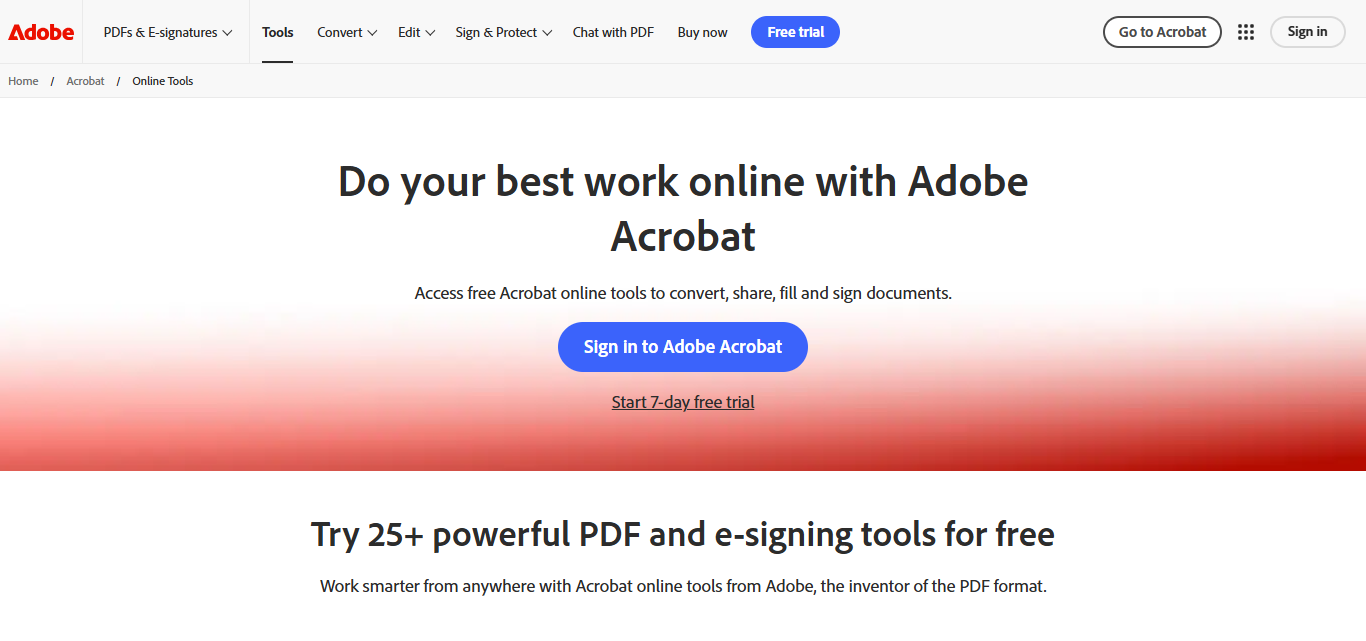
More advanced tools-passes like password protection or batch processing-do ask for a free Adobe ID or paid plan. For day-to-day PDF chores that need a trustworthy name, Acrobat Online remains quick, safe, and easy.
| Feature | Description |
|---|---|
| File Conversion | Convert PDFs to/from various formats. |
| Online Editing | Add text, highlight, annotate. |
| eSign | Fill and sign forms electronically. |
| Merge & Split | Combine or divide PDF files. |
| Secure Platform | Trusted Adobe security and privacy standards. |
| Account Integration | Sync with Adobe Document Cloud (login needed for extras). |
7.iLovePDF
iLovePDF is an easy, free website that acts like a toolbox for PDF files. Users can turn PDF documents into Word, PowerPoint, Excel, or image files, and vice versa. The site also lets you merge, split, compress, rotate, watermark, and even unlock password-protected pages.
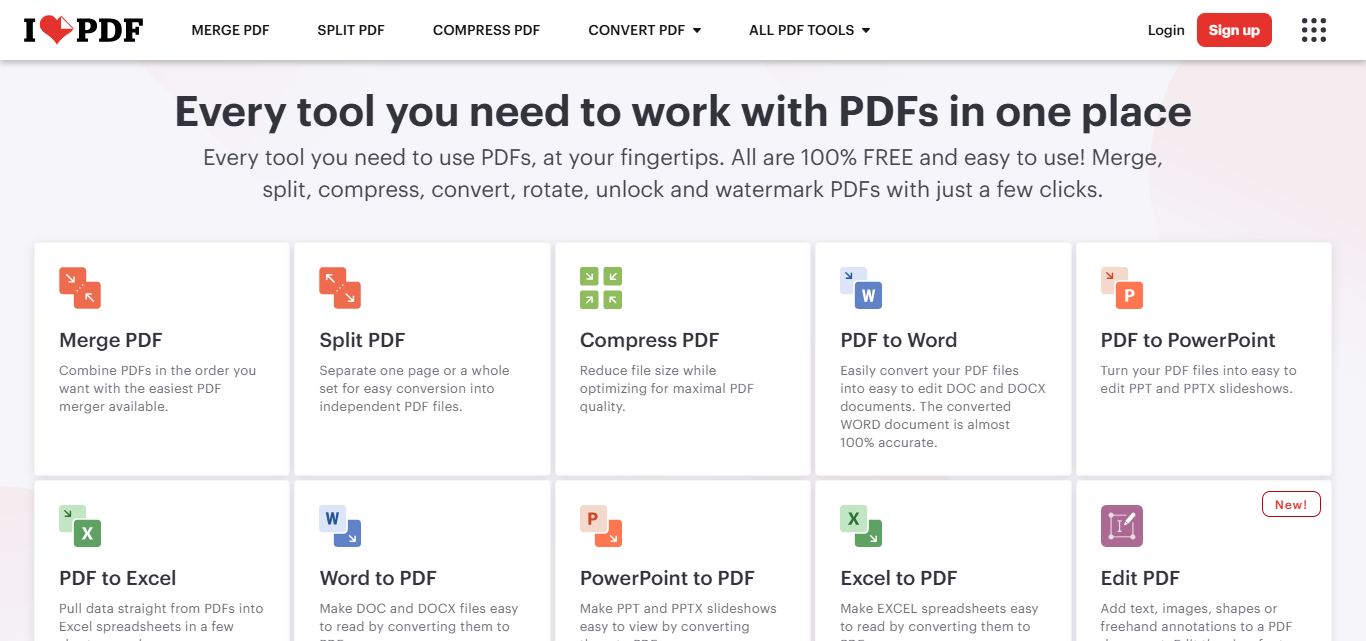
You can add electronic signatures and run OCR on scanned papers so the text becomes editable. Its clean, drag-and-drop design works right in your browser and on Android or iOS phones, plus Windows and Mac computers via a small desktop app.
Although some advanced tools need a paid plan, the generous free version covers most day-to-day home or office PDF jobs without hassle.
| Feature | Description |
|---|---|
| All-in-One Tools | Merge, split, convert, compress, watermark, rotate. |
| OCR | Extract text from scanned documents. |
| PDF Conversion | Convert to/from Office formats and images. |
| Batch Processing | Handle multiple files simultaneously. |
| Web & Mobile Access | Available as browser, Android, and iOS app. |
| eSignature | Sign documents electronically. |
8.HiPDF / PDF Candy
HiPDF and PDF Candy stand out as handy, free PDF converters that work well both online and offline. HiPDF comes from Wondershare; it runs in your browser and lets you convert, edit, compress, merge, split, run OCR, and add e-signatures to PDFs.
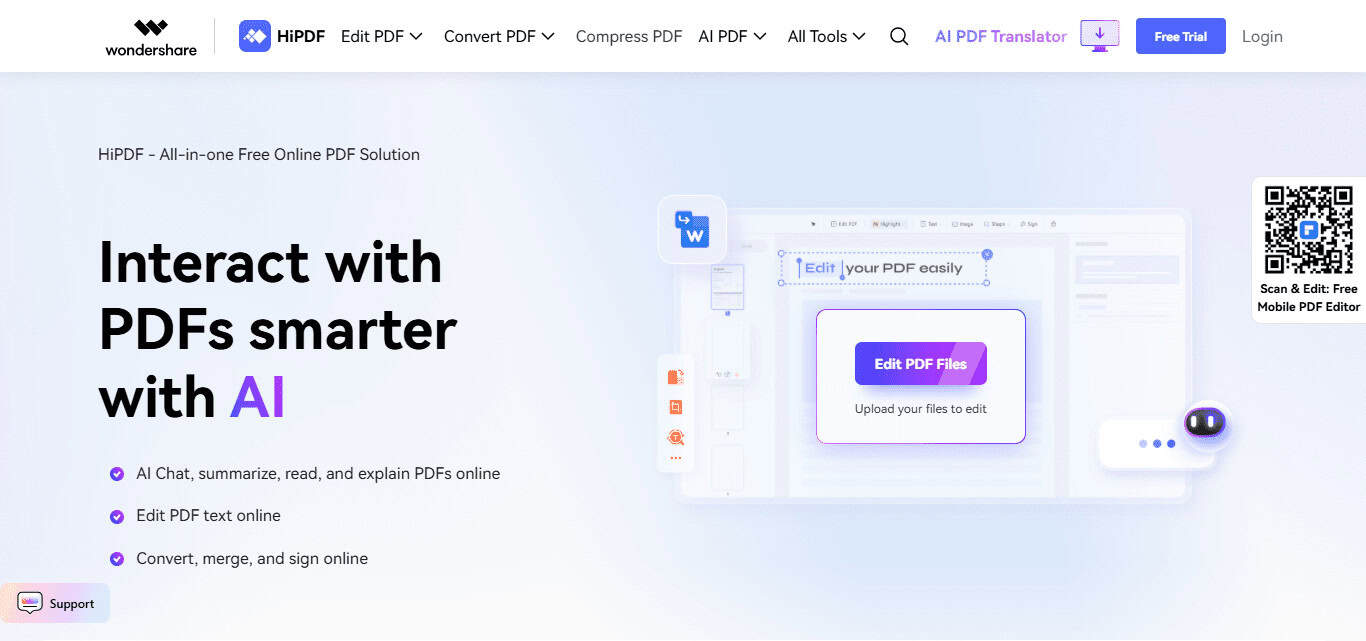
The layout is tidy, and it links easily to Google Drive and Dropbox. PDF Candy, by contrast, offers a web app and a Windows download, so you can turn files into Word, Excel, JPG, and more or merge, split, and compress them.
Both services are free and offer paid extras, making either a smart, straightforward choice for anyone who needs solid PDF tools without the fuss.
| Feature | Description |
|---|---|
| PDF Conversion | Supports Office formats, images, and more. |
| Editing & Annotation | Add text, highlight, redact, etc. |
| OCR Support | Available in both tools (online or desktop). |
| Secure File Handling | Auto-deletion after processing (online versions). |
| Multi-Platform Access | HiPDF (web-based), PDF Candy (web + Windows app). |
| No Watermark | Clean outputs even in free versions. |
9.PDF24 Tools
PDF24 Tools is a free, online pack of PDF helpers built by the same team behind PDF24 Creator. It handles a lot: switching PDFs to and from Word, Excel, PowerPoint, or JPG; squashing files; mixing documents into one; splitting them apart; dropping watermarks; spinning pages; and even doing light OCR.

You dont have to install anything, because all the work happens right in your browser, keeping your files private and quick to process. The site looks clean and obvious to use, and best of all, there are no watermarks stamped on finished jobs.
You can use all the tools without signing up for an account, a rare bonus these days. If you need a safe, flexible, and totally free PDF helper, PDF24 Tools deserves a spot at the top of your list.
| Feature | Description |
|---|---|
| Browser-Based Suite | Full toolset available online. |
| Convert, Merge, Split | Standard PDF operations supported. |
| No Registration Needed | Immediate use without sign-up. |
| Secure Processing | Files are processed locally in browser (privacy safe). |
| OCR | Text recognition from scanned PDFs. |
| No Watermarks | Free output with no branding. |
10.Online2PDF.com
Online2PDF.com is a no-cost, handy website that converts almost any file to PDF and back again, working with Word, Excel, PowerPoint, and common images. Beyond plain conversion, it lets you merge, split, rotate, shrink, and even unlock locked PDFs.
You can tweak the layout, set which pages to include, and add security features like password locks. The site handles batches of files- up to 150 MB in total- so it suits quick notes or larger projects. There is no software to install and no account to create.

With its mix of tools and fine-tuning options, Online2PDF.com remains a go-to, trustworthy helper for daily PDF chores.
| Feature | Description |
|---|---|
| Format Conversion | PDF to/from Word, Excel, images, and more. |
| Batch Processing | Convert up to 20 files, 150 MB total. |
| Merge & Split | Combine or extract pages from PDFs. |
| Compression & Protection | Shrink files, add password protection. |
| Custom Page Options | Rotate, reorder, select specific pages. |
| No Signup Required | Full use with no registration. |
Conclusion
In short, free PDF converters pack handy tools for almost any document job, letting you change file formats, add edits, or lock pages with no cost.
You can pick an offline app such as PDF24 Creator or UniPDF, or turn to on-the-spot web sites like Smallpdf or iLovePDF, and both paths get the work done.
The best choice really hinges on your own priorities-whether thats speed, privacy, bulk jobs, or a polished, business-ready file.
FAQ
What is a PDF converter?
A PDF converter is a tool that allows you to convert files (like Word, Excel, PowerPoint, images) into PDF format and vice versa.
Are free PDF converters safe to use?
Yes, many are safe, especially well-known tools like PDF24, Smallpdf, and iLovePDF. Always use trusted websites and avoid uploading sensitive documents to unknown platforms.
Do free PDF converters leave watermarks?
Some do, but many reputable ones like PDF24 Tools, PDF Candy, and UniPDF offer watermark-free conversions in their free versions.