Kraken Crypto Exchange Banner Ad
Bitcoin icon
BTC $65,000.00 +0.00%
Ethereum icon
ETH $3,500.00 +0.00%
XRP icon
XRP $0.6000 +0.00%
BNB icon
BNB $600.00 +0.00%
Solana icon
SOL $150.00 +0.00%
Dogecoin icon
DOGE $0.1500 +0.00%
Cardano icon
ADA $0.4000 +0.00%
TRON icon
TRX $0.1200 +0.00%
Chainlink icon
LINK $15.00 +0.00%
Avalanche icon
AVAX $35.00 +0.00%
By using this site, you agree to the Privacy Policy and Terms of Use.
Accept
  • ADVERTISEMENT
  • MEDIA KIT
  • CONTACT
  • SUBMIT PR
  • GUEST POST
  • ABOUT US
  • TEAM
  • DMCA
  • DISCLAIMER
  • PRIVACY POLICY
  • MORE
    • llms.txt
    • Newsletter
    • Official Verify
    • Editorial Policy
    • Term Of Use
    • SITEMAP
Reading: How To Create A Signature In Outlook – Step-by-Step Guide
coinworldstory logo coinworldstory logo
  • HOME
  • CRYPTO
    • AI
    • BOTS
    • ICO
    • AIRDROP
      • Featured Airdrops
    • Price Prediction
    • EXCHANGE
      • Best Centralized Exchange List 2026
      • Best Decentralized Exchange List 2025
    • ALTCOIN
    • Alt Coin Signal
    • Crypto Analysis
    • Bitcoin Loan
    • Bitcoin Mining
    • WALLETPRO
  • PR
    PR
    If You Looking For Submit Cryptocurrency Press Releases Than Coinworldstory Is Best Choice For Crypto Press Release Submission
    Show More
    Top News
    FFGI Announces FFG Token: A New Chapter in Blockchain-Based Film Finance
    FFGI Announces FFG Token: A New Chapter in Blockchain-Based Film Finance
    13/10/2025
    Flipster Makes Esports Debut as Official Crypto Exchange Partner of TALON’s Dota 2 Team, Powering a New Era of Fan Engagement
    Flipster Makes Esports Debut as Official Crypto Exchange Partner of TALON’s Dota 2 Team, Powering a New Era of Fan Engagement
    13/10/2025
    Gomble Games Launches GOMBLE BUILDERS: A Web3 Game Creation Platform Built by Communities, Made for the Masses
    Gomble Games Launches GOMBLE BUILDERS: A Web3 Game Creation Platform Built by Communities, Made for the Masses
    24/08/2025
    Latest News
    Carbon Launches TradFi-Native On-Chain Derivatives Venue With 950+ Markets in One Account
    07/08/2026
    Blockchain Life Returns to Dubai — Featuring the Debut of AI Future!
    06/08/2026
    ChangeNOW Brings Martin Masser Into Its Crypto Super App
    05/08/2026
    Indonesia Blockchain Week (IDBW) 2026 Flags RWA Tokenization and High-Level Enterprise Networking as Major Business Priorities
    03/08/2026
  • NEWS
    • Mining
    • Altcoins
    • Ban
    • BANKING/FINANCE NEWS
    • Bitcoin
    • Blockchain
    • CRYPTO CRIME
    • Ethereum
    • Exchange News
    • Government News
    NEWSShow More
    10 Best High Rewards Crypto Platforms for Maximum Earnings
    10 Best Institutional Trading Technology Platforms in 2026
    31/07/2026
    10 Hidden Liquidity Features Modern Brokers Secretly Use
    10 Hidden Liquidity Features Modern Brokers Secretly Use
    29/05/2026
    10 Apps That Show What You Should Have Done Instead
    10 Apps That Show What You Should Have Done Instead
    29/05/2026
    10 Best Crypto Conferences to Attend in 2026
    10 Best Crypto Conferences to Attend in 2026
    29/05/2026
    Emerging Markets Favor Stablecoins Over Bitcoin
    Emerging Markets Favor Stablecoins Over Bitcoin
    29/05/2026
  • MORE
    • Guide
    • Only Best
    • Off Topic
    • Best Affiliate Marketing
    • Best Affiliate Programs
    • BOTS
    • Trusted Currency Exchanger Platform
    • Blockchain Games
    • Metaverse Review : Best Metaverse Program Review
    • Online Survey
    • Payment Platform
  • VPN
  • List
    • Best Crypto Casinos In 2026
    • Best Crypto Wallets List 2026
    • Best Crypto Exchanges List 2026
    • Best Crypto Lawyers & Farm
    • Best Crypto Tools List 2026
    • Crypto Regulations Worldwide 2026
    • Best Crypto Prediction Markets
  • Contact Us
  • FAQ
Reading: How To Create A Signature In Outlook – Step-by-Step Guide
Font ResizerAa
CoinworldstoryCoinworldstory
  • ADVERTISEMENT
  • MEDIA KIT
  • CONTACT
  • SUBMIT PR
  • GUEST POST
  • ABOUT US
  • TEAM
  • DMCA
  • DISCLAIMER
  • PRIVACY POLICY
  • MORE
Search
  • HOME
  • CRYPTO
    • AI
    • BOTS
    • ICO
    • AIRDROP
    • Price Prediction
    • EXCHANGE
    • ALTCOIN
    • Alt Coin Signal
    • Crypto Analysis
    • Bitcoin Loan
    • Bitcoin Mining
    • WALLETPRO
  • PR
  • NEWS
    • Mining
    • Altcoins
    • Ban
    • BANKING/FINANCE NEWS
    • Bitcoin
    • Blockchain
    • CRYPTO CRIME
    • Ethereum
    • Exchange News
    • Government News
  • MORE
    • Guide
    • Only Best
    • Off Topic
    • Best Affiliate Marketing
    • Best Affiliate Programs
    • BOTS
    • Trusted Currency Exchanger Platform
    • Blockchain Games
    • Metaverse Review : Best Metaverse Program Review
    • Online Survey
    • Payment Platform
  • VPN
  • List
    • Best Crypto Casinos In 2026
    • Best Crypto Wallets List 2026
    • Best Crypto Exchanges List 2026
    • Best Crypto Lawyers & Farm
    • Best Crypto Tools List 2026
    • Crypto Regulations Worldwide 2026
    • Best Crypto Prediction Markets
  • Contact Us
  • FAQ

Trending →

10 Best Identity Verification Platforms for Secure Onboarding

By Gixona
08/08/2026

10 Best eKYC Providers In 2026 for Secure Identity Verification

By Gixona
08/08/2026

10 Best AI Observability Platforms for Smarter AI Monitoring

By Gixona
08/08/2026

10 Best Enterprise AI Gateway Platforms for AI Security

By Gixona
08/08/2026

10 Best AI Guardrail Platforms for Safer AI Systems

By Gixona
07/08/2026
Follow US
Email - [email protected]

Home » How To Create A Signature In Outlook – Step-by-Step Guide

Off Topic

How To Create A Signature In Outlook – Step-by-Step Guide

Gixona
Last updated: 26/09/2025 3:29 PM
By Gixona
Share
9 Min Read
How To Create A Signature In Outlook – Step-by-Step Guide
SHARE

In this article, Ill show you how to set up a signature in Outlook so your emails always look polished and professional.

Contents
  • What is An Email Signature In Outlook?
  • How To Create A Signature In Outlook
  • Importance of Having a Professional Email Signature
  • Customizing Your Signature In Outlook
  • Tips and Best Practices Signature In Outlook
  • Troubleshooting Common Issues Signature In Outlook
  • Pros and Cons of Creating a Signature in Outlook
      • Pros:
      • Cons:
  • Conclusion
  • FAQ
    • Is there a character or size limit for Outlook signatures?
    • Can I include clickable links in my signature?
    • Why isn’t my signature appearing in emails?

Whether you use the Outlook website or the desktop app, a personal signature keeps your branding steady and lets recipients grab your contact info with a click. Just follow these quick steps to build and tweak your signature in no time.

What is An Email Signature In Outlook?

An email signature in Outlook is a small, personalized block of text that is tacked on automatically at the end of every message you send. It usually lists your name, job title, company name, phone number, and may even show a logo or links to social accounts.

Having a signature gives your emails a tidy, professional feel, shares important contact info, and keeps your company branding the same in every note. Outlook lets you create, tweak, and assign different signatures for brand-new messages or quick replies.

- Advertisement -

Whether you use the desktop software or the web app, setting up a signature means your identity and key details ride along with each email-and you never have to type them again.

How To Create A Signature In Outlook

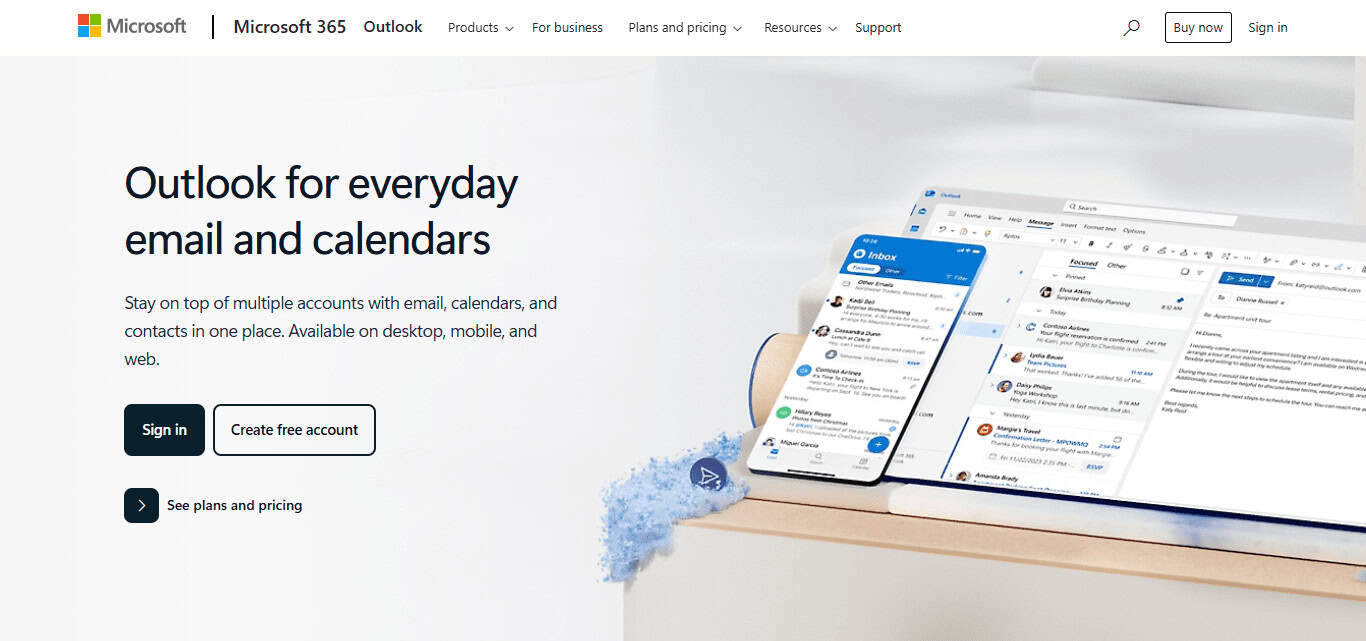
Log In to Outlook.com
How To Create A Signature In Outlook

Open outlook.com and sign in with your Microsoft email and password.

Open Settings

Click the small gear icon (⚙️) in the top-right corner of any page.

- Advertisement -

Find Signature Settings

Type signature in the search box that appears, then choose Email signature from the list.

Build Your Signature

- Advertisement -

Inside the editor:

Type what you want, such as your name, title, company, or phone.

Use the buttons to change font size, color, or to add a picture or logo.

Link to your website or social media, if you like.

Set Signature Defaults

Below the editor, mark the options so Outlook will:

Add your signature to every new message.

Also add it to replies and forwarded emails.

Save Your Signature

Hit the blue Save button at the bottom of the settings pane.

Test It

Open a new email and check that the signature shows up the way you want.

Importance of Having a Professional Email Signature
Importance of Having a Professional Email Signature

A professional email signature is far more than a quick sign-off; it acts as a tiny billboard for you and your business every time you hit send. Here are five simple reasons to pay attention to it:

Creates a Strong First Impression A tidy signature shows you care about details, boosting your trustworthiness with clients, partners, and team-mates alike.

Promotes Your Brand Adding your company name, logo, and website reminds readers who you work for-long after they read the email.

Provides Easy Contact Information The signature gives people instant access to your phone number, job title, or social media links, so they dont have to dig around.

Saves Time You stop retyping the same details because the email program drops them in automatically, letting you focus on the message itself.

Supports Legal Compliance In some fields you must include disclaimers or privacy notes, and a set signature makes sure they are never missing.

Customizing Your Signature In Outlook

  • Include Key Info Add your name, title, company, phone, email, and website.
  • Use Professional Formatting Choose clear fonts and a tidy layout.
  • Add Branding Insert your logo and use the colors your brand uses.
  • Include Social Links Add small icons or plain links for LinkedIn, Twitter, etc.
  • Add Legal Disclaimers If your field needs it, pop in that short notice.
  • Keep It Concise Aim for 5-8 lines so the message stays clear.
  • Test Before Use Send yourself a test email on desktop and phone to spot problems.

Tips and Best Practices Signature In Outlook

Tips and Best Practices Signature In Outlook

Keep It Simple and Clean Choose a plain, readable font and stick with one or two sober colors.

Include Only What Matters Jot down your name, job title, company, phone, and website-nothing extra.

Stay within 5-8 Lines A tidy layout stops your reader from scrolling past the important stuff.

Use Brand Elements Lightly Add a small logo and your firms colors so people remember you.

Make It Mobile-Friendly Pick standard fonts and keep images small, so phones and tablets load fast.

Avoid Big Files or Heavy Images Large files can freeze screens or get zapped by spam filters.

Link What Readers Need Turn your site, email, and social icons into easy, clickable shortcuts.

Test on Every Device Check your signature on laptop, tablet, and phone to spot weird spacing.

Skip Long Quotes or Jingles What sounds cool at a party may feel cheesy in a business message.

Proofread Every Detail Verify spelling, numbers, and layout before you hit save.

Troubleshooting Common Issues Signature In Outlook

  • Signature Is Missing Completely → Make sure the signature is set as the default for new messages and replies.
  • Formatting Looks Off → Use Outlooks own editor to fix it; dont copy from Word or a web page.
  • Images Wont Show → Insert small images directly, and remind people to allow pictures.
  • Signature Wont Sync on All Devices → Set it up separately in Outlook on desktop and in the web version.
  • Cant Add or Edit It → Check your user permissions, and close then reopen Outlook.
  • Links Are Broken → Test each link yourself to make sure it goes to the right page.
  • Signature Shows Up Twice → Delete the manual insert if Outlook already adds it automatically.

Pros and Cons of Creating a Signature in Outlook

Pros:

  • Professional Appearance Adds credibility and strengthens your personal or company brand.
  • Time-Saving Cuts down on the time spent retyping contact details.
  • Customization Options Lets you insert logos, hyperlinks, and personalized formatting.
  • Consistency Delivers the same look and info in every single message.
  • Easy Access Quick to update or change right inside the Outlook app.

Cons:

  • Formatting Issues The signature may display differently on smartphones or in rival email programs.
  • Image Display Problems Logos, photos, or icons can fail to load for some recipients.
  • Manual Setup on Each Device You still have to set it up separately on desktop, web, and mobile.
  • Clutter Risk A long or overly styled signature can distract from your main message.

Conclusion

In short, setting up a signature in Outlook is easy but helps you look professional every time you hit send. When you add your name, phone number, logo, and tidy formatting, each email paints your reader a clear picture of who you are.

Whether you use Outlook on the web or the desktop app, that polished sign-off boosts trust, sharpens communication, and supports your personal or company brand.

FAQ

Is there a character or size limit for Outlook signatures?

Outlook doesn’t have a strict character limit, but it’s best to keep your signature concise—ideally under 5–8 lines.

Can I include clickable links in my signature?

Yes, Outlook allows you to hyperlink text, images, or icons to websites, email addresses, or social media profiles.

Why isn’t my signature appearing in emails?

Check if the signature is set as default. Also, make sure it’s not being overridden by manual formatting or disabled settings.


⚠

Editorial Standards & Risk Disclosure

✅ Reviewed by the CoinWorldStory Editorial Team

This article is published for informational and educational purposes only and is not financial, investment, legal, or tax advice. Cryptocurrency, forex, and related markets are highly volatile — never invest more than you can afford to lose, and always do your own research before acting on anything you read here. Some links on this page may be affiliate or sponsored placements; where that's the case, it's disclosed, and it never changes the accuracy of our reporting. All content is researched and reviewed under our Editorial Policy.

Email [email protected] Report an Issue / Contact Us →
Share This Article
Facebook Flipboard Pinterest Whatsapp Whatsapp LinkedIn Tumblr Reddit VKontakte Telegram Threads Bluesky Email Copy Link Print
nexo banner

Latest Press Release

PR 1785939515dNMTOKYCqN
Carbon Launches TradFi-Native On-Chain Derivatives Venue With 950+ Markets in One Account
Press Releases
Blockchain Life Returns to Dubai — Featuring the Debut of AI Future!
Press Releases
Martin 4 1785940289jbfgNLvCeZ
ChangeNOW Brings Martin Masser Into Its Crypto Super App
Press Releases
Indonesia Blockchain Week (IDBW) 2026 Flags RWA Tokenization
Indonesia Blockchain Week (IDBW) 2026 Flags RWA Tokenization and High-Level Enterprise Networking as Major Business Priorities
Press Releases
TOP CRYPTO EXCHANGES
Best Crypto Exchanges
  • Kraken Exchange Logo
    Kraken
    Secure Trading
    Visit
  • Bybit Exchange Logo
    Bybit
    Low Fees
    Visit
  • HTX Exchange Logo
    HTX
    Global Exchange
    Visit
  • CoinSwitch Exchange Logo
    CoinSwitch
    Easy INR Access
    Visit
  • Poloniex Exchange Logo
    Poloniex
    Altcoin Markets
    Visit
TOP CRYPTO TOOLS
Best Crypto Tools
  • TradingView Logo
    TradingView
    Charts & Analysis
    Visit
  • CoinGlass Logo
    CoinGlass
    Liquidation Data
    Visit
  • CoinMarketCap Logo
    CoinMarketCap
    Market Tracking
    Visit
  • DexScreener Logo
    DexScreener
    DEX Analytics
    Visit
  • Arkham Intelligence Logo
    Arkham
    Wallet Tracking
    Visit
TOP CRYPTO CASINOS
Best Crypto Casinos
  • Roobet Casino Logo
    Roobet
    Popular Casino
    Visit
  • Stake Casino Logo
    Stake
    Top Sportsbook
    Visit
  • BC.Game Casino Logo
    BC.Game
    Crypto Friendly
    Visit
  • Rollbit Casino Logo
    Rollbit
    Casino + Trading
    Visit
  • Duelbits Casino Logo
    Duelbits
    Instant Withdrawals
    Visit

Coinworldstory Ads

You Might Also Like ↷

10 Best Apps for Investing In Unlisted Shares & Pre-IPO Stocks

10 Best Apps for Investing In Unlisted Shares & Pre-IPO Stocks

29/06/2026
10 Best RPM Hardware Kits For Private Clinics 2026

10 Best RPM Hardware Kits For Private Clinics 2026

19/06/2026
10 Best Digital Therapeutics (DTx) Platforms 2026 Guide

10 Best Digital Therapeutics (DTx) Platforms 2026 Guide

19/06/2026
10 Best LIMS for Diagnostic Centers Explained

10 Best LIMS for Diagnostic Centers Explained

19/06/2026
- Advertisement -
bybit banner for cws
  • Bug Bounty
  • System Status
  • Crypto Regulations Worldwide
  • Best Crypto Prediction Markets
  • 300+ Best Crypto Tools
  • Best Crypto Lawyers & Law Firm Directory
  • Best Crypto Exchanges List in 2026
  • Frequently Asked Questions (FAQ)
  • Best Crypto Wallets List In 2026
  • Best Crypto Casino List
  • CoinWorldStory Media Kit

CoinWorldStory is a leading digital media platform covering cryptocurrency, AI, technology, software, and Web3. We deliver the latest news, unbiased reviews, expert guides, product comparisons, and industry insights to help readers make informed decisions. Whether you’re exploring blockchain, discovering AI tools, comparing software, or staying updated on emerging technologies, CoinWorldStory provides trusted content for enthusiasts, professionals, and businesses worldwide.

coinworldstory logo coinworldstory logo
Hi, welcome to coinworldstory.com
CoinWorldStory mascot dog running
Based in 🇨🇭 Switzerland Office in 🇨🇦 Canada Office in 🇦🇪 UAE

In pursuit of global prosperity. We stand for humanity — Stop War. Support All The World for Peace.

190+ Countries Served
25,000+ Topics Covered
14,523 Live Readers Now

Global Readership

🇺🇸 USA 🇬🇧 UK 🇨🇭 Switzerland 🇦🇪 UAE 🇯🇵 Japan 🇨🇦 Canada 🇩🇪 Germany 🇸🇬 Singapore
Editorial & Support [email protected]
Advertising & Partnerships [email protected]
Contact Us On Telegram @coinworldstoryweb
Google E-E-A-T ISO Certified Est. 2016 SSL Secured GDPR Compliant

Disclaimer

CoinWorldStory is an independent review and comparison platform for crypto exchanges, prop firms, brokers, and gaming sites. We are not financial advisors. All trading and investing involve significant risk, and past performance does not guarantee future results. Some links on our site are affiliate links, and we may receive a commission at no extra cost to you. Please conduct your own research (DYOR) and consult a licensed financial professional before making any investment decisions.

© 2016 — 2026 CoinWorldStory. All Rights Reserved.

  • ADVERTISEMENT
  • MEDIA KIT
  • CONTACT
  • SUBMIT PR
  • GUEST POST
  • ABOUT US
  • TEAM
  • DMCA
  • DISCLAIMER
  • PRIVACY POLICY
  • MORE
CoinworldstoryCoinworldstory