By using this site, you agree to the Privacy Policy and Terms of Use.
Accept
CoinworldstoryCoinworldstoryCoinworldstory
  • HOME
  • CRYPTO
    • AI
    • BOTS
    • ICO
    • AIRDROP
      • Featured Airdrops
    • Price Prediction
    • EXCHANGE
      • Best Centralized Exchange List 2026
      • Best Decentralized Exchange List 2025
    • ALTCOIN
    • Alt Coin Signal
    • Crypto Analysis
    • Bitcoin Loan
    • Bitcoin Mining
    • WALLETPRO
  • PR
    PR
    If You Looking For Submit Cryptocurrency Press Releases Than Coinworldstory Is Best Choice For Crypto Press Release Submission
    Show More
    Top News
    Mining as a service with the launch of MinedBlock
    Mining as a service with the launch of MinedBlock
    2 years ago
    DeFi & CeFi full aggregator OpenOcean aggregates Polygon to expand its trading universe
    2 years ago
    deBridge announces $5.5m fundraising five months after winning the Chainlink hackathon
    4 years ago
    Latest News
    $100/Month in Bitcoin Since 2015 Would Have Turned $13,700 Into $632,000, Coinbird Analysis Shows
    6 hours ago
    Lock.com Enters Early Access With Isolated Signing and Post-Quantum Architecture
    1 day ago
    E-Estate Announces 1 Year Live: Washington DC Summit as Real Estate Tokenization Enters Its Next Phase
    4 days ago
    MapleStory Universe Marks One Year of Live Ops, Surpasses 150M On-chain Transactions, Entering MSU 2.0 Phase
    5 days ago
  • NEWS
    • Mining
    • Altcoins
    • Ban
    • BANKING/FINANCE NEWS
    • Bitcoin
    • Blockchain
    • CRYPTO CRIME
    • Ethereum
    • Exchange News
    • Government News
    NEWSShow More
    10 Hidden Liquidity Features Modern Brokers Secretly Use
    10 Hidden Liquidity Features Modern Brokers Secretly Use
    6 days ago
    10 Apps That Show What You Should Have Done Instead
    10 Apps That Show What You Should Have Done Instead
    2 months ago
    10 Best Crypto Conferences to Attend in 2026
    10 Best Crypto Conferences to Attend in 2026
    2 months ago
    Emerging Markets Favor Stablecoins Over Bitcoin
    Emerging Markets Favor Stablecoins Over Bitcoin
    3 months ago
    10 Solana DEXs With Lowest Slippage for Memecoin Trading
    10 Solana DEXs With Lowest Slippage for Memecoin Trading
    3 months ago
  • MORE
    • Guide
    • Only Best
    • Off Topic
    • Best Affiliate Marketing
    • Best Affiliate Programs
    • BOTS
    • Trusted Currency Exchanger Platform
    • Blockchain Games
    • Metaverse Review : Best Metaverse Program Review
    • Online Survey
    • Payment Platform
  • VPN
  • Contact Us
Reading: How To Use The Fractal Brakes Indicator In TradingView
Share
Notification Show More
Font ResizerAa
CoinworldstoryCoinworldstory
Font ResizerAa
  • ADVERTISEMENT
  • SUBMIT PR
  • CONTACT
  • GUEST POST
  • ABOUT US
  • DMCA
  • SITEMAP
  • DISCLAIMER
  • PRIVACY POLICY
Search
  • HOME
  • CRYPTO
    • AI
    • BOTS
    • ICO
    • AIRDROP
    • Price Prediction
    • EXCHANGE
    • ALTCOIN
    • Alt Coin Signal
    • Crypto Analysis
    • Bitcoin Loan
    • Bitcoin Mining
    • WALLETPRO
  • PR
  • NEWS
    • Mining
    • Altcoins
    • Ban
    • BANKING/FINANCE NEWS
    • Bitcoin
    • Blockchain
    • CRYPTO CRIME
    • Ethereum
    • Exchange News
    • Government News
  • MORE
    • Guide
    • Only Best
    • Off Topic
    • Best Affiliate Marketing
    • Best Affiliate Programs
    • BOTS
    • Trusted Currency Exchanger Platform
    • Blockchain Games
    • Metaverse Review : Best Metaverse Program Review
    • Online Survey
    • Payment Platform
  • VPN
  • Contact Us
Have an existing account? Sign In
Follow US
© 2022 Foxiz News Network. Ruby Design Company. All Rights Reserved.
Home » Blog » How To Use The Fractal Brakes Indicator In TradingView
Guide & Crypto Education

How To Use The Fractal Brakes Indicator In TradingView

Gixona
Last updated: 14/10/2025 5:04 PM
Gixona
1 year ago
Share
Disclosure: We are not a registered broker-dealer or an investment advisor. The services and information we offer are for sophisticated investors, and do not constitute personal investment advice, which of necessity must be tailored to your particular means and needs. !
How To Use The Fractal Brakes Indicator In TradingView
SHARE

In this article, I will discuss how to use the Fractal Brakes indicator in TradingView to identify trend reversals and breakout points. This powerful tool helps traders spot potential buy and sell signals by highlighting key fractal levels.

Contents
  • What Is the Fractal Brakes Indicator?
  • How To Use The Fractal Brakes Indicator In TradingView
  • Practical Trading Strategies with Fractal Brakes
  • Tips for Effective Use
    • Suggested Timeframe:
    • Use Fractal Brakes with Other Indicators:
    • Identify False Signals:
    • Perform Backtest Before Live Trading:
    • Set Reasonable Stop-Loss and Take-Profit Levels:
    • Limit the Amount of Trading:
  • Common Mistakes to Avoid
  • Conclusion

By mastering its application, you can improve your trading accuracy and make more informed decisions in the market.

What Is the Fractal Brakes Indicator?

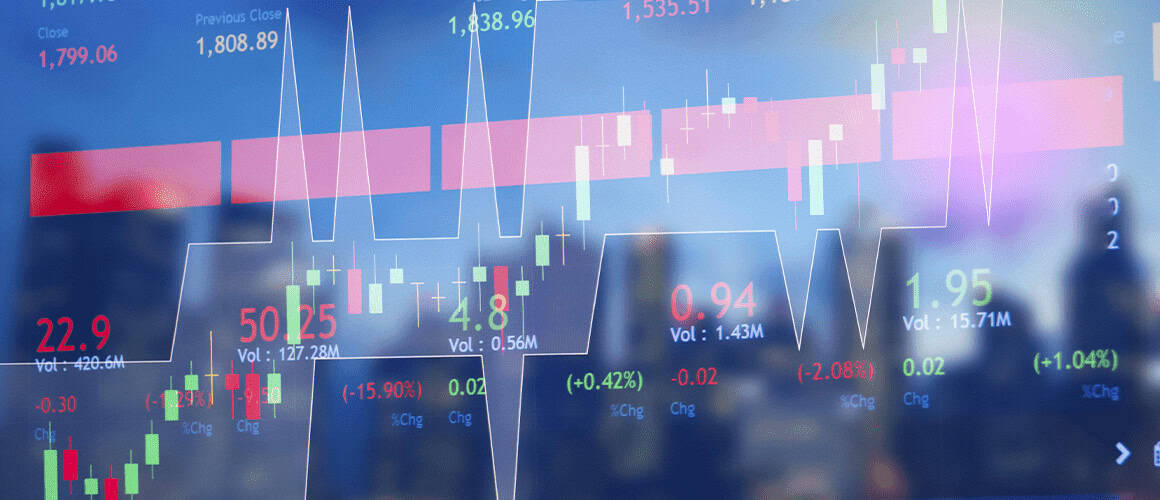
The fractal brakes indicator on Trading View marks level where traders can assume a trend might breakout on reversal.
What Is the Fractal Brakes Indicator?

This innovative software employs fractals for the displaying of price region where traders are able to open new positions, thus assisting in determining the optimal moments for purchasing or selling assets. This indicator is best for confirming a trend or trading in a ranging volatile market.

- Advertisement -

How To Use The Fractal Brakes Indicator In TradingView

How To Use The Fractal Brakes Indicator In TradingView

Open TradingView: Log into or create an account.

Select a Chart: Select the asset you wish to analyze.

Add the Indicator:

  • Click on Indicators and search for Fractal Brakes.
  • Click to apply it onto the chart.

Customize Settings: Modify colors, timeframes, and styles of the lines to your preferences.

Interpret Signals:

- Advertisement -
  • Buy signal: When the price breaches the fractal resistance level.
  • Sell signal: When the price breaches the fractal support level.

Use with Other Indicators: Combine with moving averages or RSI for added confirmation.

Backtest and Practice: Practice with the indicator using live data before trading.

Practical Trading Strategies with Fractal Brakes

Practical Trading Strategies with Fractal Brakes
  1. Trend Following Strategy:
    • Setup: Use the Fractal Brakes indicator on a higher timeframe (e.g., 4H or daily).
    • Entry:
      • Buy: When the price breaks above the fractal resistance.
      • Sell: When it breaks below the fractal support.
    • Exit: Use trailing stop-loss or exit at the next opposite fractal signal.
  2. Breakout Trading Strategy:
    • Setup: Apply Fractal Brakes on lower timeframes (e.g., 15M or 1H).
    • Entry:
      • Enter a trade when the price breaks a recent fractal level with strong volume.
    • Stop-Loss: Place it below the previous fractal for buy trades and above for sell trades.
    • Take Profit: Use the next resistance or support level.
  3. Reversal Confirmation Strategy:
    • Setup: Combine Fractal Brakes with RSI or MACD.
    • Entry:
      • Buy: When the price breaks above the fractal brake and RSI shows oversold conditions.
      • Sell: When it breaks below with RSI in overbought territory.
    • Exit: Close the trade when the opposite fractal is triggered.
  4. Range Trading Strategy:
    • Setup: Use Fractal Brakes on range-bound markets.
    • Entry:
      • Buy: Near the lower fractal support.
      • Sell: Near the upper fractal resistance.
    • Stop-Loss: Place outside the range boundaries.
    • Take Profit: Exit near the opposite fractal line.

Tips for Effective Use

Suggested Timeframe:

  • Signals are more accurate on higher timeframes (4H, daily).
  • Lower timeframes, thus (15M, 1H), can produce more false signals.

Use Fractal Brakes with Other Indicators:

  • Confirmation from RSI, MACD, or moving averages will be helpful.
  • Do not depend on Fractal Brakes alone.

Identify False Signals:

  • Indicators should be ignored when volume is low or markets are moving sideways.
  • Before entering trades, volume confirmation should be used.

Perform Backtest Before Live Trading:

  • Determine the accuracy of the indicator by testing historical data.
  • Strategies can be adjusted based on backtesting results.

Set Reasonable Stop-Loss and Take-Profit Levels:

  • Set stop-loss above/below the previous fractal.
  • Reasonable take-profit levels should be set based on support/resistance.

Limit the Amount of Trading:

  • Not every signal should be acted upon. One should wait for high-probability setups.
  • Always follow your trading plan and risk management rules.

Common Mistakes to Avoid

Relying Solely on the Indicator:

- Advertisement -

Using Fractal Brakes alone can lead to false signals.

Always combine it with other indicators (e.g., RSI, MACD) for confirmation.

Ignoring Market Conditions:

Fractal Brakes may be less effective in choppy or low-volume markets.

Avoid trading during ranging or indecisive conditions.

Overtrading Small Timeframes:

Lower timeframes generate more noise and false signals.

Stick to higher timeframes (4H, daily) for better accuracy.

Misplacing Stop-Loss and Take-Profit:

Placing stops too close to fractal levels can lead to premature exits.

Use realistic stop-loss and take-profit distances based on volatility.

Ignoring Risk Management:

Trading without proper position sizing or risk control can lead to significant losses.

Always use stop-loss orders and manage your risk per trade.

Failing to Backtest:

Trading live without testing the indicator on historical data is risky.

Backtest to assess its reliability in different market conditions.

Conclusion

In summary, the Fractal Brakes indicator in TradingView assists traders in identifying changes in market trends and breakout levels.

It is possible to improve your trading precision by merging it with other indicators, backtesting techniques, managing risk proficiently, and using it to strategize R and R. Try using the demo accounts initially to familiarize yourself with its signals and develop an effective strategy before going for real trades.

Identity-as-a-Service: Passwordless Social Media Logins
10 Best Systems for Portfolio Regime Switching Models
10 No-Code AI Workflows to Scale Small Businesses to 7-Figures
10 AI Tools Turning Crypto Gains Into Everyday Spending
SocialFi: Monetize Micro-Influencer Communities With Keys
Share This Article
Facebook Email Print
Previous Article 10 Best Stocks Under ₹100 – Top Affordable Picks for 2026 10 Best Stocks Under ₹100 – Top Affordable Picks for 2026
Next Article 19 Best Fitness Apps of 2026 | Top Workout & Health Tools 19 Best Fitness Apps of 2026 | Top Workout & Health Tools

Find Us on Socials

Coinworldstory Ads

10 Top VPNs Ready For Quantum Computing Threats 2026
VPN
10 Best Netflix VPNs That Still Work Globally In 2026
VPN
$100/Month in Bitcoin Since 2015 Would Have Turned $13,700 Into $632,000, Coinbird Analysis Shows
Press Releases
12 Best VPNs To Unlock Roblox & Bypass Blocks 2026
VPN

Latest Published

2026 Global Crypto Accord: Key Regulatory Impacts Explained

2026 Global Crypto Accord: Key Regulatory Impacts Explained

1 month ago
Passive Income Ideas: Earn Money While You Sleep

Passive Income Ideas: Earn Money While You Sleep

1 month ago
10 Generative Engine Optimization (GEO) Secrets for ChatGPT Ranking

10 Generative Engine Optimization (GEO) Secrets for ChatGPT Ranking

2 months ago
Decentralized Insurance Pools: Protect Against Smart Contract Risks

Decentralized Insurance Pools: Protect Against Smart Contract Risks

2 months ago
nexo banner
  • ADVERTISEMENT
  • SUBMIT PR
  • CONTACT
  • GUEST POST
  • ABOUT US
  • DMCA
  • SITEMAP
  • DISCLAIMER
  • PRIVACY POLICY
10 Best Games To Play With Girlfriend Online – Top Picks
Trending
10 Best Mobile Games Supporting 120 FPS for Smooth Gameplay
Trending
10 Best High Graphics Android Games for Phones with 4GB RAM
Trending
CoinworldstoryCoinworldstory
Follow US
© Coinworldstory News Network. Cws Design Company. All Rights Reserved.
  • ADVERTISEMENT
  • SUBMIT PR
  • CONTACT
  • GUEST POST
  • ABOUT US
  • DMCA
  • SITEMAP
  • DISCLAIMER
  • PRIVACY POLICY
coinworldstory logo coinworldstory logo
Welcome Back!

Sign in to your account

Username or Email Address
Password

Lost your password?