In this article, I will discuss the Construction Management SaaS Tools Replacing Traditional Methods that are transforming the global construction industry.
These advanced cloud-based platforms are eliminating spreadsheets, paper workflows, and manual coordination by offering real-time collaboration, automation, and data-driven project management.
From planning to execution, these tools are improving efficiency, reducing errors, and helping contractors deliver projects faster, smarter, and more cost-effectively than ever before.
Key Points & Construction Management SaaS Tools Replacing Traditional Methods
- Procore streamlines construction management with collaboration, budgeting, scheduling, and reporting tools features
- Buildertrend simplifies residential construction management with scheduling, communication, and client portals software
- Autodesk Construction Cloud integrates design data, field coordination, and a project analytics platform
- Fieldwire improves field task management, punch lists, and real-time team collaboration software
- PlanGrid enables blueprint access, version control, and on-site construction collaboration efficient workflow
- CoConstruct helps custom builders manage budgets, selections, and client communication efficiently on a platform
- RedTeam Flex delivers construction accounting, project management, and compliance tracking system software
- STACK provides takeoff and estimating tools for a construction preconstruction planning software platform
- Sage Construction Management offers a financial control, job costing, and project oversight suite
- eSUB specializes in subcontractor management, documentation, and project tracking efficiency software systems
- Knowify helps contractors manage job costing, invoicing, and project workflows efficiently
- Projul simplifies contractor operations with CRM, scheduling, and project tracking software solution
12 Construction Management SaaS Tools Replacing Traditional Methods
1. Procore
Procore is a leading all-in-one construction management platform replacing spreadsheets and manual reporting with real-time cloud collaboration.
It integrates project management, financial tracking, RFIs, submittals, safety compliance, and BIM visualization.

Latest updates focus on AI-driven cost forecasting, automated workflow approvals, and deep ERP integrations like Sage and QuickBooks.
Its mobile-first field tools enable instant site updates, reducing delays between office and field teams. Procore is widely adopted by large contractors for enterprise-scale project visibility and centralized construction data management.
| Pros | Cons |
|---|---|
| Enterprise-grade all-in-one platform for large projects | Expensive for small contractors |
| Requires a strong onboarding time | Steep learning curve for new users |
| Advanced AI forecasting and ERP integrations | Requires strong onboarding time |
| Excellent document and safety management | Can feel complex for simple projects |
2. Buildertrend
Buildertrend modernizes residential construction by replacing phone calls, paper schedules, and fragmented client communication. It offers client portals, scheduling automation, budgeting, and proposal management in one system.
New enhancements include AI-assisted scheduling, integrated payments, and enhanced mobile job site tracking.

Builders can share real-time progress with homeowners, improving transparency and reducing disputes.
It is especially popular among remodelers and custom home builders seeking simplified workflows and stronger customer engagement throughout the entire project lifecycle.
| Pros | Cons |
|---|---|
| Excellent for residential builders and remodelers | Limited for large infrastructure projects |
| Strong client communication portal | Add-on costs increase total pricing |
| Easy scheduling and payment integration | Mobile app can lag on heavy projects |
| Improves homeowner transparency | Limited advanced BIM features |
3. Autodesk Construction Cloud
Autodesk Construction Cloud unifies design and construction workflows, replacing disconnected CAD files and field notes.
It integrates BIM modeling, document control, cost management, and issue tracking. Its latest innovation includes AI-powered model coordination, predictive risk detection, and cloud-based digital twin capabilities.

The platform connects architects, engineers, and contractors in real time, reducing rework and errors.
Its deep integration with AutoCAD and Revit makes it essential for design-build projects requiring precision and collaborative engineering execution.
| Pros | Cons |
|---|---|
| Powerful BIM and design-to-build integration | High cost for full ecosystem usage |
| Strong AI-based coordination tools | Requires Autodesk ecosystem dependency |
| Reduces design conflicts and rework | Complex setup for small teams |
| Real-time collaboration across stakeholders | Heavy system learning curve |
4. Fieldwire
Fieldwire replaces paper blueprints and manual task tracking with mobile-first field management. It enables real-time task assignment, punch lists, and plan viewing directly on job sites.
New updates include offline sync improvements, QR-based task tagging, and enhanced photo documentation. Supervisors can instantly track job progress and resolve issues faster.

Fieldwire is especially valuable for site engineers and subcontractors who need fast coordination between field teams and office staff without complex enterprise software overhead.
| Pros | Cons |
|---|---|
| Excellent mobile-first field task management | Limited financial management features |
| Works well offline on job sites | Not ideal for enterprise-level reporting |
| Fast issue tracking and punch lists | Less powerful than Procore or Autodesk |
| Simple interface for field teams | Limited advanced analytics |
5. PlanGrid
PlanGrid, now part of Autodesk Build, replaces printed drawings and version confusion with digital blueprint management.
It offers real-time sheet updates, markups, photo capture, and issue tracking. Latest improvements include AI-assisted document comparison and automated version conflict detection.
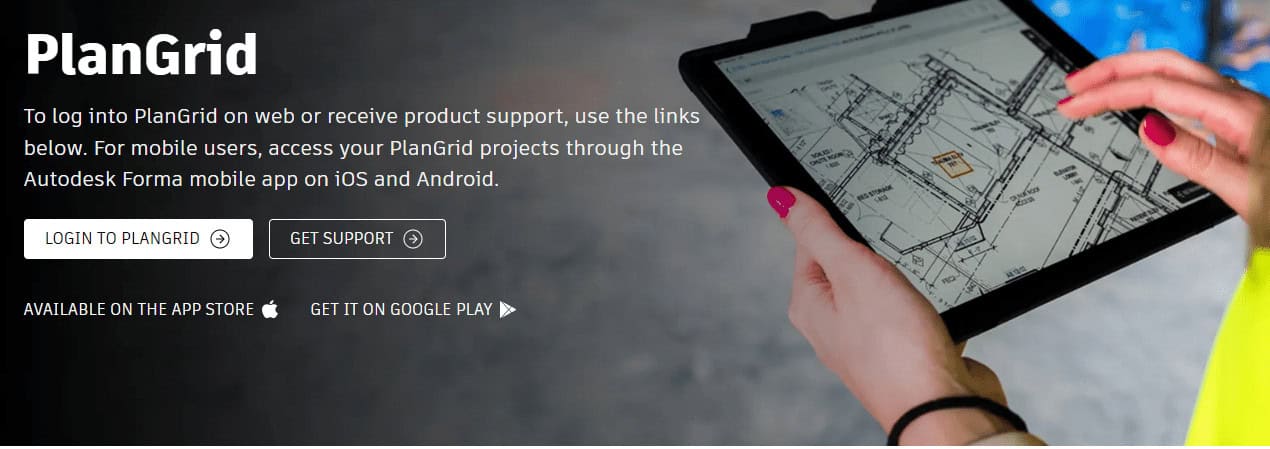
Field teams can access updated plans offline, ensuring accurate execution on-site. Its strength lies in eliminating outdated drawings and improving communication between architects, engineers, and construction crews in fast-moving project environments.
| Pros | Cons |
|---|---|
| Easy blueprint access and version control | Feature overlaps with Autodesk tools |
| Strong offline functionality | Limited standalone future support |
| Real-time document updates | Lacks deep financial tools |
| Great for field coordination | Feature overlap with Autodesk tools |
6. CoConstruct
CoConstruct replaces spreadsheets and email-heavy coordination in custom home building. It centralizes budgeting, selections, client communication, and scheduling into one platform.
New enhancements include automated change order tracking, integrated financial forecasting, and mobile client approvals. Homeowners can actively participate in project decisions through portals.
It is widely used by custom builders seeking transparency, fewer miscommunications, and better control over evolving client-driven project requirements during residential construction workflows.
| Pros | Cons |
|---|---|
| Ideal for custom home builders | Not suited for large commercial projects |
| Strong client communication system | Interface feels slightly outdated |
| Automated change order tracking | Limited advanced AI capabilities |
| Centralized budgeting and selections | Integration options are moderate |
7. RedTeam Flex
RedTeam Flex replaces fragmented accounting and project management tools with a unified construction ERP system. It manages estimating, contracts, change orders, job costing, and financial reporting in real time.
Recent updates focus on cloud-native financial dashboards and subcontractor collaboration tools. It helps general contractors maintain cost control and compliance across multiple projects.
Its strength lies in combining construction operations with accounting precision, reducing dependency on separate financial systems like traditional ERP setups.
| Pros | Cons |
|---|---|
| Strong ERP-level financial control | Limited popularity compared to Procore |
| Combines accounting and project tools | Complex for small contractors |
| Real-time job costing accuracy | UI feels less modern |
| Good subcontractor coordination | Requires training for full usage |
8. STACK
STACK replaces manual takeoff sheets and estimating spreadsheets with cloud-based preconstruction tools. It allows digital quantity takeoffs, bid management, and cost estimation directly from blueprints.
Latest features include AI-assisted material recognition, faster collaboration sharing, and integrated vendor pricing databases.

Contractors can generate more accurate bids quickly, improving win rates. STACK is widely used in preconstruction phases where speed, accuracy, and cost competitiveness determine project success in highly competitive bidding environments.
| Pros | Cons |
|---|---|
| Excellent digital takeoff and estimating | Limited post-construction tools |
| AI-assisted material recognition | Not a full project management suite |
| Fast preconstruction bidding process | Requires integration for full workflow |
| Improves bid accuracy significantly | Requires integration for the full workflow |
9. Sage Construction Management
Sage Construction Management replaces traditional accounting-led project tracking with integrated financial and operational control. It combines job costing, project management, scheduling, and document control.

New updates emphasize cloud migration, real-time financial analytics, and improved mobile field reporting. It is particularly strong for contractors already using Sage ERP systems.
The platform helps align accounting and field operations, reducing errors in budgeting, forecasting, and cost tracking across multiple construction projects.
| Pros | Cons |
|---|---|
| Strong financial and job costing control | Less intuitive UI for beginners |
| Good integration with Sage ERP | Not very field-friendly |
| Real-time analytics and reporting | Slower innovation vs newer SaaS tools |
| Reliable for accounting-heavy contractors | Setup can be complex |
10. eSUB
eSUB replaces manual subcontractor reporting with cloud-based field management tools designed specifically for trade contractors.
It enables daily reports, RFIs, time tracking, and document sharing in real time. Latest improvements include mobile-first dashboards and automated labor productivity analytics.

Subcontractors can track performance and communicate directly with general contractors without paperwork delays.
It is highly effective for specialty trades like electrical, mechanical, and plumbing contractors managing multiple job sites simultaneously.
| Pros | Cons |
|---|---|
| Designed specifically for subcontractors | Limited general contractor features |
| Strong daily reporting and tracking | UI feels basic compared to competitors |
| Improves labor productivity tracking | Less advanced AI features |
| Mobile-first field communication | Limited customization options |
11. Knowify
Knowify replaces spreadsheets used by small contractors for job costing and invoicing with an integrated SaaS platform.
It provides project tracking, estimating, scheduling, and financial management in one system. Recent updates include QuickBooks integration improvements and mobile expense tracking. Contractors gain real-time visibility into profitability per job.

It is especially designed for small to mid-sized specialty contractors seeking simplified financial control without adopting complex enterprise construction software systems.
| Pros | Cons |
|---|---|
| Great for small contractors and trades | Not scalable for enterprise use |
| Strong QuickBooks integration | Limited advanced scheduling tools |
| Easy job costing and invoicing | UI can feel simplified |
| Real-time profitability tracking | Fewer BIM or design features |
12. Projul
Projul replaces disconnected tools like calendars, spreadsheets, and CRMs with an all-in-one contractor management platform.
It includes scheduling, CRM, estimates, invoicing, and job tracking. Recent enhancements focus on automation of repetitive admin tasks and improved mobile job updates.
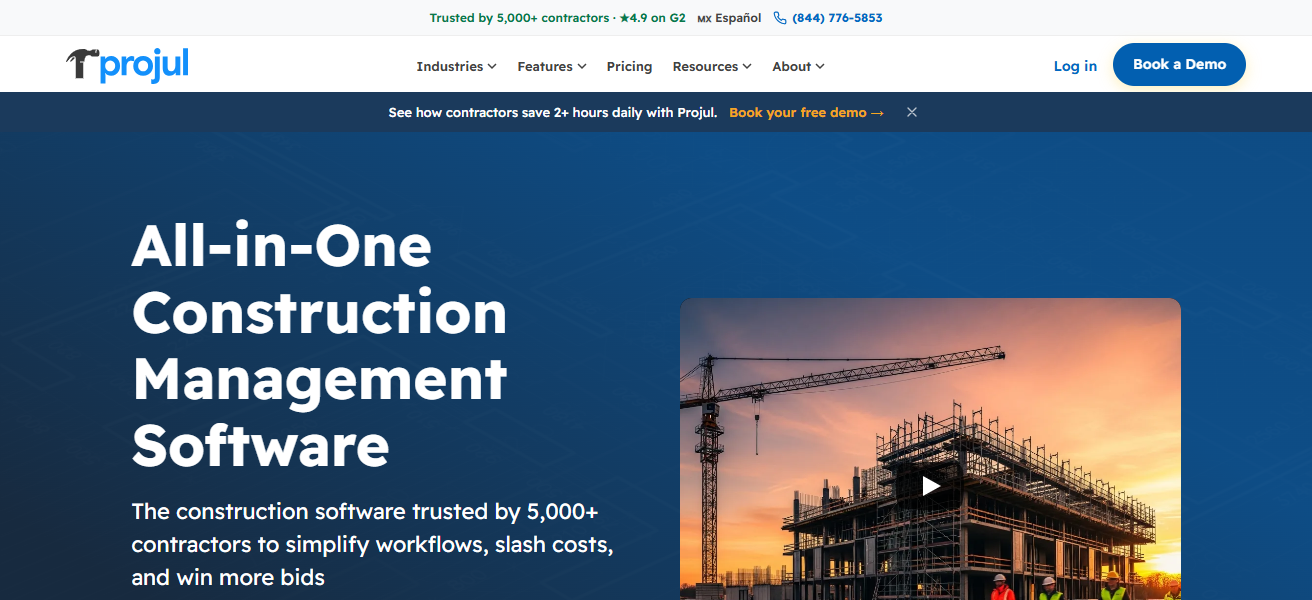
Contractors can manage clients, projects, and financials in a single dashboard. Projul is designed for small construction businesses aiming to reduce administrative workload while improving operational efficiency and project visibility across teams.
| Pros | Cons |
|---|---|
| All-in-one CRM + project management tool | Limited deep enterprise functionality |
| Automates admin-heavy tasks | Less advanced analytics |
| Strong scheduling and job tracking | Smaller ecosystem compared to competitors |
| Easy adoption for small businesses | Limited integration with BIM tools |
Conclsuion
In conclusion, Construction Management SaaS tools are rapidly replacing traditional paper-based and spreadsheet methods with smarter, faster, and more efficient digital solutions.
Platforms like Procore, Buildertrend, and Autodesk Construction Cloud enhance collaboration, accuracy, and cost control.
These tools streamline every stage of construction, reduce delays, and improve productivity, making them essential for modern contractors aiming to stay competitive in a technology-driven industry.
FAQ
What are Construction Management SaaS tools?
They are cloud-based platforms that replace paper, spreadsheets, and manual project tracking with digital construction workflows and real-time collaboration.
Why are SaaS tools replacing traditional construction methods?
They improve speed, accuracy, communication, cost control, and reduce errors caused by manual documentation and disconnected systems.
What is Procore used for in construction?
Procore is used for project management, budgeting, scheduling, safety tracking, and real-time collaboration between field and office teams.
How does Buildertrend help residential construction?
Buildertrend streamlines home building with scheduling, client communication, budgeting, and real-time project updates for homeowners.