In this post, I want to cover The Most Efficient Methods of Saving Office Files as PDFs highlighting the most reliable and easiest ways.
If you know that saving a document in ms word, excel, or PowerPoint can easily be done using PDF format, it promotes easier sharing, maintains uniformity in layout, and increases the security of the document.
You can learn about creating professional-quality PDF documents using Microsoft Office features and online converters which are prepared for printing without delay.
Key Points & Best Ways To Save Office Documents In Pdf Format List
| Method | Key Point / Description |
|---|---|
| Save As PDF in Microsoft Word | Go to File > Save As, choose PDF from the dropdown menu. Ideal for Word, Excel, and PowerPoint. |
| Export as PDF | Use File > Export > Create PDF/XPS Document in Microsoft Office apps for better control over PDF options. |
| Use Print to PDF Feature | Select Print > Microsoft Print to PDF as the printer in any app; works even outside Office. |
| Use Adobe Acrobat Add-in | Install Adobe Acrobat plug-in in Office to save with advanced PDF settings (e.g., password protection, compression). |
| Google Docs Export | Upload document to Google Docs and use File > Download > PDF Document (.pdf). Useful for cross-platform work. |
| LibreOffice Export | Open document in LibreOffice and use File > Export As > Export as PDF. Free and powerful. |
| Online Converters | Use free tools like Smallpdf, ILovePDF, or PDFCandy to convert Word, Excel, and PPT files to PDF online. |
| Mobile Office Apps | Use Microsoft Office mobile apps (Android/iOS) and export documents to PDF directly from your phone. |
| OneDrive PDF Save | Save documents to OneDrive, open in Word Online, then download as PDF using File > Save As > Download as PDF. |
| Batch PDF Conversion Tools | Use software like Nitro PDF or PDF24 to convert multiple Office files to PDF at once for efficiency. |
10 Best Ways To Save Office Documents In Pdf Format
1.Save As PDF in Microsoft Word
Like most users, if you need to convert an Office document to a PDF, the quickest way is probably using the “Save As” feature available in Microsoft Word, Excel, or PowerPoint. To do it, go to File > Save As and select your preferred folder. Make sure to choose PDF as the file type.
This method converts the formatting, layout, and graphics of the document to the PDF perfectly. Creating documents for sharing becomes hassle-free and looks professional.
Recipients without Office programs can open the documents. It’s also good for preserving documents in a non-editable format. All modern Microsoft Office versions support this built-in feature.
| Feature | Description |
|---|---|
| Built-in Tool | Available directly in Microsoft Word, Excel, and PowerPoint. |
| Preserves Formatting | Keeps layout, fonts, images, and tables intact. |
| Simple Process | Easy to use via File > Save As > PDF. |
| No Add-ons Needed | Doesn’t require internet or third-party software. |
2.Export as PDF
One of the most efficient ways is through the Export option available in Microsoft Office software. Go to File > Export > Create PDF/XPS Document.
Unlike the “Save As” method, this option gives you greater optimization choices, like publishing standards or file size minimization for online sharing.
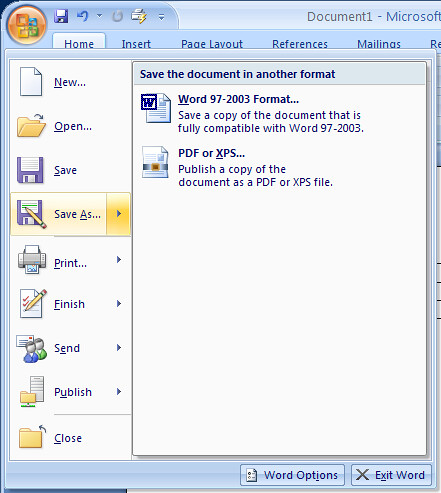
You can even choose to export specific pages, edit properties, disable editing, and more. With this option, exporting guarantees maximum fidelity of the PDF to the original document, which is especially useful for presentations, reports, or documents intended for design.
| Feature | Description |
|---|---|
| Advanced Options | Choose between Standard or Minimum size PDF. |
| Select Page Range | Export specific pages instead of the whole document. |
| Retains Properties | Maintains author, title, and metadata. |
| Bookmark Support | Includes document bookmarks in PDF (e.g., Headings). |
3.Use Print to PDF Feature
Users can convert any document into PDF format utilizing the built-in feature “Print to PDF” available both on Windows and Mac operating systems.
From your Office document, open File > Print and select Microsoft Print to PDF (Windows) or Save as PDF (Mac) as the printer.
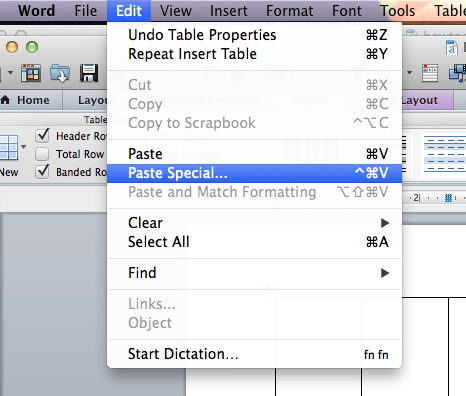
This method is not restricted to Microsoft Office; it can also be used with any program that has a print option. It serves best when documents need to be rapidly converted into PDFs.
Liinks and bookmarks may be lost, and some export settings may be absent which affects preformance.
| Feature | Description |
|---|---|
| System-Level Function | Works in any program with a Print option. |
| Universal Compatibility | Available on both Windows and macOS. |
| Quick Conversion | Fast PDF creation using print dialog. |
| No Formatting Tools | Basic output, no advanced PDF settings. |
4.Use Adobe Acrobat Add-in
In the case you have a subscription for Adobe Acrobat, it works as a plug-in with MS Office. The Adobe Acrobat Add-in creates a miniature toolbar in Word, Excel and PowerPoint that enables you to create PDFs in a single click.
It also helps with password protection, watermarking, compressing, and ensuring accessibility compliance.
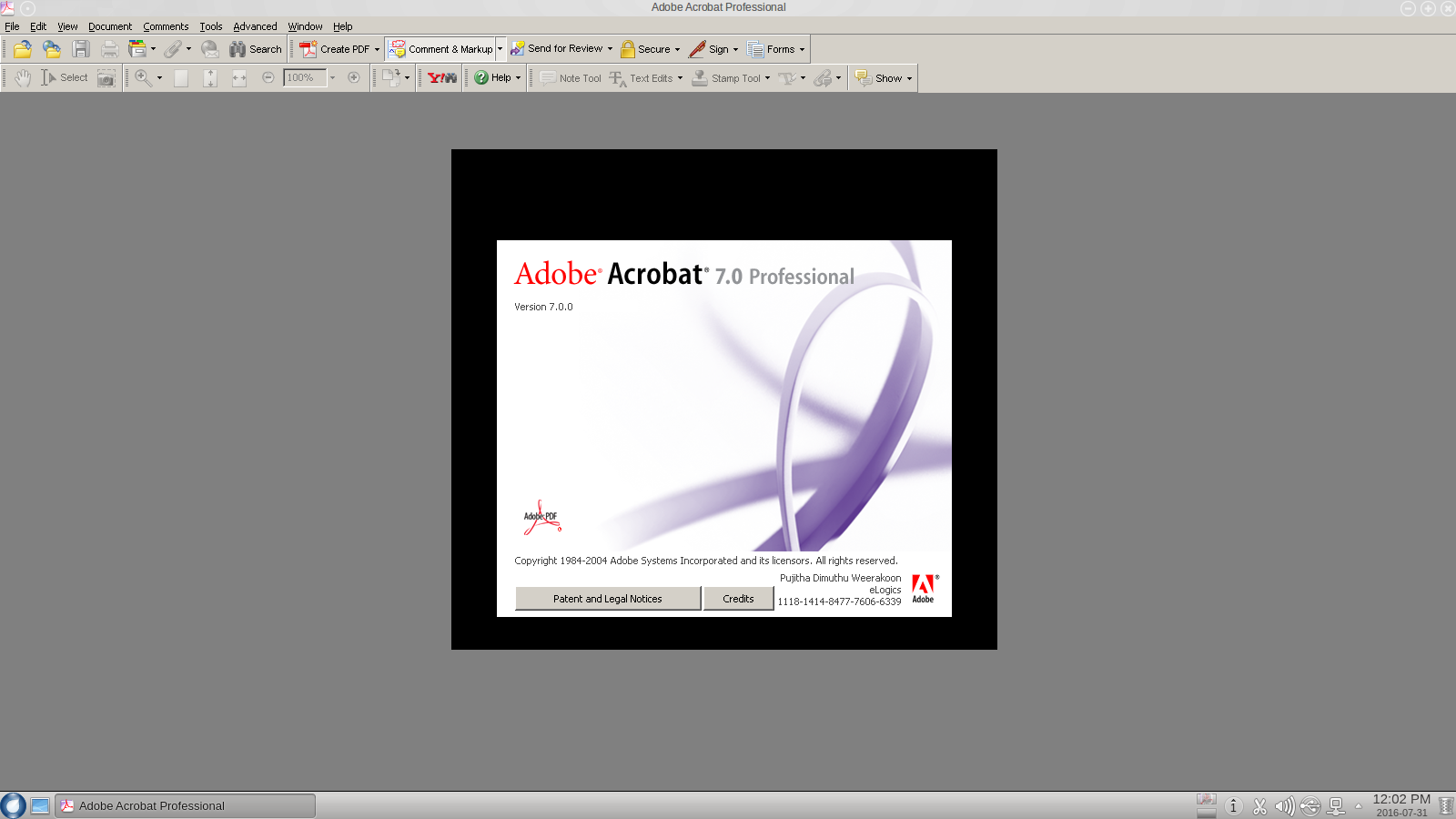
This option works best for users who need more than a basic PDF such as business professionals, document signers, file combiners, and portfolio creators.
It does come with a subscription fee but adds security and customization features which make it beneficial for those who require frequent access.
| Feature | Description |
|---|---|
| Integrated Toolbar | Adds PDF tools to Office ribbon. |
| Security Options | Supports password protection and permissions. |
| Compress & Optimize | Reduce file size with quality settings. |
| Advanced PDF Tools | Add digital signatures, watermarks, etc. |
5.Google Docs Export
An added benefit from Google Docs is the ability to transform other Office files into PDF documents. Simply upload your Word/Excel/PowerPoint file on Google Drive, access it through Google Docs (or Sheets/Slides), and click on File > Download > PDF Document (.pdf).
This technique is helpful when trying to use other devices that do not have Office installed for solo or group work online.
While most of the formatting is retained, some intricate shapes may be distorted. This method is best suited for students, freelancers, and remote workers converting PDFs on the go since it does not require additional software installations.
| Feature | Description |
|---|---|
| Free Cloud-Based | Works entirely online without software. |
| Multi-Device Access | Access files from any device with internet. |
| Easy PDF Download | File > Download > PDF Document (.pdf) option. |
| Good for Collaboration | Team edits can be saved and exported quickly. |
6.LibreOffice Export
As with the majority of Microsoft Office products, documents can be converted from Word, Excel, and PowerPoint into PDF through LibreOffice using the Export as PDF function located at File.
LibreOffice performs basic conversion tasks quite effectively, and while the formatting of more complicated documents may slightly change, it preserves the essential content.
It also offers advanced PDF options such as encryption, digital signing, watermarking, and image compression granting users a great level of control.
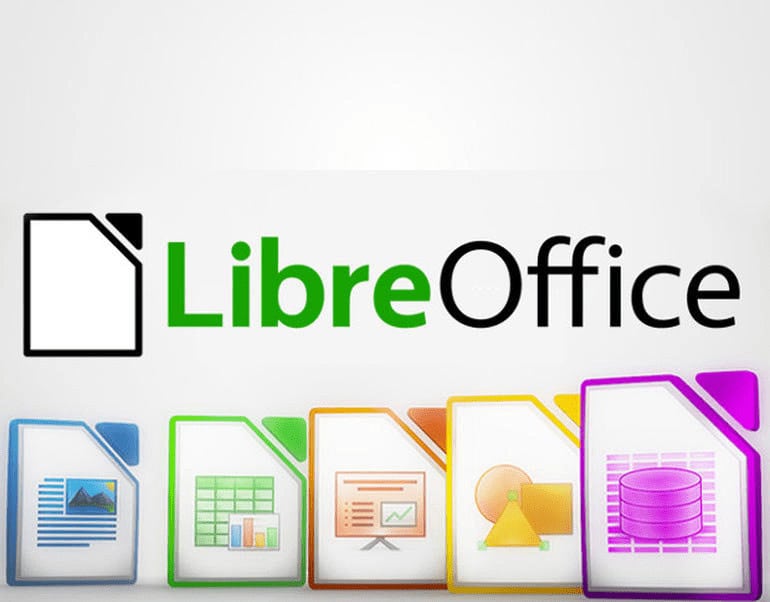
For users working in business environments, the ability to convert files through command line interfaces or macros boost the software’s utility even further. Provided you are open to using Linux, LibreOffice serves as a great alternative for budget-constrained users.
| Feature | Description |
|---|---|
| Open-Source Software | Free alternative to Microsoft Office. |
| Custom PDF Settings | Control compression, permissions, and layout. |
| Format Support | Opens and exports .docx, .xlsx, .pptx files. |
| Platform Independent | Works on Windows, Mac, and Linux. |
7.Online Converters
Smallpdf, PDF Candy, and ILovePDF serve to eliminate the need of offline tools as courses work with Word, Excel, and PowerPoint. By simply uploading the desired document, users are supplied with downloadable PDF files.
While don’t provide advanced formatting tools, they allow for quick compressions or merging files. Although upload limits are common among online converters, these tools blow them out of the water when it comes to speed. PDF with browser accessibility become a breeze for users who seek instant results.
| Feature | Description |
|---|---|
| Browser-Based | No installation required; works in any browser. |
| Multiple File Types | Supports Word, Excel, PowerPoint, etc. |
| Extra Tools Available | Includes merge, split, compress, and edit features. |
| Risk with Sensitive Data | Not suitable for confidential files unless trusted. |
8.Mobile Office Apps
You can now save documents you create and edit using Microsoft Office mobile apps for Android and iOS as PDFs. With these mobile apps, files created in Word, Excel, or PowerPoint can be saved as PDFs after tapping Share or Export.
These mobile applications are very helpful for professionals and students who operate while on the move. Cloud storage integration with OneDrive, Dropbox, and Google Drive is supported which makes accessing files easy across different devices.
Even though mobile versions have limited features compared to the desktop version, they are useful for basic document sharing, conversion, and most importantly, support on-the-go convenience.
| Feature | Description |
|---|---|
| On-the-Go Access | Create and convert files via phone or tablet. |
| Export as PDF Option | Built-in export or share as PDF feature. |
| Cloud Sync | Integrates with OneDrive, Google Drive, etc. |
| Great for Quick Edits | Good for minor changes and instant PDF conversion. |
9.OneDrive PDF Save
OneDrive and Microsoft 365 users have the advantage of saving Office documents as PDFs directly from the web. Documents can be opened with Word Online, then navigate to File > Save As > Download as PDF to save as PDFs.
This approach is wonderful for collaborative work because there is no need for downloading and converting which makes this cloud-based approach very efficient. It is especially useful for users working from shared computers or remote locations.

In most cases, the layout and formatting are preserved accurately, although some very complex documents may have minor issues. With this approach, documents can be accessed easily and shared from different platforms and devices.
| Feature | Description |
|---|---|
| Web-Based Tool | Requires only a browser and Microsoft account. |
| Direct PDF Download | Use Save As > Download as PDF in Word Online. |
| Cloud Storage Integration | Auto-saves to OneDrive for easy sharing. |
| Team Collaboration | Edits by multiple users can be saved as PDF. |
10.Batch PDF Conversion Tools
With Batch PDF converters such as PDF24, Nitro PDF Pro and Able2Extract, users can convert several Office documents to PDFs at once. These converters are of great importance to companies and professionals who work with documents of high volume.

Simply drag and drop files into the software, select output as PDF and convert them in one click. Many of these tools support merging, splitting, compressing, or encrypting PDFs.
They are very useful in saving time and streamlining workflows, especially in administrative, legal, or academic settings. Some tools are free while others offer premium features for advanced users.
| Feature | Description |
|---|---|
| Convert in Bulk | Process multiple documents at once. |
| All-in-One Software | Many tools offer merge, compress, and edit functions. |
| Time-Saving | Ideal for offices or professionals with high volume. |
| File Type Support | Handles Word, Excel, PowerPoint, images, and more. |
Conclusion
In conclusions Saving documents from Office applications as PDFs guarantees document fidelity, security, and effortless multi-platform sharing.
With several options—from mobile applications to created tools and integrated Office functions—users have the freedom to select what best meets their requirements.
Be it professional or personal, PDF conversion maintains formatting and safeguards the document’s essence.
FAQ
What is the easiest way to save a Word document as PDF?
Use File > Save As and choose PDF as the file type.
Can I save Office documents as PDF on mobile?
Yes, use Microsoft Office apps on Android/iOS and select Export or Share as PDF.
Is “Print to PDF” the same as saving as PDF?
No, it creates a PDF through the print dialog, but may lack features like bookmarks.