By using this site, you agree to the Privacy Policy and Terms of Use.
Accept
CoinworldstoryCoinworldstoryCoinworldstory
  • HOME
  • CRYPTO
    • AI
    • BOTS
    • ICO
    • AIRDROP
      • Featured Airdrops
    • Price Prediction
    • EXCHANGE
      • Best Centralized Exchange List 2026
      • Best Decentralized Exchange List 2025
    • ALTCOIN
    • Alt Coin Signal
    • Crypto Analysis
    • Bitcoin Loan
    • Bitcoin Mining
    • WALLETPRO
  • PR
    PR
    If You Looking For Submit Cryptocurrency Press Releases Than Coinworldstory Is Best Choice For Crypto Press Release Submission
    Show More
    Top News
    Swaap Closes $4.5M Seed Round and Announces Upcoming v2 Launch
    Swaap Closes $4.5M Seed Round and Announces Upcoming v2 Launch
    8 months ago
    OKX Partners with Komainu, Enabling 24/7 Secure Trading of Segregated Assets Under Custody for Institutions
    OKX Partners with Komainu, Enabling 24/7 Secure Trading of Segregated Assets Under Custody for Institutions
    8 months ago
    Xandeum, the L1 with Scalable Storage Layer, Announces Grand Launch on July 30
    Xandeum, the L1 with Scalable Storage Layer, Announces Grand Launch on July 30
    8 months ago
    Latest News
    BitMart x $EAT Trade-to-Feed Competition to Pay Out $4.4M USDT to Traders in May 2026
    2 days ago
    AxeCasino to Attend iGB L!VE 2026 Following Front-End Update Focused on Usability and Cross-Device Performance
    2 days ago
    PoW to PoS to PoB: Nexus AiCOS Defines “Proofs of Behavior” as the On-Chain Credit Standard on Base
    3 days ago
    PalWallet to Showcase Stablecoin Settlement Infrastructure at Money20/20 Europe 2026
    3 days ago
  • NEWS
    • Mining
    • Altcoins
    • Ban
    • BANKING/FINANCE NEWS
    • Bitcoin
    • Blockchain
    • CRYPTO CRIME
    • Ethereum
    • Exchange News
    • Government News
    NEWSShow More
    10 Apps That Show What You Should Have Done Instead
    10 Apps That Show What You Should Have Done Instead
    1 month ago
    10 Best Crypto Conferences to Attend in 2026
    10 Best Crypto Conferences to Attend in 2026
    1 month ago
    Emerging Markets Favor Stablecoins Over Bitcoin
    Emerging Markets Favor Stablecoins Over Bitcoin
    2 months ago
    10 Solana DEXs With Lowest Slippage for Memecoin Trading
    10 Solana DEXs With Lowest Slippage for Memecoin Trading
    2 months ago
    10 Best Low-Interest Debt Consolidation Loans for Prime Borrowers
    10 Best Low-Interest Debt Consolidation Loans for Prime Borrowers
    3 months ago
  • MORE
    • Guide
    • Only Best
    • Off Topic
    • Best Affiliate Marketing
    • Best Affiliate Programs
    • BOTS
    • Trusted Currency Exchanger Platform
    • Blockchain Games
    • Metaverse Review : Best Metaverse Program Review
    • Online Survey
    • Payment Platform
  • VPN
  • Contact Us
Reading: How To Use Microsoft Family Safety: A Step-by-Step Guide
Share
Notification Show More
Font ResizerAa
CoinworldstoryCoinworldstory
Font ResizerAa
  • ADVERTISEMENT
  • SUBMIT PR
  • CONTACT
  • GUEST POST
  • ABOUT US
  • DMCA
  • SITEMAP
  • DISCLAIMER
  • PRIVACY POLICY
Search
  • HOME
  • CRYPTO
    • AI
    • BOTS
    • ICO
    • AIRDROP
    • Price Prediction
    • EXCHANGE
    • ALTCOIN
    • Alt Coin Signal
    • Crypto Analysis
    • Bitcoin Loan
    • Bitcoin Mining
    • WALLETPRO
  • PR
  • NEWS
    • Mining
    • Altcoins
    • Ban
    • BANKING/FINANCE NEWS
    • Bitcoin
    • Blockchain
    • CRYPTO CRIME
    • Ethereum
    • Exchange News
    • Government News
  • MORE
    • Guide
    • Only Best
    • Off Topic
    • Best Affiliate Marketing
    • Best Affiliate Programs
    • BOTS
    • Trusted Currency Exchanger Platform
    • Blockchain Games
    • Metaverse Review : Best Metaverse Program Review
    • Online Survey
    • Payment Platform
  • VPN
  • Contact Us
Have an existing account? Sign In
Follow US
© 2022 Foxiz News Network. Ruby Design Company. All Rights Reserved.
Home » Blog » How To Use Microsoft Family Safety: A Step-by-Step Guide
Guide & Crypto Education

How To Use Microsoft Family Safety: A Step-by-Step Guide

Frank Hamilton
Last updated: 22/09/2025 4:40 PM
Frank Hamilton
10 months ago
Share
Disclosure: We are not a registered broker-dealer or an investment advisor. The services and information we offer are for sophisticated investors, and do not constitute personal investment advice, which of necessity must be tailored to your particular means and needs. !
How To Use Microsoft Family Safety: A Step-by-Step Guide
SHARE

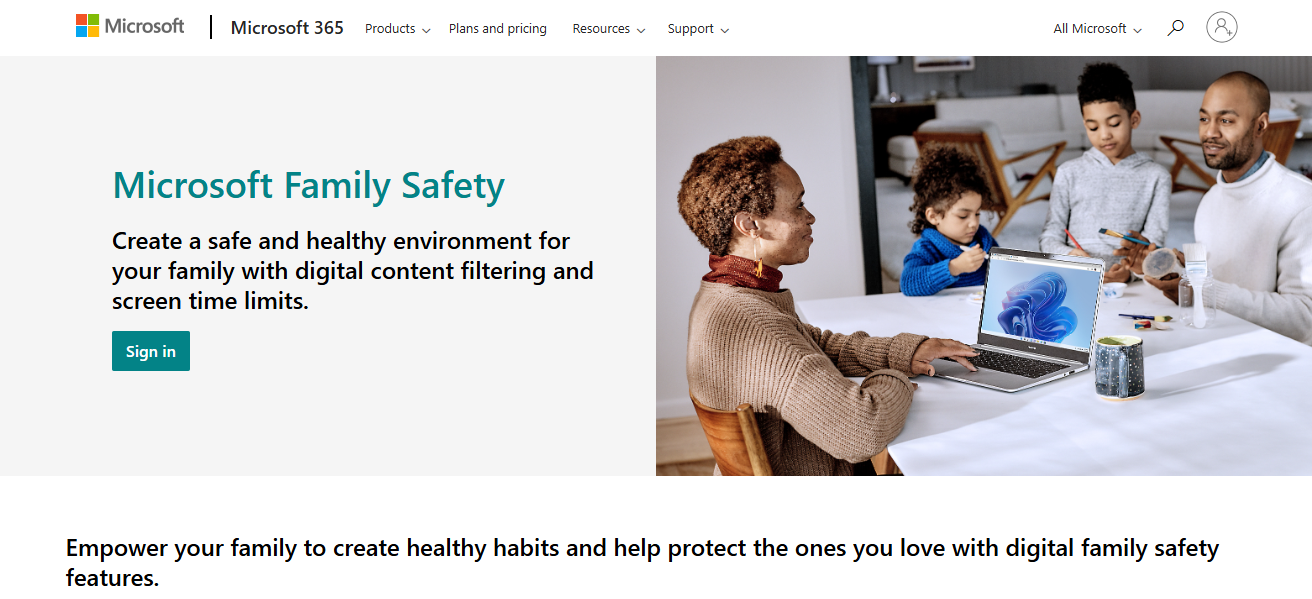
In this post, I will talk about utilizing Microsoft Family Safety to keep your family safe online. I will explain set up, screen time management, content application filters, and location tracking.

Contents
  • Brief overview of Microsoft Family Safety
  • How To Use Microsoft Family Safety
    • Steps on How to Use Microsoft Family Safety on Windows
  • Monitoring and Managing Screen Time
  • Tips for Maximizing Microsoft Family Safety
  • Is Microsoft Family Safety free?
  • Conclusion
  • FAQ
    • How do I set it up?
    • Can I limit screen time?
    • Does it filter content?

These features promote safer digital spaces for your family while fostering beneficial practices and tranquility.

Brief overview of Microsoft Family Safety

Microsoft Family Safety is an online service made to help families build a safer online ecosystem together. Parents have the ability to control their child’s device spending, grant content access, limit screen time, and manage device usage.

Purchase approval settings are also available through the application. Microsoft Family Safety comes with location sharing features to help families stay in touch and receive alerts for added security.

- Advertisement -

Through the app’s activity reports, digital habits are analyzed which helps parents understand how children can be guided towards healthy online practices.

Families can access these services on Windows, Android, and iOS devices which makes it easy to manage digital exposure and ensure responsible technology use around the family.

How To Use Microsoft Family Safety
How To Use Microsoft Family Safety

Steps on How to Use Microsoft Family Safety on Windows

Creating a Microsoft Family Group

Go to Microsoft Family Safety page and log in using your Microsoft account. Create your family group by adding users through their email addresses.

Add Family Members on Windows

- Advertisement -

On the Windows PC, go to Settings > Accounts > Family & other users. From here, you can invite family members to join your family group by adding their Microsoft accounts.

Set Screen Time Limits

Go to the Family Safety app or website, select your child’s account, and set daily screen time limits for their Windows devices. Specify the allowed hours or total time they can use the device.

- Advertisement -

Manage Content Filters

Activate the filters for the web and for apps to restrict access to certain websites during the use of Microsoft Edge and Windows Store apps. Set age restrictions and manage what your child can view.

View Activity Reports

Review weekly reports to monitor your child’s screen time with various applications and websites. Use these insights to modify set limits, discuss with your children about, or encourage them to develop healthy routines.

Pause Device Access

To encourage taking breaks, devices can be paused remotely through the Family Safety application or website.

Monitoring and Managing Screen Time

Screen time reporting:

Examine in-depth family screen time data and app engagement over a week for a full summary of their daily interaction.

Changing the allocated screen time limits:

Adjust daily app and device usage caps to promote healthier offline interactions, ensuring optimum balance between virtual and real-world activities.

Remote blocking of devices:

Encourage tangible focused time by remotely halting device engagement through the application, eliminating the need to manually access the device.

Tips for Maximizing Microsoft Family Safety

Consistent evaluation of activity reports:

Evaluate activity reports on a regular basis to understand usage and improve settings for better protection of your family.

Talking with family regarding safety settings:

Talk about safety rules and settings with your family to ensure that they are on the same page regarding cooperation.

Using Microsoft Family Safety in conjunction with other services:

Integrate Microsoft Family Safety with antivirus applications, educational materials, or routers with parental control for complete family digital safety

Is Microsoft Family Safety free?

Certainly, Microsoft Family Safety provides rich features at no cost, making it particularly useful for families wanting to control digital safety. Without charge, you can create a family group, limit screen time, filter content, and track activity on Windows, Xbox, Android, and iOS devices.

Although some advanced features come with a Microsoft 365 subscription. Geofencing, an alert based on location feature, is only available with Microsoft 365 Family or Personal plan subscriptions.

Furthermore, web filtering is restricted to the Microsoft Edge browser, and controls set on Android devices are easily circumventable.

Conclusion

In summary, Microsoft Family Safety stands out as a comprehensive and intuitive application that enables families to manage usage time, restrict access to certain materials, monitor geographical whereabouts, and establish healthy practices in the digital world.

Through careful configuration and feature selection, parents can help safeguard their children online while encouraging responsible device use. Leveraging this tool fosters more calm and a better protected online world for all family members.

FAQ

How do I set it up?

Create a family group, invite members, and install the app on devices.

Can I limit screen time?

Yes, set daily device and app time limits.

Does it filter content?

Yes, it blocks inappropriate websites and apps.
Identity-as-a-Service: Passwordless Social Media Logins
10 Best Systems for Portfolio Regime Switching Models
10 No-Code AI Workflows to Scale Small Businesses to 7-Figures
10 AI Tools Turning Crypto Gains Into Everyday Spending
SocialFi: Monetize Micro-Influencer Communities With Keys
Share This Article
Facebook Email Print
ByFrank Hamilton
Follow:
Frank Hamilton has been working as an editor at essay review service Best Writers Online. He is a professional writing expert in such topics as blogging, digital marketing and self-education. He also loves traveling and speaks Spanish, French, German and English.
Previous Article PEPESCAPE Launches Crypto Presale, Combining Memecoin Culture with Decentralized Finance Ecosystem PEPESCAPE Launches Crypto Presale, Combining Memecoin Culture with Decentralized Finance Ecosystem
Next Article How To Use Tiktok Live Gifts: A Complete Guide How To Use Tiktok Live Gifts: A Complete Guide

Find Us on Socials

Coinworldstory Ads

15 AI Predictions for 2027 Experts Already Making Today
Artificial Intelligence
10 Best AI Cybersecurity Tools Every Business Needs 2026
Software
10 Best SaaS Tools for LinkedIn B2B Lead Generation Growth
Software
10 Top SaaS Tools for AI Video Generation & Editing Guide
10 Best SaaS Tools for Freelancer Invoice & Billing Automation
Software

Latest Published

2026 Global Crypto Accord: Key Regulatory Impacts Explained

2026 Global Crypto Accord: Key Regulatory Impacts Explained

2 weeks ago
Passive Income Ideas: Earn Money While You Sleep

Passive Income Ideas: Earn Money While You Sleep

2 weeks ago
10 Generative Engine Optimization (GEO) Secrets for ChatGPT Ranking

10 Generative Engine Optimization (GEO) Secrets for ChatGPT Ranking

4 weeks ago
Decentralized Insurance Pools: Protect Against Smart Contract Risks

Decentralized Insurance Pools: Protect Against Smart Contract Risks

4 weeks ago
nexo banner
  • ADVERTISEMENT
  • SUBMIT PR
  • CONTACT
  • GUEST POST
  • ABOUT US
  • DMCA
  • SITEMAP
  • DISCLAIMER
  • PRIVACY POLICY
10 Best High Graphics Android Games for Phones with 4GB RAM
Trending
10 Best Travel Agency For Religious Tours Worldwide
Trending
10 Best AI Travel Agencies for Smart Trip Planning
Trending
CoinworldstoryCoinworldstory
Follow US
© Coinworldstory News Network. Cws Design Company. All Rights Reserved.
  • ADVERTISEMENT
  • SUBMIT PR
  • CONTACT
  • GUEST POST
  • ABOUT US
  • DMCA
  • SITEMAP
  • DISCLAIMER
  • PRIVACY POLICY
coinworldstory logo coinworldstory logo
Welcome Back!

Sign in to your account

Username or Email Address
Password

Lost your password?