By using this site, you agree to the Privacy Policy and Terms of Use.
Accept
CoinworldstoryCoinworldstoryCoinworldstory
  • HOME
  • CRYPTO
    • AI
    • BOTS
    • ICO
    • AIRDROP
      • Featured Airdrops
    • Price Prediction
    • EXCHANGE
      • Best Centralized Exchange List 2026
      • Best Decentralized Exchange List 2025
    • ALTCOIN
    • Alt Coin Signal
    • Crypto Analysis
    • Bitcoin Loan
    • Bitcoin Mining
    • WALLETPRO
  • PR
    PR
    If You Looking For Submit Cryptocurrency Press Releases Than Coinworldstory Is Best Choice For Crypto Press Release Submission
    Show More
    Top News
    miningmovement.com
    The Mining Movement – Is it worth the hype?
    5 years ago
    XCrypt: An Exciting Future-Proof Crypto Exchange Taking The IEO Route
    XCrypt: An Exciting Future-Proof Crypto Exchange Taking The IEO Route
    8 months ago
    Gnosis Safe launches on EVM-compatible network Polygon
    2 years ago
    Latest News
    MapleStory Universe Opens MSU Space and Launches Global Game Jam Competition as Part of MSU 2.0 Expansion
    1 day ago
    ChangeNOW Wins Best Digital Assets Fintech at the BeInCrypto Institutional 100 Awards 2026
    5 days ago
    Premu Opens User-Created, Leveraged Prediction Markets Ahead of the 2026 World Cup
    5 days ago
    Whale.io Launches Whale Printer: $WHALE Token Staking
    6 days ago
  • NEWS
    • Mining
    • Altcoins
    • Ban
    • BANKING/FINANCE NEWS
    • Bitcoin
    • Blockchain
    • CRYPTO CRIME
    • Ethereum
    • Exchange News
    • Government News
    NEWSShow More
    10 Hidden Liquidity Features Modern Brokers Secretly Use
    10 Hidden Liquidity Features Modern Brokers Secretly Use
    4 weeks ago
    10 Apps That Show What You Should Have Done Instead
    10 Apps That Show What You Should Have Done Instead
    2 months ago
    10 Best Crypto Conferences to Attend in 2026
    10 Best Crypto Conferences to Attend in 2026
    3 months ago
    Emerging Markets Favor Stablecoins Over Bitcoin
    Emerging Markets Favor Stablecoins Over Bitcoin
    4 months ago
    10 Solana DEXs With Lowest Slippage for Memecoin Trading
    10 Solana DEXs With Lowest Slippage for Memecoin Trading
    4 months ago
  • MORE
    • Guide
    • Only Best
    • Off Topic
    • Best Affiliate Marketing
    • Best Affiliate Programs
    • BOTS
    • Trusted Currency Exchanger Platform
    • Blockchain Games
    • Metaverse Review : Best Metaverse Program Review
    • Online Survey
    • Payment Platform
  • VPN
  • Contact Us
Reading: This Program Does Not Support The Version Of Windows Your Computer Is Running Faceit
Share
Notification Show More
Font ResizerAa
CoinworldstoryCoinworldstory
Font ResizerAa
  • ADVERTISEMENT
  • SUBMIT PR
  • CONTACT
  • GUEST POST
  • ABOUT US
  • DMCA
  • SITEMAP
  • DISCLAIMER
  • PRIVACY POLICY
  • llms.txt
  • Newsletter
Search
  • HOME
  • CRYPTO
    • AI
    • BOTS
    • ICO
    • AIRDROP
    • Price Prediction
    • EXCHANGE
    • ALTCOIN
    • Alt Coin Signal
    • Crypto Analysis
    • Bitcoin Loan
    • Bitcoin Mining
    • WALLETPRO
  • PR
  • NEWS
    • Mining
    • Altcoins
    • Ban
    • BANKING/FINANCE NEWS
    • Bitcoin
    • Blockchain
    • CRYPTO CRIME
    • Ethereum
    • Exchange News
    • Government News
  • MORE
    • Guide
    • Only Best
    • Off Topic
    • Best Affiliate Marketing
    • Best Affiliate Programs
    • BOTS
    • Trusted Currency Exchanger Platform
    • Blockchain Games
    • Metaverse Review : Best Metaverse Program Review
    • Online Survey
    • Payment Platform
  • VPN
  • Contact Us
Have an existing account? Sign In
Follow US
© 2022 Foxiz News Network. Ruby Design Company. All Rights Reserved.

Home » This Program Does Not Support The Version Of Windows Your Computer Is Running Faceit

Uncategorized Folder & File At Coinworldstory

This Program Does Not Support The Version Of Windows Your Computer Is Running Faceit

Gixona
Last updated: 29/05/2026 2:18 AM
By
Gixona
ByGixona
Follow:
10 months ago
Share
7 Min Read
Disclosure: We are not a registered broker-dealer or an investment advisor. The services and information we offer are for sophisticated investors, and do not constitute personal investment advice, which of necessity must be tailored to your particular means and needs. !
This Program Does Not Support The Version Of Windows Your Computer Is Running Faceit
SHARE

In this article, I will talk about the error message: “This Program Does Not Support The Version Of Windows Your Computer Is Running” on Faceit.

Contents
  • Overview
  • Why This Error Occurs
  • How to Fix the Issue
  • Repair System Files
  • Disable Antivirus or Security Software Temporarily
  • Final Thoughts
  • FAQ
    • Why am I seeing this error on Faceit?
    • How do I check my Windows version?
    • Can I fix this by updating Windows?

This is a problem many gamers face while attempting to install or run Faceit on certain Windows versions. In this article, we will analyze the causes of this error and offer simple steps to resolve it so you can return to gaming sooner.

Overview

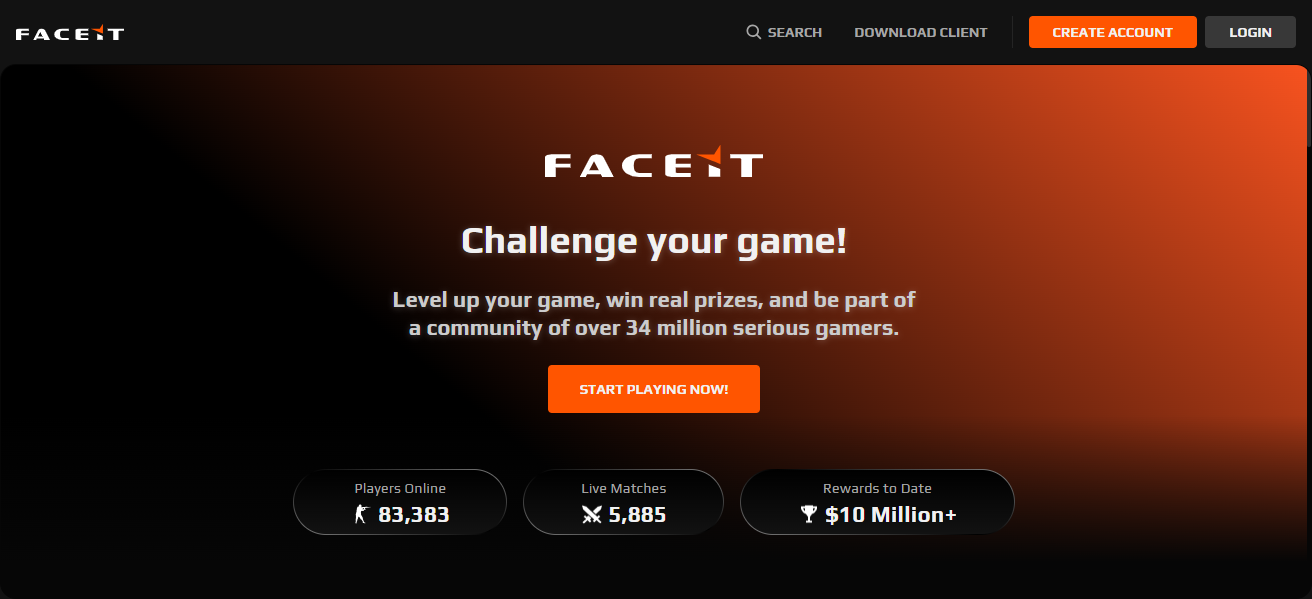
Faceit remains one of the leading competitive gaming platforms with matchmaking services for CS:GO, VALORANT, Dota 2, and others. Nonetheless, a large number of users face the persistent annoyance of the error,
Overview

This program does not support the version of Windows your computer is running” when attempting to install or launch Faceit. This particular error message is especially bewildering for gamers who are accustomed to a straightforward installation process.

- Advertisement -

This is the focus of the article: to explain the reasons behind this and to offer effective methods to resolve the issue.

Visit Now

Why This Error Occurs

The error notification often occurs due to the fact that the version of Faceit you are attempting to install is not suitable for your version of the Windows operating system. The following are possible causes:

Outdated Windows Version

The Faceit platform along with its anti-cheat applications often require the most recent updates of Windows. If your system is stuck on older versions like Windows 7 or earlier builds of Windows 10, the installation may not go through.

Wrong Architecture

- Advertisement -

Windows operating systems come in two dominant architectures which are 32-bit and 64-bit. Most applications, Faceit included, target the 64-bit systems. If you are trying to install a Faceit 64-bit version on Windows 32-bit, you will most probably encounter the error.

Corrupted System Files

Occasionally, system files which aid the installation of new applications may be absent or corrupted. In such cases, Faceit won’t be able to properly detect your Windows version.

- Advertisement -

Conflict with Other Programs

The installation of Faceit may be blocked by certain security applications or gaming clients that have been installed prior to Faceit, resulting in misidentification of the Windows version.

How to Fix the Issue
How to Fix the Issue

Resolving this particular error with Faceit has has several solutions, from updating your operating software to performing more software specific tasks. Here are the most effective methods:

Update Window

  • This should always be the first step.
  • Make sure the operating system is updated fully.
  • Click the Windows icon on the bottom left of the screen. Go to and select the ‘Settings’ page.
  • Select ‘Update and Security’ on the left navigation pane. Click on Windows Update.
  • Click on the Check for Updates button and Install any pending updates.
  • After performing the updates, restart your machine and try to install Faceit again.
  • Updating your system ensures every resource needed is available and avoids potential system conflicts to Faceit.

Check Your System Architecture

  • Make sure you select the appropriate Faceit version for your specific system and download accordingly.
  • Click on the Windows icon and simultaneously Press Pause/Break and this will automatically open the system properties for you.
  • Faceit has both 32 and 64-bit versions therefore under System type make sure to confirm your OS version.
  • Go to the official website and download the Faceit installer that you require.
  • This step is of utmost importance as most users install the wrong version first.

Run the Program in Compatibility Mode

Go to the Windows installer and right click the icon. Select properties from the dropdown you see

Go to the compatibility section.

  • Check the box for Run this program in compatibility mode for: and select either Windows 10 or 8 from the dropdown list.
  • Click Apply followed by OK, and then attempt to launch the installer again.
  • This approach helps in overriding windows and trying to simulate an older version which is usually compatible with the program, and a lot of the times installation problems are resolved this way.

Repair System Files

Corrupted system files can prevent the installer from detecting your OS correctly. To repair them:

  • Open Command Prompt as Administrator.
  • Type sfc /scannow and press Enter.
  • Wait for the system to scan and repair missing or corrupted files.
  • Restart your computer and attempt installation again.

Disable Antivirus or Security Software Temporarily

Disable Antivirus or Security Software Temporarily

Certain antivirus applications may conflict with the installation of Faceit. It is advisable to disable such programs during the installation process and re-enable them afterward. Only download Faceit from the official site to mitigate security concerns.

Final Thoughts

In conclusion The error “This program does not support the version of Windows your computer is running” which is common with Faceit can be annoying, but is mostly the result of basic compatibility problems.

As with most errors, problems with your system’s Windows version, system architecture, using compatibility modes, and system file repair can solve the error. If gamers follow the aforementioned solutions, they can go back to their competitive matches without any unwanted lags.

Since Faceit is always updating to improve their services, make sure your system meets the standard requirements to enable uninterrupted gameplay.

FAQ

Why am I seeing this error on Faceit?

This error usually occurs when your Windows version is outdated, incompatible with the Faceit installer, or the system architecture (32-bit vs 64-bit) does not match the installer. Corrupted system files or interference from security software can also cause this issue.

How do I check my Windows version?

Press Windows + R, type winver, and press Enter. A window will show your current Windows version and build. Faceit requires a supported, updated version of Windows.

Can I fix this by updating Windows?

Yes. Go to Settings > Update & Security > Windows Update, check for updates, and install any pending updates. After restarting your computer, try installing Faceit again.

10 Best Decentralized Escrow Scripts for Crypto Deals 2026
10 Best Japanese Agencies for Local Conversational LLM Search
10 Top Washington DC Reputation Agencies for AI Citation Control
10 Best Canadian Enterprise AEO Agencies for E-commerce Brands
10 Best AI Search Monetization Strategies For Creators
Share This Article
Facebook Pinterest Whatsapp Whatsapp LinkedIn Tumblr Reddit VKontakte Telegram Threads Bluesky Email Copy Link Print
Previous Article Call Of Duty Black Ops Cold War Call Of Duty Black Ops Cold War
Next Article What is Creed Silver Mountain Water – Luxury Unisex Fragrance Explained What is Creed Silver Mountain Water – Luxury Unisex Fragrance Explained
TOP CRYPTO EXCHANGES

Best Crypto Exchanges

Kraken
Secure Trading
Visit
Bybit
Low Fees
Visit
HTX
Global Exchange
Visit
CoinSwitch
Easy INR Access
Visit
Poloniex
Altcoin Markets
Visit
TOP CRYPTO CASINOS
Best Crypto Casinos
Roobet
Roobet
Popular Casino
Visit
Stake
Stake
Top Sportsbook
Visit
BC.Game
BC.Game
Crypto Friendly
Visit
Rollbit
Rollbit
Casino + Trading
Visit
Duelbits
Duelbits
Instant Withdrawals
Visit

Find Us on Socials

TOP CRYPTO TOOLS
Best Crypto Tools
TradingView
Charts & Analysis
Visit
CoinGlass
Liquidation Data
Visit
CoinMarketCap
Market Tracking
Visit
DexScreener
DEX Analytics
Visit
Arkham
Wallet Tracking
Visit

Coinworldstory Ads

10 Best Zero-Spread Liquidity Pools to Cut Hidden Fees
Best Centralized Exchange List 2026
10 Best Atomic Swap Protocols For Wallet-to-Wallet Trading
Best Decentralized Exchange List 2025
10 Best Local Fiat Cash-to-Crypto Gateways Without Banks 2026
Best Centralized Exchange List 2026
10 Best Open-Source Python Crypto Trading Bots Offline
BOTS

Latest Published

10 Best AI Search Optimization Tips for Ecommerce Websites

10 Best AI Search Optimization Tips for Ecommerce Websites

1 week ago

Challenges Facing Casino Non AAMS Operators in 2023

1 week ago
10 GEO Friendly Writing Techniques for AI Visibility

10 GEO Friendly Writing Techniques for AI Visibility

2 weeks ago
10 Best SaaS Tools for White Label Marketing Services 2026

10 Best SaaS Tools For Proposal & Contract Management 2026

2 weeks ago
◈
CoinWorldStory
Crypto News, Reviews & Blockchain Insights
✓ Editorial Standards ✓ Research Driven ✓ Updated Daily
📧 Email Us At: support@coinworldstory.com 💬 Join Telegram
nexo banner
  • ADVERTISEMENT
  • SUBMIT PR
  • CONTACT
  • GUEST POST
  • ABOUT US
  • DMCA
  • SITEMAP
  • DISCLAIMER
  • PRIVACY POLICY
  • llms.txt
  • Newsletter
10 Best SaaS Tools for Client Onboarding Automation Guide
Trending
Fake Airdrop Scam Explained: Protect Your Crypto Assets
Trending
10 Best Games To Play With Girlfriend Online – Top Picks
Trending
CoinworldstoryCoinworldstory
Follow US
© Coinworldstory News Network. Cws Design Company. All Rights Reserved.
  • ADVERTISEMENT
  • SUBMIT PR
  • CONTACT
  • GUEST POST
  • ABOUT US
  • DMCA
  • SITEMAP
  • DISCLAIMER
  • PRIVACY POLICY
  • llms.txt
  • Newsletter
coinworldstory logo coinworldstory logo
Welcome Back!

Sign in to your account

Username or Email Address
Password

Lost your password?