So In article Best AI Tools That Work With Microsoft 365 To Boost Productivity, you will know various tools that change and improve the routine office work.
Using these AI-powered tools, users can automate things that would take up more time if they were to do it manually; enhance their writing; analyze their data; create presentations faster than ever before & so much more.
From Copilot to intelligent automation capabilities, they accelerate and enhance the speed and efficiency of daily workflows within Microsoft 365 for professionals, students, and businesses alike.
What is Microsoft 365 Copilot?
Microsoft 365 Copilot is an advanced AI assistant integrated into Microsoft applications such as Word, Excel, Outlook, and Teams.
It helps users create documents, write emails, generate summaries, and perform data analysis using simple natural language prompts.
Copilot automates repetitive tasks, improves accuracy, and saves time by providing smart suggestions and content generation.
It enhances productivity by allowing users to focus on decision-making while AI handles writing, organizing, and analyzing information efficiently across the Microsoft 365 ecosystem.
Key Points & Best AI Tools That Work With Microsoft 365 To Boost Productivity
Microsoft 365 Copilot: Integrates AI across Word, Excel, Outlook to automate tasks, summarize content, and improve workflow efficiency
Grammarly for Microsoft Enhances writing quality in Word and Outlook by correcting grammar, tone, clarity, and style instantly
Power Automate AI Builder Automates repetitive workflows using AI models that extract data, predict outcomes, and trigger actions efficiently
Excel Ideas (Analyze Data) Uses AI to analyze datasets quickly, generate insights, detect patterns, and suggest useful visualizations automatically
Outlook Smart Reply: Suggests quick AI-generated email responses in Outlook, saving time and improving communication efficiency daily significantly
Word Editor AI: Provides advanced writing assistance in Microsoft Word including grammar checking, rewriting, and readability improvements instantly
Teams Intelligent Recap Summarizes Microsoft Teams meetings with AI, highlighting key points, decisions, and action items automatically clearly
PowerPoint Designer AI: Creates professional slide designs automatically in PowerPoint using AI to enhance visuals and layout quality
Viva Insights AI: Provides AI-driven productivity insights in Microsoft 365, helping users manage time, focus, and wellbeing effectively
Copilot in Excel: Assists Excel users with formulas, data analysis, and automated insights using conversational AI prompts easily
10 Best AI Tools That Work With Microsoft 365 To Boost Productivity
1. Microsoft 365 Copilot
Microsoft 365 Copilot is an advanced AI assistant integrated across Microsoft apps like Word, Excel, Outlook, and Teams. It helps users generate content, summarize documents, analyze data, and automate repetitive tasks.

By understanding natural language prompts, it improves workflow efficiency and reduces manual effort. Copilot can draft emails, create reports, and even build presentations.
It significantly boosts productivity by allowing professionals to focus on decision-making rather than time-consuming routine work, making everyday office tasks faster and smarter overall.
| Feature | Description |
|---|---|
| Content Generation | Creates documents, emails, and reports using AI prompts |
| Data Analysis | Summarizes and analyzes Excel data automatically |
| Workflow Automation | Automates repetitive Office tasks across apps |
| Smart Assistance | Provides contextual suggestions in real time |
2. Grammarly for Microsoft
Grammarly for Microsoft integrates directly into Word and Outlook to enhance writing quality in real time. It uses AI to detect grammar mistakes, spelling errors, tone issues, and unclear sentences.

The tool suggests improvements that make communication more professional and effective. It is especially useful for business emails, reports, and documents where clarity matters.
Grammarly also helps users adjust writing style based on audience needs. This ensures every message written in Microsoft 365 is polished, accurate, and easy to understand.
| Feature | Description |
|---|---|
| Grammar Check | Detects and corrects grammatical errors instantly |
| Tone Suggestions | Adjusts writing tone for professional communication |
| Clarity Improvement | Rewrites sentences for better readability |
| Spelling Fix | Identifies and corrects spelling mistakes automatically |
3. Power Automate AI Builder
Power Automate AI Builder is a Microsoft tool that uses artificial intelligence to automate workflows and business processes.
It allows users to create AI models that extract information from forms, predict outcomes, and process data efficiently.

This reduces manual work and saves significant time in repetitive tasks. Businesses can automate approvals, notifications, and data entry using simple workflows.
It is especially helpful for organizations handling large volumes of data, making operations smoother, faster, and more reliable without needing advanced coding skills.
| Feature | Description |
|---|---|
| Workflow Automation | Automates repetitive business processes easily |
| Data Extraction | Extracts data from documents and forms |
| Prediction Models | Builds AI models for forecasting outcomes |
| No-Code Setup | Allows automation without programming skills |
4. Excel Ideas (Analyze Data)
Excel Ideas, also known as Analyze Data, is an AI-powered feature in Microsoft Excel that helps users understand data quickly. It automatically detects patterns, trends, and summaries from large datasets.

Instead of manually analyzing numbers, users can get instant insights and visual charts generated by AI. It suggests formulas, pivot tables, and graphs to improve decision-making.
This tool is highly useful for business analysts, students, and professionals who want faster, more accurate data interpretation without deep technical expertise in Excel functions.
| Feature | Description |
|---|---|
| Pattern Detection | Identifies trends in large datasets automatically |
| Instant Insights | Generates summaries and key findings quickly |
| Visual Suggestions | Creates charts and graphs automatically |
| Formula Assistance | Suggests useful Excel formulas intelligently |
5. Outlook Smart Reply
Outlook Smart Reply uses artificial intelligence to suggest quick responses to emails in Microsoft Outlook. It analyzes the message content and generates short, relevant replies that users can send instantly.

This saves time when handling routine communication like confirmations, scheduling, or simple acknowledgments. Users can select, edit, or personalize the suggestions before sending.
It improves productivity by reducing the effort needed to type repetitive responses, making email management faster and more efficient, especially for professionals dealing with high volumes of daily emails.
| Feature | Description |
|---|---|
| Quick Replies | Generates instant email responses using AI |
| Context Awareness | Understands email content before suggesting replies |
| Time Saving | Reduces manual typing effort significantly |
| Editable Suggestions | Allows customization before sending responses |
6. Word Editor AI
Word Editor AI in Microsoft Word is a powerful writing assistant that improves grammar, spelling, punctuation, and sentence structure. It also provides style suggestions to make writing clearer and more professional.
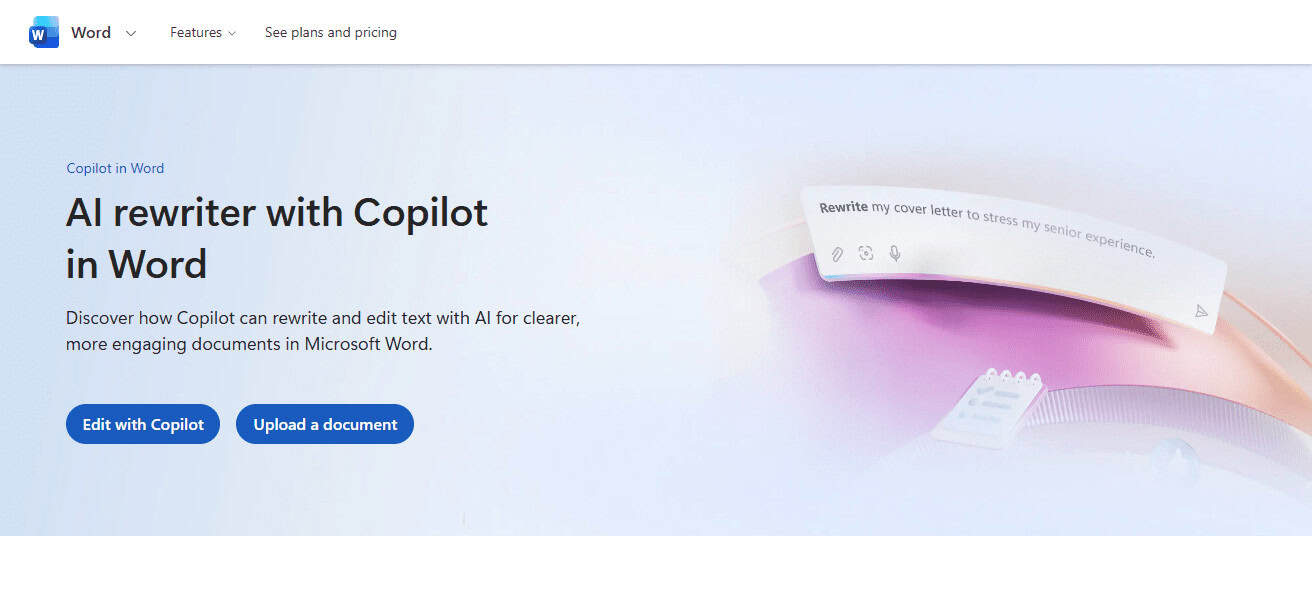
The tool highlights errors and offers real-time corrections as users type. It can rewrite sentences for better readability and tone adjustment.
This is especially useful for students, writers, and business professionals preparing reports or documents. Word Editor AI ensures that all written content in Microsoft Word is polished and impactful.
| Feature | Description |
|---|---|
| Grammar Correction | Fixes grammar and punctuation errors in real time |
| Style Improvement | Enhances sentence structure and clarity |
| Readability Score | Evaluates and improves content readability |
| Rewrite Option | Suggests alternative sentence versions |
7. Teams Intelligent Recap
Teams Intelligent Recap is an AI feature in Microsoft Teams that automatically summarizes meetings. It highlights key discussion points, decisions made, and assigned tasks.
Even if someone misses a meeting, they can quickly catch up using the AI-generated summary. It also identifies important moments and organizes meeting notes efficiently.

This reduces the need for manual note-taking and improves collaboration. Teams Intelligent Recap helps organizations save time and ensures that important information is never missed in busy workplace communication environments.
| Feature | Description |
|---|---|
| Meeting Summary | Provides AI-generated meeting summaries |
| Action Items | Identifies tasks and responsibilities automatically |
| Key Moments | Highlights important discussion points |
| Missed Recap | Helps users catch up on missed meetings |
8. PowerPoint Designer AI
PowerPoint Designer AI is a smart feature in Microsoft PowerPoint that automatically creates visually appealing slide designs.
It suggests layouts, images, and formatting based on the content added by users. Instead of manually designing slides, users get professional-quality presentations in seconds.

It improves visual storytelling by making slides more engaging and organized. This tool is ideal for students, teachers, and business professionals
Who want impactful presentations without spending too much time on design and formatting tasks in PowerPoint.
| Feature | Description |
|---|---|
| Auto Layout | Suggests professional slide designs automatically |
| Visual Enhancement | Improves images and visual arrangement |
| Content Matching | Aligns design with slide content |
| Template Suggestions | Offers smart presentation templates |
9. Viva Insights AI
Viva Insights AI is a productivity and wellbeing tool in Microsoft 365 that helps users manage their work habits.
It analyzes daily activity patterns and provides personalized suggestions to improve focus, reduce burnout, and balance workload.

The tool recommends break times, focus hours, and collaboration improvements. It also provides organizational insights for managers.
Viva Insights ensures employees maintain productivity without stress. By combining AI analytics with workplace behavior, it supports healthier work routines and better time management across Microsoft 365 users.
| Feature | Description |
|---|---|
| Productivity Tracking | Monitors work patterns and efficiency |
| Focus Time Suggestions | Recommends distraction-free work periods |
| Work-Life Balance | Suggests breaks to avoid burnout |
| Team Insights | Provides organizational productivity data |
10. Copilot in Excel
Copilot in Excel is an AI-powered assistant that helps users work with spreadsheets more efficiently. It can generate formulas, analyze datasets, create charts, and explain data insights using simple language prompts.

Instead of manually building complex calculations, users can ask Copilot to perform tasks instantly. It is especially useful for financial analysis, reporting, and data modeling.
This feature makes Excel more accessible even for non-experts, improving productivity and accuracy while reducing the time needed for advanced spreadsheet operations.
| Feature | Description |
|---|---|
| Formula Creation | Generates complex Excel formulas automatically |
| Data Analysis | Analyzes datasets using natural language prompts |
| Chart Generation | Creates charts and visual reports instantly |
| Query Assistance | Answers questions about spreadsheet data |
How We Choose the Best AI Tools That Work With Microsoft 365 to Boost Productivity
True Productivity Effect: Only AI tools that can explicitly tell you how much time they save, or manual effort they reduce and should be included here.
User-Friendliness: We emphasized tools that are easy to use and do not demand a high level of technical knowledge.
Automation: Preference was given to tools with rich automation capabilities including writing, scheduling, handling data and reporting.
Accuracy & Reliability: We carefully type to check how well each AI tool achieves tasks such as correcting gramática, analysis of data and finally the summarization.
Versatility of Features: Solutions that could support multiple contexts like writing, analysis, meetings and presentations were preferred.
Time-Saving Performance — Tools that saved time from dull & repetitive office work were prioritized.
Conclsuion
Overall, the top Microsoft 365 compatible AI tools can offer a great jump in productivity thanks to customisation features that naturalise the writing process or automated tasks that simplify data extrapolation and communication channels.
Tools such as Copilot, Grammarly and Power Automate enable users to save time and do things in a more efficient way.
These AI solutions, for instance, power many popular office tasks to work more faster, accurate and very efficient as in a modern digital workflows allowing professionals, students and businesses bag big bucks out of productivity.
FAQ
How does Grammarly work with Microsoft 365?
Grammarly integrates into Word and Outlook to fix grammar, spelling, tone, and clarity issues in real time.
What is Power Automate AI Builder used for?
It automates business workflows using AI models for data extraction, prediction, and repetitive task automation.
How does Excel Ideas improve productivity?
It analyzes data automatically and provides insights, charts, trends, and formula suggestions instantly.
What is Outlook Smart Reply?
It suggests quick AI-generated email responses to save time and improve communication efficiency.