So in this article, I will tell you the Best Audacity Alternatives For Podcasting to help creators with the best tools for podcasting.
No matter if you are a beginner looking for basic, no-cost solutions or a pro in search of more advanced functionality
There are alternatives that offer improved workflows and automation, as well as higher quality. These tools may help quickly edit, enhance sound and simplify the podcasting process overall.
Key Points & Best Audacity Alternatives For Podcasting
GarageBand (Mac) – Free, beginner-friendly, multitrack recording with loops and effects, perfect for Apple users.
Adobe Audition (Windows/Mac) – Professional DAW with advanced editing, noise reduction, and seamless Adobe Creative Cloud integration.
Reaper (Windows/Mac/Linux) – Lightweight, highly customizable DAW, supports complex multitrack editing with affordable one-time licensing.
Alitu (Web) – Web-based podcast editor automating cleanup, leveling, and publishing for faster production workflow.
Descript (Web/Windows/Mac) – Edit audio by text, offers transcription, overdub, and collaborative podcast/video creation features.
Hindenburg Pro (Windows/Mac) – Podcast-focused DAW with automatic voice leveling, storytelling features, and live recording options.
Ocenaudio (Windows/Mac/Linux) – Simple, fast audio editor with real-time effects preview, ideal for quick edits.
Ardour (Linux/Mac/Windows) – Open-source professional DAW with unlimited multitrack editing and MIDI/audio integration capabilities.
TwistedWave (Web/Mac) – Browser-based editor providing easy waveform editing, format export, and fast online access.
Sound Forge Audio Studio (Windows) – Powerful waveform editor with restoration tools, batch processing, and precise audio manipulation.
10 Best Audacity Alternatives For Podcasting
1. GarageBand (Mac)
GarageBand (Mac): Security Garageband is the one of best Audacity alternative for podcast because Apple products integrate nicely and are generally easy to use.
Unlike sophiscated DAWs, GarageBand doesn’t require any technical knowledge and allows podcasters to record, edit & mix their episodes in a breeze.
Native sound library, including loops, jingles and effects offered by the software helps creators add a professional touch without using third-party applications.
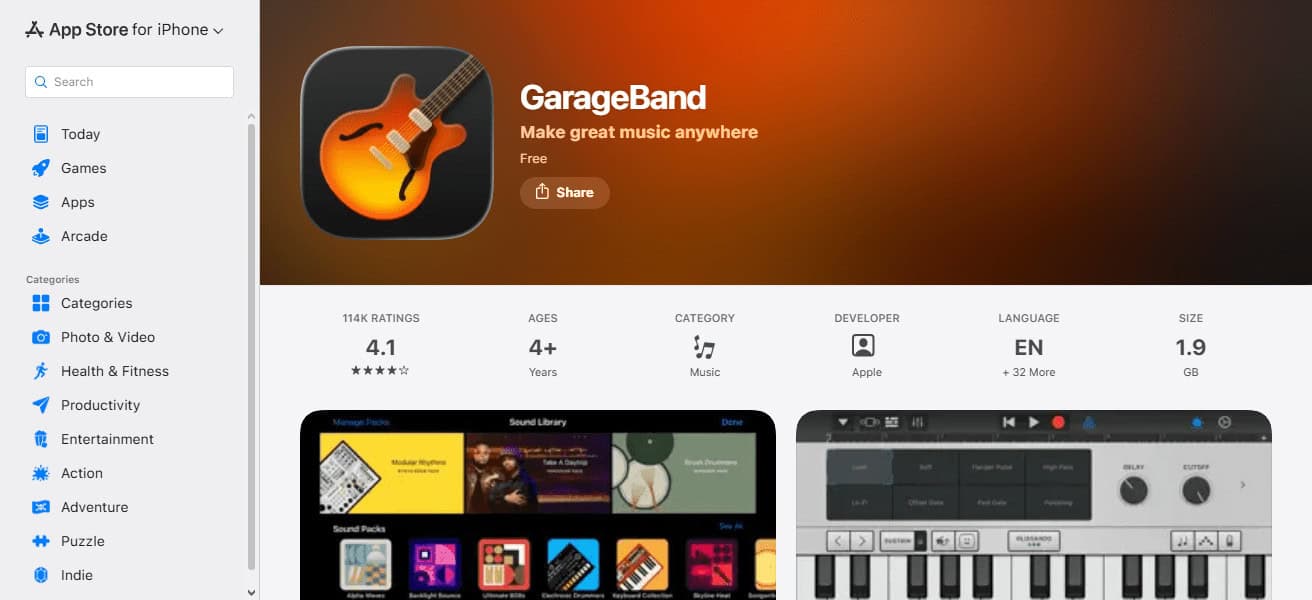
You can also have multitrack recording that lets you smoothly shift between interviews and intros alongside background music, as well as automatic leveling to maintain a consistent audio quality.
And since it is free for Mac users, GarageBand — with its accessibility, simplicity and creative flexibility — should be your go-to podcast recording tool if you are a novice podcaster or a hobbyist.
| Pros | Cons |
|---|---|
| Free for Mac users | Only available on Apple devices |
| Beginner-friendly interface | Limited advanced editing tools |
| Built-in loops, music, and effects | Less suitable for complex multitrack productions |
| Seamless integration with macOS and iOS | Not ideal for professional studio-level podcasts |
2. Adobe Audition (Windows/Mac)
Adobe Audition (Windows/Mac) — An industry-standard Audacity alternative for pro podcasters The single most defining feature is the multitrack editing together with spectral waveform display, which enables total control over each sound contributing to the piece.
The powerful noise reduction, automatic leveling and audio restoration tools ensure that even the most garbled spoken word audio comes out crystal clear.

The seamless integration with the Adobe Creative Cloud makes it perfect for podcasters that also produce video content, or need to synchronize their editing across multiple platforms.
It introduces time efficiencies with customizable workflows and batch processing for repetitive tasks, while always delivering studio-quality results. Adobe Audition offers a powerful, flexible and polished experience for serious podcasters.
| Pros | Cons |
|---|---|
| Professional-grade editing tools | Subscription-based, ongoing cost |
| Multitrack and waveform editing | Can be overwhelming for beginners |
| Advanced noise reduction and audio restoration | Steeper learning curve |
| Integrates with Adobe Creative Cloud | Resource-intensive on older computers |
3. Reaper (Windows/Mac/Linux)
Then look no further than Reaper — an Audacity alternative designed for podcasters, and is a professional-grade DAW whose technical capabilities thrive on customisation.
Its main strength is that it does exactly this with a very light footprint that still handles pro-level tasks fairly well, even on older computers.
Reaper has unlimited tracks, flexible routing and a huge array of plugins, so podcasters can have full creative control over mixing, effects and sound design.

For independent creativity, it stands out as a DAW with a low-cost one-time license option without strappers on the features.
Your precision can be high and your learning curve steep for such an adaptable tool, but if you’re willing to invest time, Reaper is perfect for podcasters who want to craft complex, polished episodes without bloated software.
| Pros | Cons |
|---|---|
| Highly customizable workflow | Steep learning curve for beginners |
| Lightweight and efficient performance | Interface may seem complex initially |
| Supports unlimited tracks and plugins | Lacks built-in loops and music library |
| One-time affordable license | Minimal built-in tutorial guidance |
4. Alitu (Web)
Alitu (Web) is a strong Audacity alternative, but it’s also much more — an app built for podcasters specifically who are seeking a fast, automated workflow.
Its niche is automation: Alitu automatically cleans up audio, levels volumes and provides consistent sound quality without requiring editing prose to fuss with it, which saves creators a lot of time.
Users can drag-and-drop recordings in to add their intros, outros and music, then publish episodes straight to hosting platforms — it’s an all-in-one web solution.

Unlike conventional DAWs, it’s so intuitive that beginners and busy podcasters can focus on their content rather than the editing process.
Finally, what we absolutely love about Alitu is how it combines simplicity with automation + end-to-end podcast management; super efficient and easy to use.
| Pros | Cons |
|---|---|
| Fully automated audio cleanup | Requires subscription |
| Drag-and-drop simplicity | Less control over detailed editing |
| End-to-end podcast publishing | Relies on internet connection |
| Beginner-friendly workflow | Limited creative tools compared to DAWs |
5. Descript (Web/Windows/Mac)
If you’re looking for an Audacity alternative that works best for podcasters who want to combine audio editing with transcription-based workflows, check out Descript (Web/Windows/Mac).
Its most distinctive feature is text-based editing: creators can edit their podcast by simply editing the transcript so cutting, rearranging or removing filler words is ludicrously intuitive.
Also, Descript has other fantastic AI-powered features including Overdub for voice cloning and automatic transcription that accelerates editing process and helps make it more efficient.

It also has support for video podcasts and collaborative projects, so teams can work together without missing a beat.
By combining powerful editing capabilities with an accessible AI-driven interface, Descript offers podcasters a modern, time-saving and extremely adaptable alternative to traditional audio editors.
| Pros | Cons |
|---|---|
| Edit audio by editing text | AI features may require subscription |
| Automatic transcription | Can struggle with heavy audio files |
| Overdub voice cloning and filler removal | Learning curve for non-text-based editors |
| Supports video podcasts and collaboration | Some advanced audio effects are limited |
6. Hindenburg Pro (Windows/Mac)
A leading Audacity alternative, Hindenburg Pro (Windows/Mac) is geared towards spoken-word content, whether that be for podcasters.
Its core advantage comes from its automated voice leveling and intuitive storytelling features, ensuring consistent audio quality without messy tweaks.
Headliner offers heavy-duty editing capabilities for the interviews/voiceovers/multiple segment episodes via markers, clipboard tools and profiles based presets designed specifically for voice recordings.
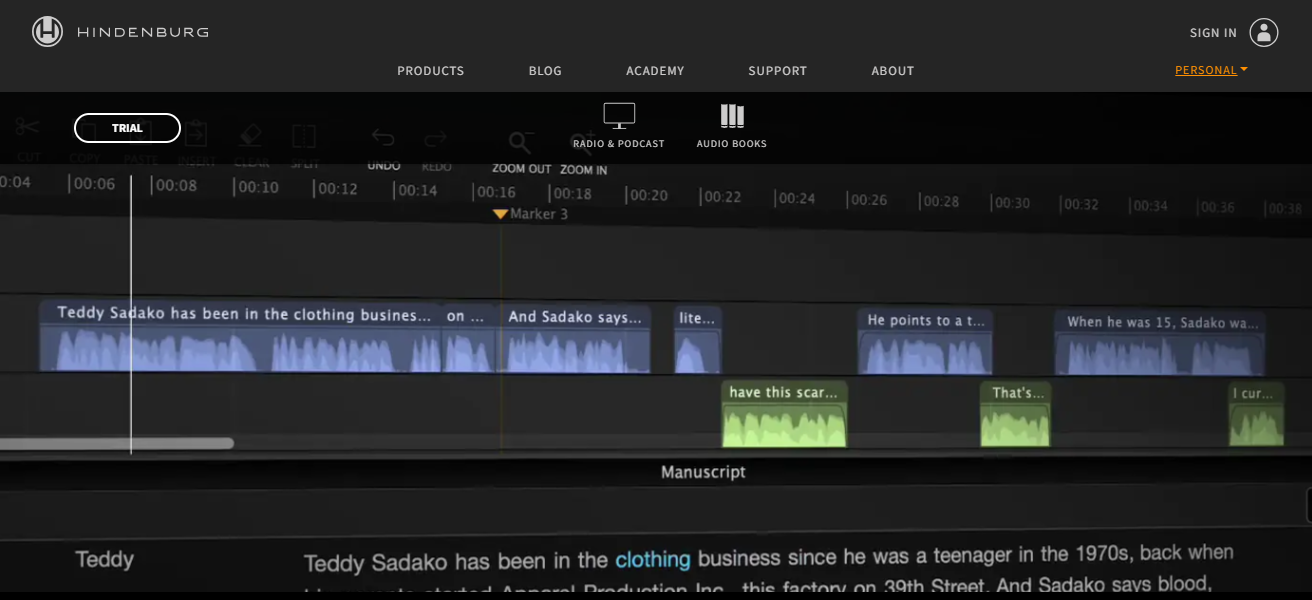
Live recording functionality complete with quality improvements are included in Hindenburg Pro, to leave less post-production work.
Focusing on clarity, efficiency, and voice-related flows, it allows podcasters to get professional-quality episodes out quickly
While combining the simplicity and ease-of-use with audio control usually only found in high-end audio programs that aren’t necessarily designed for spoken-word recording.
| Pros | Cons |
|---|---|
| Optimized for spoken-word content | Paid software |
| Automatic voice leveling | Limited music production capabilities |
| Storytelling tools for markers and profiles | Less flexible for non-voice projects |
| Live recording with quality presets | Smaller user community than major DAWs |
7. Ocenaudio (Windows/Mac/Linux)
Ocenaudio (Windows/Mac/Linux), a fast, easy and reliable audio editor is the best Audacity alternative for podcasters.
Its most remarkable feature is its real-time effect preview, which enables creators to hear adjustments instantly without finalizing edits that make the editing process faster and more intuitive.
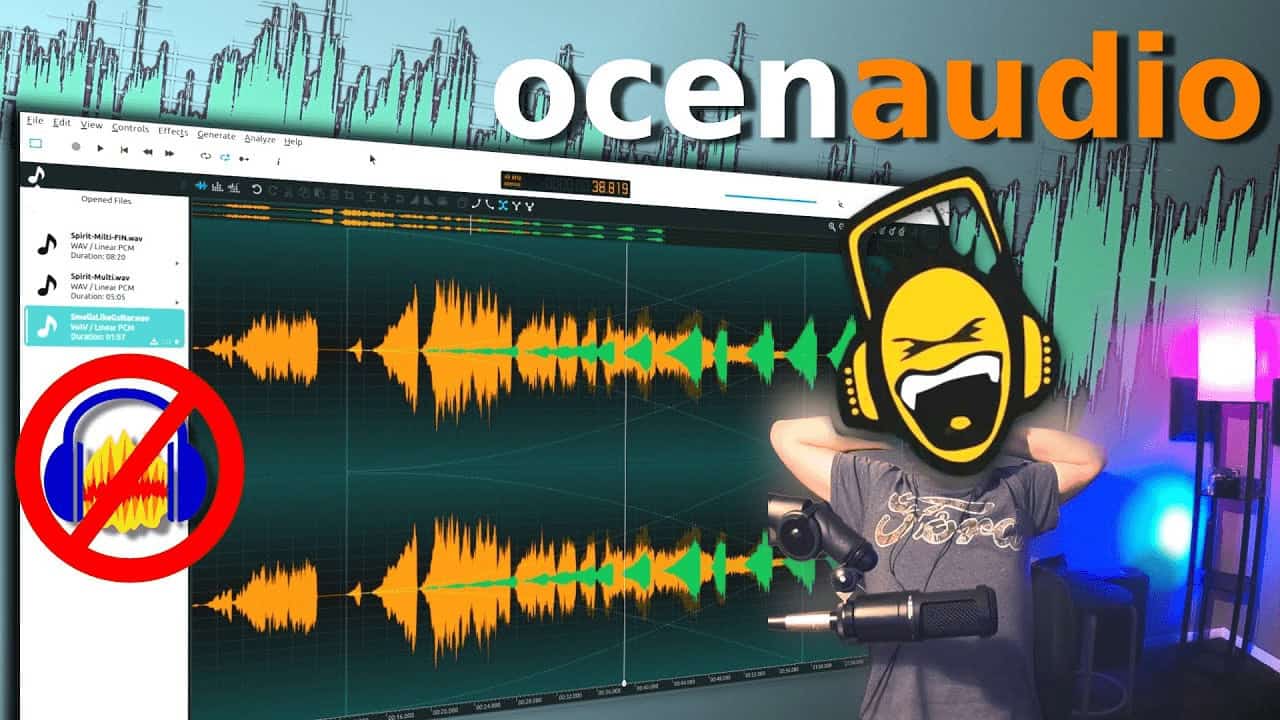
It is compatible with various platforms and audio formats, hereafter providing some basic tools such as trimming, normalization or equalization without overcrowding beginners. It is lightweight, gives high-quality results, and does well with large files.
The simplicity, speed and useful editing tools of Ocenaudio make it perfect for podcasters who want a basic alternative to complex digital audio workstations without all the embellishments.
| Pros | Cons |
|---|---|
| Lightweight and fast | Limited multitrack support |
| Real-time effects preview | Lacks advanced DAW features |
| Simple interface, beginner-friendly | Not ideal for complex projects |
| Supports multiple platforms and formats | Basic compared to professional DAWs |
8. Ardour (Linux/Mac/Windows)
If you need audio production with professional-grade quality and complete control, Ardour (Linux/Mac/Windows) is perhaps the most powerful alternative to Audacity for podcasters out there.
Its particular advantage is the unlimited multitrack recording and advanced routing, so creators can put together multimedia-rich podcast episodes with different voices, music and effects.
Ardour allows you to customize your setup, and plugins integrate seamlessly with its flexible workflow.
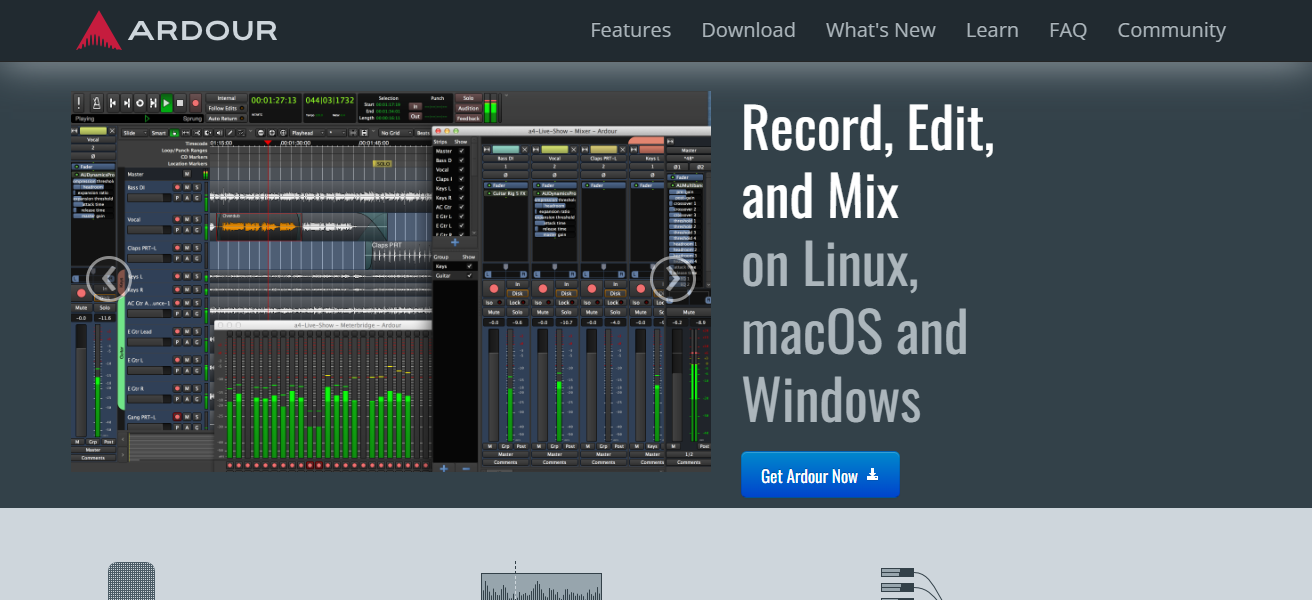
It also allows for precise editing, automation and high-quality mixing, making it ideal for both budding producers who are willing to learn, as well as seasoned audio engineers.
Packed with professional features but also highly versatile and reasonably priced, Ardour is an ideal solution for podcasters looking to get a bit more serious about their editing beyond basic software.
| Pros | Cons |
|---|---|
| Open-source and free | Requires technical setup |
| Unlimited multitrack and routing | Steeper learning curve for beginners |
| Advanced mixing and automation | Less polished interface than commercial DAWs |
| Supports MIDI and audio integration | Can be resource-intensive on low-end systems |
9. TwistedWave (Web/Mac)
TwistedWave (Web/Mac) is perhaps the fastest and most convenient Audacity alternative for podcasters, at least if ease of access matters more than extensive feature lists.
Its main advantage is browser-based editing: users can record, edit, and export audio from their devices without installing draining software — making it ideal for remote or on-the-go production personas.
TwistedWave gets the job done with accurate waveform editing, effects that can be used in real-time and compatibility with different audio formats.
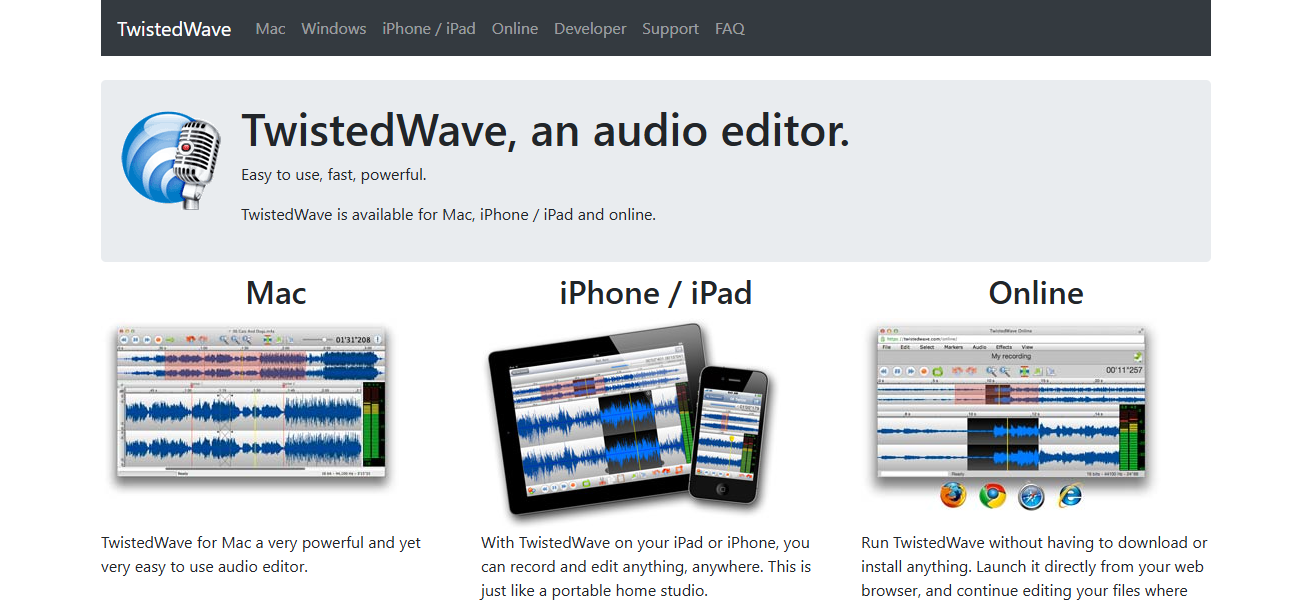
The learning curve is low, due to its simple interface, fade and normalize features that add overall efficiency, as well as batch processing.
Through ease of use, accessibility and dependable editing tools, TwistedWave lets podcasters create polished episodes quickly wherever they are and on either Mac or directly in a web browser.
| Pros | Cons |
|---|---|
| Browser-based, no installation required | Free version has file length limits |
| Simple and fast waveform editing | Limited multitrack support |
| Real-time effects and format export | Subscription needed for full features |
| Easy for remote or quick editing | Not designed for complex productions |
10. Sound Forge Audio Studio (Windows)
TwistedWave (Web/Mac) is perhaps the fastest and most convenient Audacity alternative for podcasters, at least if ease of access matters more than extensive feature lists.
Its main advantage is browser-based editing: users can record, edit, and export audio from their devices without installing draining software — making it ideal for remote or on-the-go production personas.
TwistedWave gets the job done with accurate waveform editing, effects that can be used in real-time and compatibility with different audio formats.

The learning curve is low, due to its simple interface, fade and normalize features that add overall efficiency, as well as batch processing.
Through ease of use, accessibility and dependable editing tools, TwistedWave lets podcasters create polished episodes quickly wherever they are and on either Mac or directly in a web browser.
| Pros | Cons |
|---|---|
| Advanced waveform editing | Windows-only software |
| Noise reduction and audio restoration | Paid software |
| Batch processing for multiple files | Not beginner-focused |
| High-resolution audio and format support | Interface can feel outdated for some users |
Conclusion
To sum it up, the best Audacity alternatives for podcasting are a wide range of options available to every creator—from GarageBand and Ocenaudio for beginners to professional tools like Adobe Audition and Reaper.
Editing has never been easier with web-based solutions like Alitu and TwistedWave. Or specialized DAWs like Hindenburg Pro and Descript, focus your storytelling efforts to boost voice content.
FAQ
What is the best free Audacity alternative for Mac?
GarageBand is free, beginner-friendly, and perfect for Apple users creating podcasts.
Which software is best for professional podcast editing?
Adobe Audition offers advanced noise reduction, multitrack editing, and studio-level tools.
Can I use Reaper on Linux?
Yes, Reaper works on Windows, Mac, and Linux with full multitrack support.
Which tool is easiest for beginners with automatic editing?
Alitu automates audio cleanup, leveling, and publishing, ideal for beginners.