Kraken Crypto Exchange Banner Ad
Bitcoin icon
BTC $65,000.00 +0.00%
Ethereum icon
ETH $3,500.00 +0.00%
XRP icon
XRP $0.6000 +0.00%
BNB icon
BNB $600.00 +0.00%
Solana icon
SOL $150.00 +0.00%
Dogecoin icon
DOGE $0.1500 +0.00%
Cardano icon
ADA $0.4000 +0.00%
TRON icon
TRX $0.1200 +0.00%
Chainlink icon
LINK $15.00 +0.00%
Avalanche icon
AVAX $35.00 +0.00%
By using this site, you agree to the Privacy Policy and Terms of Use.
Accept
  • ADVERTISEMENT
  • MEDIA KIT
  • CONTACT
  • SUBMIT PR
  • GUEST POST
  • ABOUT US
  • TEAM
  • DMCA
  • DISCLAIMER
  • PRIVACY POLICY
  • MORE
    • llms.txt
    • Newsletter
    • Official Verify
    • Editorial Policy
    • Term Of Use
    • SITEMAP
Reading: How To Delete Opay Account: A Step-by-Step Guide
coinworldstory logo coinworldstory logo
  • HOME
  • CRYPTO
    • AI
    • BOTS
    • ICO
    • AIRDROP
      • Featured Airdrops
    • Price Prediction
    • EXCHANGE
      • Best Centralized Exchange List 2026
      • Best Decentralized Exchange List 2025
    • ALTCOIN
    • Alt Coin Signal
    • Crypto Analysis
    • Bitcoin Loan
    • Bitcoin Mining
    • WALLETPRO
  • PR
    PR
    If You Looking For Submit Cryptocurrency Press Releases Than Coinworldstory Is Best Choice For Crypto Press Release Submission
    Show More
    Top News
    cryptomonsters12
    CryptoMonsters World – The New Litecoin Game
    01/03/2021
    Mainston Revolutionizes The World Of Marketplaces.
    Mainston Revolutionizes The World Of Marketplaces.
    14/04/2024
    Ethernity Chain to Drop NFT of NAS’s Performance in South Africa on the 20th Anniversary of the end of Apartheid
    14/04/2024
    Latest News
    ForumPay Expands Payment Infrastructure with New Card and Bank Transfer Acceptance Solution
    11/08/2026
    CT3 Begins Preparing Its Ecosystem for the Launch of the CT3GB Economy
    10/08/2026
    Syntetika Launches Tokenization Hub Bringing Regulated Investment Strategies Onchain
    10/08/2026
    Carbon Launches TradFi-Native On-Chain Derivatives Venue With 950+ Markets in One Account
    07/08/2026
  • NEWS
    • Mining
    • Altcoins
    • Ban
    • BANKING/FINANCE NEWS
    • Bitcoin
    • Blockchain
    • CRYPTO CRIME
    • Ethereum
    • Exchange News
    • Government News
    NEWSShow More
    10 Best High Rewards Crypto Platforms for Maximum Earnings
    10 Best Institutional Trading Technology Platforms in 2026
    31/07/2026
    10 Hidden Liquidity Features Modern Brokers Secretly Use
    10 Hidden Liquidity Features Modern Brokers Secretly Use
    29/05/2026
    10 Apps That Show What You Should Have Done Instead
    10 Apps That Show What You Should Have Done Instead
    29/05/2026
    10 Best Crypto Conferences to Attend in 2026
    10 Best Crypto Conferences to Attend in 2026
    29/05/2026
    Emerging Markets Favor Stablecoins Over Bitcoin
    Emerging Markets Favor Stablecoins Over Bitcoin
    29/05/2026
  • MORE
    • Guide
    • Only Best
    • Off Topic
    • Best Affiliate Marketing
    • Best Affiliate Programs
    • BOTS
    • Trusted Currency Exchanger Platform
    • Blockchain Games
    • Metaverse Review : Best Metaverse Program Review
    • Online Survey
    • Payment Platform
  • VPN
  • List
    • Best Crypto Casinos In 2026
    • Best Crypto Wallets List 2026
    • Best Crypto Exchanges List 2026
    • Best Crypto Lawyers & Farm
    • Best Crypto Tools List 2026
    • Crypto Regulations Worldwide 2026
    • Best Crypto Prediction Markets
  • Contact Us
  • FAQ
Reading: How To Delete Opay Account: A Step-by-Step Guide
Font ResizerAa
CoinworldstoryCoinworldstory
  • ADVERTISEMENT
  • MEDIA KIT
  • CONTACT
  • SUBMIT PR
  • GUEST POST
  • ABOUT US
  • TEAM
  • DMCA
  • DISCLAIMER
  • PRIVACY POLICY
  • MORE
Search
  • HOME
  • CRYPTO
    • AI
    • BOTS
    • ICO
    • AIRDROP
    • Price Prediction
    • EXCHANGE
    • ALTCOIN
    • Alt Coin Signal
    • Crypto Analysis
    • Bitcoin Loan
    • Bitcoin Mining
    • WALLETPRO
  • PR
  • NEWS
    • Mining
    • Altcoins
    • Ban
    • BANKING/FINANCE NEWS
    • Bitcoin
    • Blockchain
    • CRYPTO CRIME
    • Ethereum
    • Exchange News
    • Government News
  • MORE
    • Guide
    • Only Best
    • Off Topic
    • Best Affiliate Marketing
    • Best Affiliate Programs
    • BOTS
    • Trusted Currency Exchanger Platform
    • Blockchain Games
    • Metaverse Review : Best Metaverse Program Review
    • Online Survey
    • Payment Platform
  • VPN
  • List
    • Best Crypto Casinos In 2026
    • Best Crypto Wallets List 2026
    • Best Crypto Exchanges List 2026
    • Best Crypto Lawyers & Farm
    • Best Crypto Tools List 2026
    • Crypto Regulations Worldwide 2026
    • Best Crypto Prediction Markets
  • Contact Us
  • FAQ

Trending →

10 Best MiCA Crypto Compliance Advisory Firms In 2026

By Gixona
11/08/2026

10 Best RWA Tokenization Consulting Firms In 2026

By Gixona
11/08/2026

10 Best DePIN Growth & Marketing Agencies In 2026

By Gixona
11/08/2026

10 Best Transaction Monitoring Software for Fraud Prevention

By Gixona
11/08/2026

10 Best Identity Verification Platforms for Secure Onboarding

By Gixona
08/08/2026
Follow US
Email - [email protected]

Home » How To Delete Opay Account: A Step-by-Step Guide

How To Delete

How To Delete Opay Account: A Step-by-Step Guide

Cws Team
Last updated: 07/01/2026 4:15 PM
By Cws Team
Share
11 Min Read
How To Delete Opay Account: A Step-by-Step Guide
SHARE

In this article, we’ll provide you with a step-by-step guide on How To Delete Opay Account. Read our complete article we explain very easy way and all step is very simple .

Contents
  • How to Delete in Opay Account Explain Step By Step
  • What Is Opay?
  • Why Delete Opay Necessary?
  • How to Delete Opay Account In Mobile Device?
  • Opay Conclusion
  • How To Delete Opay Account FAQ
    • How do I delete my Opay account?
    • Can I delete my Opay account from the website?
    • Is deleting my Opay account reversible?
    • Will I lose my funds if I delete my Opay account?
    • Why would I want to delete my Opay account?

Are you considering deleting your Application in Opay account and looking for a simple and hassle-free way to do it? Look no further! In this article, we’ll provide you with a step-by-step guide on how to delete your account in just a few easy steps.

Firstly, it’s important to note that if you’re using Application in Opay anonymously, you’ll need to register your account first before you can delete it. To do that, follow these simple steps:

How to Delete in Opay Account Explain Step By Step

Step 1: Launch the Opay App

- Advertisement -

To delete an account from Opay, first open up its mobile application on your mobile device and log in as your desired account. Step 2: Delete It

Step 2: Access Account Settings

To gain access to account settings within an app, look for its “Settings” or “Account” section – its exact location may change over time depending on its layout and design changes.

Step 3: Locate Account Deletion Option

Once in your account settings, search for an “Close Account,” “Delete Account,” or “Deactivate Account” option to delete an account. Some apps might offer this feature under their Privacy or Security section.

- Advertisement -

Step 4: Confirm Deletion

Once you choose the “Account Deletion” option, the app may prompt you to confirm and state your reasons for closing your account. Please follow these on-screen instructions in order to complete this step.

Step 5: Provide Credentials (if needed)

- Advertisement -

To protect you, Opay’s app may request you reenter your Opay account credentials, such as PIN or password, so as to confirm you as the rightful owner of this account.

Step 6: Review and Submit

It is essential that you carefully review any requests to delete an account, taking time to understand its effects as this change is usually irreversible. Once satisfied with what has been written here, submit the request.

Step 7: Confirmation

After submitting the deletion request, Opay may send you a confirmation message or email informing you that your account will be deactivated and removed from their system shortly thereafter. Processing times may differ but your account should become inaccessible within days.

What Is Opay?

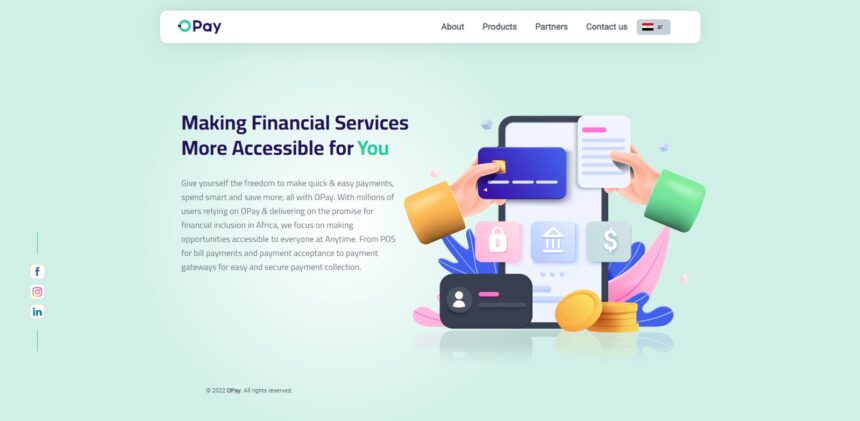
Opay is a mobile payment platform and fintech company established to provide digital financial services primarily across Africa. It was established in 2018 as part of the Opera Group, offering various services designed to promote financial inclusion and expand access to digital payment solutions.

Through Opay’s mobile app, users can store funds in a virtual wallet, transfer money between accounts or to non-users, pay utility bills and recharge mobile airtime as well as engage in ride-hailing, food delivery and e-commerce activities. Opay aims to use mobile technology as an efficient way for individuals to manage their finances and conduct transactions more easily and conveniently than with traditional banking institutions alone.

Why Delete Opay Necessary?

There may be several reasons for someone wanting How To Delete Opay Account or any other online account:

Inactivity: If you no longer use Opay or have switched payment services, deleting your account could reduce clutter and security risks.

Privacy Concerns: Some users may be concerned that their personal and financial data is stored on a platform, so deleting their account can help address these concerns.

Security: If you suspect that your Opay account has been compromised or have experienced any security issues, taking measures such as deactivating it could be an effective way to safeguard the integrity of your financial information and secure its protection.

People looking to manage their online presence and reduce the number of accounts might consider closing any they no longer use regularly or delete old accounts that no longer serve any purpose.

Change of Personal Details: If your personal information, such as phone number or email address has changed without your ability to access old details, and you no longer wish to create the account with outdated details, consider closing down and creating one with updated data.

Multiple Accounts: If you find that you have unwittingly opened multiple Opay accounts, it would be wise to delete duplicate accounts to prevent confusion and potential issues with them.

App Unavailability: On rare occasions, Opay may no longer be available in specific regions or might no longer provide services; in these instances, deleting your account could make sense as an alternative solution to keeping using the application.

How to Delete Opay Account In Mobile Device?

Step 1: Launch the Opay App

How To Delete Opay Account first open its app on your mobile device. Log in as usual using the account you would like to delete and ensure you are logged into that particular Opay account before attempting to delete.

Step 2: Access Account Settings

To gain access to your account settings in an app’s interface, look out for a menu or profile icon and tap it. Depending on its layout, its exact location could differ.

Step 3: Locate Account Deletion Option

To delete an account, navigate to your account settings and search for “Close Account,” “Delete Account,” or “Deactivate Account.” Some apps might offer this feature under their Privacy, Security or Settings sections.

Step 4: Confirm Deletion

Once you select the account deletion option, the app may prompt you to confirm and explain why you wish to close your account. Simply follow any on-screen instructions as you make this important decision.

Step 5: Submit Credentials (if Required)

To protect the account’s security, Opay app might ask you to reenter your Opay credentials such as PIN or password in order to validate that you are the legitimate account holder.

Step 6: Review and Submit

Strictly review any account deletion requests before submitting them, to make sure you understand its ramifications and its irreversibility. When confident, submit it.

Step 7: Confirmation

Once your deletion request has been accepted by Opay, they will send a confirmation message or email notifying you that your account is being deactivated and removed from their system within a short period.

Opay Conclusion

Conclusion: Deleting an Opay account from a mobile device is an intentional action intended to disengage yourself from its platform and all associated services. While the specific steps may differ depending on your app version, generally it involves accessing your account settings and finding the “delete account” feature before confirming your decision and potentially entering your credentials for further verification.

Opay accounts should be deleted for various reasons, including inactivity, privacy concerns and security risks, or to help manage online presence effectively. Before proceeding with the deletion process, however, it’s essential to exercise extreme caution and withdraw any remaining balance and backup any essential data. Should any difficulties arise or additional assistance is required during this step-by-step process, Opay customer support should be reached out for help immediately.

How To Delete Opay Account FAQ

How do I delete my Opay account?

To delete your Opay account, open the Opay app on your mobile device and access your account settings. Look for an option like “Close Account,” “Delete Account,” or “Deactivate Account” within the settings. Follow the on-screen instructions to confirm your decision, and you may need to re-enter your credentials for verification. Once you submit the deletion request, your account should be deactivated and removed from the system after a short period.

Can I delete my Opay account from the website?

Opay primarily operates through its mobile app, and account deletion is typically done within the app. However, the company’s services and features may have evolved, so it’s best to check the latest information on their official website or app for any updates regarding account deletion options.

Is deleting my Opay account reversible?

No, deleting your Opay account is usually irreversible. Once you confirm the deletion, your account and associated data, including transaction history and funds, will be permanently removed from the platform. Be sure to withdraw any remaining balance and back up any important information before proceeding.

Will I lose my funds if I delete my Opay account?

Before deleting your Opay account, ensure that you have withdrawn any remaining balance in your mobile wallet. Once the account is deleted, you will lose access to your funds, and Opay may not be able to recover them.

Why would I want to delete my Opay account?

There are several reasons why you might consider deleting your Opay account, such as if you no longer use the platform, have privacy concerns, experienced security issues, or want to manage your online presence by reducing the number of accounts you have.


⚠

Editorial Standards & Risk Disclosure

✅ Reviewed by the CoinWorldStory Editorial Team

This article is published for informational and educational purposes only and is not financial, investment, legal, or tax advice. Cryptocurrency, forex, and related markets are highly volatile — never invest more than you can afford to lose, and always do your own research before acting on anything you read here. Some links on this page may be affiliate or sponsored placements; where that's the case, it's disclosed, and it never changes the accuracy of our reporting. All content is researched and reviewed under our Editorial Policy.

Email [email protected] Report an Issue / Contact Us →
Share This Article
Facebook Flipboard Pinterest Whatsapp Whatsapp LinkedIn Tumblr Reddit VKontakte Telegram Threads Bluesky Email Copy Link Print
ByCws Team
Follow:
One of Coinworldstory's longest-tenured contributors, and now one of our editors, Verna has authored over 2600+ stories for the site. When not writing or editing, He likes to play basketball, play guitar or visit remote places. Verna, to his regret, holds a very small amount of digital currencies. Verna Is team Members of 9 People
nexo banner

Latest Press Release

Cover 295 1 1786110069kW3RrlrJz6
ForumPay Expands Payment Infrastructure with New Card and Bank Transfer Acceptance Solution
Press Releases
CT3GB 1786381468DWY1kbfAtf
CT3 Begins Preparing Its Ecosystem for the Launch of the CT3GB Economy
Press Releases
zzz 1786343573zTIyMAsr1g
Syntetika Launches Tokenization Hub Bringing Regulated Investment Strategies Onchain
Press Releases
PR 1785939515dNMTOKYCqN
Carbon Launches TradFi-Native On-Chain Derivatives Venue With 950+ Markets in One Account
Press Releases
TOP CRYPTO EXCHANGES
Best Crypto Exchanges
  • Kraken Exchange Logo
    Kraken
    Secure Trading
    Visit
  • Bybit Exchange Logo
    Bybit
    Low Fees
    Visit
  • HTX Exchange Logo
    HTX
    Global Exchange
    Visit
  • CoinSwitch Exchange Logo
    CoinSwitch
    Easy INR Access
    Visit
  • Poloniex Exchange Logo
    Poloniex
    Altcoin Markets
    Visit
TOP CRYPTO TOOLS
Best Crypto Tools
  • TradingView Logo
    TradingView
    Charts & Analysis
    Visit
  • CoinGlass Logo
    CoinGlass
    Liquidation Data
    Visit
  • CoinMarketCap Logo
    CoinMarketCap
    Market Tracking
    Visit
  • DexScreener Logo
    DexScreener
    DEX Analytics
    Visit
  • Arkham Intelligence Logo
    Arkham
    Wallet Tracking
    Visit
TOP CRYPTO CASINOS
Best Crypto Casinos
  • Roobet Casino Logo
    Roobet
    Popular Casino
    Visit
  • Stake Casino Logo
    Stake
    Top Sportsbook
    Visit
  • BC.Game Casino Logo
    BC.Game
    Crypto Friendly
    Visit
  • Rollbit Casino Logo
    Rollbit
    Casino + Trading
    Visit
  • Duelbits Casino Logo
    Duelbits
    Instant Withdrawals
    Visit

Coinworldstory Ads

You Might Also Like ↷

How to Delete Sofi Account: A Step-by-Step Guide

How to Delete Sofi Account: A Step-by-Step Guide

23/11/2025
How to Delete Starbucks Account : A Step-by-Step Guide

How to Delete Starbucks Account : A Step-by-Step Guide

23/11/2025
How To Delete A Coinbase Mobile App: A Step-by-Step Guide

How To Delete A Coinbase Mobile App: A Step-by-Step Guide

23/11/2025
How To Delete A Microsoft Edge: A Step-by-Step Guide

How To Delete A Microsoft Edge: A Step-by-Step Guide

16/04/2024
- Advertisement -
bybit banner for cws
  • Bug Bounty
  • System Status
  • Crypto Regulations Worldwide
  • Best Crypto Prediction Markets
  • 300+ Best Crypto Tools
  • Best Crypto Lawyers & Law Firm Directory
  • Best Crypto Exchanges List in 2026
  • Frequently Asked Questions (FAQ)
  • Best Crypto Wallets List In 2026
  • Best Crypto Casino List
  • CoinWorldStory Media Kit

CoinWorldStory is a leading digital media platform covering cryptocurrency, AI, technology, software, and Web3. We deliver the latest news, unbiased reviews, expert guides, product comparisons, and industry insights to help readers make informed decisions. Whether you’re exploring blockchain, discovering AI tools, comparing software, or staying updated on emerging technologies, CoinWorldStory provides trusted content for enthusiasts, professionals, and businesses worldwide.

coinworldstory logo coinworldstory logo
Hi, welcome to coinworldstory.com
CoinWorldStory mascot dog running
Based in 🇨🇭 Switzerland Office in 🇨🇦 Canada Office in 🇦🇪 UAE

In pursuit of global prosperity. We stand for humanity — Stop War. Support All The World for Peace.

190+ Countries Served
25,000+ Topics Covered
14,523 Live Readers Now

Global Readership

🇺🇸 USA 🇬🇧 UK 🇨🇭 Switzerland 🇦🇪 UAE 🇯🇵 Japan 🇨🇦 Canada 🇩🇪 Germany 🇸🇬 Singapore
Editorial & Support [email protected]
Advertising & Partnerships [email protected]
Contact Us On Telegram @coinworldstoryweb
Google E-E-A-T ISO Certified Est. 2016 SSL Secured GDPR Compliant

Disclaimer

CoinWorldStory is an independent review and comparison platform for crypto exchanges, prop firms, brokers, and gaming sites. We are not financial advisors. All trading and investing involve significant risk, and past performance does not guarantee future results. Some links on our site are affiliate links, and we may receive a commission at no extra cost to you. Please conduct your own research (DYOR) and consult a licensed financial professional before making any investment decisions.

© 2016 — 2026 CoinWorldStory. All Rights Reserved.

  • ADVERTISEMENT
  • MEDIA KIT
  • CONTACT
  • SUBMIT PR
  • GUEST POST
  • ABOUT US
  • TEAM
  • DMCA
  • DISCLAIMER
  • PRIVACY POLICY
  • MORE
CoinworldstoryCoinworldstory