As companies continue to adopt cloud services, managing costs for AWS and Azure has become increasingly difficult. This article will cover the Best FinOps Tools For Optimizing Multi-Cloud AWS and Azure Spending.
These tools will help businesses control costs through visibility, automate savings, encourage accountability, and balance cloud spending through the most efficient use of resources.
What Are FinOps Tools?
FinOps tools are platforms for managing cloud finances that enable businesses to track, understand, and streamline expenditures on the cloud.
These tools connect finance with engineering and operations by including timely cost data and helpful recommendations.
Why Businesses Need FinOps Platforms for AWS and Azure
Using multiple clouds to deliver different services is becoming a common practice for many organizations worldwide.
This leads to many organizations losing control on expenses regarding various cloud service providers. FinOps platforms bridge the gap.
Decrease Waste FinOps helps you discover resources that aren’t being utilized to reduce unnecessary expenditures.
Budget with More Accuracy FinOps allows organizations to gain more control and accurately predict future costs of cloud services.
Financial Responsibility FinOps helps organizations distribute the costs of cloud services on various teams, projects, and departments.
Cost Optimization FinOps utilizes AI and other automation to decrease costs.
Key Poinst & Best FinOps Tools For Optimizing Multi-Cloud AWS and Azure Spending
| FinOps Tool | Explanation |
|---|---|
| CloudHealth by VMware | Provides detailed cost visibility, budgeting, governance, and optimization insights. |
| Apptio Cloudability | Tracks cloud spending, forecasts costs, and improves financial accountability. |
| Flexera One | Optimizes multi-cloud costs with automation, analytics, and governance controls. |
| Spot by NetApp | Reduces cloud expenses through intelligent automation and resource optimization. |
| Harness Cloud Cost Management | Monitors cloud usage, allocates costs, and identifies savings opportunities. |
| Finout | Unifies cloud billing data across AWS, Azure, and services. |
| Kubecost | Tracks Kubernetes spending, identifies waste, and improves resource efficiency. |
| nOps | Automates AWS cost optimization using AI-driven recommendations and actions. |
| ProsperOps | Continuously optimizes AWS Reserved Instances and Savings Plans automatically. |
| CloudZero | Connects cloud costs to business metrics for better decisions. |
10 Best FinOps Tools For Optimizing Multi-Cloud AWS and Azure Spending
1. CloudHealth by VMware
Among the leading FinOps platforms, CloudHealth by VMware dominates the market for companies dealing with AWS and Azure environments.
Offering extensive cost/price knowledge, along with automated governance and policy recommendations, CloudHealth delivers a level of cost optimization greater than the competition.

Their reporting capabilities bring the finance, engineering, and operational teams the necessary insights to meet their goals.
CloudHealth provides the ability to track sustainability by measuring carbon emissions. The combination of operational intelligence and financial management makes CloudHealth the industry leader for enterprise cost optimization in multi-cloud environments.
CloudHealth by VMware Pros & Cons
| Pros | Cons |
|---|---|
| Comprehensive multi-cloud cost visibility and reporting | Premium pricing may challenge smaller organizations |
| Strong governance and policy automation features | Initial setup can be complex |
| Real-time optimization recommendations improve efficiency | Advanced features require training |
| Supports sustainability and carbon tracking metrics | Some custom reports require additional configuration |
2. Apptio Cloudability
Apptio Cloudability addresses the need for organizations to control their cloud costs across multiple vendors.
Cloudability provides the ability to manage cost/price allocations and provides forecasting, budgeting, and management capabilities, resulting in improved financial control.
Additionally, Cloudability provides utilities to analyze the workload and even manage costs before “right-sizing” becomes necessary.

Cloudability delivers intuitive, business-oriented dashboards to assist technical and non-technical team members in understanding and managing cloud expenditure.
Additionally, Cloudability addresses the need for enterprises to develop cloud financial models to optimize their financial investments.
Apptio Cloudability Pros & Cons
| Pros | Cons |
| Excellent cost allocation and chargeback capabilities | Higher cost than some newer competitors |
| Accurate forecasting and budgeting tools | Learning curve for non-technical users |
| Strong business-focused financial reporting | Custom dashboard setup may take time |
| Supports major cloud providers seamlessly | Advanced analytics can feel overwhelming initially |
3. Flexera One
Flexera One integrates multiple clouds into a single FinOps platform that includes cloud cost management, governance, and automation.
Flexera One provides organizations with the ability to manage their AWS, Azure, and hybrid environments with improved resource usage.
Flexera One includes an analytics engine that identifies overspending and provides suggestions on how to reduce costs.

Flexera One also makes governance and compliance of resources easier with customizable policies.
Flexera helps enterprises with large-scale, multi-cloud, dispersed environments to manage operational efficiency while controlling cloud spending.
Flexera One Pros & Cons
| Pros | Cons |
| Centralized visibility across hybrid and multi-cloud environments | Interface can appear complex for beginners |
| Strong governance and compliance controls | Premium enterprise pricing structure |
| Detailed analytics for identifying overspending | Deployment may require dedicated resources |
| Extensive automation and optimization features | Smaller teams may not use all capabilities |
4. Spot by NetApp
Intelligent infrastructure management and automated cloud cost optimization are the raison d’etre of Spot by NetApp.
It fabricates a holistic view of every cloud workload and, hands-off, dynamically provides the most efficient resources required by every workload while fully optimizing every advanced cloud resource.
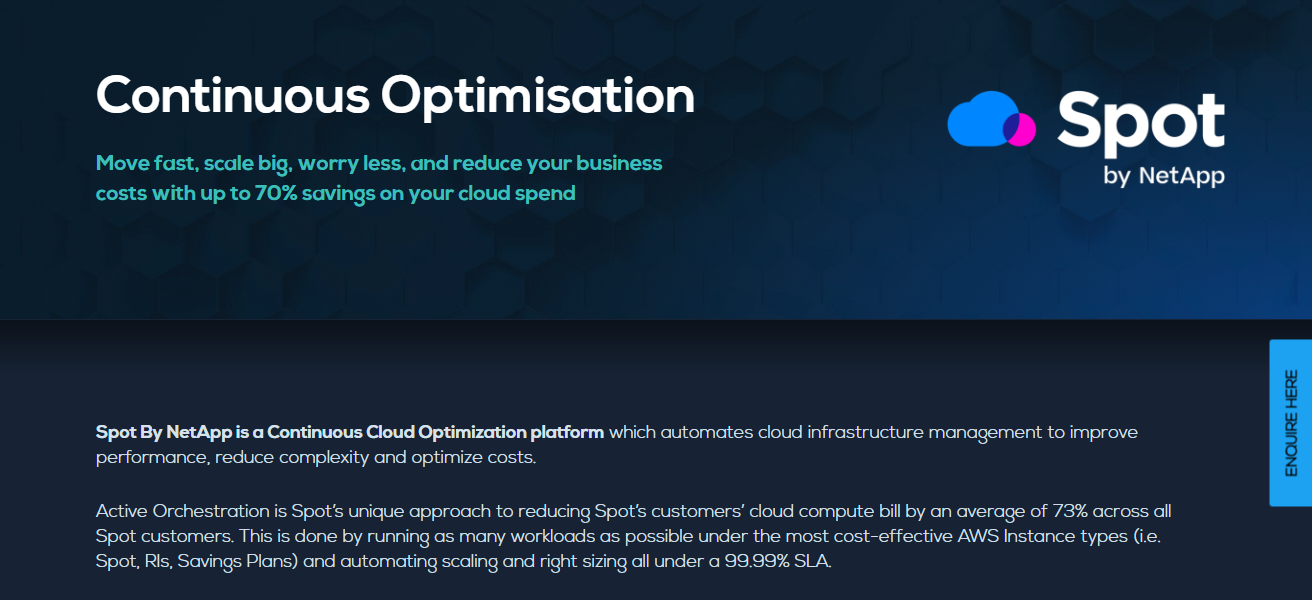
This paradigm shift in cloud expense optimization is particularly beneficial to enterprises that require agile workloads distributed over the cloud while maintaining a low expense profile.
The elimination of routine, resource-consuming cloud administration makes Spot prestigious among cost optimization solutions.
Spot by NetApp Pros & Cons
| Pros | Cons |
| Highly effective automated cloud cost optimization | Primarily focused on infrastructure optimization |
| Reduces compute costs with minimal manual effort | Less financial reporting than some FinOps platforms |
| Real-time workload scaling improves efficiency | Advanced configurations may require expertise |
| Supports AWS and Azure optimization strategies | Savings depend on workload flexibility |
5. Harness Cloud Cost Management
Harness Cloud Cost Management provides engineering teams with visibility into cloud spend and resource utilization in real time.
The platform can impact cost visibility by application, team, environment, or business unit for better accountability.

Idle resources, inefficient workloads, and cost savings in cloud environments are identified through automated recommendations.
Because of its seamless integration with DevOps workflows, Harness enables cost awareness across the development lifecycle.
With this, organizations can better manage spending while allowing flexibility and innovation in the cloud.
Harness Cloud Cost Management Pros & Cons
| Pros | Cons |
| Deep integration with DevOps and CI/CD workflows | Best suited for engineering-focused teams |
| Real-time visibility into cloud spending | Limited financial planning features |
| Detailed cost allocation by team and application | Some integrations require additional setup |
6. Finout
Finout provides a modern FinOps solution for AWS, Azure, Kubernetes, and cloud-based SaaS applications.
Simplifying customer cloud cost and billing segmentation, Finout combines billing data from several cloud services into one view of customer cloud costs.

From this single view, cost segmentation models allow for the accurate distribution of cloud costs to the different teams and projects. With Finout, organizations can better understand and control the cost of cloud services.
Finout Pros & Cons
| Pros | Cons |
| Unified visibility across cloud and SaaS spending | Newer platform compared to established competitors |
| Flexible cost allocation and chargeback models | Advanced customization may require onboarding |
| Easy-to-understand analytics dashboards | Limited historical data for new deployments |
| Strong support for Kubernetes environments | Enterprise features can increase costs |
7. Kubecost
Kubecost provides even further control of costs to organizations with cloud services and workloads operating on Kubernetes.
With cost visibility expanded to the cluster, namespace, deployment, and pod levels, resource waste is easily identified.

With seamless integration to the major cloud providers, Kubecost adds cost control and analytics to Kubernetes cloud spending.
Kubecost Pros & Cons
| Pros | Cons |
| Purpose-built for Kubernetes cost management | Less useful outside Kubernetes environments |
| Granular visibility at pod and namespace levels | Requires Kubernetes knowledge for maximum value |
| Identifies resource waste and rightsizing opportunities | Enterprise features may require paid plans |
| Open-source option available for flexibility | Reporting focuses mainly on container workloads |
8. nOps
nOps employs AI and automation for cost optimization on AWS. The solution focuses on cloud usage and gives suggestions to curb waste. nOps aids in the optimization of Reserved and Spot Instances as well as Savings Plans.
nOps also integrates compliance and governance tools for FinOps. In a manual optimization process, nOps can help businesses save significantly on AWS costs and allow for more efficient operations.
nOps Pros & Cons
| Pros | Cons |
| AI-driven automation reduces AWS cloud costs | Primarily optimized for AWS environments |
| Simplifies Savings Plans and Reserved Instance management | Limited support for non-AWS platforms |
| Strong compliance and governance capabilities | Advanced features may require configuration |
| Reduces manual optimization efforts significantly | Less suitable for hybrid-cloud strategies |
9. ProsperOps
Automated commitment management for AWS offerings is the focus of ProsperOps. ProsperOps aims to automate the optimal purchase of AWS Reserved Instances and Savings Plans to the point that the user is no longer required to make a purchasing decision.

Using this methodology, ProsperOps focuses on saving customers the most and committing users the least. If a company has a significant investment in AWS, ProsperOps is a solution worth considering.
ProsperOps Pros & Cons
| Pros | Cons |
| Fully automates AWS commitment optimization | Focused mainly on AWS cost savings |
| Maximizes Savings Plan and RI utilization | Limited broader FinOps functionality |
| Reduces financial risk from commitment purchases | Not ideal for multi-cloud environments |
| Requires minimal ongoing management | Lacks extensive reporting and governance tools |
10. CloudZero
CloudZero helps companies see the relationship between the cost of AWS and the cost of doing business.
Using this framework allows managers to see which customers or services are driving AWS costs and adjust accordingly.
CloudZero provides analytics that frame costs and allow for improved operations and profitability.
By giving companies the tools to combine the costs of AWS with the costs of doing business, CloudZero helps companies manage their AWS costs better than their competitors.
CloudZero Pros & Cons
| Pros | Cons |
| Connects cloud costs directly to business outcomes | Premium pricing for advanced capabilities |
| Excellent unit economics and profitability insights | Setup can require business mapping efforts |
| Powerful analytics for executive decision-making | Learning curve for new users |
| Strong visibility into product-level cloud costs | Less focused on infrastructure automation |
Selection Criteria for The Best FinOps Tools for Multi-Cloud AWS and Azure
To determine the best FinOps tools, we evaluated platforms based on the following primary factors:
- Multi-Cloud Support – Ability to address both AWS and Azure.
- Cost Visibility – Clarity of spending, usage, and placement of resources.
- Automation Features – Automated recommendations for rightsizing, with cost-saving features.
- Forecasting & Budgeting – Forecasting and budgeting accuracy.
- Cost Allocation – Support for chargeback, showback, and cost-by-team.
- Governance & Compliance – Policy and security control with compliance monitoring.
- Reporting & Analytics – Quality of dashboards, custom reports, and actionable insights of spending.
- Kubernetes Support – Ability to support workloads and clusters of Kubernetes.
- Ease of Use – Overall user experience.
- Scalability – Companies of all sizes.
- Integration Capabilities – Other tools, both in the cloud and DevOps.
- Value for Money – Pricing with a good feature set and potential cost savings.
FinOps tools are positioned based the cloud cost, the level of financial/functional operational automation, and the efficiency offered when dealing with multi-cloud operational constraints.
Conclusion
In conclusion, the appropriate selection of FinOps tools is fundamental in managing and optimizing multi-cloud AWS and Azure expenditures.
From advanced cost visibility and AI automation to K8s monitoring, as well as tools with a business financial perspective, this list provides options for various organizations.
Organizations implementing the correct FinOps platform stand to benefit from reduced cloud expenditure and waste, enhanced budgeting, and improved governance, while maximizing cloud expenditure and achieving operational excellence.
FAQ
Which FinOps tool is best for AWS cost optimization?
nOps, ProsperOps, CloudHealth, and Spot by NetApp are among the top AWS cost optimization solutions.
Which FinOps platform supports both AWS and Azure?
CloudHealth, Apptio Cloudability, Flexera One, Finout, and CloudZero provide strong multi-cloud support.
Is Kubecost only for Kubernetes?
Yes. Kubecost primarily focuses on Kubernetes cost monitoring and optimization, making it ideal for containerized environments.
How much can FinOps tools reduce cloud costs?
Most organizations achieve cloud savings ranging from 20% to 40% through improved visibility, resource optimization, and automation.
Are FinOps tools suitable for small businesses?
Yes. Many FinOps platforms offer scalable pricing and features that help startups and small businesses control cloud spending effectively.