By using this site, you agree to the Privacy Policy and Terms of Use.
Accept
CoinworldstoryCoinworldstoryCoinworldstory
  • HOME
  • CRYPTO
    • AI
    • BOTS
    • ICO
    • AIRDROP
      • Featured Airdrops
    • Price Prediction
    • EXCHANGE
      • Best Centralized Exchange List 2026
      • Best Decentralized Exchange List 2025
    • ALTCOIN
    • Alt Coin Signal
    • Crypto Analysis
    • Bitcoin Loan
    • Bitcoin Mining
    • WALLETPRO
  • PR
    PR
    If You Looking For Submit Cryptocurrency Press Releases Than Coinworldstory Is Best Choice For Crypto Press Release Submission
    Show More
    Top News
    EN 1600x900 19 1765179133FEUoiNyMAT
    BTCC Exchange Integrates with TradingView, Bringing Professional Trading Tools to its 10 Million Global Users
    6 months ago
    Tramplin Introduces Premium Staking on Solana, a Proven Savings Model Rebuilt for Crypto
    Tramplin Introduces Premium Staking on Solana, a Proven Savings Model Rebuilt for Crypto
    4 months ago
    13mil image 1775560623vSnqM9nVdI
    MetaWin Gives Back Over $13 Million to Players Through Ongoing Loyalty Rewards Program
    2 months ago
    Latest News
    Chris Jericho to Join and Co-Create Official Community Traits for Kokopi Koalas™ NFT Collection
    14 hours ago
    Neura Closes Strategic Funding Round and Partnerships to Build Emotional AI with Persistent, User-Owned Memory
    18 hours ago
    MapleStory Universe Opens MSU Space and Launches Global Game Jam Competition as Part of MSU 2.0 Expansion
    2 days ago
    ChangeNOW Wins Best Digital Assets Fintech at the BeInCrypto Institutional 100 Awards 2026
    6 days ago
  • NEWS
    • Mining
    • Altcoins
    • Ban
    • BANKING/FINANCE NEWS
    • Bitcoin
    • Blockchain
    • CRYPTO CRIME
    • Ethereum
    • Exchange News
    • Government News
    NEWSShow More
    10 Hidden Liquidity Features Modern Brokers Secretly Use
    10 Hidden Liquidity Features Modern Brokers Secretly Use
    4 weeks ago
    10 Apps That Show What You Should Have Done Instead
    10 Apps That Show What You Should Have Done Instead
    2 months ago
    10 Best Crypto Conferences to Attend in 2026
    10 Best Crypto Conferences to Attend in 2026
    3 months ago
    Emerging Markets Favor Stablecoins Over Bitcoin
    Emerging Markets Favor Stablecoins Over Bitcoin
    4 months ago
    10 Solana DEXs With Lowest Slippage for Memecoin Trading
    10 Solana DEXs With Lowest Slippage for Memecoin Trading
    4 months ago
  • MORE
    • Guide
    • Only Best
    • Off Topic
    • Best Affiliate Marketing
    • Best Affiliate Programs
    • BOTS
    • Trusted Currency Exchanger Platform
    • Blockchain Games
    • Metaverse Review : Best Metaverse Program Review
    • Online Survey
    • Payment Platform
  • VPN
  • Contact Us
Reading: How To Create Email Group In Outlook 365 – Step-by-Step Guide
Share
Notification Show More
Font ResizerAa
CoinworldstoryCoinworldstory
Font ResizerAa
  • ADVERTISEMENT
  • SUBMIT PR
  • CONTACT
  • GUEST POST
  • ABOUT US
  • DMCA
  • SITEMAP
  • DISCLAIMER
  • PRIVACY POLICY
  • llms.txt
  • Newsletter
Search
  • HOME
  • CRYPTO
    • AI
    • BOTS
    • ICO
    • AIRDROP
    • Price Prediction
    • EXCHANGE
    • ALTCOIN
    • Alt Coin Signal
    • Crypto Analysis
    • Bitcoin Loan
    • Bitcoin Mining
    • WALLETPRO
  • PR
  • NEWS
    • Mining
    • Altcoins
    • Ban
    • BANKING/FINANCE NEWS
    • Bitcoin
    • Blockchain
    • CRYPTO CRIME
    • Ethereum
    • Exchange News
    • Government News
  • MORE
    • Guide
    • Only Best
    • Off Topic
    • Best Affiliate Marketing
    • Best Affiliate Programs
    • BOTS
    • Trusted Currency Exchanger Platform
    • Blockchain Games
    • Metaverse Review : Best Metaverse Program Review
    • Online Survey
    • Payment Platform
  • VPN
  • Contact Us
Have an existing account? Sign In
Follow US
© 2022 Foxiz News Network. Ruby Design Company. All Rights Reserved.

Home » How To Create Email Group In Outlook 365 – Step-by-Step Guide

Off Topic

How To Create Email Group In Outlook 365 – Step-by-Step Guide

Sam Usa
Last updated: 13/02/2026 5:11 PM
By
Sam Usa
BySam Usa
Follow:
11 months ago
Share
5 Min Read
Disclosure: We are not a registered broker-dealer or an investment advisor. The services and information we offer are for sophisticated investors, and do not constitute personal investment advice, which of necessity must be tailored to your particular means and needs. !
How To Create Email Group In Outlook 365 – Step-by-Step Guide
SHARE

In this article, I will explain how to make an email group in Outlook 365 so that communication can be easier.

Contents
  • What is an Email Group in Outlook 365?
  • How To Create Email Group In Outlook 365
    • Creating Email Groups on Outlook 365 – A Web Version Tutorial
  • Benefits of Using Email Groups
  • Common Mistakes To Avoid
  • Conclusion
  • FAQ
    • How do I create a group in Outlook web?
    • Can I add external users to the group?
    • What’s the difference between a contact group and Microsoft 365 group?

No matter if you are using Outlook from the web, desktop application, or Microsoft 365 Admin Center, creation of groups allows you to send emails to multiple recipients at a time.

This is a wonderful time saver and improves the collaboration in your team or organization.

What is an Email Group in Outlook 365?

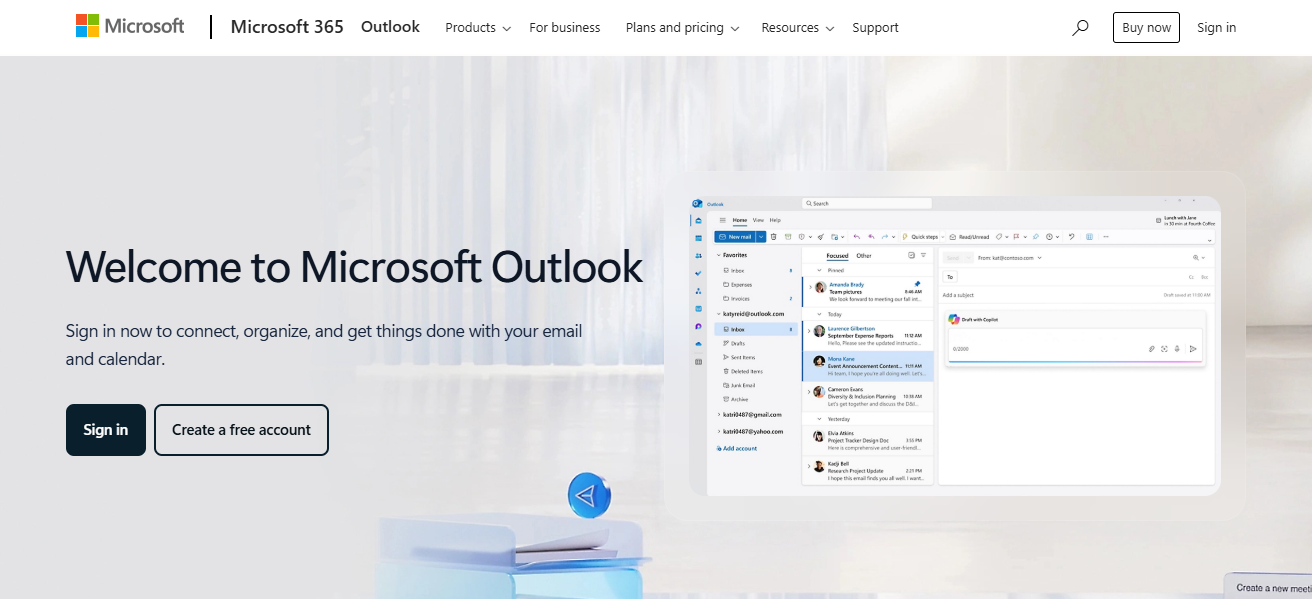
An email group in Outlook 365, or a contact group or distribution list, is a holistic amalgamation of several email addresses stored under one label. Emailing a group sends the message to every account, which optimizes communication for teams, departments, or projects.

- Advertisement -

Outlook 365 has two group types: personal Contact Groups created and used in the app and Microsoft 365 Groups which incorporate shared resources such as a mailbox, calendar, and files.
What is an Email Group in Outlook 365?

Sending messages to email groups is efficient as there is no need to type addresses. Ensuring all recipients receive the same information is also possible with a single click.

How To Create Email Group In Outlook 365

Creating Email Groups on Outlook 365 – A Web Version Tutorial

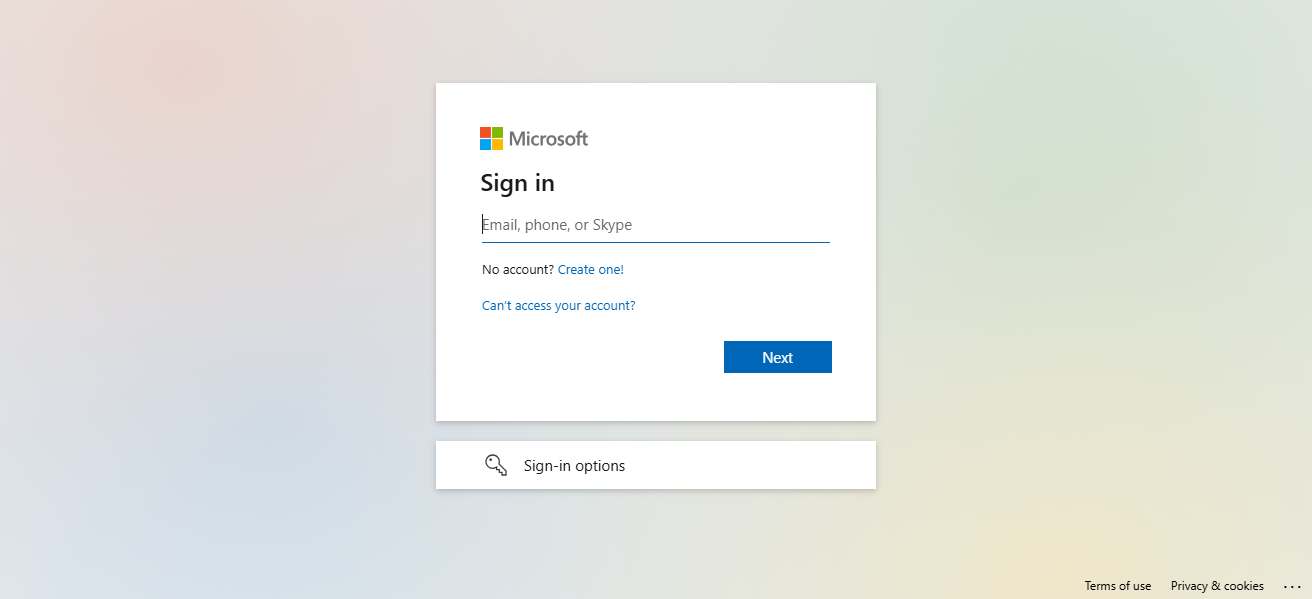
This tutorial will guide you through the simple process of creating an email group on Outlook web:
Creating Email Groups on Outlook 365 - A Web Version Tutorial

Outlook 365 LoginAccess https://outlook.office.com and log in using your Microsoft 365 credentials.

Access PeopleHover over the app launcher (nine-dot grid) on the top left, and click on “People” in the dropdown menu.

- Advertisement -

Choose “New Group” OptionSelect “New Group” from the left sidebar.

Fill Group Information

Group Name: Select a name such as “Marketing Team” for easy identification.

- Advertisement -

Group Email Address: Accepts emails specific to the group that is being formed.

Description: Describe them briefly, e.g., “Purpose” text.

Privacy Settings: Decide between Public (anyone from your organization can join) or Private (only invited members can join).

Populate MembersType in name/email of organization members to include them as members. Adding a few is acceptable.

Finalize GroupGroup will now be created by clicking on “Create” once all required tos are added.

Begin Using Your GroupYou are now able to email the group, and they will all receive the email. They will also have a shared inbox and a shared calendar.

Benefits of Using Email Groups

Streamlined communication You can transmit one message to multiple people via email groups, enabling effortless and efficient communication during a project or.

Improved collaboration Email groups promote collaboration through shared calendars and inboxes, ensuring everyone stays informed and actively participates in a central location.

Resource sharing efficiency (with 365 Groups) Microsoft 365 Groups include sharable tools such as folders, calendars, and notes, thus aiding collaboration and resource access.

Time saving for recurring messages Sending repetitive messages is now quicker as email groups eliminate the need to input each address one by one.

Common Mistakes To Avoid

Confusing contact group with Microsoft 365 group

Users often misunderstand personal contact groups and Microsoft 365 groups which offer shared resources. Selecting the wrong type while managing can severely limit functionalities and complicate management.

Not assigning an owner/admin

Without a defined group owner, controlling member and configuration becomes nearly impossible. Setting an owner guarantees stewardship over core functions including changes, permissions, and group maintenance.

Adding external users without permissions

Many Outlook groups do not permit external access. Adding external users without context leads to undeliverable emails, errors, or messages for those recipients and all but guaranteed silence.

Forgetting to check group privacy settings

If unreviewed, privacy settings may allow sensitive group information to be exposed publicly. Always check whether the group is intended to be private or public to prevent leakage.

Conclusion

In conclusion As discussed above, an Email Group in Outlook 365 can be set up as long as the person doing it has the proper permission and settings required. These groups enable easy management of contacts for effective communication.

FAQ

How do I create a group in Outlook web?

Go to People → New Group → Enter details → Add members → Create.

Can I add external users to the group?

Yes, but you must enable permissions for external users.

What’s the difference between a contact group and Microsoft 365 group?

Contact group is personal; Microsoft 365 group includes shared tools like mailbox and calendar.

Top 10 Security-First AI Agents for Banking & Finance 2026
10 Best AI SEO Tools for ChatGPT & Google Visibility Growth
10 Best ChatGPT SEO Strategies for Traffic Growth 2026
Top 10 AEO Strategies To Rank Higher in AI Search 2026
10 GEO Optimization Techniques For AI-Powered Search Engines 2026
Share This Article
Facebook Pinterest Whatsapp Whatsapp LinkedIn Tumblr Reddit VKontakte Telegram Threads Bluesky Email Copy Link Print
Previous Article SharpLink Becomes Largest Corporate Ethereum Holder Following $213M Accumulation SharpLink Becomes Largest Corporate Ethereum Holder Following $213M Accumulation
Next Article MultiBank Group Announces 7 Million $MBG Tokens Sold Out in Under One Hour During Initial Pre-Sale MultiBank Group Announces 7 Million $MBG Tokens Sold Out in Under One Hour During Initial Pre-Sale
TOP CRYPTO EXCHANGES

Best Crypto Exchanges

Kraken
Secure Trading
Visit
Bybit
Low Fees
Visit
HTX
Global Exchange
Visit
CoinSwitch
Easy INR Access
Visit
Poloniex
Altcoin Markets
Visit
TOP CRYPTO CASINOS
Best Crypto Casinos
Roobet
Roobet
Popular Casino
Visit
Stake
Stake
Top Sportsbook
Visit
BC.Game
BC.Game
Crypto Friendly
Visit
Rollbit
Rollbit
Casino + Trading
Visit
Duelbits
Duelbits
Instant Withdrawals
Visit

Find Us on Socials

TOP CRYPTO TOOLS
Best Crypto Tools
TradingView
Charts & Analysis
Visit
CoinGlass
Liquidation Data
Visit
CoinMarketCap
Market Tracking
Visit
DexScreener
DEX Analytics
Visit
Arkham
Wallet Tracking
Visit

Coinworldstory Ads

10 Top Decentralized Price Oracles for Smart Contracts
CRYPTO
10 Best Self-Managed DCA Scripts for Bitcoin Accumulation
CRYPTO
photo 2026 06 09 122418 17810237260M1eFgbTDe
Chris Jericho to Join and Co-Create Official Community Traits for Kokopi Koalas™ NFT Collection
Press Releases
10 Best Prediction Market Liquidity Pools for Macro Event Bets
CRYPTO

Latest Published

10 Best AEO Tools For Voice and AI Search Optimization

10 Best AEO Tools For Voice and AI Search Optimization

2 weeks ago
10 Top Frameworks for Google AI Overview Product Rankings

10 Top Frameworks for Google AI Overview Product Rankings

2 weeks ago
10 Best AI Voice Search Tools for Smart Shopping Devices 2026

10 Best AI Voice Search Tools for Smart Shopping Devices 2026

2 weeks ago
10 Best Home Gym Equipment Essentials Under $500 Guide 2026

10 Best Home Gym Equipment Essentials Under $500 Guide 2026

2 weeks ago
◈
CoinWorldStory
Crypto News, Reviews & Blockchain Insights
✓ Editorial Standards ✓ Research Driven ✓ Updated Daily
📧 Email Us At: support@coinworldstory.com 💬 Join Telegram
nexo banner
  • ADVERTISEMENT
  • SUBMIT PR
  • CONTACT
  • GUEST POST
  • ABOUT US
  • DMCA
  • SITEMAP
  • DISCLAIMER
  • PRIVACY POLICY
  • llms.txt
  • Newsletter
10 Best SaaS Tools for Client Onboarding Automation Guide
Trending
Fake Airdrop Scam Explained: Protect Your Crypto Assets
Trending
10 Best Games To Play With Girlfriend Online – Top Picks
Trending
CoinworldstoryCoinworldstory
Follow US
© Coinworldstory News Network. Cws Design Company. All Rights Reserved.
  • ADVERTISEMENT
  • SUBMIT PR
  • CONTACT
  • GUEST POST
  • ABOUT US
  • DMCA
  • SITEMAP
  • DISCLAIMER
  • PRIVACY POLICY
  • llms.txt
  • Newsletter
coinworldstory logo coinworldstory logo
Welcome Back!

Sign in to your account

Username or Email Address
Password

Lost your password?